End-to-End Testing SvGrid with Playwright
How to write durable Playwright tests for sorting, filtering, editing, and keyboard navigation in SvGrid - using ARIA roles so your tests double as accessibility coverage.
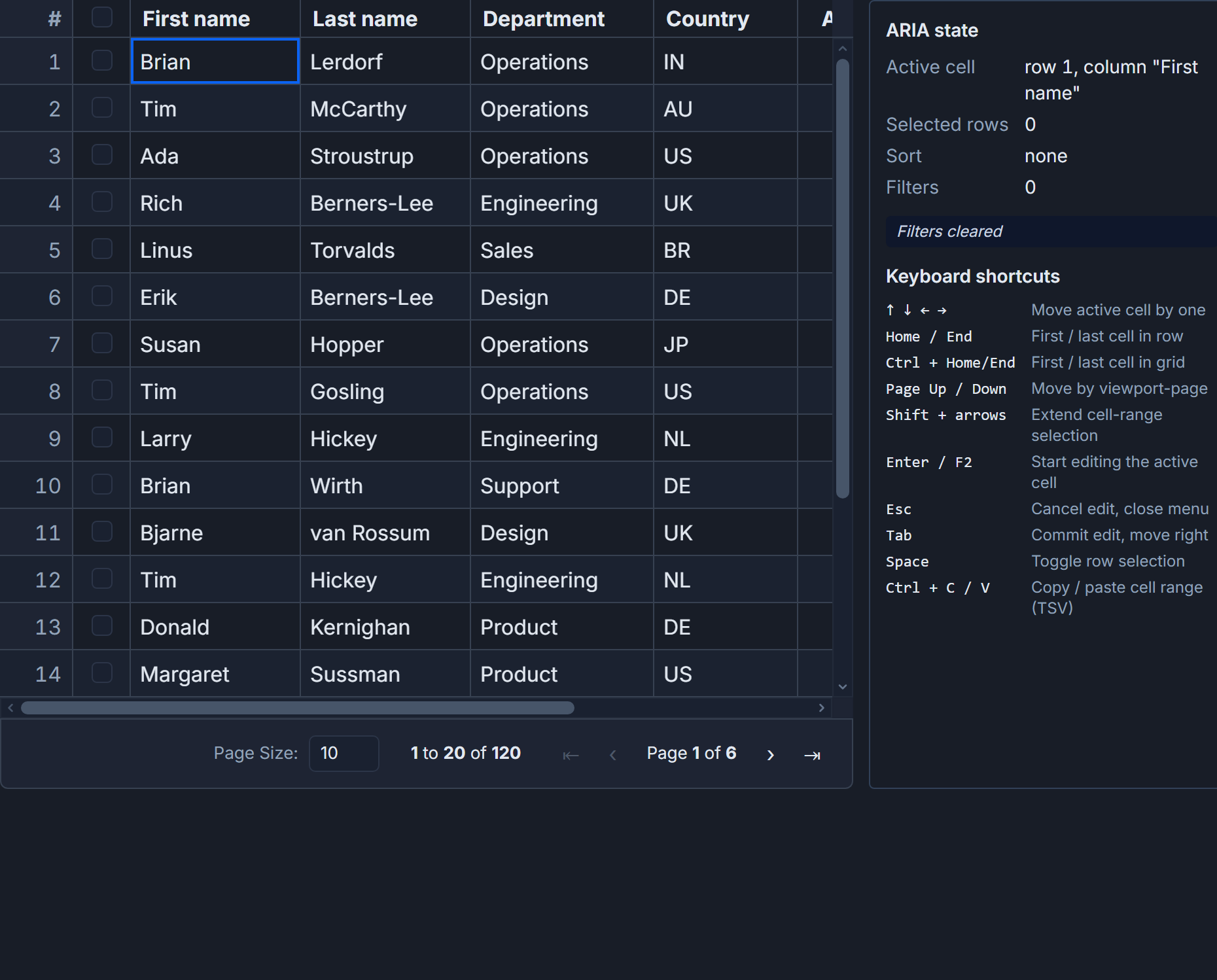
SvGrid emits a proper ARIA grid role tree - grid, row, columnheader, gridcell - which means every getByRole locator you write in Playwright is simultaneously a functional assertion and an accessibility check. That is not a coincidence; it is the reason to care about ARIA compliance in the first place.
The practical payoff: if you never use a CSS class selector or a data-testid in your grid tests, refactoring the theme, restructuring the column definitions, or upgrading the library cannot break your test suite unless behavior actually changed.
Keeping tests deterministic
Variable data is the fastest way to make grid tests flaky. A filter test that expects "exactly 3 rows from Berlin" only works if the seed is fixed. The page component below uses a hard-coded 20-row dataset so every test knows exactly what to expect after each operation.
<!-- src/routes/people/+page.svelte -->
<script lang="ts">
  import SvGrid from '@svgrid/grid'
  import {
    tableFeatures,
    rowSortingFeature,
    columnFilteringFeature,
    type ColumnDef,
    type SvGridApi,
  } from '@svgrid/grid'

  type Person = {
    id: string
    name: string
    city: string
    age: number
    status: 'active' | 'inactive'
  }

  const rows: Person[] = [
    { id: 'p01', name: 'Ada Lovelace',       city: 'London',   age: 36, status: 'active'   },
    { id: 'p02', name: 'Grace Hopper',       city: 'New York', age: 85, status: 'active'   },
    { id: 'p03', name: 'Alan Turing',         city: 'Berlin',   age: 41, status: 'inactive' },
    { id: 'p04', name: 'Margaret Hamilton',  city: 'Berlin',   age: 52, status: 'active'   },
    { id: 'p05', name: 'Linus Torvalds',     city: 'Berlin',   age: 54, status: 'active'   },
    { id: 'p06', name: 'Tim Berners-Lee',    city: 'London',   age: 69, status: 'active'   },
    { id: 'p07', name: 'Vint Cerf',          city: 'Ashburn',  age: 81, status: 'inactive' },
    { id: 'p08', name: 'Claude Shannon',     city: 'Boston',   age: 84, status: 'inactive' },
    { id: 'p09', name: 'John von Neumann',   city: 'Budapest', age: 53, status: 'inactive' },
    { id: 'p10', name: 'Edsger Dijkstra',    city: 'Nuenen',   age: 72, status: 'active'   },
    // ... 10 more rows with unique names and cities
  ]

  const features = tableFeatures({ rowSortingFeature, columnFilteringFeature })
  let api = $state<SvGridApi<typeof features, Person> | null>(null)
</script>

<SvGrid
  {features}
  data={rows}
  sortable
  filterable
  showGlobalFilter={true}
  onApiReady={(a) => { api = a }}
  columns={[
    { id: 'name',   field: 'name',   header: 'Name',   width: 200 },
    { id: 'city',   field: 'city',   header: 'City',   width: 160 },
    { id: 'age',    field: 'age',    header: 'Age',    width: 80  },
    { id: 'status', field: 'status', header: 'Status', width: 100 },
  ] satisfies ColumnDef<typeof features, Person>[]}
/>
One detail worth calling out: the onApiReady callback stores the SvGridApi instance. You will not call it from Playwright directly, but assigning it to window.__grid in that callback lets you reach into grid state from page.evaluate() - useful for debugging and for assertions that are faster than counting DOM nodes.
Sorting and filtering tests
Column header clicks drive sort. SvGrid toggles through asc -> desc -> none on repeated clicks, and the ARIA tree updates in the same tick, so there is no waiting required beyond Playwright's built-in auto-retry on expect.
// tests/people.spec.ts
import { test, expect } from '@playwright/test'

test.beforeEach(async ({ page }) => {
  await page.goto('/people')
  await expect(page.getByRole('grid')).toBeVisible()
})

test('ascending sort on Name column puts Ada Lovelace first', async ({ page }) => {
  const grid = page.getByRole('grid')
  await grid.getByRole('columnheader', { name: 'Name' }).click()
  // row.nth(0) is the header row; nth(1) is the first data row
  const firstCell = grid.getByRole('row').nth(1).getByRole('gridcell').first()
  await expect(firstCell).toHaveText('Ada Lovelace')
})

test('second click on Name sorts descending', async ({ page }) => {
  const grid = page.getByRole('grid')
  const nameHeader = grid.getByRole('columnheader', { name: 'Name' })
  await nameHeader.click() // ascending
  await nameHeader.click() // descending
  const firstCell = grid.getByRole('row').nth(1).getByRole('gridcell').first()
  await expect(firstCell).not.toHaveText('Ada Lovelace')
})

test('global filter for Berlin shows exactly 3 data rows', async ({ page }) => {
  await page.getByPlaceholder('Search...').fill('Berlin')
  // SvGrid debounces filter input ~150 ms; Playwright auto-retry handles this
  await expect(page.getByRole('grid').getByRole('row')).toHaveCount(4) // 1 header + 3 data
})

test('clearing the filter restores all 10 visible rows', async ({ page }) => {
  const input = page.getByPlaceholder('Search...')
  await input.fill('Berlin')
  await input.clear()
  await expect(page.getByRole('grid').getByRole('row')).toHaveCount(11) // 1 header + 10 data
})
The toHaveCount(4) assertion in the filter test catches two common regressions: the filter predicate firing on wrong columns, and virtualization removing rows that should still be rendered because they fit in the viewport.
Editing and keyboard navigation
Inline editing is where ARIA role tests earn their keep. A dblclick on a gridcell should open an editor, Enter should commit, and Escape should roll back. If any of those steps are broken, these tests will tell you before a user does.
test('double-click age cell, type new value, Enter commits it', async ({ page }) => {
  const grid = page.getByRole('grid')
  // Sort by Name ascending so Ada is always in row 1
  await grid.getByRole('columnheader', { name: 'Name' }).click()

  const ageCell = grid.getByRole('row').nth(1).getByRole('gridcell').nth(2)
  await ageCell.dblclick()
  await page.keyboard.press('Control+A')
  await page.keyboard.type('40')
  await page.keyboard.press('Enter')
  await expect(ageCell).toHaveText('40')
})

test('Escape after F2 cancels edit without committing', async ({ page }) => {
  const grid = page.getByRole('grid')
  await grid.getByRole('columnheader', { name: 'Name' }).click()

  const ageCell = grid.getByRole('row').nth(1).getByRole('gridcell').nth(2)
  await ageCell.click()
  await page.keyboard.press('F2')
  await page.keyboard.press('Control+A')
  await page.keyboard.type('999')
  await page.keyboard.press('Escape')
  await expect(ageCell).toHaveText('36') // original value survives
})

test('ArrowDown moves focus to the next row', async ({ page }) => {
  const grid = page.getByRole('grid')
  const firstDataCell = grid.getByRole('row').nth(1).getByRole('gridcell').first()
  await firstDataCell.click()
  await page.keyboard.press('ArrowDown')
  const secondRowFirstCell = grid.getByRole('row').nth(2).getByRole('gridcell').first()
  await expect(secondRowFirstCell).toBeFocused()
})

test('Tab moves focus across cells in the same row', async ({ page }) => {
  const grid = page.getByRole('grid')
  const firstDataCell = grid.getByRole('row').nth(1).getByRole('gridcell').first()
  await firstDataCell.click()
  await page.keyboard.press('Tab')
  const secondCell = grid.getByRole('row').nth(1).getByRole('gridcell').nth(1)
  await expect(secondCell).toBeFocused()
})
SvGrid uses a roving-focus model: only one gridcell holds tabindex="0" at a time. Playwright's toBeFocused() reads actual browser focus state, not just tabindex, so it catches cases where tabindex is set but element.focus() was never called.
Two failure modes to anticipate
Row indexing. getByRole('row').nth(0) is always the header row, not the first data row. Targeting nth(0) in a data assertion produces a pass for the wrong reason because columnheader text often overlaps with data values in small seed sets. Use nth(1) for the first data row, every time.
Virtualized cells out of viewport. SvGrid virtualizes rows, meaning a cell in row 5000 does not exist in the DOM until you scroll to it. For large datasets, call api.scrollToRow(index) via page.evaluate() before targeting a cell, or use locator.scrollIntoViewIfNeeded() if the row is already rendered but just off-screen. In the 10-row seed above this is irrelevant, but in production tests against real data it matters.
For server-side grids using createServerDataSource, the default 5000 ms Playwright assertion timeout is usually enough, but CI machines under load sometimes push filter round-trips past that. A targeted override - await expect(rows).toHaveCount(4, { timeout: 10_000 }) - is cleaner than raising the global timeout.
Reaching into grid state from page.evaluate()
Sometimes you want to assert on internal grid state rather than rendered text. The SvGridApi instance is the right handle for that. Expose it on window in the onApiReady callback:
<SvGrid
  ...
  onApiReady={(a) => {
    api = a
    if (typeof window !== 'undefined') (window as any).__grid = a
  }}
/>
Then in Playwright:
test('displayed row count matches DOM row count after filter', async ({ page }) => {
  await page.getByPlaceholder('Search...').fill('Berlin')

  // Assert via API - faster than counting DOM nodes in large grids
  const apiCount = await page.evaluate(() => (window as any).__grid.getDisplayedRows().length)
  expect(apiCount).toBe(3)

  // Assert via DOM - confirms the ARIA tree is consistent with internal state
  const domCount = await page.getByRole('grid').getByRole('row').count()
  expect(domCount).toBe(4) // +1 for header
})
Comparing these two numbers in the same test is one of the best ways to catch virtualization bugs, where the grid's internal model is correct but the rendered DOM is missing or duplicating rows.
Related reading
- Docs: Testing your grid
- Documenting SvGrid in Storybook
- Unit-Testing SvGrid with Vitest
- Choosing the Most Accessible Svelte Data Grid
- Cell Tooltips Done Right in a Data Grid
- Keyboard Navigation and Accessibility in SvGrid
Tagged: Testing, Accessibility