Unit-Testing SvGrid with Vitest
Three-layer testing strategy for SvGrid - pure accessor logic, headless row model, and rendered component - all with Vitest and no browser required.
Most grid bugs are not render bugs. They are logic bugs: a sort that puts nulls in the wrong bucket, a filter operator that silently drops rows, a derived accessor that concatenates names with a double space. None of these show up in a visual review, and a Playwright screenshot will not catch them either. Vitest will, in under 50 ms.
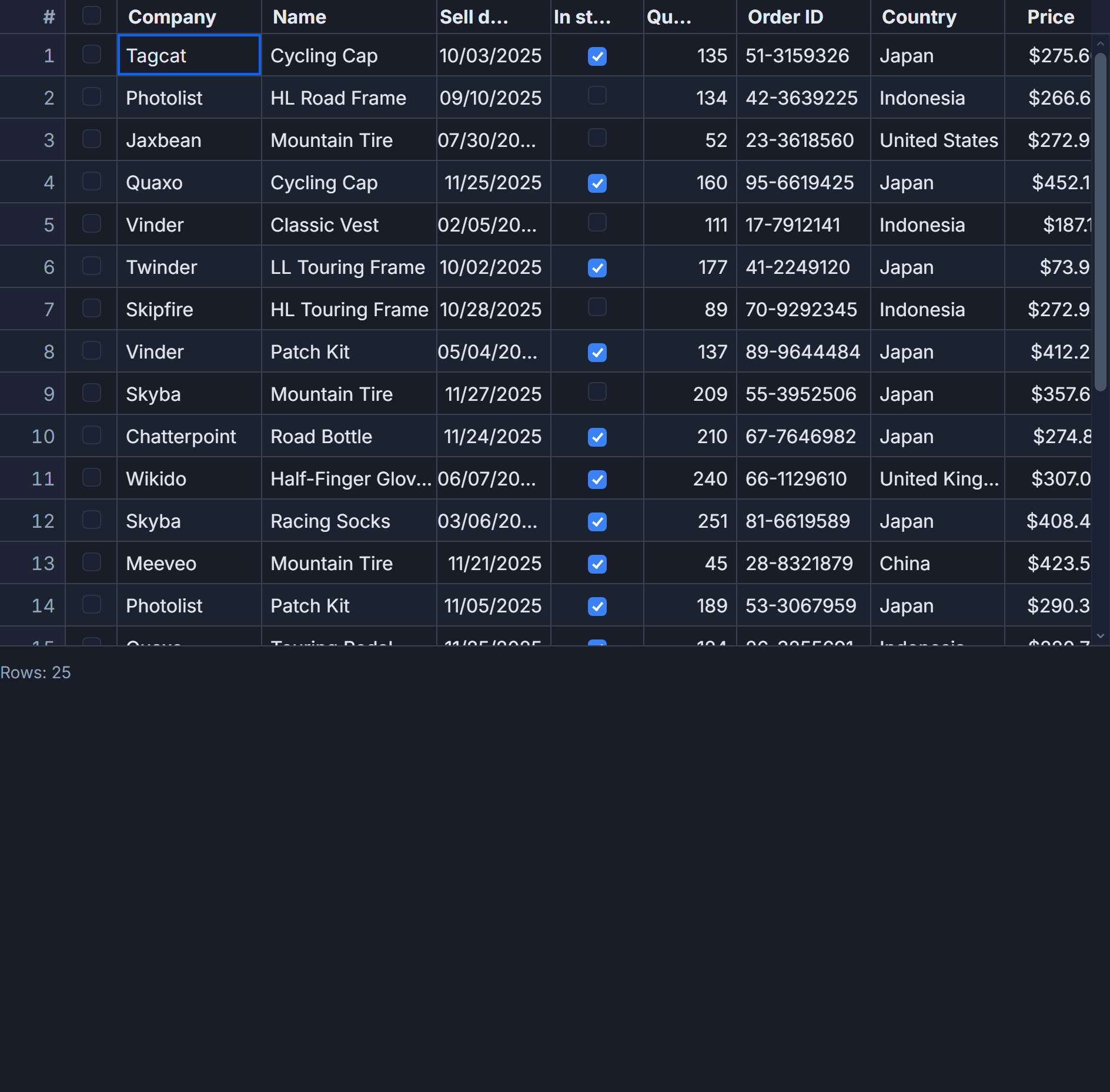
SvGrid has a clean three-layer architecture that maps directly to three test categories: pure column-definition functions, the headless row model, and the mounted Svelte component. Each layer has different setup requirements and different failure modes. Getting the boundaries right means faster tests, clearer failures, and no jsdom overhead where you do not need it.
Installing and configuring Vitest
One devDependencies install and two config lines:
pnpm add -D vitest @testing-library/svelte @testing-library/jest-dom jsdom
// vite.config.ts
import { defineConfig } from 'vite'
import { svelte } from '@sveltejs/vite-plugin-svelte'

export default defineConfig({
  plugins: [svelte({ hot: !process.env.VITEST })],
  test: {
    environment: 'node',        // default: fast node env for logic tests
    setupFiles: ['./src/test-setup.ts'],
  },
})
// src/test-setup.ts
import '@testing-library/jest-dom'
The global environment stays node. Component tests that need the DOM get // @vitest-environment jsdom added at the top of the file. This keeps the majority of your tests - the ones that only touch data - running at full Node speed without spinning up a DOM engine.
Layer 1: pure column logic
Start with columns.ts. Export every function that transforms row data. If it is defined inline and unexported, you cannot test it without mounting a component, which is far too expensive for what is essentially a string operation.
// src/lib/roster/columns.ts
import {
  tableFeatures,
  rowSortingFeature,
  columnFilteringFeature,
  rowSelectionFeature,
  rowPaginationFeature,
  type ColumnDef,
} from '@svgrid/grid'

export type Employee = {
  id: string
  firstName: string
  lastName: string
  department: string
  salary: number
  hiredAt: string
}

export const fullName = (row: Employee) =>
  `${row.firstName} ${row.lastName}`.trim()

export const formatSalary = (value: number) =>
  new Intl.NumberFormat('en-US', {
    style: 'currency',
    currency: 'USD',
    maximumFractionDigits: 0,
  }).format(value)

export const features = tableFeatures({
  rowSortingFeature,
  columnFilteringFeature,
  rowSelectionFeature,
  rowPaginationFeature,
})

export const columns: ColumnDef<typeof features, Employee>[] = [
  {
    id: 'fullName',
    header: 'Name',
    width: 200,
    fieldFn: fullName,
  },
  {
    id: 'department',
    header: 'Department',
    accessorKey: 'department',
    width: 150,
  },
  {
    id: 'salary',
    header: 'Salary',
    accessorKey: 'salary',
    width: 130,
    type: 'number',
    cell: (ctx) => formatSalary(ctx.getValue<number>()),
  },
  {
    id: 'hiredAt',
    header: 'Hired',
    accessorKey: 'hiredAt',
    width: 120,
  },
]
Tests for this layer run in the node environment with no setup beyond importing the file:
// src/lib/roster/columns.test.ts
import { describe, it, expect } from 'vitest'
import { fullName, formatSalary, type Employee } from './columns'

const ada: Employee = {
  id: 'e1',
  firstName: 'Ada',
  lastName: 'Lovelace',
  department: 'Engineering',
  salary: 120_000,
  hiredAt: '2020-01-15',
}

describe('fullName', () => {
  it('concatenates first and last name with one space', () => {
    expect(fullName(ada)).toBe('Ada Lovelace')
  })

  it('handles empty last name without trailing space', () => {
    expect(fullName({ ...ada, lastName: '' })).toBe('Ada')
  })
})

describe('formatSalary', () => {
  it('formats 120000 as $120,000', () => {
    expect(formatSalary(120_000)).toBe('$120,000')
  })

  it('rounds down fractional cents', () => {
    expect(formatSalary(99_999.99)).toBe('$100,000')
  })
})
These run in about 2 ms each. The trim() in fullName is there to catch the empty-last-name case, and the test proves it works without any component overhead at all.
Layer 2: headless row model
SvGrid separates its row pipeline from its renderer. createSvGrid gives you a grid instance that runs the full sort, filter, group, and pagination pipeline with no DOM. You can call api.setSort, api.setFilter, and api.getDisplayedRows() from a plain Node test.
One thing to know: state updates go through a microtask. After any API call that mutates state, add await Promise.resolve() before reading results, otherwise you are asserting against stale data and tests pass for the wrong reason.
// src/lib/roster/row-model.test.ts
import { describe, it, expect } from 'vitest'
import { createSvGrid } from '@svgrid/grid'
import { columns, features, type Employee } from './columns'

const seed: Employee[] = [
  { id: 'e1', firstName: 'Ada',   lastName: 'Lovelace', department: 'Engineering', salary: 120_000, hiredAt: '2020-01-15' },
  { id: 'e2', firstName: 'Grace', lastName: 'Hopper',   department: 'Engineering', salary: 130_000, hiredAt: '2019-03-15' },
  { id: 'e3', firstName: 'Linus', lastName: 'Torvalds', department: 'Infrastructure', salary: 115_000, hiredAt: '2021-06-01' },
  { id: 'e4', firstName: 'Bjarne', lastName: 'Stroustrup', department: 'Infrastructure', salary: 118_000, hiredAt: '2018-11-20' },
]

describe('sort by salary', () => {
  it('descending puts Grace first and Linus last', async () => {
    const grid = createSvGrid({ data: seed, columns, features })
    grid.api.setSort('salary', 'desc')
    await Promise.resolve()
    const rows = grid.api.getDisplayedRows()
    expect(rows[0].original.id).toBe('e2')   // $130,000
    expect(rows[3].original.id).toBe('e3')   // $115,000
  })
})

describe('filter by department', () => {
  it('equals "Engineering" returns exactly 2 rows', async () => {
    const grid = createSvGrid({ data: seed, columns, features })
    grid.api.setFilter('department', { operator: 'equals', value: 'Engineering' })
    await Promise.resolve()
    const rows = grid.api.getDisplayedRows()
    expect(rows).toHaveLength(2)
    expect(rows.every(r => r.original.department === 'Engineering')).toBe(true)
  })

  it('between salary 116000 and 125000 returns Ada and Bjarne', async () => {
    const grid = createSvGrid({ data: seed, columns, features })
    grid.api.setFilter('salary', { operator: 'between', value: '116000', valueTo: '125000' })
    await Promise.resolve()
    const ids = grid.api.getDisplayedRows().map(r => r.original.id).sort()
    expect(ids).toEqual(['e1', 'e4'])
  })
})

describe('pagination', () => {
  it('page size 2 shows first two rows on page 0', async () => {
    const grid = createSvGrid({ data: seed, columns, features })
    grid.api.setPageSize(2)
    grid.api.setPage(0)
    await Promise.resolve()
    expect(grid.api.getDisplayedRows()).toHaveLength(2)
    expect(grid.api.getPageInfo().pageCount).toBe(2)
  })
})
The between filter test is worth having. Off-by-one errors in range operators are common, and this is exactly the kind of bug that looks correct in a screenshot because the wrong rows happen to have similar values.
Layer 3: rendered component
Component tests need the DOM. Add the jsdom directive at the top of the file and import @testing-library/svelte. The component itself is a thin wrapper around the column definitions and features you already tested:
<!-- src/lib/roster/RosterGrid.svelte -->
<script lang="ts">
  import SvGrid from '@svgrid/grid'
  import { columns, features, type Employee } from './columns'
  import type { SvGridApi } from '@svgrid/grid'

  let { data, onready }: {
    data: Employee[]
    onready?: (api: SvGridApi<typeof features, Employee>) => void
  } = $props()
</script>

<SvGrid
  {features}
  {columns}
  {data}
  onApiReady={onready}
/>
// @vitest-environment jsdom
// src/lib/roster/RosterGrid.test.ts
import { describe, it, expect } from 'vitest'
import { render, screen } from '@testing-library/svelte'
import RosterGrid from './RosterGrid.svelte'
import type { Employee } from './columns'

const seed: Employee[] = [
  { id: 'e1', firstName: 'Ada',   lastName: 'Lovelace', department: 'Engineering',    salary: 120_000, hiredAt: '2020-01-15' },
  { id: 'e2', firstName: 'Grace', lastName: 'Hopper',   department: 'Engineering',    salary: 130_000, hiredAt: '2019-03-15' },
]

describe('RosterGrid', () => {
  it('renders column headers with correct ARIA roles', async () => {
    render(RosterGrid, { data: seed })
    expect(await screen.findByRole('columnheader', { name: 'Name' })).toBeInTheDocument()
    expect(screen.getByRole('columnheader', { name: 'Salary' })).toBeInTheDocument()
    expect(screen.getByRole('grid')).toBeInTheDocument()
  })

  it('exposes the API through onready and allows programmatic sort', async () => {
    let capturedApi: ReturnType<typeof import('@svgrid/grid').createSvGrid>['api'] | null = null
    render(RosterGrid, {
      data: seed,
      onready: (api) => { capturedApi = api },
    })
    await screen.findByRole('grid')
    expect(capturedApi).not.toBeNull()
    capturedApi!.setSort('salary', 'desc')
    await Promise.resolve()
    const rows = capturedApi!.getDisplayedRows()
    expect(rows[0].original.id).toBe('e2')  // Grace at $130,000
  })
})
Two things matter here. First, query by ARIA role - not by CSS class. SvGrid class names are implementation details that change between patch releases. getByRole('columnheader', { name: 'Name' }) also verifies the ARIA structure, which is genuinely valuable. Second, use findByRole with await on the initial render assertion - Svelte 5 runes initialize state asynchronously in some cases and a synchronous getByRole will fire before the DOM is populated.
When not to write layer-3 tests
Component tests are the most expensive to maintain. Every refactor that changes how a column is laid out in the DOM can break them, even if the behavior is identical. I use layer-3 tests only for:
- Verifying ARIA roles and accessibility attributes are present
- Confirming
onApiReadyfires and the returned API is functional - Smoke-testing that a complex snippet renders without throwing
Everything else - sorting correctness, filter logic, pagination edge cases, accessor transformations - belongs in layer 1 or layer 2 where the feedback loop is 10x faster and failures are far easier to diagnose.
Related reading
- Docs: Testing your grid
- Documenting SvGrid in Storybook
- Using SvGrid with TanStack Query in Svelte
- A Svelte Data Grid with SvelteKit and Supabase
- Using SvGrid in Astro with Svelte Islands
- SvGrid drops into your shadcn-svelte app
Tagged: Testing