Using SvGrid in Astro with Svelte Islands
Wire SvGrid into an Astro page as a Svelte island - hydration directives, server-fetched props, bounded height for the virtualizer, and when to switch to a server data source instead.
Astro's island architecture is one of the cleanest models for shipping a fast static site with a handful of interactive components. The idea is simple: most of the page is plain HTML with no JavaScript cost at all, and individual "islands" opt in to client-side hydration. A data grid is a natural fit for that model - it is interactive, it benefits from virtualization, and it has no reason to inflate the JavaScript budget for every other page on the site.
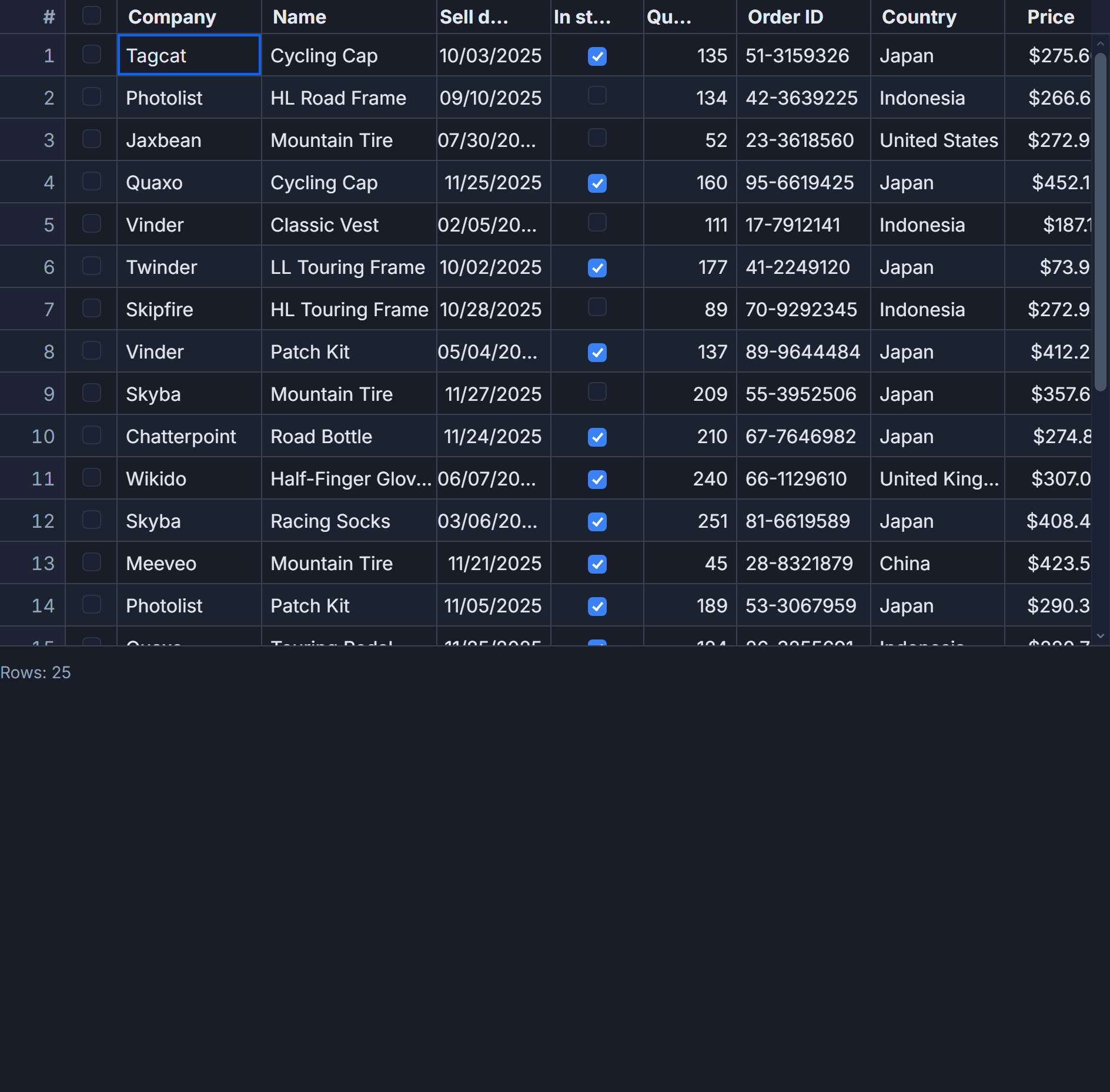
SvGrid plugs into this pattern without ceremony. The Astro page runs fetch on the server, passes the result as a prop, and the Svelte island handles everything from there. What follows is the actual wiring, the decisions that matter, and two failure modes worth knowing before you hit them in production.
Installing the integrations
If you have not already added Svelte support to your Astro project, one command handles it:
npx astro add svelte
npm add @svgrid/grid
astro add svelte patches astro.config.mjs and installs @sveltejs/vite-plugin-svelte. After that, any .svelte file you import from an Astro page can be rendered as an island. SvGrid itself is a plain npm package - no Astro-specific adapter needed.
The Astro page: fetch on the server, hydrate in the browser
The scenario here is an internal "People" directory: 500 employee records from a REST API, displayed in a sortable, filterable grid. The rest of the page - nav, breadcrumbs, sidebar - stays completely static.
---
// src/pages/people.astro
import PeopleGrid from '../components/PeopleGrid.svelte'

// This runs on the server (or at build time in static mode).
// 500 records is roughly 40 KB of JSON - fine to inline as a prop.
const people = await fetch(`${import.meta.env.API_BASE}/people`)
  .then((r) => {
    if (!r.ok) throw new Error(`People API returned ${r.status}`)
    return r.json()
  })
---

<html lang="en">
  <head>
    <meta charset="utf-8" />
    <title>People</title>
  </head>
  <body>
    <header>
      <h1>People</h1>
    </header>

    <!--
      client:visible defers hydration until the grid scrolls into the viewport.
      Switch to client:load if the grid is above the fold and must be
      interactive on first paint.
    -->
    <PeopleGrid rows={people} client:visible />
  </body>
</html>
Astro serialises the people array into an inline <script> tag in the HTML response. The Svelte component renders to static HTML server-side (including column headers and the first visible rows), so the grid structure is present in the document before any JavaScript runs. When the client:visible threshold fires, Astro loads the Svelte bundle and hydrates against the already-rendered markup.
The Svelte island: wiring the grid
<!-- src/components/PeopleGrid.svelte -->
<script lang="ts">
  import SvGrid from '@svgrid/grid'
  import {
    tableFeatures,
    rowSortingFeature,
    columnFilteringFeature,
    type ColumnDef,
    type SvGridApi,
  } from '@svgrid/grid'

  type Person = {
    id: number
    firstName: string
    lastName: string
    department: string
    country: string
    age: number
    salary: number
  }

  // Svelte 5 runes: receive Astro props via $props()
  let { rows }: { rows: Person[] } = $props()

  // Declare features at module scope so they are created exactly once.
  const features = tableFeatures({ rowSortingFeature, columnFilteringFeature })

  const columns: ColumnDef<typeof features, Person>[] = [
    { id: 'firstName',  field: 'firstName',  header: 'First name',  width: 130 },
    { id: 'lastName',   field: 'lastName',   header: 'Last name',   width: 130 },
    { id: 'department', field: 'department', header: 'Department',  width: 150 },
    { id: 'country',    field: 'country',    header: 'Country',     width: 120 },
    { id: 'age',        field: 'age',        header: 'Age',         width: 80,
      type: 'number' },
    {
      id: 'salary',
      field: 'salary',
      header: 'Salary',
      type: 'number',
      width: 140,
    },
  ]

  let api = $state<SvGridApi | null>(null)

  function onApiReady(readyApi: SvGridApi) {
    api = readyApi
    // One-time DOM measurement pass - safe to call immediately after mount.
    api.autosizeAllColumns()
  }
</script>

<!--
  The wrapper div MUST have a bounded height.
  Without it, the scroll container collapses and the virtualizer renders nothing.
-->
<div style="height: 600px; width: 100%;">
  <SvGrid
    data={rows}
    {columns}
    {features}
    sortable
    filterable
    showFilterRow={true}
    {onApiReady}
  />
</div>
With 500 rows and rowHeight defaulting to 30px inside a 600px container, the virtualizer maintains roughly 20-25 live DOM rows regardless of total count. Sorting and filtering both operate on the client-side row model, so they feel instant.
Hydration directives and when to use each
The choice of hydration directive affects perceived performance more than people expect. Here is the breakdown for a grid specifically:
client:load - The Svelte bundle is fetched in parallel with the page and hydration starts immediately on DOMContentLoaded. Use this when the grid is the primary content and sits above the fold. A grid that users expect to interact with in the first second belongs here.
client:visible - The bundle is not even requested until the grid's placeholder enters the viewport. For a grid on a long page, this saves the ~85 KB bundle entirely for users who never scroll that far. This is the right default for most below-the-fold grids.
client:idle - Fires when the browser's requestIdleCallback triggers. Avoid this for grids. Browsers can defer idle callbacks by several seconds on busy tabs, and a grid that pops into existence after a user has already scrolled to it looks broken.
client:only="svelte" - Skips SSR entirely. The initial HTML has no grid markup at all, which delays first contentful paint and removes any SEO value from the table content. Only use this if you have a specific reason the server cannot render the component.
When 500 rows becomes 5000 rows
Astro serialises the rows prop as JSON inside an inline <script> tag. Five hundred records of the shape above runs about 40 KB - well within reason. At five thousand records you are looking at roughly 400 KB added to your HTML payload, which meaningfully inflates Time to First Byte and the hydration cost.
The right answer at that scale is a server data source. Pass only an API endpoint URL as a prop, and let the grid handle pagination server-side:
<script lang="ts">
  import SvGrid from '@svgrid/grid'
  import {
    tableFeatures,
    rowSortingFeature,
    columnFilteringFeature,
    createServerDataSource,
    type ColumnDef,
  } from '@svgrid/grid'

  // No rows prop - endpoint URL comes from Astro instead.
  let { apiBase }: { apiBase: string } = $props()

  const features = tableFeatures({ rowSortingFeature, columnFilteringFeature })

  const columns: ColumnDef<typeof features, Record<string, unknown>>[] = [
    { id: 'firstName',  field: 'firstName',  header: 'First name',  width: 130 },
    { id: 'lastName',   field: 'lastName',   header: 'Last name',   width: 130 },
    { id: 'department', field: 'department', header: 'Department',  width: 150 },
    { id: 'country',    field: 'country',    header: 'Country',     width: 120 },
    { id: 'age',        field: 'age',        header: 'Age',         width: 80  },
    { id: 'salary',     field: 'salary',     header: 'Salary',      width: 140 },
  ]

  const ds = createServerDataSource({
    fetch: async ({ page, pageSize, sort, filters }) => {
      const params = new URLSearchParams({
        page: String(page),
        size: String(pageSize),
      })
      if (sort.length) {
        params.set('sortField', sort[0].id)
        params.set('sortDir', sort[0].desc ? 'desc' : 'asc')
      }
      const res = await fetch(`${apiBase}/people?${params}`)
      const json = await res.json()
      return { rows: json.data, total: json.total }
    },
  })
</script>

<div style="height: 600px; width: 100%;">
  <SvGrid
    data={ds}
    {columns}
    {features}
    sortable
    pageable
    showFilterRow={true}
  />
</div>
In the Astro page, pass apiBase={import.meta.env.API_BASE} as a prop. The HTML payload stays small - no JSON serialisation of row data at all - and the grid fetches pages on demand as the user pages through or sorts.
One failure mode that wastes an afternoon
The virtualizer needs a scroll container with a finite height to know how many rows to render. If the wrapper div has no explicit height, or height: 100% inside a parent that also has no height, the scroll container collapses to zero pixels and the grid renders column headers but no rows.
The symptom is subtle because the headers look fine. The fix is always the same: give the wrapper a concrete pixel height, or use height: 100% inside a parent that has height: 100vh or a fixed pixel value all the way up the chain.
Also worth knowing: tableFeatures(...) must be called exactly once. If you call it inside a reactive block or a function that runs on re-render, the grid tears down and rebuilds its row model pipeline on every render cycle. Module scope or the top level of <script> is the right place.
Post-hydration data updates
Once onApiReady fires, the api object gives you fine-grained control without replacing the entire dataset. If you want to push new records from a WebSocket or polling interval:
// Called from an onMount interval or a WebSocket message handler
function pushUpdate(newRecords: Person[], removedIds: number[]) {
  if (!api) return
  api.applyTransaction({
    add: newRecords,
    remove: removedIds.map((id) => ({ id })),
  })
}
applyTransaction surgically adds, updates, or removes rows and triggers only the necessary re-renders. It is significantly cheaper than replacing the entire data prop, especially once you have a few hundred rows on screen.
The SSR demo at /demos/19-ssr shows this hydration pattern end to end with sorting and filtering enabled - a good place to verify behavior in isolation before wiring it into a real Astro page.