Sync Grid State to the URL in Svelte
Keep sort, filter, and page state in the URL query string so every grid view is bookmarkable and shareable - with real SvelteKit code.
The bug shows up the same way every time. A sales rep filters the deals table to "Won" in the AMER region, sorts by ARR descending, navigates to page 2, and pastes the URL in Slack. Their manager opens it and sees row 1 of an unsorted, unfiltered table. Thirty seconds of "no, scroll down and click the ARR column..." follows in the thread.
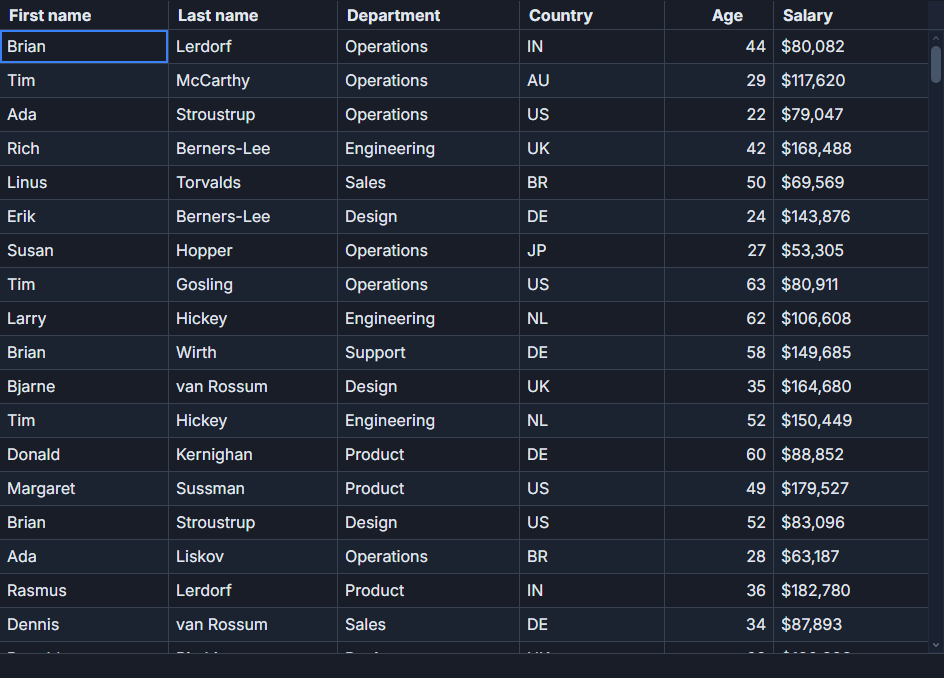
The fix is straightforward: keep sort, filter, and page in the URL query string. The page becomes a persistent lens into the data. Anyone with the URL sees exactly what you see.
SvelteKit makes the wiring clean. SvGrid's onApiReady callback and its getState() / setSort() / setPage() API give you the reads and writes. The whole thing runs in about 50 lines.
Where state lives and why it escapes the URL
By default, SvGrid holds its view state in Svelte reactive state. Sort descriptors, the active filter string, the page index - all in memory. That is the right default for most grids. For a grid that needs to be shareable or survive a browser refresh, you need an external store, and the URL is the simplest one that already exists.
The three pieces of state worth persisting:
- sort - which column and which direction (
asc/desc) - q - the global filter string
- page - the zero-based page index
Column widths, row expansion, and similar display preferences are secondary and usually better saved to localStorage (see the named views pattern). The three above are the ones that change what data the user is looking at, which is what matters for sharing.
The URL helpers
Keep serialization logic in a plain .ts file so it is testable without mounting a component:
// src/lib/grid-url-state.ts
import { goto } from '$app/navigation'

export interface GridUrlState {
  sort: string
  desc: boolean
  q: string
  page: number
}

export function readUrlState(params: URLSearchParams): GridUrlState {
  return {
    sort: params.get('sort') ?? '',
    desc: params.get('desc') === 'true',
    q:    params.get('q')    ?? '',
    page: Math.max(0, Number(params.get('page') ?? 0)),
  }
}

export function writeUrlState(state: GridUrlState): void {
  const params = new URLSearchParams()
  if (state.sort) params.set('sort', state.sort)
  if (state.desc) params.set('desc', 'true')
  if (state.q)    params.set('q', state.q)
  if (state.page) params.set('page', String(state.page))

  goto(`?${params}`, {
    replaceState: true,
    keepFocus: true,
    noScroll: true,
  })
}

export function debounce<T extends unknown[]>(
  fn: (...args: T) => void,
  wait: number,
): (...args: T) => void {
  let timer: ReturnType<typeof setTimeout>
  return (...args) => {
    clearTimeout(timer)
    timer = setTimeout(() => fn(...args), wait)
  }
}
Three options on goto matter here. replaceState: true overwrites the current history entry instead of pushing a new one - without it, every filter keystroke adds a back-button step. keepFocus: true prevents the browser from yanking the cursor out of the search input on each navigation. noScroll: true stops the page from jumping to the top.
The page component
This is a complete SvelteKit route. Drop it in src/routes/deals/+page.svelte:
<script lang="ts">
  import { page } from '$app/state'
  import SvGrid, {
    tableFeatures,
    rowSortingFeature,
    columnFilteringFeature,
    rowPaginationFeature,
    type ColumnDef,
    type SvGridApi,
  } from '@svgrid/grid'
  import { readUrlState, writeUrlState, debounce } from '$lib/grid-url-state'

  type Deal = {
    id: number; company: string; region: string
    rep: string; arr: number; stage: string
  }

  const deals: Deal[] = [
    { id: 1,  company: 'Acme',      region: 'AMER', rep: 'Ada Lovelace',     arr: 482000,  stage: 'Won'         },
    { id: 2,  company: 'Globex',    region: 'EMEA', rep: 'Linus Torvalds',   arr: 218000,  stage: 'Negotiation' },
    { id: 3,  company: 'Initech',   region: 'APAC', rep: 'Grace Hopper',     arr: 94000,   stage: 'Proposal'    },
    { id: 4,  company: 'Umbrella',  region: 'AMER', rep: 'Donald Knuth',     arr: 615000,  stage: 'Won'         },
    { id: 5,  company: 'Vandelay',  region: 'EMEA', rep: 'Tim Berners-Lee',  arr: 162000,  stage: 'Discovery'   },
    { id: 6,  company: 'Pied P.',   region: 'APAC', rep: 'Linda Petersen',   arr: 47000,   stage: 'Won'         },
    { id: 7,  company: 'Hooli',     region: 'AMER', rep: 'Sven Andersson',   arr: 1102000, stage: 'Negotiation' },
    { id: 8,  company: 'Wonka',     region: 'EMEA', rep: 'Yuki Tanaka',      arr: 305000,  stage: 'Won'         },
    { id: 9,  company: 'Tyrell',    region: 'APAC', rep: 'Mei Chen',         arr: 72000,   stage: 'Proposal'    },
    { id: 10, company: 'Stark',     region: 'AMER', rep: 'Raj Patel',        arr: 858000,  stage: 'Won'         },
    { id: 11, company: 'Wayne',     region: 'EMEA', rep: 'Anders Hejlsberg', arr: 411000,  stage: 'Negotiation' },
    { id: 12, company: 'Cyberdyne', region: 'APAC', rep: 'Jin Park',         arr: 188000,  stage: 'Discovery'   },
  ]

  const features = tableFeatures({
    rowSortingFeature,
    columnFilteringFeature,
    rowPaginationFeature,
  })

  const columns: ColumnDef<typeof features, Deal>[] = [
    { field: 'company', header: 'Company',   width: 140 },
    { field: 'region',  header: 'Region',    width: 90  },
    { field: 'rep',     header: 'Sales rep', width: 160 },
    { field: 'arr',     header: 'ARR',       width: 130, align: 'right',
      format: { type: 'currency', currency: 'USD', options: { maximumFractionDigits: 0 } } },
    { field: 'stage',   header: 'Stage',     width: 130 },
  ]

  // Read URL state once at module evaluation - before mount, no flash.
  const urlState = readUrlState(page.url.searchParams)
  let globalFilter = $state(urlState.q)
  let api = $state<SvGridApi<typeof features, Deal> | null>(null)

  function onApiReady(gridApi: SvGridApi<typeof features, Deal>) {
    api = gridApi
    if (urlState.sort) {
      api.setSort(urlState.sort, urlState.desc ? 'desc' : 'asc')
    }
    api.setPage(urlState.page)
  }

  function currentSortField(): string {
    return api?.getState().sorting?.[0]?.id ?? ''
  }

  function currentSortDesc(): boolean {
    return api?.getState().sorting?.[0]?.desc ?? false
  }

  function syncSort() {
    if (!api) return
    writeUrlState({
      sort: currentSortField(),
      desc: currentSortDesc(),
      q:    globalFilter,
      page: api.getPageInfo().pageIndex,
    })
  }

  function syncPage() {
    if (!api) return
    writeUrlState({
      sort: currentSortField(),
      desc: currentSortDesc(),
      q:    globalFilter,
      page: api.getPageInfo().pageIndex,
    })
  }

  // Debounced filter sync - resets page to 0 on each new filter.
  const syncFilter = debounce((q: string) => {
    if (!api) return
    writeUrlState({
      sort: currentSortField(),
      desc: currentSortDesc(),
      q,
      page: 0,
    })
  }, 300)

  $effect(() => { syncFilter(globalFilter) })
</script>

<label>
  Search
  <input type="search" bind:value={globalFilter} placeholder="Filter all columns..." />
</label>

<SvGrid
  {features}
  {columns}
  rows={deals}
  {globalFilter}
  pageSize={5}
  onApiReady={onApiReady}
  onSortingChange={syncSort}
  onPaginationChange={syncPage}
  height={340}
/>
Sort by ARR descending, filter to "Won", page to result 2, copy the URL. It will look something like ?sort=arr&desc=true&q=Won&page=1. Open that URL in a fresh tab and the grid initializes directly to that view - no flash of defaults.
The initialization sequence
The order matters. readUrlState runs at module evaluation time, before the component mounts. That means globalFilter is already set to the URL value when SvGrid first renders. There is no intermediate state where the filter shows empty and then jumps.
Sort and page are different. They require the grid API to exist before you can set them, so they go into onApiReady. This fires once, immediately after SvGrid builds its internal table instance. At that point api.setSort() and api.setPage() apply the URL values and the grid renders into the correct state on the first visible frame.
The $effect watching globalFilter will fire once on mount with the initial value. The debounce inside syncFilter means this does not trigger a spurious URL write - the 300 ms timer fires, globalFilter equals what was already in the URL, and writeUrlState produces an identical URL so goto is effectively a no-op.
Page reset on filter change
There is one edge case that trips people up. If the user is on page 2 and then types a filter that reduces results to a single page, the grid shows zero rows on page 2. The fix is to always pass page: 0 when syncing a filter change. syncFilter does this explicitly. syncSort and syncPage read api.getPageInfo().pageIndex - after sorting, the grid already resets to page 0 internally, so reading the current page index is correct there.
Connecting to server-side data
The same pattern works with server-side data and is actually cleaner because the URL already feeds the SvelteKit load function. Your +page.server.ts receives the URL parameters directly:
// src/routes/deals/+page.server.ts
import type { PageServerLoad } from './$types'

export const load: PageServerLoad = async ({ url }) => {
  const sort  = url.searchParams.get('sort')  ?? 'arr'
  const desc  = url.searchParams.get('desc')  === 'true'
  const q     = url.searchParams.get('q')     ?? ''
  const page  = Number(url.searchParams.get('page') ?? 0)

  const res = await fetch(
    `/api/deals?sort=${sort}&desc=${desc}&q=${encodeURIComponent(q)}&page=${page}&pageSize=5`
  )
  const { rows, total } = await res.json()
  return { rows, total, initialSort: sort, initialDesc: desc, initialPage: page }
}
The first load is server-rendered with the correct filtered and sorted data. Subsequent interactions update the URL, SvelteKit re-runs the load function, and the grid receives fresh server data. You end up with no client-side fetch logic at all - the URL is the source of truth for both the server query and the grid display state.
When to skip this pattern
Not every grid needs URL sync. An embedded analytics widget, a modal data picker, a dashboard panel - these are better off holding state locally. The URL sync pattern earns its complexity when the grid is the primary content of a route and the view itself is the thing users want to share, bookmark, or return to. CRM pipelines, admin tables, log viewers: yes. Inline product selectors in a checkout flow: no.
Related reading
- Live demo: State maintenance (auto)
- Docs: Persist column layout to URL
- Saved Views - Persist Grid Layout and Filters
- Importing CSV into a Svelte Data Grid
- Row Drag-and-Drop Reordering in a Svelte Data Grid
- A Right-Click Context Menu for Your Svelte Data Grid
- Progress and Percentage Bar Cells in SvGrid
Tagged: SvelteKit