A Right-Click Context Menu for Your Svelte Data Grid
Build a right-click context menu that wires row actions, handles multi-row selection, and stays out of the way of SvGrid's own event handling.
Power users hit right-click within the first few minutes. When they see the browser's native context menu instead of something app-specific, the mental model shifts from "data application" to "fancy table." The fix is not complicated, but there are a few decisions that determine whether your implementation holds up under sorting, filtering, multi-row selection, and rapid mouse usage.
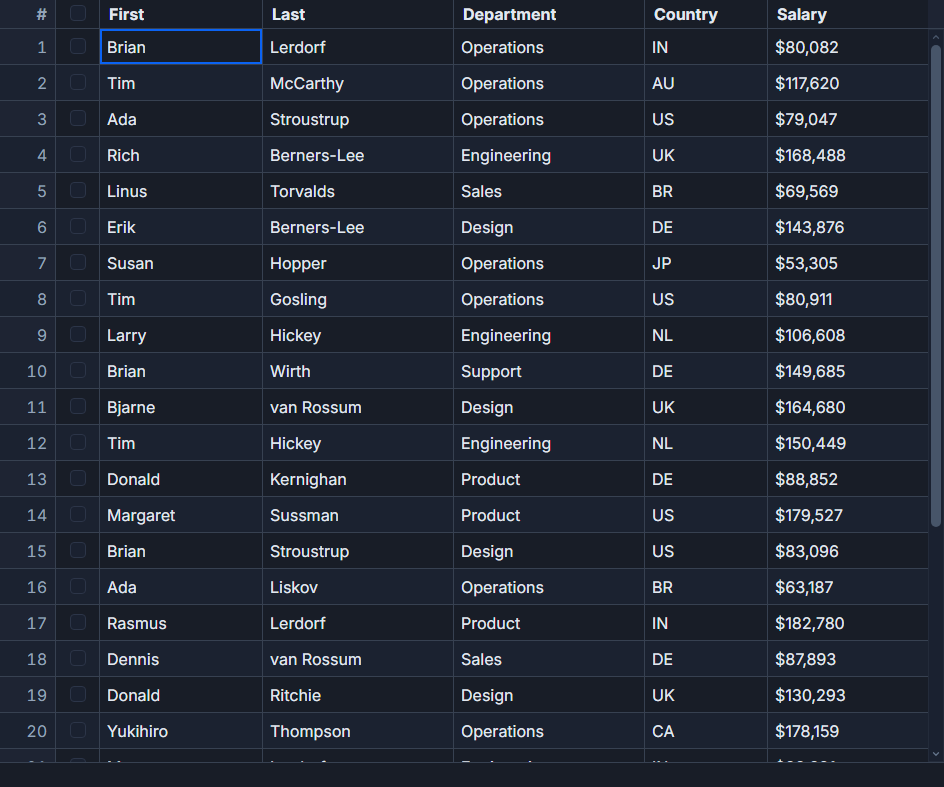
SvGrid deliberately does not intercept the contextmenu event. That means you wire it yourself - which is actually the right tradeoff. You decide the menu's contents, its visual style, and when it dismisses. The grid stays out of your way.
One listener, not a hundred and fifty
The first decision is where to attach the contextmenu listener. The naive approach puts a handler on every cell. With 30 rows and 5 columns, that is 150 event listeners doing identical work. The right approach is a single delegated listener on the grid's root element.
SvGrid stamps every row element with a data-svgrid-row attribute set to the row's display index. A contextmenu listener on [role="grid"] can walk up the DOM from whatever was clicked with closest('[data-svgrid-row]') and resolve the row in one step. Headers and scrollbars return null from that call, so they never trigger a menu.
// contextmenu handler, attached once in onMount
const onContext = (e: Event) => {
  const ev = e as MouseEvent
  const tr = (ev.target as HTMLElement | null)
    ?.closest('[data-svgrid-row]') as HTMLElement | null

  if (!tr) return           // header, scrollbar, or other non-row element
  ev.preventDefault()

  const ix = Number(tr.dataset.svgridRow)
  if (!Number.isFinite(ix)) return

  // clamp to viewport so the menu never renders partially off-screen
  const x = Math.min(ev.clientX, window.innerWidth  - MENU_W - 8)
  const y = Math.min(ev.clientY, window.innerHeight - MENU_H - 8)

  menu = { x, y, rowIndex: ix }
}
Multi-row delete without corrupting indices
Single-row actions are straightforward. Multi-row delete is where most implementations silently break. When the user has five rows selected and right-clicks to delete them, removing index 3 shifts every higher index down by one. If you then remove what you think is index 5, you are actually removing index 6.
The fix is to collect all target display indices, sort them in descending order, and remove from the bottom up.
function getTargetIndices(rowIndex: number): number[] {
  const selectedIds = api?.getSelectedRowIds() ?? []
  const displayed   = api?.getDisplayedRows() ?? []

  // If more than one row is selected, act on the whole selection
  if (selectedIds.length > 1) {
    const selSet = new Set(selectedIds)
    return displayed
      .map((r, i) => (selSet.has((r as Person).id) ? i : -1))
      .filter(i => i !== -1)
  }

  // Otherwise act only on the right-clicked row
  return [rowIndex]
}

function deleteRows(rowIndex: number) {
  const indices = getTargetIndices(rowIndex).sort((a, b) => b - a)
  indices.forEach(i => api?.removeRow(i))
  menu = null
}
Note that data-svgrid-row is a display index, not a position in the original rows array. When the grid is sorted or filtered, the display order differs from the source data order. Always use api.getDisplayedRows()[ix] to get the actual row object rather than indexing into rows directly.
The complete component
<script lang="ts">
  import { onMount } from 'svelte'
  import {
    SvGrid,
    tableFeatures,
    rowSortingFeature,
    rowSelectionFeature,
    type ColumnDef,
    type SvGridApi,
  } from '@svgrid/grid'

  type Person = {
    id: string
    firstName: string
    lastName: string
    email: string
    department: string
  }

  const features = tableFeatures({ rowSortingFeature, rowSelectionFeature })

  let rows = $state<Person[]>(makePeople(30))
  let api  = $state<SvGridApi<typeof features, Person> | null>(null)

  const MENU_W = 200
  const MENU_H = 160

  type Menu = { x: number; y: number; rowIndex: number } | null
  let menu = $state<Menu>(null)

  const columns: ColumnDef<typeof features, Person>[] = [
    { id: 'firstName',  header: 'First Name',  accessorKey: 'firstName',  size: 140 },
    { id: 'lastName',   header: 'Last Name',   accessorKey: 'lastName',   size: 140 },
    { id: 'email',      header: 'Email',       accessorKey: 'email',      size: 240 },
    { id: 'department', header: 'Department',  accessorKey: 'department', size: 140 },
  ]

  onMount(() => {
    const root = document.querySelector('[role="grid"]') as HTMLElement | null
    if (!root) return

    const onContext = (e: Event) => {
      const ev = e as MouseEvent
      const tr = (ev.target as HTMLElement | null)
        ?.closest('[data-svgrid-row]') as HTMLElement | null
      if (!tr) return
      ev.preventDefault()

      const ix = Number(tr.dataset.svgridRow)
      if (!Number.isFinite(ix)) return

      const x = Math.min(ev.clientX, window.innerWidth  - MENU_W - 8)
      const y = Math.min(ev.clientY, window.innerHeight - MENU_H - 8)
      menu = { x, y, rowIndex: ix }
    }

    // mousedown rather than click - avoids a flash when clicking menu items
    const onDocDown = (ev: MouseEvent) => {
      if (!(ev.target as HTMLElement | null)?.closest('.ctx-menu')) menu = null
    }

    // close on Escape or on scroll (the menu position becomes stale)
    const onKey    = (ev: KeyboardEvent) => { if (ev.key === 'Escape') menu = null }
    const onScroll = () => { menu = null }

    root.addEventListener('contextmenu', onContext)
    document.addEventListener('mousedown', onDocDown)
    document.addEventListener('keydown',   onKey)
    window.addEventListener('scroll',      onScroll, { capture: true })

    return () => {
      root.removeEventListener('contextmenu', onContext)
      document.removeEventListener('mousedown', onDocDown)
      document.removeEventListener('keydown',   onKey)
      window.removeEventListener('scroll',      onScroll, { capture: true })
    }
  })

  function getTargetIndices(rowIndex: number): number[] {
    const selectedIds = api?.getSelectedRowIds() ?? []
    const displayed   = api?.getDisplayedRows() ?? []
    if (selectedIds.length > 1) {
      const selSet = new Set(selectedIds)
      return displayed
        .map((r, i) => (selSet.has((r as Person).id) ? i : -1))
        .filter(i => i !== -1)
    }
    return [rowIndex]
  }

  function deleteRows(rowIndex: number) {
    const indices = getTargetIndices(rowIndex).sort((a, b) => b - a)
    indices.forEach(i => api?.removeRow(i))
    menu = null
  }

  function duplicate(rowIndex: number) {
    const r = (api?.getDisplayedRows() ?? [])[rowIndex] as Person | undefined
    if (!r) return
    api?.addRow({ ...r, id: `${r.id}_copy` }, rowIndex + 1)
    menu = null
  }

  function copyEmail(rowIndex: number) {
    const r = (api?.getDisplayedRows() ?? [])[rowIndex] as Person | undefined
    if (r) navigator.clipboard.writeText(r.email)
    menu = null
  }

  function makePeople(n: number): Person[] {
    const depts = ['Engineering', 'Sales', 'Marketing', 'Support', 'Finance']
    return Array.from({ length: n }, (_, i) => ({
      id: `p-${i + 1}`,
      firstName: ['Alice', 'Bob', 'Carol', 'David', 'Eve'][i % 5]!,
      lastName:  ['Smith', 'Jones', 'Lee', 'Brown', 'Kim'][i % 5]!,
      email:     `user${i + 1}@example.com`,
      department: depts[i % depts.length]!,
    }))
  }
</script>

{#if menu}
  <ul
    class="ctx-menu"
    role="menu"
    aria-label="Row actions"
    style="position:fixed; left:{menu.x}px; top:{menu.y}px; width:{MENU_W}px; z-index:9999"
  >
    <li role="menuitem">
      <button onclick={() => duplicate(menu!.rowIndex)}>Duplicate row</button>
    </li>
    <li role="menuitem">
      <button onclick={() => copyEmail(menu!.rowIndex)}>Copy email</button>
    </li>
    <li role="menuitem">
      <button class="danger" onclick={() => deleteRows(menu!.rowIndex)}>Delete</button>
    </li>
  </ul>
{/if}

<SvGrid
  {features}
  {columns}
  data={rows}
  onApiReady={(a) => (api = a)}
  style="height: 480px"
/>
Three dismissal cases worth getting right
The menu needs to close when the user clicks outside it, presses Escape, or scrolls the grid. Each case has a small wrinkle.
Outside click: Use mousedown rather than click. If you listen for click, the menu closes after the mouse button releases - which fires the onclick on whatever is under the cursor at that moment, potentially triggering an unintended action. With mousedown you close the menu as soon as the press starts, before any click handler fires.
Scroll: The scroll event listener needs { capture: true }. SvGrid's virtual scroll happens inside a nested container, not on window. Without capture mode, the scroll event does not bubble out to window-level listeners, so the menu stays open after the grid has scrolled and its position is now stale.
Keyboard: The contextmenu event fires from the keyboard Menu key and Shift+F10 in all major browsers. Keyboard users can open the menu on the focused row without touching the mouse. Inside the menu, add tabindex="-1" on each <button> and focus the first item on open. ArrowUp/ArrowDown should move focus between items. role="menu" and role="menuitem" give screen readers the right semantics.
When the data is server-side
With a server-side data source (createServerDataSource), api.getDisplayedRows() still returns the current page's rows in display order, and data-svgrid-row still reflects those display indices. The row lookup code above works without changes. The only difference is that addRow and removeRow act on the local cache for the current page - if your backend needs to be notified, call your mutation API inside the action functions before or after the grid API call.
async function deleteRows(rowIndex: number) {
  const indices = getTargetIndices(rowIndex).sort((a, b) => b - a)
  const rows    = api?.getDisplayedRows() ?? []
  const ids     = indices.map(i => (rows[i] as Person).id)

  await fetch('/api/contacts/bulk-delete', {
    method: 'DELETE',
    body: JSON.stringify({ ids }),
    headers: { 'Content-Type': 'application/json' },
  })

  // Remove from local state after the server confirms
  indices.forEach(i => api?.removeRow(i))
  menu = null
}
The pattern is the same regardless of data source - resolve display indices, sort descending, remove bottom-up.