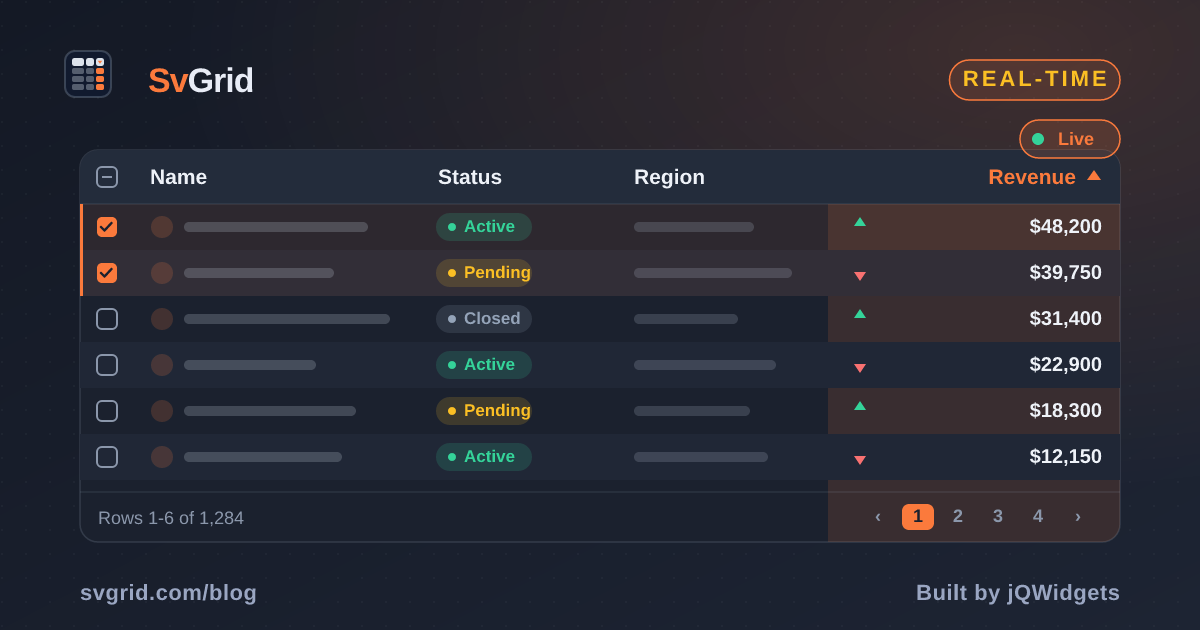
Building a Real-Time Trading Grid in Svelte
How to wire a WebSocket tick feed into SvGrid without dropping frames - one array replacement per animation frame, stable row identity, up/down flashes, and which of the grid's two update paths to use for what.
A busy trading feed will push 150 price ticks per second across 100+ instruments. A new message every 6-7 ms. The frame budget is 16 ms. If you hand the grid a new array on every single message, you are running its row pipeline ten times per frame for a screen that can only paint once, and the grid bogs down before the market even opens.
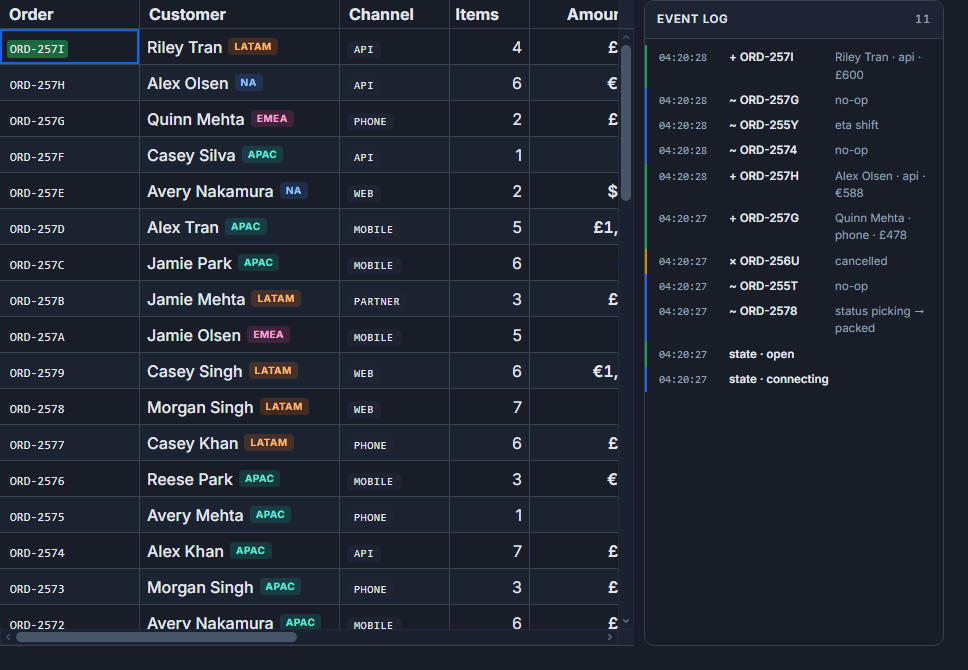
The fix is not complicated, but it is non-obvious: never touch grid state from a WebSocket callback. Collect incoming ticks into a plain Map and flush the whole batch in a single requestAnimationFrame, as one array replacement. Everything else in this post builds on that.
The two update paths, and which one this is
SvGrid has exactly two ways to learn that a row changed, and they do different things. This post uses the second one; it is worth knowing why.
Mutating through a $state proxy (rows[i].price = x) re-renders the one visible cell that reads price for that row and nothing else. The row model never runs, because it caches on the array reference and the reference did not change. Cheap, and the active sort and filter are stale for that row until something replaces the array.
Replacing the array (rows = next, or api.applyTransaction(...)) makes the row model rebuild its base rows, re-run filter and sort over every row, and re-render the virtualized window. Svelte still writes only the cells whose values differ. One pipeline run per replacement, whatever the batch size.
A blotter is sorted by something that ticks: last price, change, P&L. You want the order to follow the numbers, so the correct path is the second one, and the whole design question becomes "how often". The answer is once per frame.
One more thing to know, because it is the mistake a React-trained hand makes first: replacing one element through the proxy, rows[i] = { ...rows[i], price }, does neither. The base row the grid built still points at the old object, so the cell keeps its old value and the sort does not run. It is covered by a test in the grid package (svgrid.live-update-paths.svelte.test.ts) precisely because it looks like it should work.
The tick batcher
// feed.ts
export type Direction = 'up' | 'down' | null

export type Instrument = {
  id: string
  symbol: string
  sector: string
  price: number
  change: number      // % from open, e.g. 2.34 or -1.07
  volume: number
  direction: Direction
}

export type Tick = { price: number; change: number }

/**
 * Collects ticks and hands back ONE new array per animation frame.
 * `apply` receives the merged batch; the caller decides how to feed it
 * to the grid (see the component below).
 */
export function connectFeed(
  initial: Instrument[],
  apply: (next: Instrument[]) => void,
): () => void {
  let rows = initial
  const index = new Map<string, number>()
  rows.forEach((r, i) => index.set(r.id, i))

  const pending = new Map<string, Tick>()
  let scheduled = false

  function flush() {
    scheduled = false
    // One new array. Untouched rows keep their object identity, which is
    // what lets the grid reuse their row objects instead of rebuilding them.
    const next = rows.slice()
    for (const [id, tick] of pending) {
      const i = index.get(id)
      if (i == null) continue
      const prev = next[i]!
      next[i] = {
        ...prev,
        price: tick.price,
        change: tick.change,
        direction: tick.price > prev.price ? 'up' : tick.price < prev.price ? 'down' : prev.direction,
      }
    }
    pending.clear()
    rows = next
    apply(next)
  }

  // Replace this block with a real WebSocket in production:
  // const ws = new WebSocket('wss://feed.example.com/ticks')
  // ws.onmessage = (e) => { const t = JSON.parse(e.data); pending.set(t.id, t); schedule() }
  let prng = 0xc0ffee42
  function rand() {
    prng = (prng * 1664525 + 1013904223) >>> 0
    return prng / 0xffffffff
  }

  function schedule() {
    if (scheduled) return
    scheduled = true
    requestAnimationFrame(flush)
  }

  const timer = setInterval(() => {
    const i = Math.floor(rand() * rows.length)
    const row = rows[i]!
    pending.set(row.id, {
      price: Math.max(0.01, row.price + (rand() - 0.49) * 2.5),
      change: row.change + (rand() - 0.5) * 0.4,
    })
    schedule()
  }, 7) // simulates ~143 messages/second

  return () => clearInterval(timer)
}
Two details worth noting. First, the index map avoids an Array.findIndex call on every tick; at 150 ticks per second that would be 150 linear scans per second on top of everything else. Second, if two ticks for the same symbol arrive before the next frame, the second overwrites the first in pending. The grid sees one update per symbol per frame, which is exactly right. Intermediate prices within a single 16 ms frame are invisible to a human anyway.
The slice() matters too. Rows that did not tick keep the same object, and the grid's row model reuses a row whose data object is unchanged rather than building a fresh one. On a 12-row book that is a rounding error; on a 10,000-row one it is most of the cost of a frame.
Wiring to SvGrid
<script lang="ts">
  import { onMount } from 'svelte'
  import {
    SvGrid,
    tableFeatures,
    rowSortingFeature,
    type ColumnDef,
    type SvGridApi,
  } from '@svgrid/grid'
  import { connectFeed, type Instrument } from './feed'

  const SEED = [
    { symbol: 'ACME', sector: 'Tech',    price: 184.12 },
    { symbol: 'GLBX', sector: 'Tech',    price:  62.55 },
    { symbol: 'INIT', sector: 'Tech',    price: 318.04 },
    { symbol: 'UMBR', sector: 'Health',  price:  92.18 },
    { symbol: 'HOOL', sector: 'Finance', price: 145.66 },
    { symbol: 'PIED', sector: 'Tech',    price:  41.20 },
    { symbol: 'STRK', sector: 'Energy',  price: 213.55 },
    { symbol: 'WAYN', sector: 'Finance', price: 287.10 },
    { symbol: 'WONK', sector: 'Health',  price: 188.42 },
    { symbol: 'TYRL', sector: 'Energy',  price: 105.05 },
    { symbol: 'CYBR', sector: 'Tech',    price: 224.18 },
    { symbol: 'AURA', sector: 'Health',  price:  76.55 },
  ]

  // $state.raw, not $state: the feed replaces the array, it never mutates
  // rows in place, so there is nothing for a deep proxy to track and no
  // reason to pay for one on every field of every row.
  let rows = $state.raw<Instrument[]>(
    SEED.map((s) => ({
      id: s.symbol,
      symbol: s.symbol,
      sector: s.sector,
      price: s.price,
      change: 0,
      volume: 500_000,
      direction: null,
    })),
  )

  const features = tableFeatures({ rowSortingFeature })

  const columns: ColumnDef<typeof features, Instrument>[] = [
    { field: 'symbol', header: 'Symbol', width: 90 },
    { field: 'sector', header: 'Sector', width: 100 },
    {
      field: 'price',
      header: 'Price',
      width: 110,
      editorType: 'number',
      format: { type: 'number', options: { minimumFractionDigits: 2, maximumFractionDigits: 2 } },
      // The grid re-adds `tick` whenever this cell's value changes for the
      // same row, which restarts the CSS animation; `cellClass` says which
      // colour that animation is.
      cellFlash: { className: 'tick' },
      cellClass: (ctx) =>
        ctx.row.original.direction === 'up' ? 'tick-up'
        : ctx.row.original.direction === 'down' ? 'tick-down'
        : '',
    },
    {
      field: 'change',
      header: 'Chg %',
      width: 90,
      editorType: 'number',
      format: { type: 'number', options: { minimumFractionDigits: 2, maximumFractionDigits: 2 } },
      cellClass: (ctx) => (ctx.row.original.change >= 0 ? 'profit' : 'loss'),
    },
    {
      field: 'volume',
      header: 'Volume',
      width: 110,
      editorType: 'number',
      format: { type: 'number', options: { maximumFractionDigits: 0 } },
    },
  ]

  let api = $state<SvGridApi | null>(null)

  onMount(() => connectFeed(rows, (next) => (rows = next)))
</script>

<div class="trading-wrap">
  <SvGrid
    data={rows}
    {columns}
    {features}
    getRowId={(r) => r.id}
    initialSorting={[{ id: 'change', desc: true }]}
    sortable
    containerHeight={420}
    onApiReady={(a) => (api = a)}
  />
</div>

<style>
  .trading-wrap {
    --color-profit: #16a34a;
    --color-loss: #dc2626;
    font-family: 'JetBrains Mono', monospace;
    font-size: 13px;
  }
  :global(.profit) { color: var(--color-profit); font-weight: 600; }
  :global(.loss)   { color: var(--color-loss);   font-weight: 600; }

  /* `tick` is re-applied by the grid on each value change, restarting the
     animation; the direction class picks the colour it fades from. */
  :global(.tick.tick-up)   { animation: tick-up 400ms ease-out; }
  :global(.tick.tick-down) { animation: tick-down 400ms ease-out; }
  @keyframes tick-up   { from { background-color: #bbf7d0; } to { background-color: transparent; } }
  @keyframes tick-down { from { background-color: #fecaca; } to { background-color: transparent; } }
</style>
The onMount line is the whole integration: the feed hands back one array per frame and the component assigns it. Assignment is what the grid reacts to.
If your feed sends partial rows keyed by id, api.applyTransaction({ update: patches }) is the same path with the merge done for you: it matches on getRowId, replaces the matching rows, and hands the grid one new array. Batch the patches per frame exactly as above; a transaction per message is the ten-pipeline-runs-per-frame problem with a nicer name.
Stable row identity and why it matters
getRowId is not optional here. Without it, SvGrid keys rows by array index. After the user sorts by change to find today's biggest movers, the row at index 0 is a different instrument than before, and applyTransaction has no way to find the row a patch belongs to.
With getRowId, a row's identity survives sorting and array replacement. Selection stays on the instrument you selected, the built-in cellFlash knows a price change from a row being scrolled into a recycled <td> (it only flashes when the same row's value changes), and the row model can reuse row objects across frames.
The flash cycle
Flash is CSS-driven and the grid does the bookkeeping. cellFlash: { className: 'tick' } tells the grid to remove and re-add tick on the price cell whenever that row's price changes, which restarts whatever animation the class carries. cellClass reads the direction field and adds tick-up or tick-down, so the animation fades from green or from red. There is no timer per tick and no expiry pass; the animation ends on its own, and the next change restarts it.
If you only want the default tint rather than a direction, cellFlash: true is enough and the colour comes from the --sg-cell-flash token. Both forms respect prefers-reduced-motion.
Keeping format separate from value
The format option on the price column controls display only. The underlying cell value stays a raw number. This matters because SvGrid uses the raw value for sorting: if you pre-format price as the string "$184.12" and store that in the row, lexicographic sort puts "$9.99" after "$99.00" and before "$100.00". Always store the number and let format handle rendering.
The same logic applies to change. A percent change of -0.07 sorts correctly between -0.08 and -0.06 as a number. Formatted as "-0.07%" it sorts as a string and the ordering breaks for negative values.
Scaling past 12 rows
Per frame, the cost of this design is one array copy, one filter and sort pass over the row count, and DOM writes for the visible cells whose values changed. Ticks per second stop mattering once they are batched; the row count is what you pay for. That makes the scaling question easy to reason about and easy to measure: put the FPS HUD recipe on the page, raise the row count, and watch p95 frame time rather than the average, because one long frame a second is the stutter a user notices and the average hides it.
The grid's published numbers for mount, sort, filter and sustained scroll, with the harness and the machine stated, are on the benchmarks page. Streaming updates are not measured there yet, so this post makes no throughput claim; the trading desk demo runs 10,000 instruments on a 500 ms feed with the same array-per-tick design if you want to see the pattern at a larger row count.
When the row count is large and the sort key is the ticking column, every frame re-sorts every row. That is the honest cost of keeping the order current, and there are two ways to spend less: tick less often (a 250 ms cadence is still faster than anyone can read), or take the first update path for the numbers and re-sort on a slower schedule, accepting that the order lags the values by a few hundred milliseconds. The real-time docs cover both.
Related reading
- Building a Logistics / Fleet Tracking Grid in Svelte
- Building an IoT Sensor Dashboard in Svelte
- Building a SaaS Billing and Usage Table in Svelte
- Building a Project / Task Board with a Svelte Data Grid
- Building an Order Management Dashboard in Svelte
Tagged: Real-time data