SvGrid in Bolt.new
Bolt writes Svelte apps when you ask for one, so SvGrid goes in as the Svelte
component itself: npm install @svgrid/grid and <SvGrid>. Most of what
can go wrong comes from two places: the agent not knowing SvGrid exists, and
Vite 8, which does not run in Bolt's WebContainer. This page covers both.
There are three ways in:
- Open the starter - a working orders app, imported from GitHub.
- Start from a prompt - Bolt writes the app, with the facts it needs in the prompt.
- Add a grid to a Bolt project you already have.
Then ground the agent so later prompts keep using the grid correctly.
Open the starter in Bolt
Open the starter in Bolt · Open it in StackBlitz · Source on GitHub
Bolt imports a public GitHub folder from a bolt.new/~/github.com/<owner>/<repo>/tree/<branch>/<path>
link and takes only that folder, so the project you get is the starter and
nothing else from this repository. The import works without signing in;
saving and prompting need a Bolt account.
The starter is a Svelte 5 + Vite 7 app with one screen:
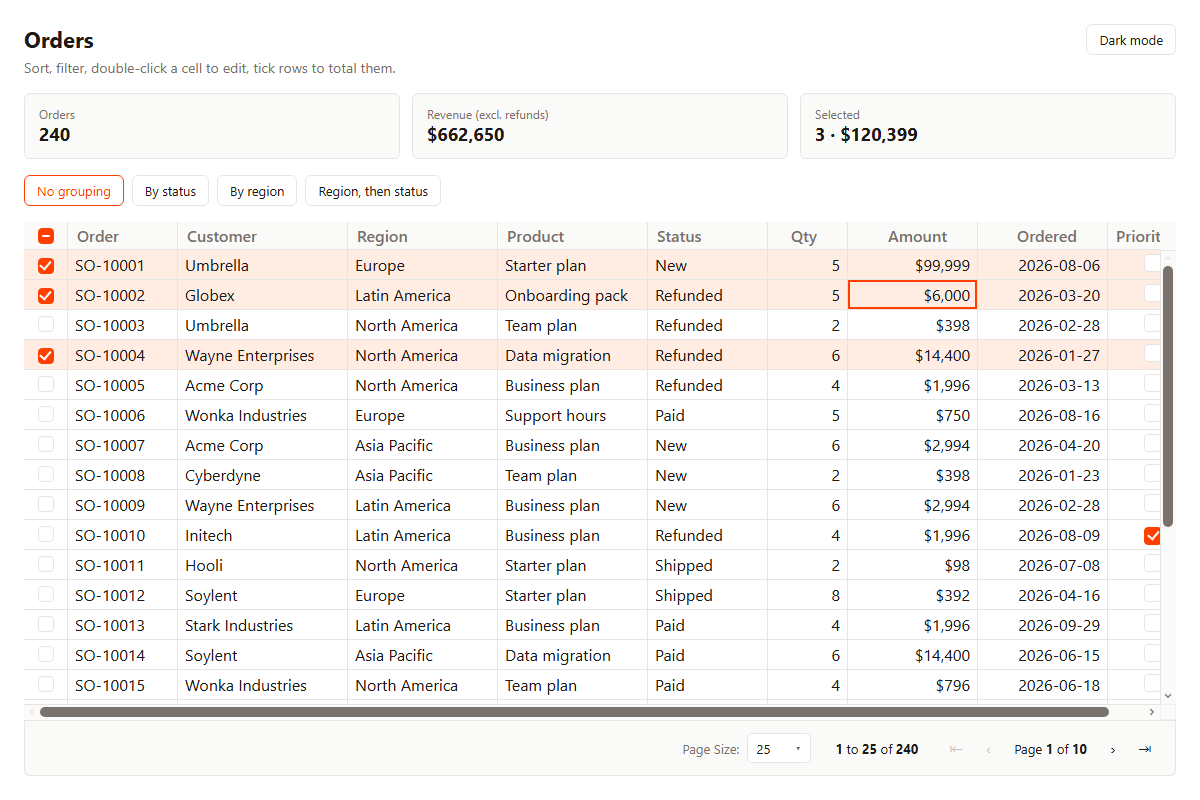
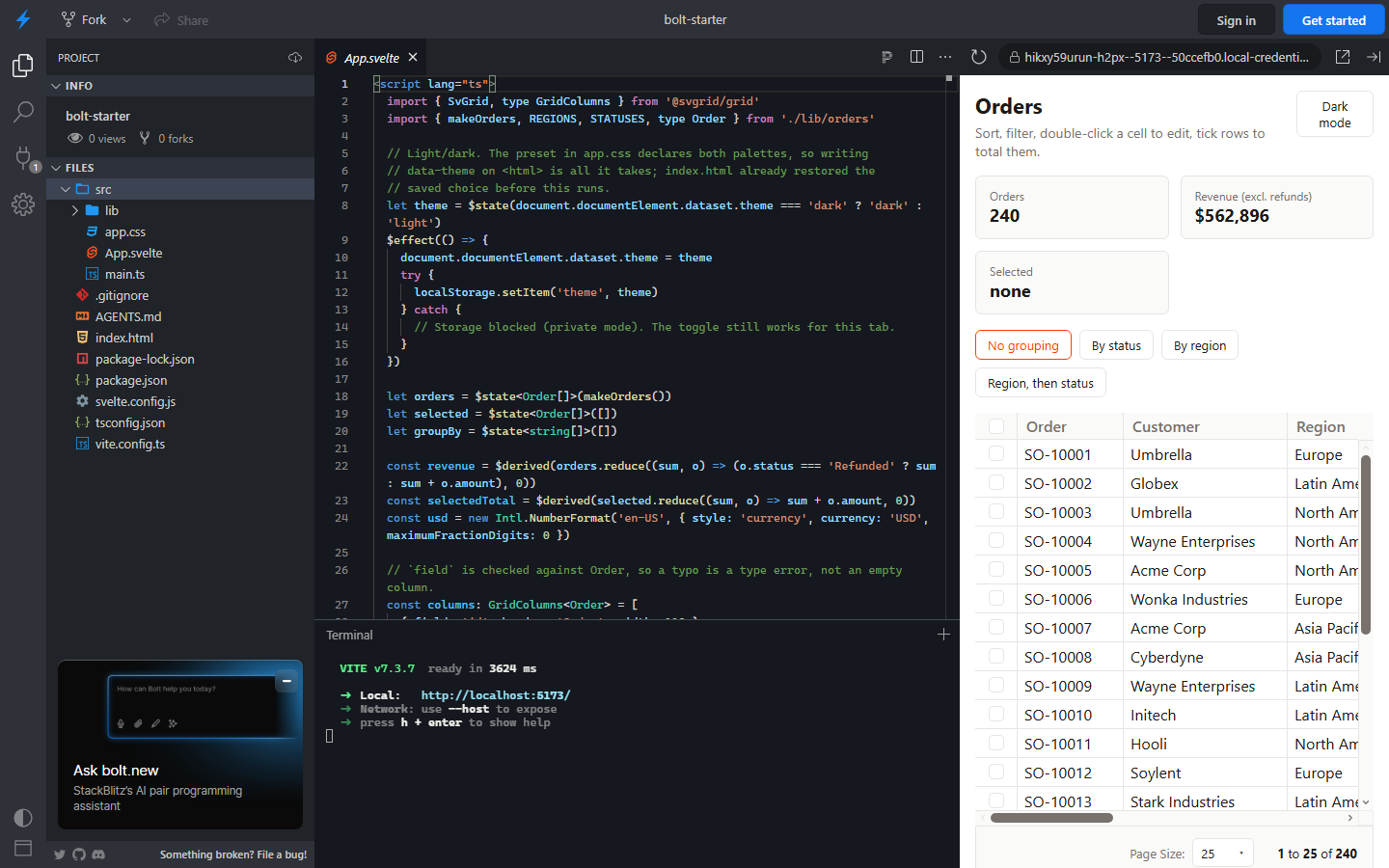
Here it is booted in a WebContainer, the in-browser Node runtime Bolt runs projects in. The terminal shows Vite 7.3.7 serving it:
bolt-svelte-grid/
  AGENTS.md            rules the agent reads with the project
  index.html           sets the light/dark theme before first paint
  vite.config.ts       Vite 7, and why
  src/
    app.css            @import '@svgrid/grid/themes/ember.css'
    App.svelte         the orders screen
    lib/orders.ts      240 seeded sample orders - swap for your API
The grid itself is one element in App.svelte:
<SvGrid
  data={orders}
  {columns}
  getRowId={(row) => row.id}
  sortable
  filterable
  editable
  groupable
  {groupBy}
  pageable
  pageSize={25}
  pageSizeOptions={[25, 50, 100]}
  showRowSelection
  onRowSelectionChange={(_selection, rows) => (selected = rows)}
  onCellValueChange={applyEdit}
  containerHeight="100%"
/>
columns is typed GridColumns<Order>, so a misspelled field is a type
error. applyEdit writes the edit back into orders; the grid reports edits
and never mutates your array, which is where a save call to your backend goes.
Start from a prompt
This link opens Bolt with the prompt below already in the box. Bolt does not send it until you press Build now, so read it and change what you like first.
Build an orders admin screen as a Svelte 5 + Vite app.

- Use vite ^7 and @sveltejs/vite-plugin-svelte ^6. Vite 8 does not run in this environment.
- Install @svgrid/grid and render the table with <SvGrid> from '@svgrid/grid'. Do not write your own table component.
- In src/app.css add: @import '@svgrid/grid/themes/ember.css';
- Generate 200 sample orders: id, customer, region, status (New, Paid, Shipped, Refunded), quantity, amount, orderedOn, priority.
- Type the columns with GridColumns<Order>. Region and status use editorType 'select' with editorOptions. Amount uses format { type: 'currency', currency: 'USD' }. Priority uses editorType 'checkbox'.
- Props: sortable, filterable, editable, pageable, pageSize={25}, showRowSelection, groupable.
- Apply edits in onCellValueChange (event.row, event.columnId, event.newValue). Above the grid, show the total amount of the selected rows; onRowSelectionChange receives (selection, rows).
- Svelte 5 runes only. Docs written for agents: https://svgrid.com/llms.txt
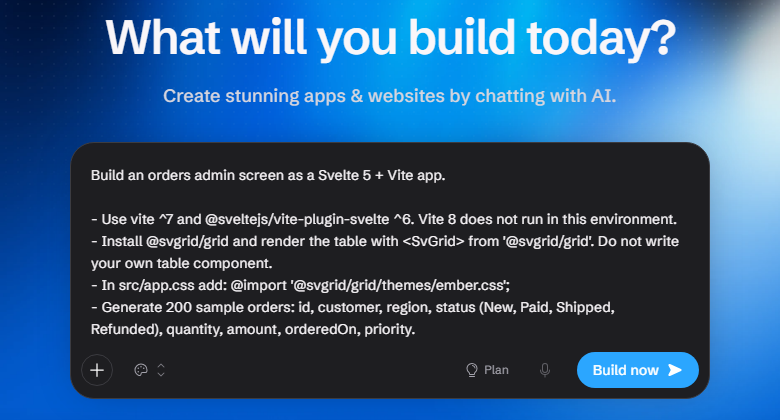
What Bolt writes from a prompt varies from run to run. If the result drifts from SvGrid's API, the MCP connector lets the agent check its own code against it, and the starter above is the tested reference to compare with.
Add a grid to an existing Bolt project
For a Svelte project already in Bolt:
Add SvGrid to this app for its data tables.

- Install @svgrid/grid. It is a Svelte 5 library: use runes, not export let or stores.
- Import a theme once in the global CSS: @import '@svgrid/grid/themes/ember.css';
- Replace each hand-written table that lists records with <SvGrid data={rows} {columns} sortable filterable pageable />, with columns typed as GridColumns<Row> from '@svgrid/grid'.
- Give the grid a container with a height; it fills its parent.
- If package.json has vite ^8, change it to vite ^7 and @sveltejs/vite-plugin-svelte ^6. Vite 8 does not run in this environment.
- Docs written for agents: https://svgrid.com/llms.txt
This one opens a new chat. In a project you already have open, paste it into that project's chat instead.
A React project in Bolt follows the Lovable path instead:
@svgrid/grid-wc and its React wrapper.
Ground the agent
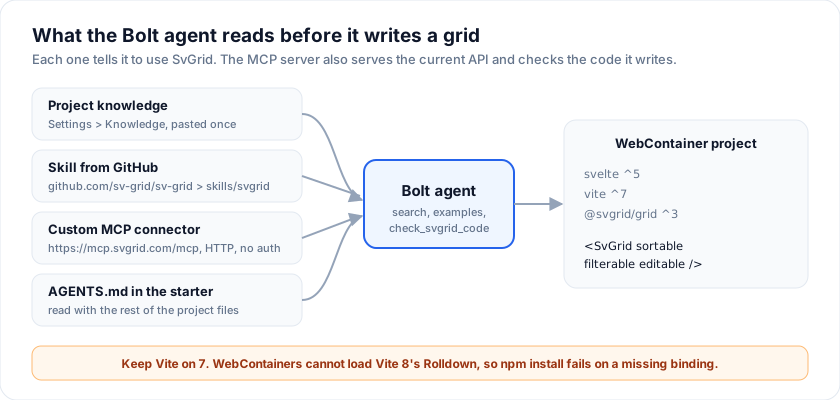
Each of these is independent. Project knowledge is the quickest; the MCP
connector is the one that keeps the agent's code honest, because it can run
the code through check_svgrid_code before showing it to you.
1. Project knowledge
Open the project, click the gear icon at the top, All project settings, then Knowledge, and paste:
## Tables and data grids

This project uses SvGrid (`@svgrid/grid`, MIT, Svelte 5) for tables and data grids. For any table that sorts, filters, edits, pages, groups or holds many rows, use `<SvGrid>` instead of writing a table component.

- Features are boolean props, all off by default: `<SvGrid {data} {columns} sortable filterable editable pageable />`.
- Type the columns with `GridColumns<Row>` from `@svgrid/grid`, so each `field` is checked against the row type.
- Exact props and types: `node_modules/@svgrid/grid/dist/*.d.ts`. Docs written for agents: https://svgrid.com/llms.txt

## Rules for this project

- Svelte 5 runes only: `$state`, `$derived`, `$effect`, `$props`. No `export let`, no stores.
- Keep `vite` on `^7` and `@sveltejs/vite-plugin-svelte` on `^6`. Bolt and
  StackBlitz run the dev server in a WebContainer, which cannot load Vite 8's
  Rolldown bundler; `npm install` fails on a missing rolldown binding.
- The grid does not write into `data`. Apply an edit in `onCellValueChange`
  (`event.row`, `event.columnId`, `event.newValue`) and save it there.
- Colors come from the `--sg-*` custom properties set by the preset imported
  in `src/app.css`. Restyle by changing tokens, not by targeting grid classes.
- Import only from `@svgrid/grid` and `@svgrid/grid/themes/*.css`.
  `svelte-grid`, `sv-grid` and `@sv-grid/core` are unrelated packages.
- Export to Excel or PDF, pivot and import live in `@svgrid/enterprise`, a
  separate paid package. Do not add its imports unless the user asks for it.
It is the starter's AGENTS.md from the second heading down, so a project
imported from the starter already has it.
2. Import the SvGrid skill
Bolt skills are markdown instructions with a name and a description, and
Bolt can import them from a public GitHub repository. Open the Skills
library, Add skill, Import from GitHub, and enter:
https://github.com/sv-grid/sv-grid
Bolt lists the skills it finds; pick svgrid. The repository carries it
twice (skills/svgrid and a generated copy under plugins/), and either is
the same text. A workspace skill can be switched on per project; Update
from GitHub pulls later changes.
3. Connect the MCP server
In the chat box on Bolt's home page, click +, Connectors, Manage connectors, then Custom MCP server:
| Field | Value |
|---|---|
| Name | svgrid |
| URL | https://mcp.svgrid.com/mcp |
| Transport type | HTTP |
| Authentication | None |
The server is public and read-only, which is why no key is needed. Turn on
Auto-enable for all projects, or enable it per project from the +
menu. It gives the agent search, fetch, list_examples,
get_example_source, get_api_reference, check_svgrid_code and
svgrid_preview; the MCP server page describes each.
4. AGENTS.md
The starter ships one. Bolt reads it with the rest of the project files, the
same as any coding agent. In your own project, copy the knowledge block above
into an AGENTS.md at the root.
Prompts to try next
Paste these into the chat of a project made from the starter. They describe the result; with the MCP connector on, the agent looks up the props.
Add a Customers page with its own SvGrid: name, email, plan (select: Free, Team, Business), MRR as currency, signed-up date. Make email and plan editable. Add a nav bar to switch between Orders and Customers.
Add a search box above the orders grid that filters across all columns, and pin the Order column to the left. Let users resize columns.
Load the orders from a database table instead of makeOrders(), and save each edit from onCellValueChange back to that table. Show a toast when a save fails and put the old value back.
Group the orders by status when the page opens, and add a Status column cell style: Refunded in red text, Shipped in green.
Troubleshooting
npm install fails with a rolldown binding error. The project is on
Vite 8. WebContainers cannot load Rolldown's native binding, so set vite to
^7 and @sveltejs/vite-plugin-svelte to ^6, then reinstall. The
npm create @svgrid templates use Vite 8 and need this change before they run
in Bolt; the Bolt starter already has it.
The agent wrote its own <table> component. It did not know SvGrid was
in play. Add the knowledge block or the skill, or name @svgrid/grid in the
prompt.
The code uses export let or $:. That is Svelte 4. SvGrid needs
Svelte 5 runes; the knowledge block says so, and check_svgrid_code flags it.
The grid renders as a thin strip. It fills its parent, so the parent
needs a height: containerHeight="100%" inside a sized box, or a number of
pixels.
An import from svelte-grid or sv-grid. Those are unrelated packages.
SvGrid is @svgrid/grid.
Frequently asked questions
Does Bolt.new support Svelte?
Yes. Ask for a Svelte 5 app on Vite 7 and Bolt builds one, or open the SvGrid starter, which is a Svelte 5 + Vite 7 project. Bolt runs it in a WebContainer like any other Node project.
Why does my Bolt project fail to install with Vite 8?
Vite 8 bundles with Rolldown, a native module that WebContainers cannot load.
Pin vite to ^7 and @sveltejs/vite-plugin-svelte to ^6; the SvGrid
starter does.
Can Bolt's agent look up the SvGrid API itself?
Yes, through the hosted MCP server at https://mcp.svgrid.com/mcp. Add it in
Bolt as a custom MCP server with the HTTP transport and no authentication.
Is SvGrid free to use in a Bolt app?
Yes. @svgrid/grid is MIT. Excel and PDF export, import and pivot are in the
paid @svgrid/enterprise package, which the starter does not use.
See also
- SvGrid in AI app builders - Bolt and Lovable side by side
- SvGrid in Lovable - the React path
- MCP server - the hosted endpoint and its tools
- LLM grounding - llms.txt, the Agent Skill, AGENTS.md
- First grid - the grid without an AI builder
Related articles
- Using SvGrid with Cursor, Zed, and Windsurf - Wire the SvGrid MCP server into Cursor, Zed, Windsurf, or Claude so AI assistants generate grid code that compiles on the first try - no invented props, no wrong import names.
- SvGrid vs TanStack Table - A Deep Dive - A concrete architectural comparison of SvGrid and TanStack Table's Svelte adapter - how each handles reactivity, rendering, and feature composition, with code that shows exactly where they diverge.
- SvGrid vs svelte-headless-table - A practical comparison of SvGrid and svelte-headless-table covering reactivity model, rendering approach, feature scope, and when each is the right choice for a Svelte 5 project.