Sample apps + bind your data
The fastest way to a working app: open a ready-made sample, see it running with realistic data, then point it at your own database. No block-by-block build, no placeholder rows.
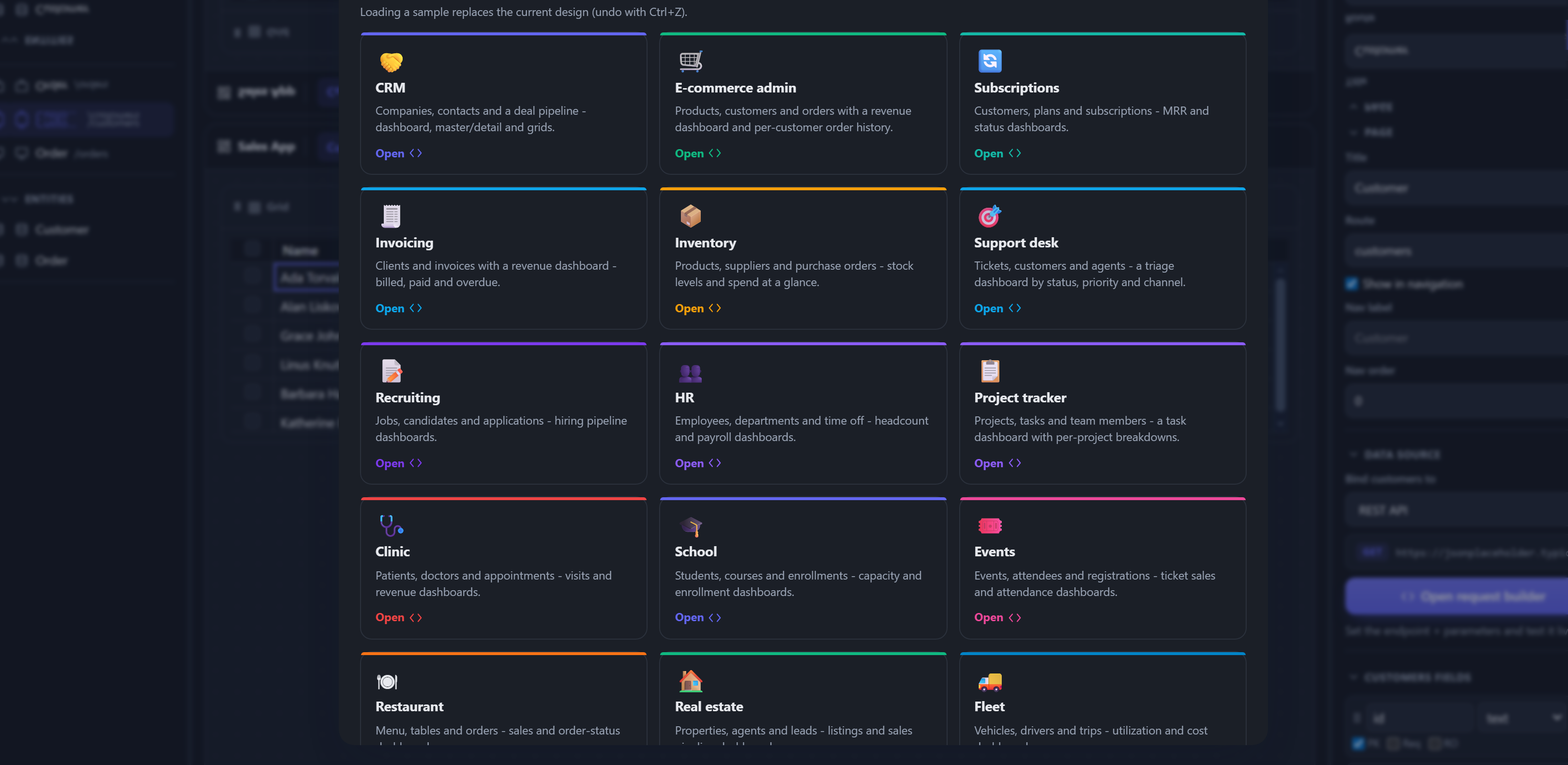
Start from a sample
In the designer, click Sample apps (toolbar or the empty-state screen) and pick
one of 18 ready-made apps. Each loads instantly as a full multi-entity app - a
dashboard (KPIs + charts), grids, a master/detail, and rich edit forms - themed
and seeded with believable data, so you see the real thing, not name 1 / email 1.
| Sample | What's inside |
|---|---|
| CRM | Companies, Contacts, Deals - pipeline dashboard (value by stage) |
| E-commerce admin | Products, Customers, Orders - revenue dashboard + order history |
| Subscriptions | Customers, Plans, Subscriptions - MRR + status dashboard |
| Invoicing | Clients, Invoices - billed / paid / overdue dashboard |
| Inventory | Products, Suppliers, Purchase orders - stock + spend |
| Support desk | Tickets, Customers, Agents - triage by status / priority / channel |
| Recruiting | Jobs, Candidates, Applications - hiring pipeline |
| HR | Employees, Departments, Time off - headcount + payroll |
| Project tracker | Projects, Tasks, Members - task dashboard per project |
| Clinic | Patients, Doctors, Appointments - visits + revenue |
| School | Students, Courses, Enrollments - capacity + enrollment |
| Events | Events, Attendees, Registrations - ticket sales + attendance |
| Restaurant | Menu, Tables, Orders - sales + order status |
| Real estate | Properties, Agents, Leads - listings + sales pipeline |
| Fleet | Vehicles, Drivers, Trips - utilization + cost |
| Gym | Members, Classes, Bookings - capacity + attendance |
| Library | Books, Members, Loans - circulation + overdue |
| Insurance Claims | Policies, Adjusters, Claims - claims pipeline board + payout dashboard, behind a sign-in |
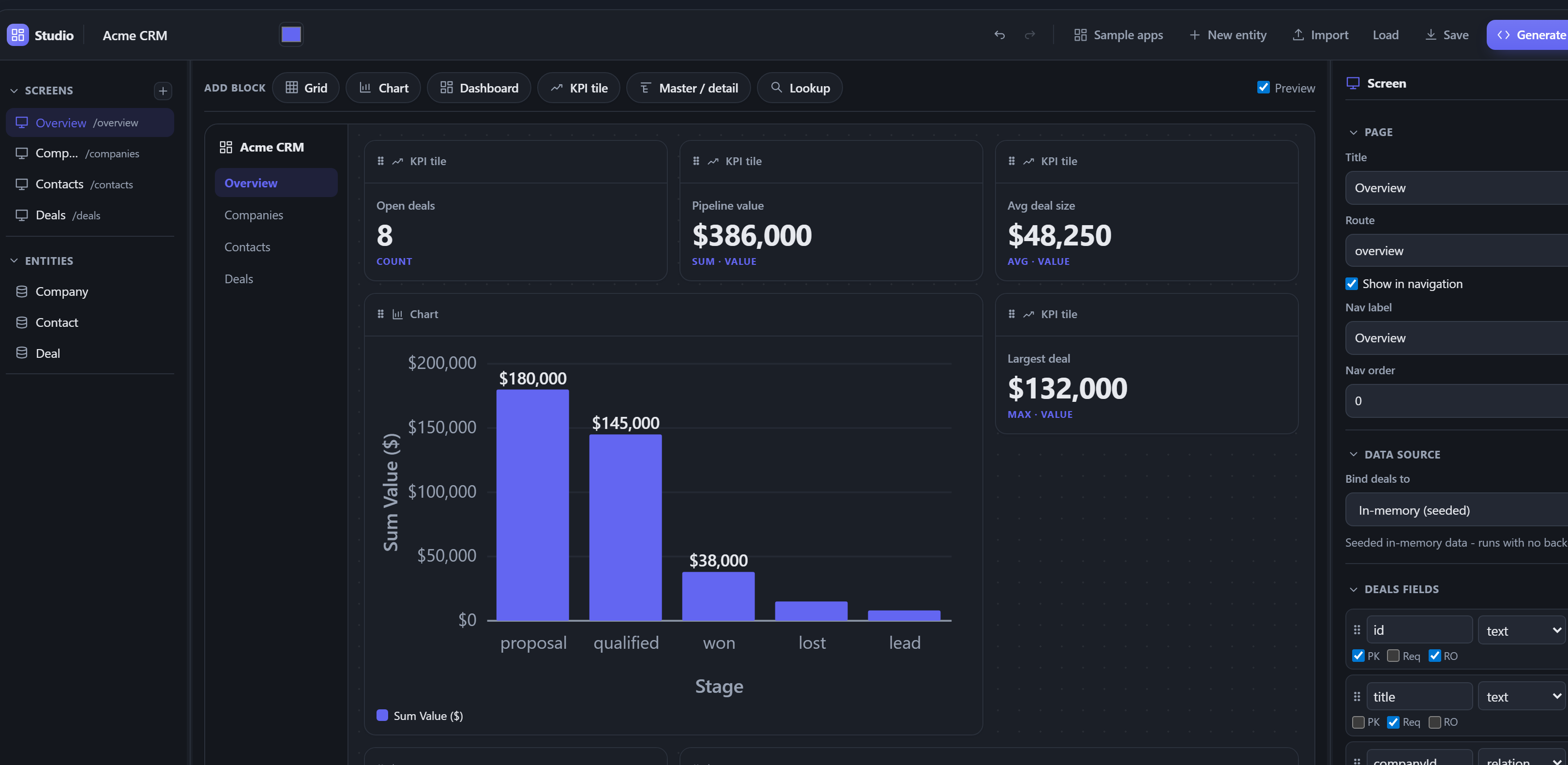
Loading a sample replaces the current design (undo with Ctrl+Z). From the launcher you can open one directly:
npx @svgrid/studio designer --template crm
Everything is editable - add fields, screens and blocks, retheme, then Generate app like any project.
Realistic sample data everywhere
Sample data is field-name aware: a name field gets a person, email an
email, price / total / mrr a currency amount, status cycles its options,
created / due real dates, company a company. This applies to every
in-memory entity - the shipped samples and the ones you build - in both the
live preview and the generated app's seed. Sample apps also carry hand-curated
seed so their dashboards and charts look their best out of the box.
Rich edit forms
Every sample models its fields with the right editor, not a wall of text boxes - so an edit form looks and behaves like a real app. Across the gallery you get:
- Phone and country pickers (SvPhoneInput / SvCountryInput), masked inputs for structured codes (SSN, VIN, license plate, ISBN, ZIP, tax id),
- rating stars and sliders for scores and percentages (deal probability, usage, fuel level, tip),
- tag inputs for multi-value fields (skills, amenities, dietary tags, segments), color pickers, password fields, and date / date-time pickers,
- real validation (required, min/max, patterns) and computed fields - e.g.
a deal's weighted value (
value * probability / 100), an invoice total (subtotal + tax), or a trip's cost-per-mile - that recalculate as you type.
Each sample also ships a form screen: a grid plus an inline edit panel, so you
can click a row and see the full editor form immediately. It's all declared on the
entity's fields (type, input.editorType, format, formula), so it carries
straight through Generate app into the SvelteKit code - and you can change any
field's editor from the designer's field inspector.
Bind your data
Use my data (toolbar) points a sample's screens at your real backend without rebuilding them:
- Connect: pick a database and either fill the guided form (host / port / database / user / password / SSL) or paste a connection string. Test connection confirms it and lists each table's row count before you commit.
- Map each entity to one of your tables - matches are auto-suggested by name; leave one as "Keep sample data" to skip it.
- Bind. Each mapped entity is bound to SQL, so Generate app emits a
connected
src/routes/api/<table>/+server.ts(driver +DATABASE_URL) for it, and the screens now render your data.
Columns are matched even when they're named differently. A sample field is
fuzzy-mapped to your column (exact -> synonyms -> substring): a deal's value
binds to your amount column, stage to pipeline_stage, and so on. The mapping
is stored as the field's dbColumn, so the SQL adapter reads your real column and
aliases it back - the dashboard's charts and KPIs keep working unchanged. Your
extra columns are added as new fields. If a chart or master/detail references a
sample field with no matching column, the wizard lists it so you can adjust.
The database driver (pg / mysql2 / mssql / better-sqlite3) must be
installed where you launched the designer - if it's missing, the wizard offers a
one-click Install driver that runs your project's package manager. The
connection stays on your machine.
See also
- Launch the designer -
npx @svgrid/studio designer(+--template) - Visual app designer - the canvas, blocks, and grid editor
- Databases - the per-dialect connection details
Related articles
- $state Deep Dive for Data-Heavy Svelte Apps - A working engineer's guide to $state, $state.raw, and $state.snapshot - when each one is the right tool, and the exact failure modes when you pick the wrong one.
- A Right-Click Context Menu for Your Svelte Data Grid - Build a right-click context menu that wires row actions, handles multi-row selection, and stays out of the way of SvGrid's own event handling.
- SvGrid Tips and Tricks: Get More from Your Svelte Data Grid - Practical SvGrid tips - fitColumns, cellFlash, Kanban board mode, server-side data, theming tokens and headless rendering - each with a code snippet and docs link.