Code generation
Studio generates plain SvelteKit code you own - there is no runtime and no
lock-in. The same scaffold() core powers the CLI, the
AI generator, and the visual designer, so
all three emit identical files.
What gets generated
From one EntitySchema, three files:
| File | Contents |
|---|---|
src/lib/<name>.schema.ts |
The EntitySchema literal + a typed row type. |
src/routes/api/<name>/+server.ts |
The API route - createKitHandlers over a data source. |
src/routes/<name>/+page.svelte |
The screen - grid + edit panel, wired to the route. |
The generated page is a full data screen: server-side sort, filter, and global
search; a native pagination footer; a validated create / edit modal;
multi-select optimistic delete; and loading / error / empty states. Any
relation (foreign-key) field also gets a searchable lookup wired to the
related entity's API route (Relations).
The three files, up close
1. The schema is the single source of truth - a plain literal you can edit by hand or regenerate:
// src/lib/customers.schema.ts
import type { EntitySchema } from '@svgrid/enterprise'

export type CustomersRow = {
  id: string; name: string; email: string; mrr: number; active: boolean
}

export const customersSchema: EntitySchema<CustomersRow> = {
  name: 'customers',
  idField: 'id',
  fields: [
    { field: 'id', type: 'text', primaryKey: true, readonly: true },
    { field: 'name', type: 'text', required: true },
    { field: 'email', type: 'text', format: 'email', required: true },
    { field: 'mrr', type: 'number', min: 0 },
    { field: 'active', type: 'boolean' },
  ],
}
2. The API route is a single POST endpoint. createKitHandlers speaks one
JSON wire protocol for read + create + update + delete, so the client needs just
the one handler:
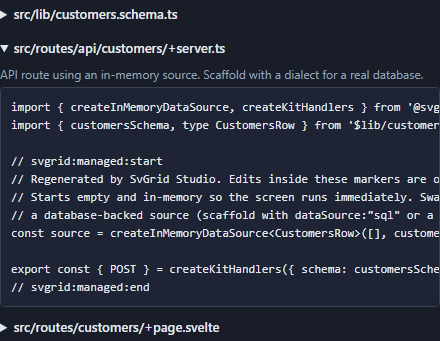
// src/routes/api/customers/+server.ts
import { createInMemoryDataSource, createKitHandlers } from '@svgrid/enterprise'
import { customersSchema, type CustomersRow } from '$lib/customers.schema'

const source = createInMemoryDataSource<CustomersRow>([], customersSchema)

export const { POST } = createKitHandlers({ schema: customersSchema, source })
Swap createInMemoryDataSource for a SQL, Supabase, or REST source and the page
does not change - that is the ServerDataSource contract at
work.
3. The screen wires the grid and the edit panel to that route through the
controller - server-side sort / filter / page, the create-edit modal, and
optimistic delete. It is a normal +page.svelte you own; see the
Data-app Studio demo for the
whole thing running.
Managed regions & safe regeneration
Every generated file wraps its body in markers:
// svgrid:managed:start
// Regenerated by SvGrid Studio. Edits inside these markers are overwritten.
...generated code...
// svgrid:managed:end
Re-running generation replaces only the managed region and preserves everything outside it. So you can:
- Add imports, helpers, and layout outside the markers - they survive regeneration.
- Re-run
addafter a schema or database change to pull in new columns without losing your customizations.
This idempotent regeneration is what makes the generator safe to keep using, rather than a one-shot scaffold you fork away from.
Choosing the data source
The generated +server.ts backend depends on how you scaffold:
| Scaffold | Backend |
|---|---|
--db <dialect> |
Connected to that driver via process.env.DATABASE_URL. |
--sql |
createSqlDataSource with an execute() stub to fill in. |
--from (no --db) |
In-memory, so the screen runs immediately. |
See Databases and Data binding.
Verification
The AI path compiles the generated page (via the Svelte compiler) before handing it back, and the recommended final step everywhere is your project's own check:
npx svelte-check