Web Components - Write Once, Use in React, Vue, and Angular
How to wrap SvGrid as a custom element, wire it across React, Vue, and Angular, and avoid the three interop traps that bite every team the first time.
Most multi-framework codebases converge on a quiet problem: the same UI component gets rebuilt three times, diverges, and the bug count triples. A data grid is the worst offender because it carries the most state. Web Components - native custom elements in the browser's own registry - give you one implementation, one bug surface, and a tag name any host can render regardless of what framework owns the page.
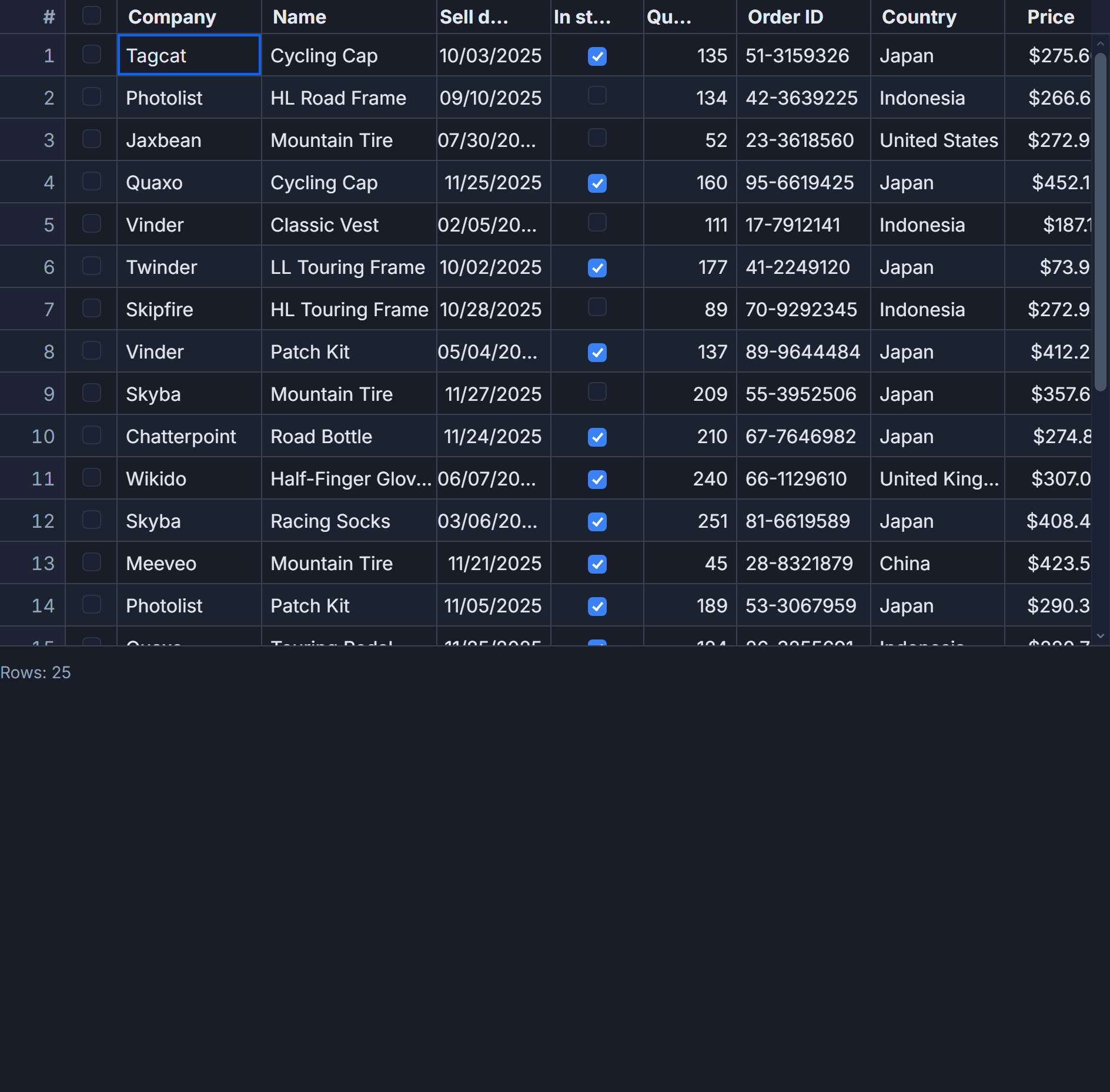
This is a practical walkthrough of wrapping SvGrid as a custom element and consuming it from React, Vue, and Angular. The example is a project tracker table: 50 rows, 7 columns, sorting, filtering, row selection. The same grid, three hosts.
What the host actually sees
Before writing the component, define the DOM interface it exposes. This is the contract that every host framework speaks:
// The element interface - no framework knowledge needed
const grid = document.querySelector('sv-project-grid') as HTMLElement & {
  rows: ProjectRow[]
}

// Set data as a JS property, never as an HTML attribute
grid.rows = projectData

// Read state back via CustomEvent
grid.addEventListener('sv-selection-change', (e: Event) => {
  const ids = (e as CustomEvent<string[]>).detail
  console.log('selected row ids:', ids)
})

// Drive behavior imperatively if you expose API methods
grid.addEventListener('sv-api-ready', (e: Event) => {
  const api = (e as CustomEvent).detail
  api.setSort('due', 'asc')
  api.setFilter('status', { operator: 'equals', value: 'Blocked' })
})
Two rules cover 90% of cross-framework interop: set rich data as DOM properties (not HTML attributes), and communicate outward through CustomEvent. Everything else is framework-specific boilerplate around those two rules.
Building the custom element
Svelte 5 compiles components to native custom elements when you set customElement: true in svelte.config.js and add <svelte:options customElement="sv-project-grid" />. The output class extends HTMLElement, maps declared props to DOM properties automatically, and plugs into Svelte's runes runtime so any property write triggers a synchronous reactive update.
Here is the full component:
<!-- packages/sv-project-grid/src/element.svelte -->
<svelte:options customElement="sv-project-grid" />

<script lang="ts" module>
  import SvGrid from '@svgrid/grid'
  import {
    tableFeatures,
    rowSortingFeature,
    columnFilteringFeature,
    rowSelectionFeature,
    type ColumnDef,
    type SvGridApi,
  } from '@svgrid/grid'

  export type ProjectRow = {
    id: string
    name: string
    owner: string
    status: 'New' | 'In Progress' | 'Blocked' | 'Ready'
    priority: 'Urgent' | 'High' | 'Medium' | 'Low'
    budget: number
    due: string
  }

  const features = tableFeatures({
    rowSortingFeature,
    columnFilteringFeature,
    rowSelectionFeature,
  })

  const columns: ColumnDef<typeof features, ProjectRow>[] = [
    { id: 'id',       field: 'id',       header: 'ID',       width: 90  },
    { id: 'name',     field: 'name',     header: 'Project',  width: 220 },
    { id: 'owner',    field: 'owner',    header: 'Owner',    width: 140 },
    { id: 'status',   field: 'status',   header: 'Status',   width: 120 },
    { id: 'priority', field: 'priority', header: 'Priority', width: 110 },
    {
      id: 'budget',
      field: 'budget',
      header: 'Budget',
      width: 120,
      type: 'number',
    },
    { id: 'due',      field: 'due',      header: 'Due',      width: 110 },
  ]
</script>

<script lang="ts">
  let { rows = $bindable([]) }: { rows: ProjectRow[] } = $props()

  let api = $state<SvGridApi<typeof features, ProjectRow> | null>(null)

  function onApiReady(ready: SvGridApi<typeof features, ProjectRow>) {
    api = ready
    // Let the host wire up the api directly if it wants
    const host = document.querySelector('sv-project-grid')!
    host.dispatchEvent(new CustomEvent('sv-api-ready', { detail: ready, bubbles: true }))
  }

  function onRowSelectionChange() {
    if (!api) return
    const ids = api.getSelectedRows().map((r) => r.id)
    const host = document.querySelector('sv-project-grid')!
    host.dispatchEvent(
      new CustomEvent('sv-selection-change', { detail: ids, bubbles: true })
    )
  }
</script>

<SvGrid
  {features}
  {columns}
  data={rows}
  sortable
  filterable
  showFilterRow={true}
  height={480}
  {onApiReady}
  onRowSelectionChange={onRowSelectionChange}
/>
Registration is one line in a separate entry file:
// packages/sv-project-grid/src/register.ts
import Element from './element.svelte'

// Svelte compiled this to a class extending HTMLElement
customElements.define('sv-project-grid', Element as unknown as CustomElementConstructor)
Build this to an ES module and publish it. Every host imports the same file. No adapters, no framework-specific builds.
Consuming from React, Vue, and Angular
Each framework has one non-obvious requirement. Get these right and the rest is standard binding syntax.
React (18 and earlier) does not forward unknown props to custom elements as DOM properties - it serializes them as attributes. You need a ref callback to set properties, and addEventListener for custom events since React's synthetic event system ignores non-standard event names:
// React 18 - ref callback for properties, addEventListener for events
import { useEffect, useRef } from 'react'
import '/path/to/register.js'

type SvProjectGrid = HTMLElement & { rows: ProjectRow[] }

export function ProjectTable({ data }: { data: ProjectRow[] }) {
  const ref = useRef<SvProjectGrid>(null)

  useEffect(() => {
    const el = ref.current
    if (!el) return

    el.rows = data

    const handler = (e: Event) => {
      const ids = (e as CustomEvent<string[]>).detail
      console.log('selection changed:', ids)
    }
    el.addEventListener('sv-selection-change', handler)
    return () => el.removeEventListener('sv-selection-change', handler)
  }, [data])

  return <sv-project-grid ref={ref as any} style={{ display: 'block', height: 520 }} />
}
React 19 resolves both issues - it passes properties directly and supports custom event names in JSX. If you are on 18, the useEffect pattern above is the reliable path.
Vue 3 handles property binding and custom events natively. Tell Vite to leave the tag alone with compilerOptions.isCustomElement:
// vite.config.ts
import { defineConfig } from 'vite'
import vue from '@vitejs/plugin-vue'

export default defineConfig({
  plugins: [
    vue({
      template: {
        compilerOptions: {
          isCustomElement: (tag) => tag.startsWith('sv-'),
        },
      },
    }),
  ],
})
Then in a Vue component, property binding and event listening work without any ceremony:
<template>
  <sv-project-grid
    :rows="projectData"
    @sv-selection-change="onSelect"
    style="display: block; height: 520px"
  />
</template>

<script setup lang="ts">
import { ref } from 'vue'
import '/path/to/register.js'

const projectData = ref<ProjectRow[]>([])
function onSelect(e: CustomEvent<string[]>) {
  console.log('selected:', e.detail)
}
</script>
Angular requires CUSTOM_ELEMENTS_SCHEMA to suppress the unknown-element compiler error. Keep the schema as narrow as possible - applying it to a @Component rather than @NgModule limits the scope:
// project-table.component.ts
import { Component, CUSTOM_ELEMENTS_SCHEMA, OnInit, ElementRef, ViewChild } from '@angular/core'
import '/path/to/register.js'

@Component({
  selector: 'app-project-table',
  schemas: [CUSTOM_ELEMENTS_SCHEMA],
  template: `
    <sv-project-grid
      #grid
      style="display: block; height: 520px"
      (sv-selection-change)="onSelect($event)"
    ></sv-project-grid>
  `,
})
export class ProjectTableComponent implements OnInit {
  @ViewChild('grid') gridRef!: ElementRef<HTMLElement & { rows: ProjectRow[] }>

  ngOnInit() {
    this.gridRef.nativeElement.rows = this.data
  }

  onSelect(e: CustomEvent<string[]>) {
    console.log('selected:', e.detail)
  }
}
The attribute trap and why it bites silently
The most common failure mode is setting rows as an HTML attribute rather than a DOM property. In HTML, attributes are strings. When a framework serializes [{id: '1', name: 'Alpha'}] as an attribute, the element receives the string "[object Object]". The grid gets an array containing one object with an id of undefined. It renders, just with garbage.
The silent part: no errors, no warnings. The grid mounts and paints an empty table. Teams spend an hour checking their data pipeline before realizing the bug is at the attribute-versus-property boundary.
If you are debugging this, open DevTools, select the element, and run $0.rows in the console. If you get the string "[object Object]", you hit the attribute trap. If you get your array, the problem is elsewhere.
When not to use this pattern
The custom element wrapper makes sense when you have two or more frameworks consuming the same grid across organizational boundaries - a React product team and an Angular platform team sharing a data component, for example.
If your app is entirely Svelte, skip the wrapper entirely. The native <SvGrid> component speaks Svelte 5 runes directly: no property bridge, no CustomEvent serialization, full TypeScript inference on column definitions without a wrapper layer, and direct access to the full API surface without exposing it through DOM events. The overhead of the web component route only pays off when you are genuinely crossing framework lines.
A mixed Svelte-plus-one-other-framework codebase is the edge case worth thinking about. If the non-Svelte surface is small and unlikely to grow, the wrapper is probably not worth the maintenance cost. If it is substantial or you are planning to grow it, the custom element pattern isolates the grid implementation from host framework churn - which is the whole point.