Migrating from ag-grid-react to a Svelte Stack
A practical field guide for porting ag-grid-react screens to SvGrid - column defs, cell renderers, server-side data, and the React-to-Svelte reactivity shift.
The React-to-Svelte migration conversation always stalls at the same point: "but we have a lot of AG Grid." That anxiety is usually disproportionate. Column definitions translate almost one-to-one, cell renderers become snippets, and the server-side row model maps to a single adapter function. The real migration work is the surrounding React patterns, not the grid.
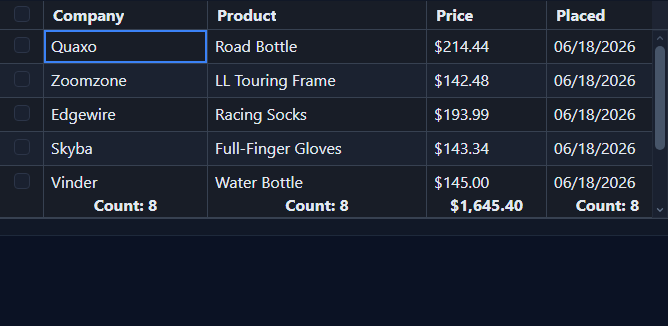 An admin template built with SvGrid.
Column definitions: mostly a rename job
AG Grid's columnDefs array and SvGrid's columns array share the same shape. The fields you use constantly - field, headerName, width, pinned, editable, valueFormatter - have direct equivalents. The API names are slightly different, but nothing requires rethinking.
| ag-grid-react | SvGrid (@svgrid/grid) |
|---|---|
rowData |
data |
columnDefs |
columns |
headerName |
header |
field |
field |
valueFormatter |
format or formatter |
valueGetter |
fieldFn |
cellRenderer |
cell (snippet or component) |
onCellValueChanged |
onCellValueChange |
suppressMovable |
movable: false |
| Server-Side Row Model | createServerDataSource |
| AG Grid Enterprise | @svgrid/enterprise |
A typical AG Grid column definition like this:
// ag-grid-react column def
const columnDefs = [
  { field: 'name', headerName: 'Name', width: 180, pinned: 'left' },
  {
    field: 'price',
    headerName: 'Price',
    width: 100,
    type: 'numericColumn',
    editable: true,
    valueFormatter: (p) => `$${p.value.toFixed(2)}`,
  },
  { field: 'status', headerName: 'Status', width: 120, cellRenderer: StatusRenderer },
  { headerName: '', width: 80, cellRenderer: ActionsRenderer, pinned: 'right' },
]
becomes this in SvGrid:
import type { ColumnDef } from '@svgrid/grid'

const columns: ColumnDef<typeof features, Row>[] = [
  { id: 'name', field: 'name', header: 'Name', width: 180, pinned: 'left' },
  {
    id: 'price',
    field: 'price',
    header: 'Price',
    width: 100,
    type: 'number',
    editable: true,
    format: (value) => `$${Number(value).toFixed(2)}`,
  },
  { id: 'status', field: 'status', header: 'Status', width: 120, cell: statusCell },
  { id: 'actions', header: '', width: 80, cell: actionsCell, pinned: 'right' },
]
The pattern is consistent. If you have a script that generates column defs programmatically, a few targeted string replacements will get you most of the way there.
Cell renderers to snippets
This is the area where React and Svelte diverge most visibly - and where Svelte wins on brevity. A React cell renderer is a component with props threading and a forwardRef if you need the grid API. A Svelte 5 snippet is a few lines of markup declared inline or in the same file.
// ag-grid-react: a status badge renderer
const StatusRenderer = ({ value }: { value: string }) => (
  <span className={`badge badge--${value}`}>{value}</span>
)

// ag-grid-react: an actions renderer that calls the grid API
const ActionsRenderer = ({ data, api }: ICellRendererParams) => (
  <button onClick={() => api.applyTransaction({ remove: [data] })}>
    Remove
  </button>
)
In SvGrid, both become snippets, and the grid instance comes from onApiReady rather than being injected per-cell:
<script lang="ts">
  import SvGrid from '@svgrid/grid'
  import type { SvGridApi, ColumnDef } from '@svgrid/grid'
  import { tableFeatures, rowSelectionFeature } from '@svgrid/grid'

  let api = $state<SvGridApi | null>(null)
  const features = tableFeatures({ rowSelectionFeature })

  const data = $state<Row[]>([
    { id: 1, name: 'Widget A', status: 'active' },
    { id: 2, name: 'Widget B', status: 'inactive' },
  ])

  const columns: ColumnDef<typeof features, Row>[] = [
    { id: 'name', field: 'name', header: 'Name', width: 200 },
    { id: 'status', field: 'status', header: 'Status', width: 120, cell: statusCell },
    { id: 'actions', header: '', width: 80, cell: actionsCell },
  ]
</script>

{#snippet statusCell({ value }: { value: string })}
  <span class="badge badge--{value}">{value}</span>
{/snippet}

{#snippet actionsCell({ row }: { row: Row })}
  <button onclick={() => api?.applyTransaction({ remove: [row] })}>
    Remove
  </button>
{/snippet}

<SvGrid {data} {columns} {features} onApiReady={(a) => { api = a }} />
No prop threading. No forwardRef. The snippet has access to everything in the component's scope.
Reactivity: the hook mental model doesn't port
This is the actual migration challenge. React's mental model is "re-render the component when state changes, and memoize the expensive parts." Svelte 5's mental model is "track which reactive values each expression reads, and re-run only that expression."
In practice, you stop writing useMemo and useCallback entirely. A derived value is just a $derived. A side effect is a $effect. The dependency array is inferred automatically.
A common pattern in AG Grid React apps is filtering data in a useMemo before passing it to rowData:
// React pattern - explicit memoization and dependency arrays
const [rows, setRows] = useState<Row[]>(rawRows)
const [query, setQuery] = useState('')

const filteredRows = useMemo(
  () => rows.filter((r) => r.name.toLowerCase().includes(query.toLowerCase())),
  [rows, query]
)

// <AgGridReact rowData={filteredRows} ... />
In Svelte 5, the same logic without the overhead:
<script lang="ts">
  let rows = $state<Row[]>(rawRows)
  let query = $state('')

  // $derived re-runs automatically when rows or query change
  let filteredRows = $derived(
    rows.filter((r) => r.name.toLowerCase().includes(query.toLowerCase()))
  )
</script>

<input bind:value={query} placeholder="Search..." />
<SvGrid data={filteredRows} {columns} />
If you had useEffect hooks reacting to grid events (like selection changes), those become $effect blocks or event callbacks on the SvGrid component directly.
Server-side data
AG Grid's Server-Side Row Model is one of its most distinctive features - and the one most teams worry about losing. SvGrid handles this with createServerDataSource, which takes a single fetch function and returns a data source you pass directly to data.
import SvGrid, { createServerDataSource } from '@svgrid/grid'

const ds = createServerDataSource({
  fetch: async ({ page, pageSize, sort, filters }) => {
    const params = new URLSearchParams({
      page: String(page),
      size: String(pageSize),
    })

    if (sort.length > 0) {
      params.set('sortField', sort[0].id)
      params.set('sortDir', sort[0].desc ? 'desc' : 'asc')
    }

    for (const f of filters) {
      params.set(`filter_${f.id}`, JSON.stringify(f.value))
    }

    const res = await fetch(`/api/rows?${params}`)
    const json = await res.json()
    return { rows: json.data, total: json.total }
  },
})
Then use it like any other data source:
<SvGrid data={ds} {columns} pageable sortable filterable />
Sorting, filtering, and pagination all trigger the fetch function automatically. You do not need to wire up event handlers or manually call api.refreshServerSide() the way you would in AG Grid.
What you actually lose
Honest assessment: there are some things AG Grid does that SvGrid does not replicate exactly.
AG Grid Enterprise's range selection (spreadsheet-style multi-cell drag select) and the Excel-like fill handle are not in SvGrid yet. If your app uses those heavily, that is a real gap.
AG Grid's charting integration is a standalone module that we do not try to match. SvGrid has SvGridChart and buildSparkline for column-level data visualization, but not the full in-grid chart builder.
The flip side: SvGrid's Svelte-native rendering means your custom cell content is real Svelte, with access to stores, runes, and component composition. AG Grid's React renderer runs React inside a non-React context, which creates an invisible performance ceiling and awkward lifecycle interactions. That tradeoff disappears entirely in SvGrid.
The migration order that works
Start with the simplest screens first - read-only tables with basic sorting. Get comfortable with the column def translation and the snippet pattern. Then move to editable screens. Server-side data adapters should be last because they require the most careful testing of edge cases (empty results, error states, filter combinations).
For conditional formatting - something many AG Grid users handle with cellStyle callbacks - SvGrid has a dedicated conditionalFormat field on the column definition that keeps the logic out of your renderers:
{
  id: 'score',
  field: 'score',
  header: 'Score',
  conditionalFormat: [
    { condition: ({ value }) => Number(value) < 50, style: { color: 'red', fontWeight: 'bold' } },
    { condition: ({ value }) => Number(value) >= 90, style: { color: 'green' } },
  ],
}
The grid concepts are the same. The implementation is Svelte-native. Most teams are surprised by how little of their actual grid logic needs to change.
Related reading
- Porting a React MUI X DataGrid Screen to Svelte
- Evaluating SVAR Svelte DataGrid? What Changes if You Pick SvGrid
- Migrating from DataTables.net to a Svelte Data Grid
- Svelte Data Grid Comparisons and Alternatives (2026)
- SvGrid vs TanStack Table - A Deep Dive
- SvGrid vs AG Grid (community + enterprise) - the comparison page, with a source and date for every claim
Tagged: Migrating to SvGrid