Migrating from DataTables.net to a Svelte Data Grid
A practical migration guide from jQuery DataTables to SvGrid - how column definitions, server-side data, custom rendering, and selection map across, with working code for each step.
jQuery DataTables is a decade-old plugin that still runs on a surprising share of internal tools and admin panels. If you are moving one of those to SvelteKit, you will find that most of the concepts translate - column definitions, server-side pagination, custom cell rendering - but the execution shifts from imperative jQuery to reactive Svelte state. The delta is smaller than it looks, and the result is significantly less code.
What the two libraries are trying to do
DataTables attaches behavior to an existing <table> element. You hand it options at init time, and it wires up sorting, filtering, and pagination on top of whatever HTML you already have. Every subsequent interaction goes through method calls (table.page(2).draw()) or event listeners.
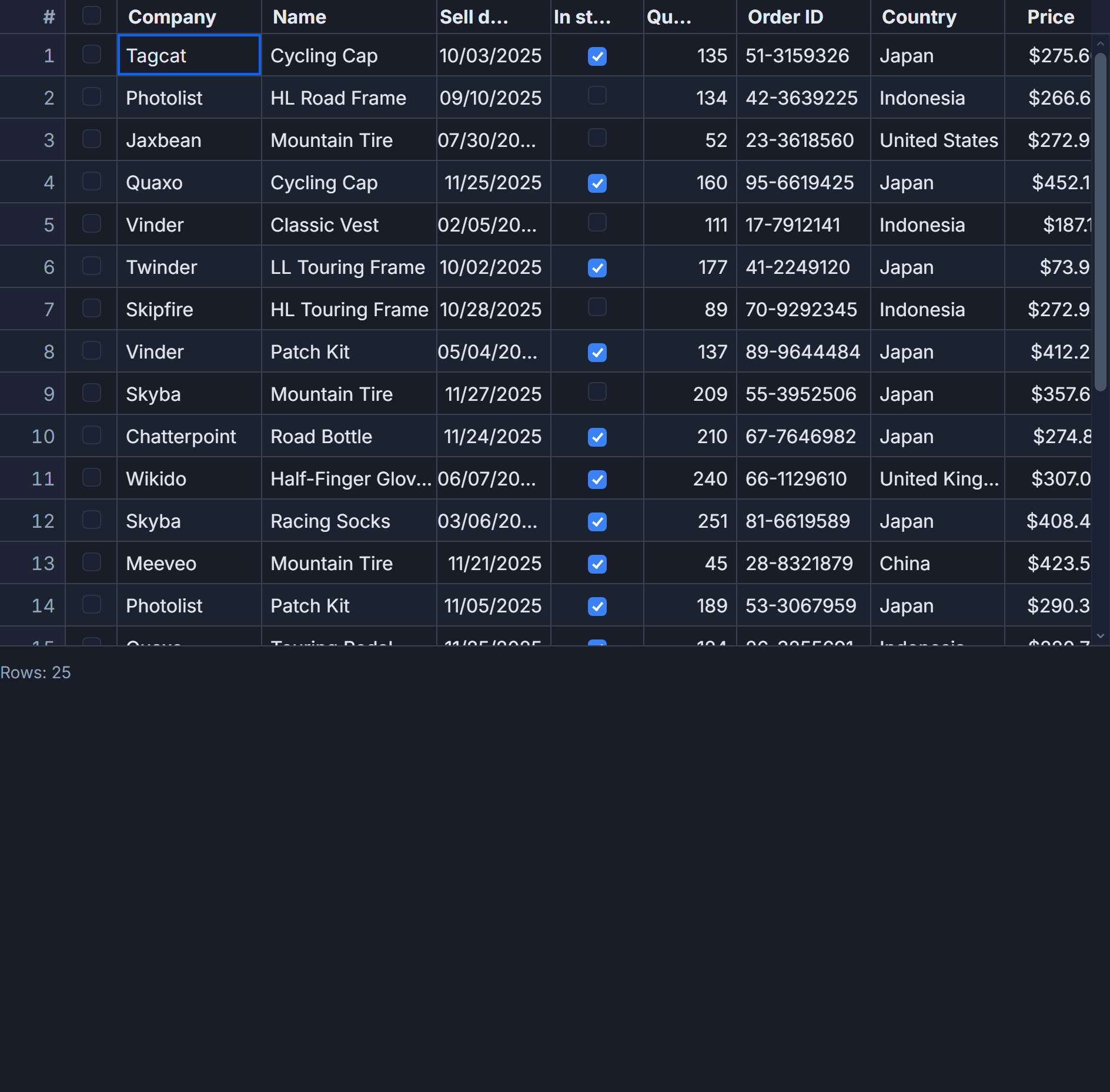
SvGrid is a Svelte component. There is no DOM element to attach to; you describe your grid declaratively and it renders itself. State changes happen through reactive props and an imperative API you get access to via onApiReady. The mental model is closer to a controlled React component than to a jQuery plugin.
This distinction matters when planning the migration. You are not swapping implementations of the same idea. You are moving from an outside-in jQuery pattern to an inside-out Svelte component pattern.
Column definitions
DataTables column definitions look like this:
$('#myTable').DataTable({
  columns: [
    { data: 'name',   title: 'Name'   },
    { data: 'email',  title: 'Email'  },
    { data: 'salary', title: 'Salary', render: (d) => `$${d.toLocaleString()}` },
    { data: 'status', title: 'Status', orderable: false },
  ],
  order: [[2, 'desc']],
  pageLength: 25,
})
The same columns in SvGrid, as a ColumnDef array:
<script lang="ts">
  import SvGrid from '@svgrid/grid'
  import {
    tableFeatures,
    rowSortingFeature,
    rowPaginationFeature,
    type ColumnDef,
    type SvGridApi,
  } from '@svgrid/grid'

  type Employee = { name: string; email: string; salary: number; status: string }

  const features = tableFeatures({ rowSortingFeature, rowPaginationFeature })

  const columns: ColumnDef<typeof features, Employee>[] = [
    { id: 'name',   field: 'name',   header: 'Name',   width: 180 },
    { id: 'email',  field: 'email',  header: 'Email',  width: 220 },
    {
      id: 'salary',
      field: 'salary',
      header: 'Salary',
      width: 120,
      type: 'number',
      format: { type: 'currency', currency: 'USD' },
    },
    { id: 'status', field: 'status', header: 'Status', width: 100, sortable: false },
  ]

  let data = $state<Employee[]>([])
  let api: SvGridApi
</script>

<SvGrid
  {data}
  {columns}
  features={features}
  sortable
  pageable
  pageSize={25}
  onApiReady={(a) => { api = a }}
/>
A few things are different here. render callbacks become the format option for built-in formatters, or a cell snippet when you need full control over the rendered output. The initial order config maps to setting sort state after onApiReady fires: api.setSort('salary', 'desc'). The pageLength option is just pageSize.
Server-side data
DataTables' serverSide: true mode sends a POST with start, length, order[], and search[value] parameters baked into its own wire format. You return recordsTotal and recordsFiltered in a specific envelope. It works, but the format is opaque and the parameters come in DataTables' own naming convention.
SvGrid's server-side mode gives you a typed fetch callback with clean parameters. You own the request shape:
<script lang="ts">
  import SvGrid from '@svgrid/grid'
  import {
    createServerDataSource,
    tableFeatures,
    rowSortingFeature,
    columnFilteringFeature,
    rowPaginationFeature,
  } from '@svgrid/grid'

  const features = tableFeatures({
    rowSortingFeature,
    columnFilteringFeature,
    rowPaginationFeature,
  })

  const ds = createServerDataSource({
    fetch: async ({ page, pageSize, sort, filters }) => {
      const params = new URLSearchParams({
        page: String(page),
        size: String(pageSize),
      })

      if (sort.length > 0) {
        params.set('sortField', sort[0].id)
        params.set('sortDir', sort[0].desc ? 'desc' : 'asc')
      }

      filters.forEach((f) => {
        params.set(`filter[${f.id}]`, String(f.value))
      })

      const res = await fetch(`/api/employees?${params}`)
      const json = await res.json()
      return { rows: json.items, total: json.total }
    },
  })
</script>

<SvGrid
  data={ds}
  columns={columns}
  features={features}
  sortable
  filterable
  pageable
/>
The page parameter is zero-indexed. Your API endpoint gets clean named parameters instead of DataTables' positional array syntax. The total count comes back in your return value alongside the rows - no envelope keys to remember.
Custom cell rendering
DataTables render callbacks return an HTML string, which gets injected via innerHTML. That works until you need interactivity inside the cell - then you are wiring up event listeners manually against DOM nodes DataTables manages.
SvGrid uses Svelte snippets. A snippet is a typed, reactive block that renders as part of the component tree, so Svelte event handling and reactivity work normally inside it:
<script lang="ts">
  import SvGrid from '@svgrid/grid'
  import { tableFeatures, rowSelectionFeature, type ColumnDef } from '@svgrid/grid'

  type Employee = { id: number; name: string; status: 'active' | 'inactive' }

  const features = tableFeatures({ rowSelectionFeature })

  const columns: ColumnDef<typeof features, Employee>[] = [
    { id: 'name',   field: 'name',   header: 'Name',   width: 180 },
    { id: 'status', field: 'status', header: 'Status', width: 120, cell: statusCell },
    { id: 'actions', header: '',     width: 80,         cell: actionsCell, sortable: false },
  ]

  let data = $state<Employee[]>([
    { id: 1, name: 'Alice', status: 'active' },
    { id: 2, name: 'Bob',   status: 'inactive' },
  ])

  function deactivate(id: number) {
    const idx = data.findIndex((r) => r.id === id)
    if (idx !== -1) data[idx].status = 'inactive'
  }
</script>

{#snippet statusCell({ value }: { value: string })}
  <span class="badge" class:active={value === 'active'} class:inactive={value === 'inactive'}>
    {value}
  </span>
{/snippet}

{#snippet actionsCell({ row }: { row: Employee })}
  <button onclick={() => deactivate(row.id)} disabled={row.status === 'inactive'}>
    Deactivate
  </button>
{/snippet}

<SvGrid {data} {columns} features={features} />
The snippet gets typed value and row parameters. No HTML string construction, no document.querySelector after render. Svelte handles the DOM.
The honest tradeoffs
DataTables has 15 years of plugins - editor, responsive, buttons, select. If your project depends on several of those plugins working together, the migration cost is real. You are rebuilding that functionality, not just swapping components.
Where SvGrid clearly wins: virtualization for large client-side datasets (DataTables would page rather than virtualize), native Svelte reactivity so the grid responds to state changes without .draw() calls, and TypeScript types on columns, rows, and the API surface.
The DataTables method call pattern (table.column(0).search('value').draw()) can feel familiar if you have written a lot of jQuery. SvGrid's imperative API is similar in spirit - api.setFilter('name', { operator: 'contains', value: 'Alice' }) - but it goes through Svelte's reactivity system rather than triggering a DOM re-render manually.
One thing that trips people up: DataTables initializes once and then you mutate it. SvGrid is reactive, so updating data to a new array re-renders the grid automatically. If you are used to calling .ajax.reload() to refresh data, the equivalent is just updating your $state variable.
The migration is mostly mechanical once you have the column definition shape down. The server-side adapter is the part that requires thought, because you are replacing DataTables' baked-in wire format with your own - which gives you more control but also means writing the parameter mapping yourself.
Related reading
- Evaluating SVAR Svelte DataGrid? What Changes if You Pick SvGrid
- Porting a React MUI X DataGrid Screen to Svelte
- Migrating from ag-grid-react to a Svelte Stack
- Svelte Data Grid Comparisons and Alternatives (2026)
- SvGrid vs TanStack Table - A Deep Dive
Tagged: Migrating to SvGrid