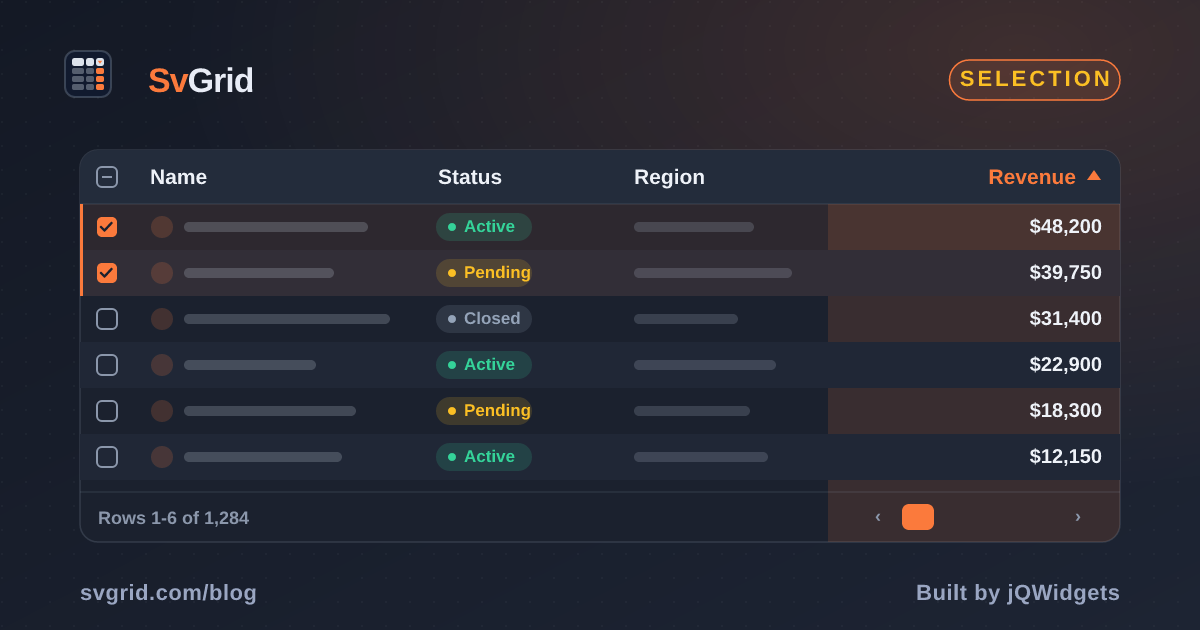
A Tri-State Select-All Checkbox in SvGrid
How SvGrid's rowSelectionFeature drives the header checkbox through unchecked, indeterminate, and checked states - and the pagination edge case that catches everyone.
Most developers assume the tri-state header checkbox is trivial to build. It is not. The indeterminate state is a DOM property, not an HTML attribute - you cannot set it declaratively. It only works via element.indeterminate = true in JavaScript, which means any reactive framework has to either use an action, a $effect, or a custom element to write it imperatively. On top of that, "select all" means different things depending on whether you have pagination active, and the transition between states has to stay consistent across sort, filter, and data mutations.
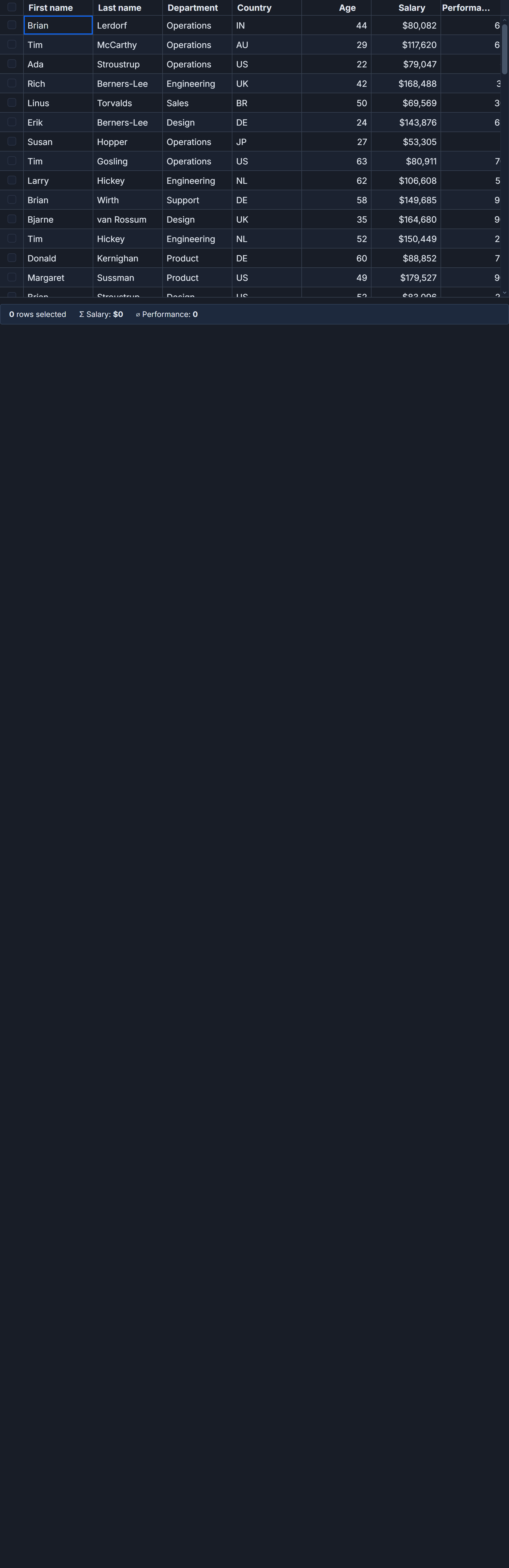
SvGrid handles all of this inside rowSelectionFeature. You register it, set two props on the component, and the checkbox manages its own state machine. This post walks through the exact wiring, explains what the feature actually does under the hood, and covers the pagination case that will bite you if you skip the second half.
Registering selection the right way
Selection in SvGrid is opt-in at the feature level. The <SvGrid> props selectionMode and showRowSelection are silently ignored if rowSelectionFeature is not in your tableFeatures call. No warning, no error - checkboxes just never appear. This is the most common setup mistake.
import {
  tableFeatures,
  rowSortingFeature,
  rowSelectionFeature,
} from '@svgrid/grid'

// Both features registered - sort and selection work together
const features = tableFeatures({
  rowSortingFeature,
  rowSelectionFeature,
})
That features object gets passed to <SvGrid> as a prop. Without it, the component has no knowledge of the selection state machine.
A real action-bar pattern
The scenario I keep running into: a grid with 80-200 rows, a floating action bar that appears when anything is selected, and a "select all N matching" affordance for when the user wants to operate on everything. Here is that pattern in full, using a staff directory as the data model.
<script lang="ts">
  import {
    SvGrid,
    tableFeatures,
    rowSortingFeature,
    rowSelectionFeature,
    type ColumnDef,
    type SvGridApi,
  } from '@svgrid/grid'

  type Employee = {
    id: string
    name: string
    department: string
    location: string
    salary: number
    status: 'active' | 'inactive'
  }

  const DEPTS = ['Engineering', 'Design', 'Product', 'Sales', 'Finance', 'Legal']
  const LOCS  = ['NYC', 'SF', 'London', 'Berlin', 'Sydney', 'Toronto']

  let prng = 0xAB1234
  function rnd() { prng = (prng * 1664525 + 1013904223) >>> 0; return prng / 0xFFFFFFFF }
  function pick<T>(a: readonly T[]): T { return a[Math.floor(rnd() * a.length)]! }

  const FIRST = ['Alex', 'Blake', 'Casey', 'Drew', 'Ellis', 'Faye', 'Glen', 'Hana', 'Ivan', 'Jade']
  const LAST  = ['Smith', 'Jones', 'Park', 'Singh', 'Chen', 'Rivera', 'Nakamura', 'Patel', 'Brown']

  function seedEmployees(n: number): Employee[] {
    return Array.from({ length: n }, (_, i) => ({
      id: `EMP-${1000 + i}`,
      name: `${pick(FIRST)} ${pick(LAST)}`,
      department: pick(DEPTS),
      location: pick(LOCS),
      salary: Math.round((40_000 + rnd() * 160_000) / 1_000) * 1_000,
      status: rnd() < 0.85 ? 'active' : 'inactive',
    }))
  }

  const features = tableFeatures({ rowSortingFeature, rowSelectionFeature })
  const rows = seedEmployees(120)

  const columns: ColumnDef<typeof features, Employee>[] = [
    { field: 'id',         header: 'ID',         width: 100 },
    { field: 'name',       header: 'Name',        width: 160 },
    { field: 'department', header: 'Department',  width: 140 },
    { field: 'location',   header: 'Location',    width: 120 },
    {
      field: 'salary',
      header: 'Salary',
      width: 120,
      format: { type: 'currency', currency: 'USD', options: { maximumFractionDigits: 0 } },
    },
    { field: 'status', header: 'Status', width: 100 },
  ]

  let api = $state<SvGridApi<typeof features, Employee> | null>(null)
  let selectedRows = $state<Employee[]>([])

  const selectionLabel = $derived(
    selectedRows.length === 0
      ? 'No rows selected'
      : `${selectedRows.length} of ${rows.length} selected`
  )

  function handleBulkArchive() {
    const ids = selectedRows.map(r => r.id)
    console.log('Archiving', ids.length, 'employees:', ids)
    api?.clearRowSelection()
  }
</script>

{#if selectedRows.length > 0}
  <div class="action-bar">
    <span>{selectionLabel}</span>
    {#if selectedRows.length < rows.length}
      <button onclick={() => api?.selectAllRows()}>
        Select all {rows.length} employees
      </button>
    {/if}
    <button onclick={handleBulkArchive}>Archive selected</button>
    <button onclick={() => api?.clearRowSelection()}>Clear selection</button>
  </div>
{/if}

<SvGrid
  data={rows}
  {columns}
  {features}
  selectionMode="row"
  showRowSelection={true}
  onApiReady={(g) => (api = g)}
  onRowSelectionChange={(_state, rows) => (selectedRows = rows)}
/>

<style>
  .action-bar {
    display: flex;
    align-items: center;
    gap: 0.75rem;
    padding: 0.5rem 1rem;
    background: #f1f5f9;
    border-bottom: 1px solid #cbd5e1;
    font-size: 0.875rem;
  }
</style>
The checkbox column appears automatically on the left. The header cycles through three states: unchecked when nothing is selected, indeterminate when 1-119 rows are selected, and checked when all 120 are selected. The banner above the grid appears and disappears reactively as selectedRows changes.
How the tri-state actually works
rowSelectionFeature maintains a Set<string> of selected row IDs keyed against the internal row model. After each change it compares selectedCount against totalDisplayedRows:
selectedCount === 0: header checkbox is unchecked,indeterminate = false0 < selectedCount < totalDisplayedRows:indeterminate = true(thecheckedvalue is irrelevant here - browsers render the dash regardless of it)selectedCount === totalDisplayedRows: header checkbox is checked,indeterminate = false
The built-in header cell uses a Svelte $effect that writes element.indeterminate directly to the DOM node after each render. There is no way to replicate this in markup with an attribute - if you build a custom header cell and try <input indeterminate> you will get nothing, because indeterminate is not a reflected attribute. Use a $effect and write the property imperatively.
onRowSelectionChange receives the raw state object and the materialized array of selected row data. The array allocation is O(selected count), so if users routinely select 10,000 rows and you just need IDs for a server call, prefer api.getSelectedRowIds() instead - it returns the ID set directly without allocating a new array of row objects.
Checkboxes without the column
If you want keyboard-driven or click-driven selection without showing a checkbox column, set showRowSelection={false} alongside selectionMode="row". Rows become selectable by clicking the row body or pressing Space. The selection state still flows through onRowSelectionChange and the API exactly as before. The header checkbox will not appear in this mode since there is nothing to place it in.
The pagination edge case
This is the one that catches everyone. The header checkbox selects rows on the current page, not across all pages. On a grid with 120 rows and a page size of 25, clicking the header on page 1 selects 25 rows - not 120. After that click, selectedRows.length === 25, which is less than rows.length === 120, so the "select all matching" banner should appear.
<script lang="ts">
  import {
    SvGrid,
    tableFeatures,
    rowSortingFeature,
    rowSelectionFeature,
    rowPaginationFeature,
    type ColumnDef,
    type SvGridApi,
  } from '@svgrid/grid'

  const features = tableFeatures({
    rowSortingFeature,
    rowSelectionFeature,
    rowPaginationFeature,
  })

  // ... columns, data, api state

  // Show the "select all N" banner when:
  // - something is selected
  // - BUT the selection is less than the total (i.e. only the current page)
  const showSelectAllBanner = $derived(
    selectedRows.length > 0 && selectedRows.length < totalRows
  )

  // For server-side grids: "select all" should set a flag, not enumerate IDs
  let selectAllMatchingActive = $state(false)

  function handleSelectAll() {
    selectAllMatchingActive = true
    // Your bulk action endpoint reads this flag and applies server-side filters
    // rather than receiving a list of 1200 row IDs
  }
</script>

{#if showSelectAllBanner}
  <div class="select-all-banner">
    {selectedRows.length} rows on this page selected.
    <button onclick={handleSelectAll}>
      Select all {totalRows} matching rows
    </button>
  </div>
{/if}
For server-side grids where "select all" involves rows that are not loaded into the client at all, the right pattern is a selectAllMatching: boolean flag sent to your bulk-action endpoint. The endpoint then runs WHERE <active_filters> AND id NOT IN (<exclusion_set>) rather than WHERE id IN (<giant_id_list>). This avoids sending thousands of IDs over the wire and keeps your request payload small even when the dataset has tens of thousands of rows.
After data mutations
One edge case that does not bite immediately but will eventually: if you call api.removeRow(rowIndex) or api.applyTransaction({ remove: [...] }) and some of the removed rows were selected, the selection set does not auto-prune. The removed IDs stay in the selected set. After any destructive mutation, either call api.clearRowSelection() or re-derive your selection from api.getSelectedRows() to get a clean state.
The same applies to filter changes. api.selectAllRows() selects every row in the displayed row model at the moment you call it - post-filter. If filters are active and showing 40 of 120 rows, selectAllRows() selects those 40. This matches what users expect when they click "select all on this view", but it can surprise you if you call it programmatically after programmatically modifying the filter state.
Related reading
- Copy a Cell Range to the Clipboard in SvGrid
- Row Selection and Clipboard Copy-Paste in SvGrid
- Bulk Operations on Selected Rows in SvGrid
- Stable Row Identity in SvGrid (and why it matters)
- Saved Views - Persist Grid Layout and Filters
Tagged: Selection