Bulk Operations on Selected Rows in SvGrid
Wire row selection into a contextual action toolbar - bulk edit, delete, and export selected rows with the SvGrid selection API.
Most data grids ship row selection as a checkbox feature and stop there. The checkbox is the easy part. The harder question is what happens next: the user has checked 18 rows and now expects to act on all of them at once. SvGrid gives you onRowSelectionChange, api.clearRowSelection(), and api.selectAllRows() - a small surface that handles the full bulk-action lifecycle cleanly.
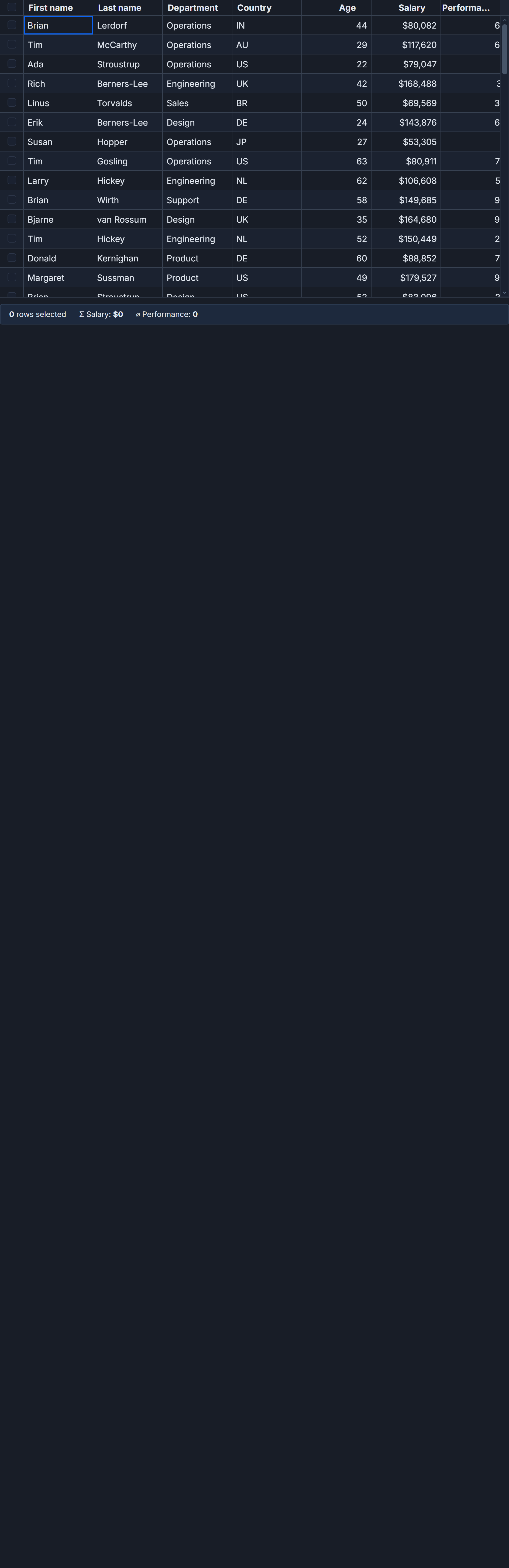
This post builds a real contextual toolbar for an order table: mark rows in stock, delete them, or copy them to the clipboard as TSV. Everything here is production-ready, not a proof of concept.
What the selection API actually gives you
Enable row selection by including rowSelectionFeature in your feature set and passing showRowSelection={true} to the grid component. The grid registers a checkbox column automatically - no column definition needed.
The key callback is onRowSelectionChange. It fires with two arguments: a raw selection state object (row indices mapped to booleans, useful for serializing view state) and a materialized array of the selected row objects. That second argument is what bulk actions need. The objects are the same references you passed into data, so building a Set of their IDs for O(1) lookup is trivial.
<script lang="ts">
  import {
    SvGrid,
    tableFeatures,
    rowSortingFeature,
    columnFilteringFeature,
    rowSelectionFeature,
    type ColumnDef,
    type SvGridApi,
  } from '@svgrid/grid'

  type Order = {
    id: string
    company: string
    product: string
    country: string
    quantity: number
    price: number
    inStock: boolean
    sellDate: string
  }

  const features = tableFeatures({
    rowSortingFeature,
    columnFilteringFeature,
    rowSelectionFeature,
  })

  let rows = $state<Order[]>([])
  let selectedRows = $state<Order[]>([])
  let api = $state<SvGridApi<typeof features, Order> | null>(null)

  const columns: ColumnDef<typeof features, Order>[] = [
    { field: 'company',  header: 'Company',   width: 160 },
    { field: 'product',  header: 'Product',   width: 200 },
    { field: 'country',  header: 'Country',   width: 110 },
    { field: 'quantity', header: 'Qty',       width: 80,
      format: { type: 'number', options: { maximumFractionDigits: 0 } } },
    { field: 'price',    header: 'Price',     width: 110,
      format: { type: 'currency', currency: 'USD' } },
    { field: 'inStock',  header: 'In Stock',  width: 90 },
    { field: 'sellDate', header: 'Sell Date', width: 110 },
  ]
</script>

<SvGrid
  {features}
  data={rows}
  {columns}
  showRowSelection={true}
  onRowSelectionChange={(_state, selected) => (selectedRows = selected)}
  onApiReady={g => (api = g)}
  height={520}
/>
The api reference from onApiReady is the other piece you need. Without it, you cannot call clearRowSelection() after a mutation, which leaves stale checkbox state in the grid.
Building the toolbar
The toolbar is a conditional block that appears only when at least one row is checked. When selectedRows.length is zero, it takes no space - no empty grey bar sitting between the grid and whatever is above it.
<script lang="ts">
  // ... (features, columns, rows from above)

  let toast = $state('')

  function flash(msg: string) {
    toast = msg
    setTimeout(() => { if (toast === msg) toast = '' }, 2400)
  }

  function clearSelection() {
    api?.clearRowSelection()
    selectedRows = []
  }

  function markInStock() {
    const ids = new Set(selectedRows.map(r => r.id))
    const n = selectedRows.length
    rows = rows.map(r => ids.has(r.id) ? { ...r, inStock: true } : r)
    flash(`Marked ${n} order${n === 1 ? '' : 's'} in stock`)
    clearSelection()
  }

  function deleteSelected() {
    const ids = new Set(selectedRows.map(r => r.id))
    const n = selectedRows.length
    rows = rows.filter(r => !ids.has(r.id))
    flash(`Deleted ${n} order${n === 1 ? '' : 's'}`)
    clearSelection()
  }

  function exportTsv() {
    const fields = columns.map(c => c.field as keyof Order)
    const header = columns.map(c => c.header as string).join('\t')
    const body = selectedRows
      .map(r => fields.map(f => String(r[f] ?? '')).join('\t'))
      .join('\n')
    navigator.clipboard?.writeText(header + '\n' + body).then(
      () => flash(`Copied ${selectedRows.length} rows as TSV`),
      () => flash('Clipboard blocked - check browser permissions'),
    )
  }
</script>

{#if toast}
  <div class="toast">{toast}</div>
{/if}

{#if selectedRows.length > 0}
  <div class="bulk-bar">
    <span>{selectedRows.length} selected</span>
    <button onclick={markInStock}>Mark in stock</button>
    <button onclick={deleteSelected}>Delete</button>
    <button onclick={exportTsv}>Copy as TSV</button>
    <button onclick={clearSelection}>Clear</button>
  </div>
{/if}

<SvGrid
  {features}
  data={rows}
  {columns}
  showRowSelection={true}
  onRowSelectionChange={(_state, selected) => (selectedRows = selected)}
  onApiReady={g => (api = g)}
  height={520}
/>
The markInStock and deleteSelected functions follow the same pattern: build a Set of selected IDs, compute the count before mutation, run an immutable pass over rows, flash the confirmation, then clear. The immutable pass (rows.map(...) or rows.filter(...)) is not optional - mutating row objects in place does not trigger Svelte 5's $state to schedule a re-render.
When to call clearRowSelection
The most common mistake I see with bulk selection is skipping clearRowSelection() after a mutation. What happens: you call rows.filter(...) and the deleted rows disappear from the grid visually. But the internal selection map still references the old row indices. The checkboxes appear unchecked because the rows are gone, yet selectedRows still holds the deleted objects. The next time onRowSelectionChange fires from user interaction, it reconciles against current data - but until then your state is inconsistent.
The fix is always to call api?.clearRowSelection() immediately after any mutation that changes the shape of rows. Pair it with selectedRows = [] to reset your local state in the same tick.
For destructive actions, surface the count to the user before executing. A modal that says "Delete 23 orders?" is a five-minute addition and prevents the support ticket that arrives two days later.
Programmatic selection and the select-all pattern
Sometimes the user wants to act on everything that matches the current filter without checking rows one by one. api.selectAllRows() selects every row in the current data array - or when filtering is active, every row passing the current filters. It fires onRowSelectionChange so your selectedRows state stays in sync.
// Select all rows currently visible after filtering
api?.selectAllRows()

// Or pre-select specific rows by ID after the grid mounts
api?.selectRows(['ORD-1003', 'ORD-1007', 'ORD-1019'])
The selectRows overload accepts an array of row ID strings and checks those rows programmatically. Use this when routing into the grid from an external workflow - for example, navigating from an "18 delayed orders need attention" alert to the order grid with those 18 rows pre-checked.
Server-side data and cross-page selection
If your grid runs against a createServerDataSource, the materialized selectedRows array only contains rows that have been loaded client-side. Checking a row on page 1 and then navigating to page 3 before acting means you only have page 1's checked rows in memory.
For server-driven grids, the right pattern is to collect selected row IDs and send them to the server endpoint, rather than passing row objects to a local mutation function:
async function deleteSelectedOnServer() {
  const ids = selectedRows.map(r => r.id)
  if (ids.length === 0) return

  const res = await fetch('/api/orders/bulk-delete', {
    method: 'POST',
    headers: { 'Content-Type': 'application/json' },
    body: JSON.stringify({ ids }),
  })

  if (res.ok) {
    flash(`Deleted ${ids.length} orders`)
    clearSelection()
    // Trigger a server refresh - depends on your data source setup
    api?.getDisplayedRows() // or however you signal a refresh
  } else {
    flash('Delete failed - check server logs')
  }
}
For cross-page "select all on the server" semantics, you typically pass a filter state to the server endpoint rather than individual IDs. The filter state is available via api.getState(), which returns the full serializable view state including active filters and sort order.
Reactive patterns worth knowing
onRowSelectionChange fires on every checkbox interaction, including programmatic calls from selectAllRows() and clearRowSelection(). If your handler has side effects beyond a simple assignment, those side effects run on programmatic calls too. Keep the handler lean:
onRowSelectionChange={(_state, selected) => (selectedRows = selected)}
Pull any side-effect logic into your action functions where you have full control over execution order. The handler is the source of truth, not the place for business logic.
One more thing that trips people up: getDisplayedRows() returns only what is currently visible after filtering and pagination. selectedRows from onRowSelectionChange reflects the full selection set, which can span filter states if the user toggled a filter after selecting. For most export scenarios, you want selectedRows - the user checked those rows explicitly, regardless of what the current filter shows.
Related reading
- Live demo: Bulk actions toolbar
- Docs: Bulk-edit selected rows
- Row Selection and Clipboard Copy-Paste in SvGrid
- Copy a Cell Range to the Clipboard in SvGrid
- Spreadsheet-Style Cell Range Selection in SvGrid
- Using SvGrid with Cursor, Zed, and Windsurf
- SvGrid vs TanStack Table - A Deep Dive
Tagged: Selection