Throttling Live Grid Updates to Animation Frames
High-frequency WebSocket feeds will wreck grid performance if you apply every message immediately. One rAF buffer and a Map coalescer cuts thousands of renders down to 60 per second.
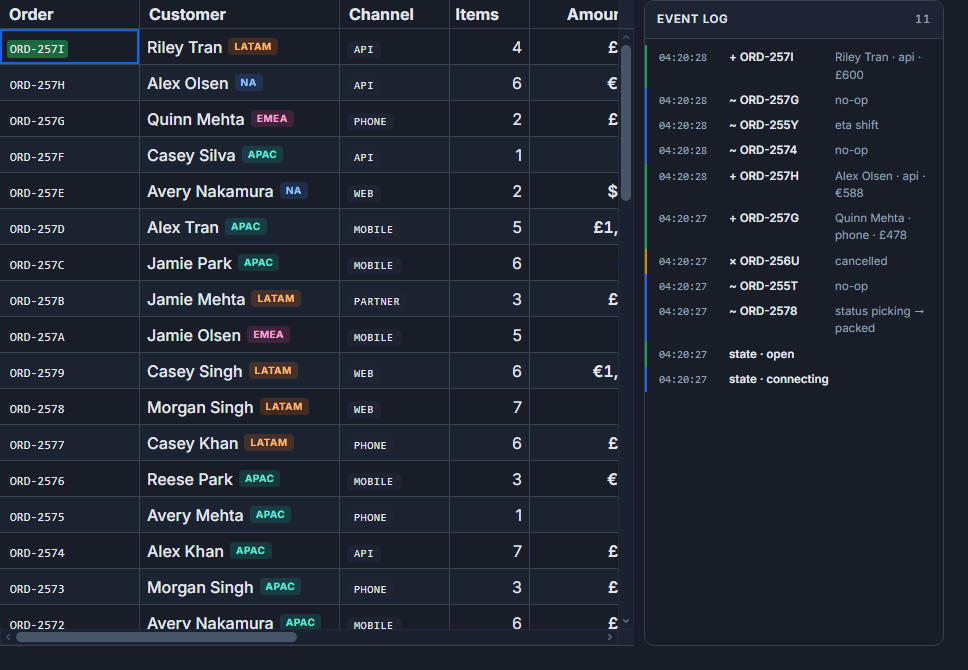
Browsers paint at most 60 frames per second. A live WebSocket feed for prices, order events, or sensor readings can push 5,000 to 10,000 messages per second. If you call api.applyTransaction on every message, you are asking the browser to do something physically impossible, and it responds by queuing microtasks, falling behind, and stuttering the UI. The fix is not complicated: collect ticks in a Map, flush once per requestAnimationFrame, and let the last value for each row win.
Why a Map, not a queue
The first instinct is usually an array buffer - push incoming messages, flush them all at the next frame. That works, but you end up applying 80 updates for the same row when the display can only show one. A Map<id, Tick> keyed by row identity does the coalescing automatically: each new tick overwrites the previous one for that symbol. By flush time, pending.size tells you how many distinct rows need updating, not how many messages arrived.
At 3,000 ticks per second across 500 symbols, each symbol averages 6 updates per second. At 60 fps, the frame interval is 16.7 ms, so each frame sees roughly 50 ticks per symbol. You flush at most 500 row updates per frame regardless of message rate, and in practice far fewer because the distribution is uneven - active symbols cluster.
The rAF buffer implementation
The buffer is plain JavaScript, deliberately outside Svelte's reactivity. Nothing here should trigger a component re-render by itself - only the applyTransaction call does, and only for the rows that changed.
// src/lib/raf-buffer.ts

export type Tick = {
  id: string
  price: number
  change: number
  changePct: number
  volume: number
  ts: number
}

export function createRafBuffer<T extends { id: string }>(
  onFlush: (updates: T[]) => void,
  options: { staleCutoffMs?: number } = {}
) {
  const pending = new Map<string, T>()
  const index   = new Map<string, T>()
  let scheduled = false
  const cutoff  = options.staleCutoffMs ?? 0

  function push(item: T) {
    pending.set(item.id, item)
    if (!scheduled) {
      scheduled = true
      requestAnimationFrame(flush)
    }
  }

  function flush() {
    scheduled = false
    const now     = Date.now()
    const updates: T[] = []

    for (const item of pending.values()) {
      // drop stale ticks accumulated during tab-sleep
      if (cutoff > 0 && 'ts' in item && now - (item as any).ts > cutoff) continue
      index.set(item.id, item)
      updates.push(item)
    }
    pending.clear()

    if (updates.length > 0) onFlush(updates)
  }

  function seed(items: T[]) {
    for (const item of items) index.set(item.id, item)
  }

  function getSnapshot(id: string) {
    return index.get(id)
  }

  return { push, seed, getSnapshot }
}
The staleCutoffMs option handles a specific failure mode: when the tab is hidden, browsers throttle requestAnimationFrame to roughly 1 fps. The pending Map accumulates seconds of ticks. On tab-restore, flushing all of them at once causes a sudden bulk update with stale timestamps. Passing staleCutoffMs: 2000 drops anything older than two seconds before calling applyTransaction.
Wiring it to SvGrid
The Svelte component below shows a 500-row live ticker. createRafBuffer handles coalescing; api.applyTransaction applies the frame's updates to the grid's internal row model. Because applyTransaction uses getRowId identity, it patches only the changed rows - the sort, filter, and grouping states all recompute against the delta, not the full dataset.
<script lang="ts">
  import {
    SvGrid,
    tableFeatures,
    rowSortingFeature,
    columnFilteringFeature,
    type ColumnDef,
    type SvGridApi,
  } from '@svgrid/grid'
  import { createRafBuffer, type Tick } from '$lib/raf-buffer'

  type Row = Tick & { name: string; sector: string }

  const SECTORS = ['Tech', 'Finance', 'Energy', 'Health', 'Consumer']

  function makeRows(): Row[] {
    return Array.from({ length: 500 }, (_, i) => {
      const id = `SYM${String(i).padStart(4, '0')}`
      return {
        id,
        name:      `Company ${i}`,
        sector:    SECTORS[i % SECTORS.length],
        price:     +(100 + Math.random() * 900).toFixed(2),
        change:    0,
        changePct: 0,
        volume:    0,
        ts:        Date.now(),
      }
    })
  }

  const initialRows = makeRows()
  let gridApi: SvGridApi | undefined

  const buffer = createRafBuffer<Row>(
    (updates) => {
      // merge incoming tick fields onto the existing Row shape
      const merged = updates.map(u => {
        const existing = buffer.getSnapshot(u.id)
        return existing ? { ...existing, ...u } : u
      })
      gridApi?.applyTransaction({ update: merged })
    },
    { staleCutoffMs: 2000 }
  )

  buffer.seed(initialRows)

  function simulateFeed() {
    const ids = initialRows.map(r => r.id)
    setInterval(() => {
      const count = 50 + Math.floor(Math.random() * 150)
      for (let i = 0; i < count; i++) {
        const row = buffer.getSnapshot(ids[Math.floor(Math.random() * ids.length)])!
        const newPrice = +(row.price * (1 + (Math.random() - 0.49) * 0.004)).toFixed(2)
        buffer.push({
          ...row,
          price:     newPrice,
          change:    +(newPrice - 100).toFixed(2),
          changePct: +((newPrice - 100) / 100 * 100).toFixed(3),
          volume:    row.volume + Math.floor(Math.random() * 500),
          ts:        Date.now(),
        })
      }
    }, 20) // ~100-200 ticks per 20 ms burst = 5,000-10,000 ticks/s
  }

  const features = tableFeatures({ rowSortingFeature, columnFilteringFeature })

  const columns: ColumnDef<Row>[] = [
    { id: 'id',        field: 'id',        header: 'Symbol',  width: 90, pinned: 'left' },
    { id: 'name',      field: 'name',      header: 'Name',    width: 180 },
    { id: 'sector',    field: 'sector',    header: 'Sector',  width: 110 },
    {
      id:    'price',
      field: 'price',
      header: 'Price',
      width:  110,
      type:  'number',
      cell:  ({ value }) => `$${(value as number).toFixed(2)}`,
    },
    {
      id:    'changePct',
      field: 'changePct',
      header: 'Chg %',
      width:  90,
      type:  'number',
      cell:  ({ value }) => {
        const v = value as number
        return `${v >= 0 ? '+' : ''}${v.toFixed(2)}%`
      },
    },
    {
      id:    'volume',
      field: 'volume',
      header: 'Volume',
      width:  100,
      type:  'number',
      cell:  ({ value }) => (value as number).toLocaleString(),
    },
  ]

  function onApiReady(api: SvGridApi) {
    gridApi = api
    simulateFeed()
  }
</script>

<SvGrid
  {features}
  {columns}
  data={initialRows}
  getRowId={(r) => r.id}
  rowHeight={34}
  {onApiReady}
  style="height: 600px; width: 100%;"
/>
At 60 fps the grid processes at most 60 frame batches per second regardless of the feed rate. The setInterval at 20 ms fires 50 times per second, each producing up to 200 ticks. requestAnimationFrame collapses that down to one applyTransaction call every ~16.7 ms.
applyTransaction vs replacing data
This is where most implementations go wrong. Reassigning the data prop with a new array, even a shallow copy, forces SvGrid to rebuild its entire row model: recompute sort keys for all rows, re-evaluate filters against every row, and re-index grouping. At 500 rows that is roughly 1-3 ms per frame on a mid-range machine. At 50,000 rows it makes the tab non-interactive.
applyTransaction({ update: rows }) patches only the rows you hand it. SvGrid resolves identity via getRowId, finds each row in its internal index in O(1) time, and re-evaluates sort/filter/group only for the changed rows. The rest of the row model is untouched.
Without getRowId, there is no identity to resolve and SvGrid silently falls back to a full rebuild. Always pass getRowId when using transaction APIs.
Flash highlighting without disrupting the buffer
A common requirement alongside live updates is cell flash animation - a brief color highlight on changed cells. The rAF buffer does not need to change for this. Keep a separate $state set of recently-updated row ids, write to it in the same onFlush callback, and clear it after a short timeout.
<script lang="ts">
  let flashing = $state(new Set<string>())

  const buffer = createRafBuffer<Row>(
    (updates) => {
      const merged = updates.map(u => ({ ...buffer.getSnapshot(u.id)!, ...u }))
      gridApi?.applyTransaction({ update: merged })

      // mark for flash
      const next = new Set(updates.map(u => u.id))
      flashing = next
      setTimeout(() => { flashing = new Set() }, 350)
    },
    { staleCutoffMs: 2000 }
  )
</script>

{#snippet priceCell({ row, value })}
  <span class:flash={flashing.has(row.id)}>
    ${(value as number).toFixed(2)}
  </span>
{/snippet}
The $state assignment is the only Svelte reactivity in the critical path - everything else is plain JS. The 350 ms clear is enough for a CSS transition to complete without the set holding onto stale ids.
Profiling what you actually got
Before and after adding the buffer, open the browser's Performance panel and record a five-second session. Look at the "Frames" row. Before buffering, you will see frames that take 40-80 ms (dropped frames appear red). After, frames should consistently stay under 16 ms.
The pending.size count at flush time is useful for tuning. Log it for a second or two:
function flush() {
  console.log(`frame: ${pending.size} distinct rows from ~${messageCount} ticks`)
  messageCount = 0
  // ... rest of flush
}
If pending.size is consistently close to your total row count on every frame, either the feed is updating every row every frame (which is unusual), or your row ids have duplicates and the coalescing is not working. Both cases are worth investigating before shipping.
The pattern here - rAF scheduling, Map coalescing, applyTransaction for targeted updates - is the same one production trading terminals use. The browser's frame budget is a hard ceiling, and working with it instead of against it is the only way to keep a live grid smooth.
Related reading
- Live demo: Stock market - live
- Docs: Real-time / streaming updates
- Stable Row Identity in SvGrid (and why it matters)
- Reducing Re-Renders in SvGrid with $derived
- Measuring Data Grid Performance in DevTools
- Lazy-Loading Master-Detail Content in SvGrid
- Immutable Grid Updates Without Killing Performance
Tagged: Performance, Real-time data