Using SvGrid with SvelteKit and Server-Side Rendering
SvGrid renders real HTML on the server and hydrates cleanly - no browser guards, no blank first paint, and no special adapter required.
Most data grid libraries fail their first SSR test silently. You get a blank grid region, a hydration warning in the console, and eventually a {#if browser} wrapper that makes the whole SSR exercise pointless. The failure mode is always the same: the library reaches for window, document, or ResizeObserver before the first cell renders, which blows up in a Node.js context.
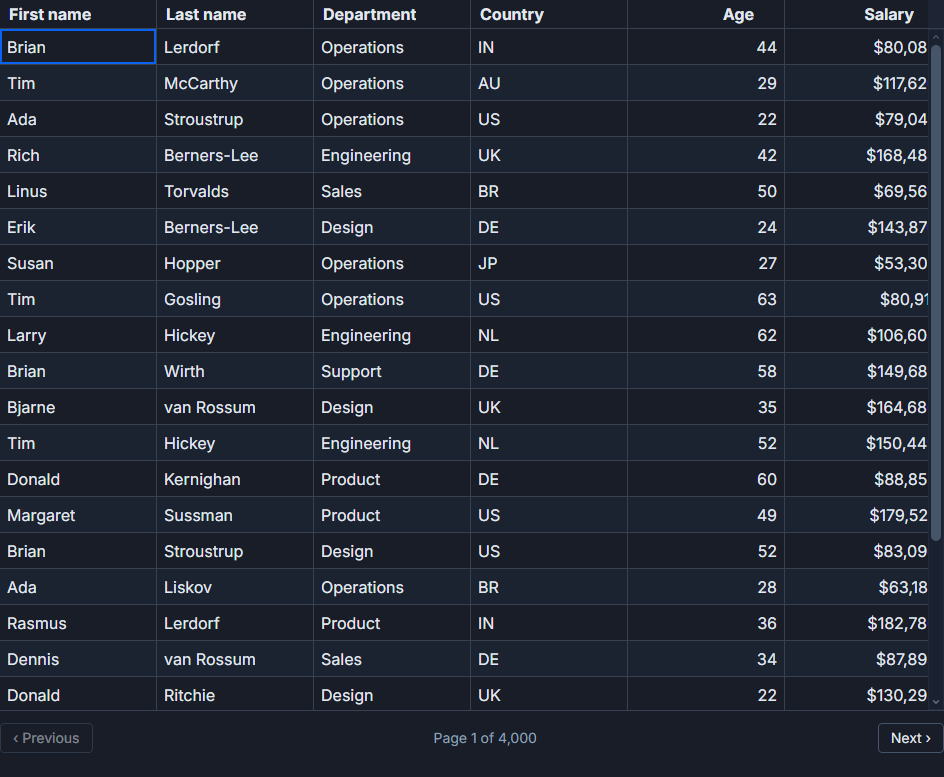
SvGrid separates its row model - sorting, filtering, grouping, pagination - from the DOM layer entirely. During a SvelteKit server render, the row model runs as plain JavaScript on Node.js and emits real <table>, <thead>, and <td> elements into the HTML response. The browser receives meaningful markup, hydration attaches reactive bindings to existing nodes, and the grid is interactive within the time it takes the JS bundle to execute. No configuration required.
Wiring the load function
The most direct SSR pattern is a +page.ts load function that fetches data on the server and passes it to the page component through data. SvelteKit's built-in fetch is the right tool here - it deduplicates requests during prerendering and correctly forwards cookies in SSR context. A raw globalThis.fetch call will work in the browser but loses those guarantees on the server.
// src/routes/people/+page.ts
import type { PageLoad } from './$types'

export interface Employee {
  id: number
  firstName: string
  lastName: string
  department: string
  country: string
  role: string
  salary: number
  startDate: string
}

export const load: PageLoad = async ({ fetch, url }) => {
  const department = url.searchParams.get('dept') ?? ''
  const endpoint = department
    ? `/api/employees?dept=${encodeURIComponent(department)}&limit=250`
    : `/api/employees?limit=250`

  const res = await fetch(endpoint)
  if (!res.ok) throw new Error(`Employee fetch failed: ${res.status}`)

  const employees: Employee[] = await res.json()
  return { employees, department }
}
250 rows serialised to JSON with this shape runs about 60-80 KB inline in the HTML payload. That is comfortable for SSR. If you are looking at 1,000+ rows, the inline payload becomes a problem - that situation calls for createServerDataSource, covered later.
The page component - no browser guards needed
The page component is straightforward. features, columns, and the <SvGrid> component are all defined at the top level of <script>, with no {#if browser} wrapper and no onMount guard. The grid renders identically on the server and the client.
<!-- src/routes/people/+page.svelte -->
<script lang="ts">
  import {
    SvGrid,
    tableFeatures,
    rowSortingFeature,
    columnFilteringFeature,
    rowSelectionFeature,
    type ColumnDef,
    type SvGridApi,
  } from '@svgrid/grid'
  import type { PageData } from './$types'
  import type { Employee } from './+page.ts'

  let { data }: { data: PageData } = $props()

  const features = tableFeatures({
    rowSortingFeature,
    columnFilteringFeature,
    rowSelectionFeature,
  })

  const columns: ColumnDef<typeof features, Employee>[] = [
    { id: 'firstName',  field: 'firstName',  header: 'First name',  width: 130 },
    { id: 'lastName',   field: 'lastName',   header: 'Last name',   width: 130 },
    { id: 'department', field: 'department', header: 'Department',  width: 160 },
    { id: 'country',    field: 'country',    header: 'Country',     width: 110 },
    { id: 'role',       field: 'role',       header: 'Role',        width: 160 },
    { id: 'startDate',  field: 'startDate',  header: 'Start date',  width: 120 },
    {
      id: 'salary',
      field: 'salary',
      header: 'Salary',
      width: 140,
      type: 'number',
      align: 'right',
    },
  ]

  let api = $state<SvGridApi<typeof features, Employee> | null>(null)

  function onApiReady(ready: SvGridApi<typeof features, Employee>) {
    api = ready
    // Default sort: most senior employees first.
    api.setSort('startDate', 'asc')
  }

  function exportSelected() {
    if (!api) return
    const rows = api.getSelectedRows()
    console.log('export', rows)
  }
</script>

<div class="toolbar">
  <button onclick={exportSelected}>Export selected</button>
</div>

<SvGrid
  {features}
  {columns}
  rows={data.employees}
  sortable
  filterable
  showFilterRow={true}
  enableCellSelection={true}
  height={560}
  {onApiReady}
/>
One detail worth repeating: features and columns are defined outside any reactive context. They are stable references. If you define them inside a reactive block or an $effect, Svelte will re-create the grid on every dependency change, which is not what you want.
The onApiReady callback fires after hydration completes in the browser. Calling api.setSort there is correct. Calling it at the top level of <script> is not - the API object does not exist during the server render pass, and you will get a null-dereference error.
When inline row data is not enough
At around 500-600 rows, the inline HTML payload starts affecting Time to First Byte measurably. At 2,000 rows you are adding 500 KB+ to the initial response. The right pattern at that scale is createServerDataSource, which renders an empty shell on the server and loads page one immediately after hydration.
// src/routes/orders/+page.svelte (partial)
import {
  SvGrid,
  tableFeatures,
  rowSortingFeature,
  columnFilteringFeature,
  rowPaginationFeature,
  createServerDataSource,
  type ColumnDef,
} from '@svgrid/grid'

const features = tableFeatures({
  rowSortingFeature,
  columnFilteringFeature,
  rowPaginationFeature,
})

const ds = createServerDataSource({
  fetch: async ({ page, pageSize, sort, filters }) => {
    const params = new URLSearchParams({
      page: String(page),
      size: String(pageSize),
    })
    if (sort.length) {
      params.set('sort', sort[0].id)
      params.set('dir', sort[0].desc ? 'desc' : 'asc')
    }
    filters.forEach(f => {
      params.set(`filter_${f.id}`, String(f.value))
    })

    const res = await fetch(`/api/orders?${params}`)
    const json = await res.json()
    return { rows: json.data, total: json.total }
  },
})
With createServerDataSource, the server emits an empty grid shell with correct dimensions. The browser loads page one of rows immediately after hydration, and subsequent pages arrive as the user navigates. Sorting and filtering trigger new fetch calls with the updated parameters. This pattern handles millions of rows without any change to the grid component markup.
The ICU data problem in Docker
If your production Node.js image was built with --with-intl=small-icu or no ICU at all, Intl.NumberFormat and Intl.DateTimeFormat will produce different output on the server than in the browser. A salary formatted as $95,000 on the server might come out as 95000 or use a different thousands separator, and Svelte's hydration will detect the mismatch and log a warning.
The fix: use a Node.js image that includes full ICU data, or install the full-icu npm package and set:
NODE_ICU_DATA=node_modules/full-icu
in your Docker entrypoint or .env. This is not a SvGrid-specific issue - any locale-aware formatting in SSR hits this - but data grids tend to surface it because they format a lot of values in one pass.
Prerendering: useful but limited
export const prerender = true on a route works. SvGrid SSRs the rows into static HTML at build time, Vite writes the file, and the CDN serves it. It is fast and crawlable. The obvious tradeoff is staleness: any record change after the build is invisible until the next deploy.
For reference data (country lists, product catalogs, configuration tables) prerendering is a good fit. For live operational data - orders, people, transactions - use server rendering (the SvelteKit default) so each request gets fresh data.
A flash of unstyled rows
One issue that comes up repeatedly: the grid HTML exists in the DOM but has no layout or visual styling for a moment on first paint - no row borders, no alternating row colors, wrong cell padding. There's no manual stylesheet import to add here: <SvGrid> bundles its own CSS as a side effect of the component itself, so wherever you import { SvGrid } from '@svgrid/grid', Vite pulls its stylesheet into the same chunk automatically.
The actual cause is almost always that <SvGrid> is behind a lazy boundary - a dynamic import(), a route-based code-split, or a client-only wrapper - so its CSS chunk loads asynchronously, after the rest of the page has already painted. Import SvGrid eagerly (a normal top-level import in the component/route that needs it visible on first paint) rather than dynamically, and its stylesheet lands in the same critical-path chunk as everything else.
Related reading
- Live demo: Server-side rendering
- Docs: SvGrid with SvelteKit
- A Svelte Data Grid with SvelteKit and Supabase
- A Svelte Data Grid with Drizzle ORM
- A Svelte Data Grid with Prisma
- An End-to-End Typed Svelte Data Grid with tRPC
- Connecting a Svelte Data Grid to Any Backend or Framework
Tagged: SvelteKit