A Svelte Data Grid in a Tauri Desktop App
Wire SvGrid into a Tauri app backed by SQLite - fast first paint from Rust, virtualized rendering for large local datasets, and a keyboard-native grid your desktop users expect.
Desktop apps built with Tauri have a specific problem that web apps rarely face: the data lives on disk, not behind an API, and there is no server to pre-paginate it. A warehouse manager might open an inventory database with 2,000 rows or 200,000. A plain HTML table becomes a scroll-janking disaster past a few thousand rows. SvGrid's row virtualizer renders only what is visible - 20-25 rows at a time regardless of dataset size - and its MIT license ships inside your Tauri binary without any runtime licensing check.
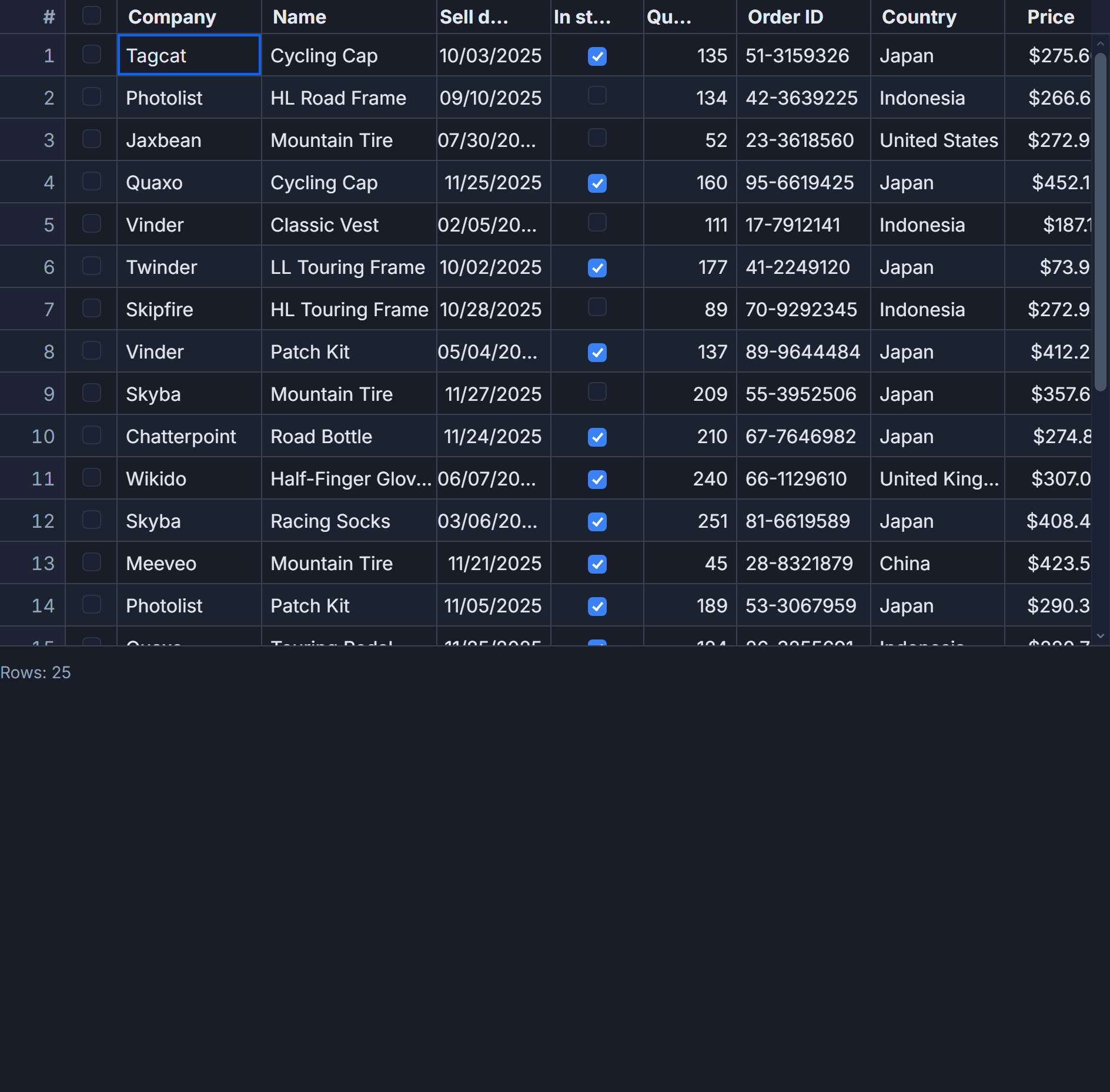
This post covers a concrete scenario: an inventory grid backed by a local SQLite file, with an initial payload served from Rust for instant first paint and client-side paging for everything else.
Why the first paint matters on desktop
Web apps can show a loading spinner and most users accept it. Desktop apps feel broken if the main content area is empty for more than 200-300 ms. Tauri's IPC mechanism serializes Rust data to JSON and delivers it to the webview in under 5 ms for a 200-row payload. That means you can seed the grid from Rust before the user has finished reading the window title - no network request, no spinner.
The pattern: expose a Rust command that returns a cached slice of rows from an in-memory Vec populated at app startup. After first paint, subsequent navigation queries SQLite directly from the Svelte side using tauri-plugin-sql.
// src-tauri/src/lib.rs
use serde::{Deserialize, Serialize};
use std::sync::Mutex;
use tauri::State;

#[derive(Debug, Serialize, Deserialize, Clone)]
pub struct ProductRow {
    pub id: i64,
    pub sku: String,
    pub name: String,
    pub category: String,
    pub qty: i64,
    pub unit_cost: f64,
    pub updated_at: String,
}

pub struct RowCache(pub Mutex<Vec<ProductRow>>);

// Called once at app startup to seed the in-memory cache from SQLite.
// The grid Rust command below reads from this cache - no DB round-trip.
#[tauri::command]
pub fn initial_products(cache: State<RowCache>) -> Vec<ProductRow> {
    cache.0.lock().unwrap().iter().take(200).cloned().collect()
}
Register the plugin and state in lib.rs:
.manage(RowCache(Mutex::new(vec![])))
.plugin(tauri_plugin_sql::Builder::default().build())
.invoke_handler(tauri::generate_handler![initial_products])
Add "sqlite:inventory.db" to your tauri.conf.json sql plugin scope. That is the entire Rust side.
The grid component
The Svelte component below wires the Rust command for first paint, tauri-plugin-sql for paged queries, and SvGrid for rendering. Column definitions include a currency format on unit_cost and conditional formatting that flags low stock.
<script lang="ts">
  import { invoke } from '@tauri-apps/api/core'
  import Database from '@tauri-apps/plugin-sql'
  import SvGrid, {
    tableFeatures,
    rowSortingFeature,
    columnFilteringFeature,
    rowSelectionFeature,
    resolveCellFormat,
    type ColumnDef,
    type SvGridApi,
  } from '@svgrid/grid'

  type Product = {
    id: number
    sku: string
    name: string
    category: string
    qty: number
    unit_cost: number
    updated_at: string
  }

  const PAGE_SIZE = 200

  const features = tableFeatures({
    rowSortingFeature,
    columnFilteringFeature,
    rowSelectionFeature,
  })

  let api = $state<SvGridApi<typeof features, Product> | null>(null)
  let rows = $state<Product[]>([])
  let currentPage = $state(0)
  let totalRows = $state(0)
  let loading = $state(false)

  const columns: ColumnDef<typeof features, Product>[] = [
    { id: 'sku',        field: 'sku',        header: 'SKU',         width: 110, pinned: 'left' },
    { id: 'name',       field: 'name',       header: 'Name',        width: 220 },
    { id: 'category',   field: 'category',   header: 'Category',    width: 140 },
    {
      id: 'qty',
      field: 'qty',
      header: 'Qty',
      width: 90,
      type: 'number',
      conditionalFormat: [
        { condition: ({ value }) => (value as number) < 10,  style: { color: '#ef4444', fontWeight: 'bold' } },
        { condition: ({ value }) => (value as number) < 50,  style: { color: '#f59e0b' } },
      ],
    },
    {
      id: 'unit_cost',
      field: 'unit_cost',
      header: 'Unit Cost',
      width: 120,
      type: 'number',
      format: { type: 'currency', currency: 'USD', options: { maximumFractionDigits: 2 } },
    },
    { id: 'updated_at', field: 'updated_at', header: 'Last Updated', width: 130 },
  ]

  $effect(() => {
    // Rust cache - arrives before any SQLite query completes
    invoke<Product[]>('initial_products').then((initial) => {
      rows = initial
    })
    loadCount()
  })

  async function loadCount() {
    const db = await Database.load('sqlite:inventory.db')
    const result = await db.select<[{ n: number }]>(
      'SELECT COUNT(*) AS n FROM products'
    )
    totalRows = result[0]?.n ?? 0
  }

  async function loadPage(page: number) {
    loading = true
    try {
      const db = await Database.load('sqlite:inventory.db')
      const offset = page * PAGE_SIZE
      rows = await db.select<Product[]>(
        `SELECT id, sku, name, category, qty, unit_cost, updated_at
         FROM products ORDER BY sku LIMIT ? OFFSET ?`,
        [PAGE_SIZE, offset],
      )
      currentPage = page
      api?.scrollToRow(0)
    } finally {
      loading = false
    }
  }

  const pageCount = $derived(Math.ceil(totalRows / PAGE_SIZE) || 1)
</script>

<div class="toolbar">
  <button onclick={() => loadPage(currentPage - 1)} disabled={loading || currentPage === 0}>
    Prev
  </button>
  <span>Page {currentPage + 1} of {pageCount}</span>
  <button onclick={() => loadPage(currentPage + 1)} disabled={loading || currentPage + 1 >= pageCount}>
    Next
  </button>
  {#if loading}<span class="loading-label">Loading...</span>{/if}
</div>

<div class="grid-container">
  <SvGrid
    data={rows}
    {columns}
    {features}
    rowIdField="id"
    rowHeight={34}
    sortable
    filterable
    showFilterRow={true}
    enableCellSelection={true}
    onApiReady={(a) => { api = a }}
  />
</div>

<style>
  .toolbar {
    display: flex;
    align-items: center;
    gap: 8px;
    padding: 6px 12px;
    height: 48px;
    box-sizing: border-box;
    background: var(--sg-header-bg, #1e293b);
    border-bottom: 1px solid var(--sg-border, #334155);
  }
  .loading-label { font-size: 12px; opacity: 0.6; }
  .grid-container { height: calc(100vh - 48px); width: 100%; }
</style>
A few things worth calling out in that component. Database.load returns a cached connection pool - calling it inside loadPage on every navigation does not reconnect each time, so you do not need to hoist the connection to module scope. api?.scrollToRow(0) resets the viewport after a page change so the user is not left staring at a blank scroll region below the last row.
Exporting selected rows to a file
One thing Tauri enables that browser apps cannot do without a file picker dialog: writing directly to disk. After the user selects rows and clicks Export, you pull the selection from the grid API and hand off to @tauri-apps/plugin-fs.
import { writeTextFile, BaseDirectory } from '@tauri-apps/plugin-fs'

async function exportSelected() {
  if (!api) return
  const selected = api.getSelectedRows()
  if (selected.length === 0) return

  const header = 'SKU,Name,Category,Qty,Unit Cost,Updated At'
  const csvLines = selected.map((row) =>
    [row.sku, row.name, row.category, row.qty, row.unit_cost, row.updated_at]
      .map((v) => `"${String(v).replace(/"/g, '""')}"`)
      .join(',')
  )
  const csv = [header, ...csvLines].join('\n')

  await writeTextFile('inventory-export.csv', csv, {
    baseDir: BaseDirectory.Desktop,
  })
}
api.getSelectedRows() returns the currently selected rows in display order (post-sort, post-filter), so what the user sees is what gets exported. No need to cross-reference against the full dataset.
Three things that will trip you up
The grid container needs an explicit height. SvGrid's virtualizer measures the scroll container. If the parent has height: auto, the measured height is 0 and nothing renders. calc(100vh - 48px) is a reliable pattern for a full-height grid with a toolbar above it.
rowIdField is not optional when you replace the data array. Without a stable row ID, SvGrid falls back to row index. When you call loadPage and replace rows, every row appears to be a new row and selection state resets. Point rowIdField at your SQLite primary key and that problem disappears.
Do not filter the rows array in Svelte and also enable columnFilteringFeature. If you pre-filter before passing data in, the grid applies its own filter pipeline on top and you get results the user did not ask for. Pick one owner for filtering: either manage it in your loadPage SQL query and pass filterable={false} to the grid, or pass raw data and let the grid own it.
Loading all rows vs. paging
The virtualizer renders only visible rows regardless of how many are in the array, so it is technically fine to load all 100,000 rows at once. The constraint is IPC transfer: serializing 100,000 rows as JSON and sending them over Tauri's IPC channel takes 300-600 ms depending on row width, which is enough for users to notice. For datasets under about 5,000 rows, loading everything up front is simpler and sort/filter stay instant. Above that, LIMIT/OFFSET paging with 200-500 rows per fetch keeps first paint fast and transfers small.
A middle path that works well for medium-sized datasets: load 1,000 rows on startup from the Rust cache, and only page into SQLite if the user navigates past that initial window. Most users of a warehouse inventory app never scroll past the first alphabetical page anyway.