A Svelte Data Grid with PocketBase
Wire SvGrid to PocketBase for server-side paging, sorting, and filtering via getList, plus live row updates through PocketBase realtime subscriptions.
PocketBase's getList returns exactly what a server-side grid needs: a page of rows and a total count. The translation layer between SvGrid's event callbacks and PocketBase's query strings is thin - maybe 30 lines of adapter code. The interesting parts are realtime subscriptions, page number off-by-one errors, and keeping filter input safe for PocketBase's expression parser.
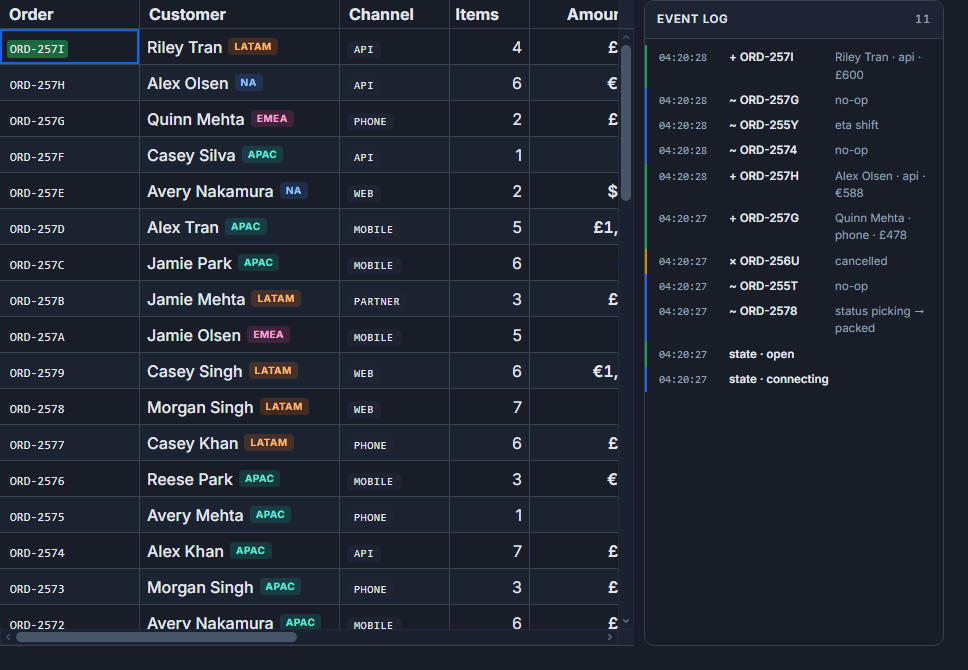
This walks through a people collection (fields: firstName, lastName, department, country, age, salary) with server-side sort, filter, and pagination, plus live row refresh via SSE.
Translating SvGrid events into PocketBase queries
SvGrid fires onSortingChange, onFiltersChange, and onPaginationChange when the user interacts with the grid. Each callback gives you structured data that needs converting into PocketBase query strings before the next getList call.
The adapter module below handles that translation. Keep it in $lib/pb.ts so both server-side load functions and client components can import it.
// src/lib/pb.ts
import PocketBase from 'pocketbase'

export const pb = new PocketBase('http://127.0.0.1:8090')

export type Person = {
  id: string
  firstName: string
  lastName: string
  department: string
  country: string
  age: number
  salary: number
}

// SvGrid gives { id: 'salary', desc: true } -> PocketBase wants '-salary'
export function toSortString(id: string, desc: boolean): string {
  return `${desc ? '-' : ''}${id}`
}

// Single-column filter. Extend with && joins for multi-column.
// Always escape single quotes - PocketBase filter strings are an expression DSL
// and unescaped quotes produce a parse error, not just an empty result.
export function toFilterString(field: string, value: string): string {
  if (!value.trim()) return ''
  const safe = value.replace(/'/g, "\\'")
  return `${field} ~ '${safe}'`
}

// Join any number of non-empty clauses with &&
export function andFilters(...clauses: string[]): string {
  return clauses.filter(Boolean).join(' && ')
}
The andFilters helper becomes useful once you need to filter on more than one column simultaneously. Pass each toFilterString result through it and you get a valid compound expression.
Connecting the grid
The component below binds the three query dimensions (page, sort, filter) into a single reactive object. One $effect watches it and calls getList. A second $effect opens the realtime subscription and returns a cleanup function that unsubscribes when the component unmounts.
<!-- src/routes/people/+page.svelte -->
<script lang="ts">
  import SvGrid, {
    tableFeatures,
    rowSortingFeature,
    rowPaginationFeature,
    columnFilteringFeature,
    type ColumnDef,
    type SvGridApi,
  } from '@svgrid/grid'
  import { pb, toSortString, toFilterString, andFilters, type Person } from '$lib/pb'

  const PAGE_SIZE = 50

  const features = tableFeatures({
    rowSortingFeature,
    rowPaginationFeature,
    columnFilteringFeature,
  })

  const columns: ColumnDef<typeof features, Person>[] = [
    { id: 'firstName',  field: 'firstName',  header: 'First name',  width: 130 },
    { id: 'lastName',   field: 'lastName',   header: 'Last name',   width: 130 },
    { id: 'department', field: 'department', header: 'Department',  width: 150 },
    { id: 'country',    field: 'country',    header: 'Country',     width: 120 },
    { id: 'age',        field: 'age',        header: 'Age',         width: 80,  type: 'number' },
    {
      id: 'salary',
      field: 'salary',
      header: 'Salary',
      width: 140,
      type: 'number',
      format: { type: 'currency', currency: 'USD', options: { maximumFractionDigits: 0 } },
    },
  ]

  let rows     = $state<Person[]>([])
  let rowCount = $state(0)
  let loading  = $state(false)
  let api      = $state<SvGridApi<typeof features, Person> | null>(null)

  // All three query dimensions in one object so a single $effect covers them.
  let query = $state({
    page:   1,           // PocketBase is 1-based; SvGrid pageIndex is 0-based
    sort:   '-created',
    filter: '',
  })

  async function load() {
    loading = true
    try {
      const res = await pb.collection('people').getList(query.page, PAGE_SIZE, {
        sort:   query.sort,
        filter: query.filter,
      })
      rows     = res.items as Person[]
      rowCount = res.totalItems
    } catch (err) {
      console.error('PocketBase fetch failed', err)
    } finally {
      loading = false
    }
  }

  $effect(() => {
    // Destructure to make every field a tracked dependency.
    const { page, sort, filter } = query
    void page; void sort; void filter
    load()
  })

  $effect(() => {
    // Debounce rapid realtime events (bulk imports, high-frequency writes).
    let timer: ReturnType<typeof setTimeout>

    pb.collection('people').subscribe('*', () => {
      clearTimeout(timer)
      timer = setTimeout(load, 250)
    })

    return () => {
      clearTimeout(timer)
      pb.collection('people').unsubscribe('*')
    }
  })
</script>

{#if loading}
  <div class="loading-bar" aria-live="polite">Loading...</div>
{/if}

<SvGrid
  {features}
  {columns}
  data={rows}
  showPagination
  showFilterRow
  pageSize={PAGE_SIZE}
  {rowCount}
  onApiReady={(a) => (api = a)}
  onSortingChange={(sorts) => {
    const first = sorts[0]
    query = {
      ...query,
      sort: first ? toSortString(first.id, first.desc) : '-created',
      page: 1,
    }
  }}
  onFiltersChange={(f) => {
    const clauses = f.columns
      .filter((c) => c.value)
      .map((c) => toFilterString(c.field, String(c.value)))
    query = { ...query, filter: andFilters(...clauses), page: 1 }
  }}
  onPaginationChange={(p) => {
    // Convert SvGrid's 0-based pageIndex to PocketBase's 1-based page number.
    query = { ...query, page: p.pageIndex + 1 }
  }}
/>
The onApiReady reference to api is optional for basic use, but it becomes necessary if you add a "Clear filters" button that also resets pagination: call api.setPage(0) and let the onPaginationChange callback drive the query update rather than resetting query.page directly, which would skip the grid's own state.
The page number problem
PocketBase pages are 1-based. SvGrid's onPaginationChange gives a 0-based pageIndex. Miss the + 1 conversion and page 2 requests PocketBase page 1 (showing the same first-page data again), while page 1 in SvGrid requests PocketBase page 0, which returns an empty items array in current SDK versions.
The symmetric issue is forgetting to reset page: 1 when sort or filter changes. A user on page 8 of 10 who then types a filter that reduces results to 2 pages gets an empty grid because you requested page 8 from PocketBase and it found nothing. Every onSortingChange and onFiltersChange handler must include page: 1 in the query update.
Multi-column filters
The andFilters helper in $lib/pb.ts makes multi-column filtering straightforward. The onFiltersChange handler already uses it - it maps every column that has a value through toFilterString and joins the results. Adding a third filterable column to the column definition is all that is needed; no changes to the handler.
If you need type-aware operators (exact match for numbers, date ranges), branch inside toFilterString on the column type:
export function toFilterString(field: string, value: string, type?: string): string {
  if (!value.trim()) return ''
  const safe = value.replace(/'/g, "\\'")
  if (type === 'number') {
    // Exact match for numbers; use >= / <= for ranges.
    const n = parseFloat(value)
    return isNaN(n) ? '' : `${field} = ${n}`
  }
  if (type === 'date') {
    // PocketBase stores dates as ISO strings; comparison operators work directly.
    return `${field} >= '${safe}'`
  }
  return `${field} ~ '${safe}'`
}
Pass c.type from the column definition through onFiltersChange and the grid handles text, number, and date columns with one utility function.
Realtime without thrashing the network
The naive realtime pattern - subscribe, call load() on every event - works fine for a collection with infrequent writes. A collection that receives bulk imports or websocket-driven updates can fire 50 events per second. Each event triggering a getList call turns the grid into a network hammer.
The debounce in the component above (250 ms) collapses bursts of events into a single fetch. For most use cases this is sufficient. If you need to reflect individual row changes without a full page reload, PocketBase's subscription event carries the changed record: _e.record. You could patch the local rows array directly for updates, while still calling load() for creates and deletes that affect pagination.
pb.collection('people').subscribe('*', (e) => {
  if (e.action === 'update') {
    // Patch in place without a network round-trip.
    rows = rows.map((r) => (r.id === e.record.id ? (e.record as Person) : r))
  } else {
    // Create or delete changes row count - need a full reload.
    clearTimeout(timer)
    timer = setTimeout(load, 250)
  }
})
This approach gives update operations sub-millisecond visual latency while keeping create/delete refreshes debounced.
Authentication
If the people collection requires authentication, call pb.authWithPassword before the first getList. The PocketBase SDK persists the token in localStorage and sends it automatically on every subsequent request.
// Call once at app startup, e.g. in a layout load function or onMount.
await pb.collection('users').authWithPassword(email, password)
For token expiry during a session, wrap load() in a try/catch and check for 401 responses. PocketBase returns an AuthError with a status of 401 when the token has expired. Redirect to a login route or silently refresh via pb.authRefresh() if you have a valid refresh token stored.
Related reading
- Using SvGrid with TanStack Query in Svelte
- A Svelte Data Grid with SvelteKit and Supabase
- A Svelte Data Grid with Drizzle ORM
- A Live Svelte Data Grid with Firebase Firestore
- A Reactive Svelte Data Grid with Convex
Tagged: Real-time data, Server-side data