A Reactive Svelte Data Grid with Convex
Convex's server-level reactive queries mean your SvGrid stays current across all clients with no subscription management - here is how to wire it together correctly.
Most "realtime" data grids are polling in disguise. Every N seconds, fetch the data again, diff it, update the UI. Convex takes a different approach: query functions declare their read set at the database level, and the server re-evaluates them whenever a mutation touches an overlapping row. The client never asks - it just receives. Combine that with SvGrid's reactive data binding and you get a grid that stays synchronized across every connected client with almost no wiring.
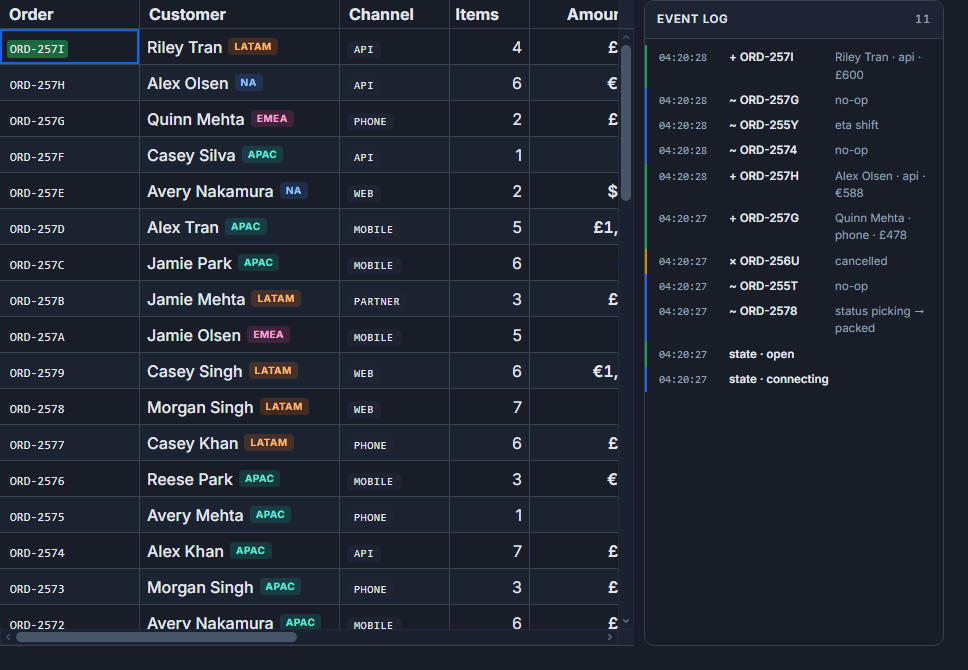
This post walks through a shared CRM table: multiple users, concurrent edits, live row updates. No WebSocket management, no store middleware, no polling interval to tune.
Why the reactive query model changes the wiring
With a REST backend, you need something to detect that remote data changed: polling, a server-sent event stream, a WebSocket subscription you set up and tear down manually. Each approach adds a layer that breaks when the schema changes or when the component unmounts at the wrong moment.
Convex collapses that layer. When your query function runs on the server, Convex records exactly which document ranges it read. When any mutation writes to an overlapping range - from any client - the query re-runs in a fresh transaction and the diff is pushed to all subscribers. useQuery from convex-svelte wraps the result in a Svelte 5 reactive value, so when the update arrives, Svelte's fine-grained reactivity propagates it to your template automatically.
For a data grid, that means data={$contacts} is always current. You write the binding once. Every subsequent update - local or remote - flows through without additional code.
The Convex backend
The scenario is a contacts table: name, company, status (lead / active / churned), and a numeric score. Sort happens on the server so Convex can use an index rather than scanning the full collection.
// convex/contacts.ts
import { query, mutation } from './_generated/server'
import { v } from 'convex/values'

export const list = query({
  args: {
    sortField: v.union(v.literal('name'), v.literal('company'), v.literal('score')),
    sortDesc:  v.boolean(),
    limit:     v.number(),
  },
  handler: async (ctx, { sortField, sortDesc, limit }) => {
    const q = ctx.db.query('contacts').withIndex('by_' + sortField)
    return sortDesc ? q.order('desc').take(limit) : q.take(limit)
  },
})

export const patchContact = mutation({
  args: {
    id:    v.id('contacts'),
    field: v.string(),
    value: v.union(v.string(), v.number()),
  },
  handler: async (ctx, { id, field, value }) => {
    await ctx.db.patch(id, { [field]: value })
  },
})
patchContact touching the contacts table causes every active list subscription to re-evaluate. That is the complete server-side surface area for this feature.
The Svelte component
The grid subscribes to the Convex query, renders rows, and writes edits back through the mutation. Sort state lives in Svelte $state variables - changing them updates the Convex query args, which triggers a fresh reactive fetch.
<script lang="ts">
  import { useQuery, useMutation } from 'convex-svelte'
  import { api } from '../convex/_generated/api'
  import SvGrid, {
    tableFeatures,
    rowSortingFeature,
    columnFilteringFeature,
    type ColumnDef,
    type SvGridApi,
  } from '@svgrid/grid'

  type Contact = {
    _id:     string
    name:    string
    company: string
    status:  'lead' | 'active' | 'churned'
    score:   number
  }

  type F = ReturnType<typeof features>

  let sortField = $state<'name' | 'company' | 'score'>('name')
  let sortDesc  = $state(false)
  let gridApi   = $state<SvGridApi<F, Contact> | null>(null)

  const contacts = useQuery(api.contacts.list, () => ({
    sortField,
    sortDesc,
    limit: 500,
  }))

  const save = useMutation(api.contacts.patchContact)

  const features = tableFeatures({ rowSortingFeature, columnFilteringFeature })

  const columns: ColumnDef<F, Contact>[] = [
    { id: '_id',     field: '_id',     header: 'ID',      width: 130, editable: false },
    { id: 'name',    field: 'name',    header: 'Name',    width: 180, editable: true  },
    { id: 'company', field: 'company', header: 'Company', width: 200, editable: true  },
    { id: 'status',  field: 'status',  header: 'Status',  width: 110, editable: true  },
    {
      id: 'score', field: 'score', header: 'Score', width: 90,
      type: 'number', editable: true,
      conditionalFormat: [
        { condition: ({ value }) => (value as number) >= 80, style: { color: '#16a34a', fontWeight: 'bold' } },
        { condition: ({ value }) => (value as number) < 40,  style: { color: '#dc2626' } },
      ],
    },
  ]

  function onSortingChange(sorts: Array<{ id: string; desc: boolean }>) {
    const first = sorts[0]
    if (!first) return
    const f = first.id as typeof sortField
    if (f !== sortField || first.desc !== sortDesc) {
      sortField = f
      sortDesc  = first.desc
    }
  }

  async function onCellValueChange({
    row, column, newValue,
  }: { row: { original: Contact }; column: { id: string }; newValue: unknown }) {
    await save({ id: row.original._id as any, field: column.id, value: newValue as string | number })
  }
</script>

<SvGrid
  data={$contacts ?? []}
  {columns}
  {features}
  rowId="_id"
  sortable
  editable
  showFilterRow={true}
  rowHeight={32}
  onApiReady={(a) => { gridApi = a }}
  {onSortingChange}
  {onCellValueChange}
/>
Two things in that binding are load-bearing. First, rowId="_id": Convex document IDs are stable string identifiers - without this, SvGrid tracks rows by array index and scrambles selection state whenever the sort order changes. Second, $contacts ?? []: useQuery returns undefined while the first server response is in flight. Passing undefined to the data prop throws at runtime. The fallback produces an empty grid with headers visible, which is the right UX for the loading window anyway.
Keeping server sort and client sort from fighting
SvGrid's rowSortingFeature will re-sort rows client-side by default. If the server is already returning rows in the correct order, SvGrid then re-sorts them - and the result is wrong. There are two clean ways to handle this.
Option A: disable client-side sorting for the columns that the server sorts, and only sort in Convex:
<script lang="ts">
  // Columns sorted server-side should not also sort client-side.
  const columns: ColumnDef<F, Contact>[] = [
    { id: 'name',    field: 'name',    header: 'Name',    width: 180, enableSorting: false },
    { id: 'company', field: 'company', header: 'Company', width: 200, enableSorting: false },
    {
      id: 'score', field: 'score', header: 'Score', width: 90,
      type: 'number', enableSorting: false,
    },
  ]
  // Clicking a column header updates sortField/sortDesc, which re-queries Convex.
  // SvGrid's own sort state stays empty, so it does not touch row order.
</script>
Option B: keep rowSortingFeature for small local datasets where you want instant sort without a round-trip, and skip Convex sorting entirely. Pick one or the other per table - mixing them is where the confusion comes from.
Production concerns
For tables under roughly 2,000 rows, take(500) with client-side virtualization is the right tradeoff. SvGrid virtualizes the rendered rows regardless of array size, so 500 rows in memory is fine as long as your Convex read unit budget allows it.
For larger collections, switch to Convex's paginate API. Return one page at a time from the query, pass the total document count to SvGrid's rowCount prop, and drive the page index from api.setPage() in a Convex onPaginationChange handler. Each page change becomes a new Convex query arg, which triggers a reactive fetch for that page only. The reactive update path works the same way - Convex will push a fresh page whenever a mutation touches a document in the current page's read set.
One more thing: optimistic updates. If a user edits a cell, the mutation fires asynchronously. Convex will push a confirmed update when the mutation commits - typically under 200 ms - but during that window the cell may flicker back to the pre-edit value if SvGrid reconciles the reactive data before the mutation confirms. The fix is to apply a local optimistic update to the data array immediately, then let Convex's confirmed result overwrite it. api.applyTransaction({ update: [{ ...row, [field]: newValue }] }) handles this without full data replacement.
// Inside onCellValueChange, before awaiting the mutation:
gridApi?.applyTransaction({
  update: [{ ...row.original, [column.id]: newValue }],
})
await save({ id: row.original._id as any, field: column.id, value: newValue as string | number })
// Convex's reactive update arrives shortly after and confirms the same value.
The approach is straightforward once you see the reactive path clearly: Convex owns the authoritative state, useQuery delivers it to Svelte reactivity, and SvGrid renders whatever array it receives. The only wiring you write is the mutation call and the rowId binding - everything else is just Svelte working the way it always has.
Related reading
- Live demo: Real-time / streaming
- Docs: Real-time / streaming updates
- A Live Svelte Data Grid with Firebase Firestore
- A Svelte Data Grid with PocketBase
- Using SvGrid with TanStack Query in Svelte
- A Svelte Data Grid with SvelteKit and Supabase
- Documenting SvGrid in Storybook
Tagged: Reactivity, Real-time data