Migrating from Tabulator to SvGrid
A practical migration guide for moving Tabulator tables to SvGrid in Svelte 5 - column defs, formatters, editors, remote data, and the mental model shift from imperative to reactive.
Tabulator has been the go-to vanilla-JS table library for years. It handles formatters, editors, remote pagination, grouping, and tree data - all with zero framework dependency. That's genuinely useful. But when your project is Svelte 5, "zero framework dependency" becomes a liability: you're managing a separate imperative instance (new Tabulator(...)) alongside a reactive component tree, and keeping them in sync is a constant source of bugs.
SvGrid is built specifically for Svelte 5. The same features you're used to from Tabulator are there, but they follow Svelte's reactivity model instead of fighting it.
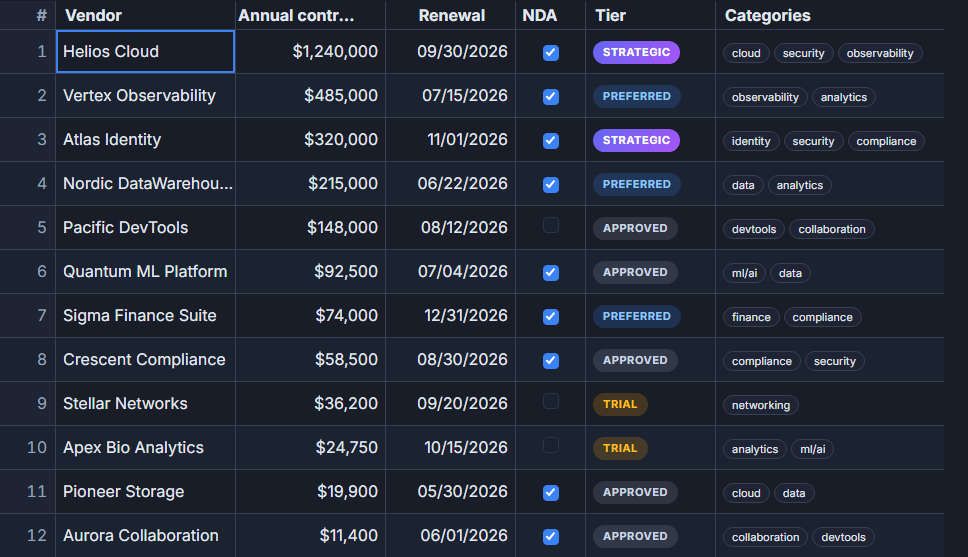 SvGrid cell renderers can be any Svelte snippet - no formatter string registry needed.
The mental model shift
Tabulator is inherently imperative. You construct a table, hold a reference to it, and call methods to update state:
const table = new Tabulator('#grid', { data: rows, columns });
table.setFilter('status', '=', 'active');
table.setPage(2);
table.getSelectedData(); // pull data out imperatively
SvGrid flips this. You declare what the grid should show and the grid keeps up. Sorting state, filter state, selection state - they're all Svelte $state values. You change the state, the grid re-renders. No reference to manage, no cleanup on destroy.
The practical effect: the parts of your app that drive the grid (toolbars, filter panels, URL state) integrate with zero glue code.
Column definition mapping
The concepts are identical; the property names differ slightly.
| Tabulator | SvGrid | Notes |
|---|---|---|
title |
header |
Same idea |
field |
field |
Identical |
formatter |
format or cell snippet |
Built-in types or full Svelte rendering |
editor |
editorType |
'text', 'number', 'select', 'date', 'boolean' |
headerFilter |
columnFilteringFeature |
Row-level or header filters |
sorter |
sortFn |
Custom sort comparator |
width / minWidth |
width / minWidth |
Same |
frozen: true |
pinned: 'left' or 'right' |
Pinning is directional |
visible: false |
api.setColumnVisible('id', false) |
Controlled via API |
Here's a real column definition before and after:
// Tabulator
const tabulatorColumns = [
  { title: 'Name',       field: 'name',   frozen: true, width: 180 },
  { title: 'Department', field: 'dept',   editor: 'input' },
  { title: 'Salary',     field: 'salary', formatter: 'money', editor: 'number', sorter: 'number' },
  { title: 'Hired',      field: 'hired',  formatter: 'datetime', formatterParams: { outputFormat: 'DD/MM/YYYY' } },
  { title: 'Active',     field: 'active', formatter: 'tickCross', editor: 'tickCross' },
]

// SvGrid
import type { ColumnDef } from '@svgrid/grid'

const columns: ColumnDef<typeof features, Row>[] = [
  { id: 'name',   field: 'name',   header: 'Name',       width: 180, pinned: 'left' },
  { id: 'dept',   field: 'dept',   header: 'Department', editorType: 'text' },
  { id: 'salary', field: 'salary', header: 'Salary',     editorType: 'number',
    format: { type: 'currency', currency: 'USD' } },
  { id: 'hired',  field: 'hired',  header: 'Hired',
    format: { type: 'date', dateFormat: 'DD/MM/YYYY' } },
  { id: 'active', field: 'active', header: 'Active',     editorType: 'boolean' },
]
The structural intent is identical. SvGrid just uses header instead of title and collapses the formatter/formatterParams split into a single format object.
Custom renderers: snippets instead of formatter functions
Tabulator's custom formatters return an HTML string or a DOM node. SvGrid uses Svelte 5 snippets, which means you write actual Svelte markup - reactive, typed, styled with your design system.
<script lang="ts">
  import SvGrid, { tableFeatures, rowSelectionFeature } from '@svgrid/grid'
  import type { ColumnDef } from '@svgrid/grid'

  type Row = { name: string; status: string; score: number }

  const features = tableFeatures({ rowSelectionFeature })

  const columns: ColumnDef<typeof features, Row>[] = [
    { id: 'name',   field: 'name',   header: 'Name',   width: 180 },
    { id: 'status', field: 'status', header: 'Status', cell: statusCell },
    { id: 'score',  field: 'score',  header: 'Score',  cell: scoreCell, width: 100 },
  ]

  const data: Row[] = $state([
    { name: 'Alice', status: 'active', score: 92 },
    { name: 'Bob',   status: 'inactive', score: 41 },
  ])
</script>

{#snippet statusCell({ value }: { value: string })}
  <span class="badge" class:active={value === 'active'} class:inactive={value === 'inactive'}>
    {value}
  </span>
{/snippet}

{#snippet scoreCell({ value }: { value: number })}
  <span style:color={value < 50 ? 'var(--color-danger)' : 'inherit'}>
    {value}
  </span>
{/snippet}

<SvGrid {data} {columns} {features} sortable />
No string interpolation, no manual DOM construction. The snippet has access to the full Svelte reactivity system - you can call stores, bind to state, or use transitions.
Features: opt-in instead of always-on
Tabulator enables most features via options flags. SvGrid has a feature composition model: you declare exactly which features you want, and they're tree-shaken out of the bundle if you don't.
import {
  tableFeatures,
  rowSortingFeature,
  columnFilteringFeature,
  rowSelectionFeature,
  rowPaginationFeature,
  columnGroupingFeature,
} from '@svgrid/grid'

// Only the features you include are in your bundle
const features = tableFeatures({
  rowSortingFeature,
  columnFilteringFeature,
  rowSelectionFeature,
  rowPaginationFeature,
})
Then on the component:
<SvGrid
  {data}
  {columns}
  {features}
  sortable
  filterable
  pageable
  showFilterRow={true}
  enableCellSelection={true}
  onApiReady={(api) => { gridApi = api }}
/>
Remote data
Tabulator uses ajaxURL with optional ajaxParams and pagination callbacks. SvGrid's equivalent is createServerDataSource, which takes a single fetch function that receives resolved pagination, sort, and filter state:
import SvGrid, { createServerDataSource } from '@svgrid/grid'

const ds = createServerDataSource({
  fetch: async ({ page, pageSize, sort, filters }) => {
    const params = new URLSearchParams({
      page: String(page),
      size: String(pageSize),
    })

    // Sort
    if (sort.length) {
      params.set('sortField', sort[0].id)
      params.set('sortDir',   sort[0].desc ? 'desc' : 'asc')
    }

    // Filters
    for (const f of filters) {
      params.set(`filter_${f.id}`, String(f.value))
    }

    const res  = await fetch(`/api/employees?${params}`)
    const json = await res.json()
    return { rows: json.data, total: json.total }
  }
})
Pass ds as the data prop and add pageable. SvGrid calls your function whenever the page, sort, or filter state changes.
The imperative escape hatch
Tabulator is heavily method-based (table.scrollToRow, table.addRow, table.undo). SvGrid exposes a similar API through onApiReady:
let api: SvGridApi

// In your component:
// <SvGrid ... onApiReady={(a) => { api = a }} />

// All of these work like Tabulator's method calls:
api.setSort('salary', 'desc')
api.setFilter('status', { operator: 'equals', value: 'active' })
api.addRow({ name: 'Carol', status: 'active', score: 87 })
api.applyTransaction({ update: [{ name: 'Alice', score: 95 }] })
api.getSelectedRows()
api.setPage(2)
api.autosizeAllColumns()
api.undo()
The difference is that these methods are optional - most interactions happen through reactive state, and you reach for the API only when you need to trigger something programmatically (scroll to row, start editing, open find).
Things that work differently
Grouping. Tabulator's groupBy takes a field string. SvGrid uses columnGroupingFeature and api.setGroupBy(['dept']). The behavior is the same; the wiring is different.
Row height. Tabulator auto-sizes rows by default. SvGrid uses a fixed rowHeight for virtualization performance (default 30px). If you need dynamic row heights, set rowHeight to a larger value and use overflow: hidden with CSS clamping in your cell snippets, or disable virtualization for small datasets.
Callbacks vs events. Tabulator fires DOM events (rowClick, cellEdited). SvGrid uses Svelte callback props (onRowClick, onCellEditEnd). The change is ergonomic but watch for subtle name differences when porting event handlers.
Formatter registry. Tabulator has a named formatter system ('money', 'datetime', 'star'). SvGrid uses the format object for built-in types and snippets for everything custom. There's no registry to extend - you just write a snippet.
The migration is mostly column-by-column work. Budget a day for a mid-sized Tabulator table, and you'll likely come out the other side with less code than you started with.
Related reading
- Evaluating SVAR Svelte DataGrid? What Changes if You Pick SvGrid
- Porting a React MUI X DataGrid Screen to Svelte
- Migrating from DataTables.net to a Svelte Data Grid
- Migrating from ag-grid-react to a Svelte Stack
- Svelte Data Grid Comparisons and Alternatives (2026)
- SvGrid vs Tabulator - the comparison page, with a source and date for every claim
Tagged: Migrating to SvGrid