Migrating from jqxGrid to SvGrid
A direct migration guide from jqxGrid to SvGrid - written by the same team that built both. Maps data sources, columns, editing, server-side loading, and the imperative API.
Both grids come from the same team. That means this migration guide is unusually honest: I can tell you exactly where jqxGrid's mental model transfers cleanly and exactly where it breaks.
The short version - if you are building a Svelte 5 app, the jQuery bridge you have been using to host jqxGrid is the problem, not jqxGrid itself. SvGrid gives you the same performance and feature depth, minus the bridge.
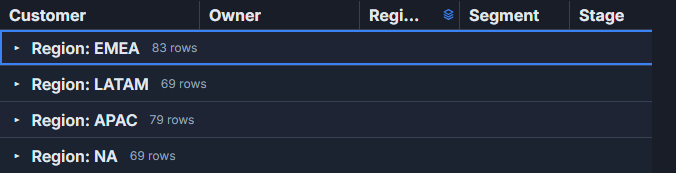 A reporting workspace built with SvGrid.
The jQuery bridge problem
jqxGrid is a DOM-first, imperative API. You initialize it with $('#grid').jqxGrid({...}), pass a data adapter, and then call methods like $('#grid').jqxGrid('updaterow', rowid, row) to push changes. In a Svelte app, every one of those calls has to cross a boundary: Svelte owns the DOM, jQuery owns the grid element, and you write glue code to keep them from fighting.
That glue is the thing you are actually migrating away from.
SvGrid exposes the same capabilities - sorting, filtering, grouping, editing, server-side pagination - through Svelte 5 runes and a clean component API. No adapter, no manual refresh cycle, no detached DOM node.
Concept mapping
| jqxGrid | SvGrid |
|---|---|
source + jqx.dataAdapter |
data (plain array or server data source) |
columns: [{ datafield, text, width }] |
columns: [{ id, field, header, width }] |
cellsformat |
format on the column def |
cellsrenderer callback |
cell snippet via renderSnippet |
columntype: 'numberinput' |
editorType: 'number' |
editable: true + cellendedit |
editable prop + onCellValueChange |
sortable / filterable |
rowSortingFeature / columnFilteringFeature |
pageable / pagesize |
rowPaginationFeature / pageSize prop |
groupable |
columnGroupingFeature |
selectionmode: 'multiplerows' |
rowSelectionFeature + enableRowSelection |
server source with url |
createServerDataSource |
$('#grid').jqxGrid('setcolumnproperty', ...) |
api.setColumnVisible(...) etc. |
Data source to plain array
The most fundamental change is getting rid of jqx.dataAdapter. In jqxGrid, even a simple local array has to go through an adapter to declare field types. SvGrid accepts a typed array directly.
// jqxGrid - local data
const source = {
  localdata: employees,
  datatype: 'array',
  datafields: [
    { name: 'name', type: 'string' },
    { name: 'salary', type: 'number' },
    { name: 'department', type: 'string' },
  ]
}
$('#grid').jqxGrid({
  source: new $.jqx.dataAdapter(source),
  columns: [
    { text: 'Name', datafield: 'name', width: 200 },
    { text: 'Salary', datafield: 'salary', width: 120, cellsformat: 'c2' },
    { text: 'Department', datafield: 'department', width: 160 },
  ]
})
<!-- SvGrid - same data, no adapter -->
<script lang="ts">
  import SvGrid from '@svgrid/grid'
  import {
    tableFeatures, rowSortingFeature, columnFilteringFeature,
    type ColumnDef,
  } from '@svgrid/grid'

  type Employee = { name: string; salary: number; department: string }

  let employees = $state<Employee[]>([
    { name: 'Alice Chen', salary: 112000, department: 'Engineering' },
    { name: 'Marcus Webb', salary: 94000, department: 'Design' },
  ])

  const features = tableFeatures({ rowSortingFeature, columnFilteringFeature })

  const columns: ColumnDef<typeof features, Employee>[] = [
    { id: 'name', field: 'name', header: 'Name', width: 200 },
    { id: 'salary', field: 'salary', header: 'Salary', width: 120,
      type: 'number', format: 'currency' },
    { id: 'department', field: 'department', header: 'Department', width: 160 },
  ]
</script>

<SvGrid data={employees} {columns} {features} sortable filterable />
Update employees anywhere in your Svelte component and the grid reacts. No refreshdata(), no $('#grid').jqxGrid('updatebounddata').
Server-side loading
jqxGrid's server-side mode works through the data adapter's url and a protocol for sending sort/filter/page params. SvGrid makes this explicit with createServerDataSource, which gives you a typed function to call your own API.
import SvGrid from '@svgrid/grid'
import {
  tableFeatures, rowSortingFeature, columnFilteringFeature,
  rowPaginationFeature, createServerDataSource,
} from '@svgrid/grid'

const features = tableFeatures({
  rowSortingFeature,
  columnFilteringFeature,
  rowPaginationFeature,
})

const ds = createServerDataSource({
  fetch: async ({ page, pageSize, sort, filters }) => {
    const params = new URLSearchParams({
      page: String(page),
      size: String(pageSize),
    })
    if (sort.length) {
      params.set('sort', sort[0].id)
      params.set('dir', sort[0].desc ? 'desc' : 'asc')
    }
    for (const f of filters) {
      params.set(`filter_${f.id}`, String(f.value))
    }
    const res = await fetch(`/api/employees?${params}`)
    const json = await res.json()
    return { rows: json.data, total: json.total }
  }
})
<SvGrid
  data={ds}
  {columns}
  {features}
  sortable
  filterable
  pageable
  pageSize={25}
/>
The fetch function receives structured sort and filter state, not raw query strings. You decide how to serialize them - a useful property when your API predates the grid.
Editing and the cell value change event
jqxGrid editing fires cellendedit on the grid element. You catch it as a jQuery event and then call updaterow to commit. SvGrid does not mutate your data array - it calls onCellValueChange with the new value and hands control back to you.
<script lang="ts">
  import SvGrid from '@svgrid/grid'
  import { tableFeatures, type SvGridApi } from '@svgrid/grid'

  let employees = $state<Employee[]>([...])
  let api: SvGridApi

  function handleCellChange({ rowIndex, field, value }: {
    rowIndex: number
    field: string
    value: unknown
  }) {
    // Optimistic local update
    employees[rowIndex] = { ...employees[rowIndex], [field]: value }

    // Persist to server in the background
    fetch(`/api/employees/${employees[rowIndex].id}`, {
      method: 'PATCH',
      body: JSON.stringify({ [field]: value }),
      headers: { 'Content-Type': 'application/json' },
    })
  }
</script>

<SvGrid
  data={employees}
  {columns}
  {features}
  editable
  onCellValueChange={handleCellChange}
  onApiReady={(a) => { api = a }}
/>
The explicit handoff is actually more useful than jqxGrid's implicit mutation once you have server persistence in the picture. You do not need to intercept a commit to prevent the grid from writing stale data.
The imperative API
jqxGrid has a deep imperative API accessed via $('#grid').jqxGrid('methodName', args). SvGrid exposes an equivalent api object through onApiReady. If you have existing code that drives the grid programmatically, the method names are different but the surface is similar.
// jqxGrid imperative calls
$('#grid').jqxGrid('sortby', 'salary', 'desc')
$('#grid').jqxGrid('setcolumnproperty', 'department', 'hidden', true)
$('#grid').jqxGrid('gotopage', 2)
$('#grid').jqxGrid('clearselection')

// SvGrid equivalents
api.setSort('salary', 'desc')
api.setColumnVisible('department', false)
api.setPage(2)
api.clearRowSelection()

// Additional API that jqxGrid did not have
api.applyTransaction({ add: [newRow], update: [updatedRow], remove: [oldRow] })
api.getState()        // serialize full view state
api.setState(saved)   // restore it
api.autosizeAllColumns()
api.openFind()
api.undo() / api.redo()
The state serialization (getState/setState) is something jqxGrid never had in a clean form. It covers sort, filter, column order, column widths, grouping, and pagination in one object - useful for persisting user preferences.
Custom cell rendering
jqxGrid uses cellsrenderer callbacks that return HTML strings. SvGrid uses Svelte 5 snippets, which means you get reactivity, event bindings, and proper component scoping inside cells.
{#snippet statusCell({ value, row })}
  <span
    class="px-2 py-0.5 rounded text-xs font-medium"
    class:bg-green-100={value === 'active'}
    class:bg-red-100={value === 'inactive'}
    class:text-green-800={value === 'active'}
    class:text-red-800={value === 'inactive'}
  >
    {value}
  </span>
{/snippet}
No innerHTML injection, no re-render on every scroll tick. The snippet renders once per visible row and updates through Svelte's normal fine-grained reactivity.
What transfers, what does not
Most jqxGrid column options have direct equivalents. The things that do not transfer cleanly are: template strings in cellsrenderer (replace with snippets), the ready callback on the grid element (replace with onApiReady), and event names which all changed - cellendedit is now onCellValueChange, rowselect is now onRowSelect, and so on.
The data adapter protocol - beforeprocessing, formatdata, loadError - has no equivalent because SvGrid does not have an adapter. That logic moves into your createServerDataSource fetch function, which is just an async function, so you have full control over error handling and data transformation.
If you have jqxGrid themes applied via CSS class names like jqx-widget-content, those do not carry over. SvGrid uses CSS custom properties (--sg-bg, --sg-fg, --sg-accent, --sg-header-bg, --sg-border) that you override at the component or global level. The theming model is simpler but requires rewriting any custom styles.
The full API reference is at svgrid.com/docs. The feature flag approach (tableFeatures(...)) is the thing that takes the most getting used to if you are coming from jqxGrid's single flat config object - but it also means you only ship the code for features you actually use.
Related reading
- Migrating from DataTables.net to a Svelte Data Grid
- Evaluating SVAR Svelte DataGrid? What Changes if You Pick SvGrid
- Porting a React MUI X DataGrid Screen to Svelte
- Migrating from ag-grid-react to a Svelte Stack
- Svelte Data Grid Comparisons and Alternatives (2026)
- SvGrid vs jqxGrid (jQWidgets) - the comparison page, with a source and date for every claim
Tagged: Migrating to SvGrid