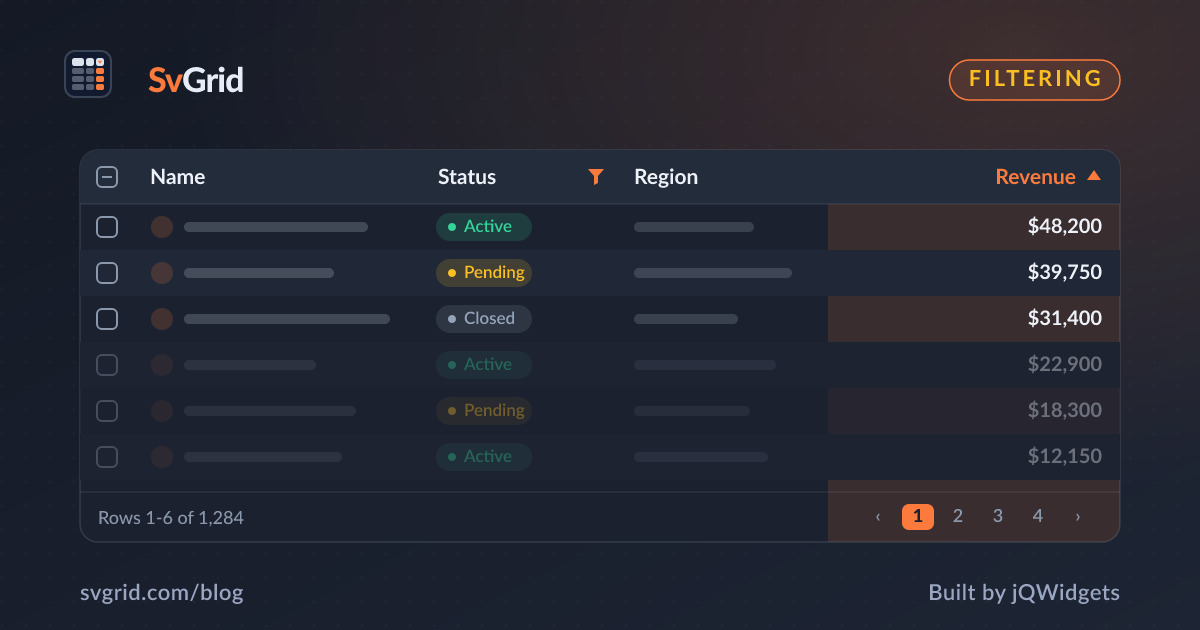
Excel-Style Filtering for Your Svelte Data Grid
Per-column filter menus, a filter row, global search, and server-side filtering - all wired through a single columnFilteringFeature in SvGrid.
Most users know exactly what to expect from a filter UI the moment they see a column header with a funnel icon. Spreadsheets taught them this. Click the icon, pick values from a checklist, enter a range for numbers, hit apply. When a data grid delivers something different - a separate drawer, a custom query builder, a sidebar panel - it creates friction that has nothing to do with the actual data. The familiar thing is the right thing here.

SvGrid ships that exact interaction out of the box through columnFilteringFeature: per-column popup menus with distinct-value checklists, numeric and date range operators, an inline filter row beneath the headers, global cross-column search, and a path to server-side filtering when the dataset lives on the backend. This post walks through all of it, including a few behaviors that catch people off guard.
Adding filtering to an existing grid
Filtering is tree-shakable and additive. Your existing column definitions, data bindings, and sort setup do not change. The only additions are importing columnFilteringFeature and including it in tableFeatures:
import {
  tableFeatures,
  rowSortingFeature,
  columnFilteringFeature,
} from '@svgrid/grid'

// Pass both together - sort runs before filter in the row model pipeline
export const features = tableFeatures({
  rowSortingFeature,
  columnFilteringFeature,
})
Sorting and filtering are independent transforms in the row model, but you almost always want both. Order matters: sort runs first, then filter. That means api.getDisplayedRows() always returns a correctly ordered, correctly filtered slice without any extra plumbing on your side.
The filter API in three forms
Before showing a full component, it helps to see the three ways you can apply filters, because each fits a different use case.
From the UI - the most common path. Users click the funnel icon in a column header or type in the filter row. No code required.
Via api.setFilter - useful for pre-populating filters on mount, wiring filters to URL params, or building a custom filter panel outside the grid:
// Inside onApiReady or a reactive effect
api.setFilter('region', { type: 'set', values: ['EMEA', 'APAC'] })
api.setFilter('amount',  { type: 'number', operator: 'between', value: 500, valueTo: 2000 })
api.setFilter('placedAt', { type: 'date', operator: 'greaterThan', value: '2025-01-01' })

// Read back the current filter state (useful before serializing to localStorage)
const currentFilters = api.getFilters()

// Reset everything at once
api.clearAllFilters()
Via globalFilter prop - a cross-column text search that runs as a second pass over the column-filtered rows:
<SvGrid
  {features}
  {rows}
  {columns}
  globalFilter={searchQuery}
  showFilterRow={true}
  height={520}
  onApiReady={(g) => { api = g }}
/>
Global filter and column filters stack with AND semantics - they do not replace each other. A common mistake is clearing globalFilter and assuming everything is reset. Column filters set through the UI or api.setFilter are a separate state. You need both api.clearAllFilters() and resetting the globalFilter binding to get a true "show all rows" state.
A working orders grid
Here is a complete component for an orders table with every filter type active - text, set, number, and date. Drop this into a Svelte 5 project and it works without any backend:
<script lang="ts">
  import {
    SvGrid,
    tableFeatures,
    rowSortingFeature,
    columnFilteringFeature,
    type ColumnDef,
    type SvGridApi,
  } from '@svgrid/grid'

  const features = tableFeatures({ rowSortingFeature, columnFilteringFeature })

  type Order = {
    id: string
    customer: string
    region: 'Americas' | 'EMEA' | 'APAC'
    amount: number
    placedAt: string
  }

  // Deterministic PRNG - stable values across hot-reloads
  let seed = 0x5EED01
  function rand() { seed = (seed * 1664525 + 1013904223) >>> 0; return seed / 0xFFFFFFFF }
  function pick<T>(arr: readonly T[]): T { return arr[Math.floor(rand() * arr.length)]! }
  function int(min: number, max: number) { return Math.floor(min + rand() * (max - min + 1)) }

  const REGIONS = ['Americas', 'EMEA', 'APAC'] as const
  const NAMES = ['Ava Thompson', 'Liam Park', 'Noah Singh', 'Emma Garcia',
                 'Olivia Chen', 'Mason Rivera', 'Sophia Brown', 'Lucas Kim']

  const rows: Order[] = Array.from({ length: 320 }, (_, i) => {
    const d = new Date()
    d.setDate(d.getDate() - int(0, 365))
    return {
      id:       `ORD-${40_000 + i}`,
      customer: pick(NAMES),
      region:   pick(REGIONS),
      amount:   Math.round(rand() * 9_500 + 500),
      placedAt: d.toISOString().slice(0, 10),
    }
  })

  const columns: ColumnDef<typeof features, Order>[] = [
    { field: 'id',       header: 'Order ID',  width: 120 },
    { field: 'customer', header: 'Customer',  width: 180 },
    {
      field: 'region',
      header: 'Region',
      width: 110,
      filterType: 'set',       // renders a distinct-value checklist in the popup
    },
    {
      field: 'amount',
      header: 'Amount',
      width: 120,
      align: 'right',
      format: { type: 'currency', currency: 'USD', options: { maximumFractionDigits: 0 } },
      filterType: 'number',    // renders min/max range inputs
    },
    {
      field: 'placedAt',
      header: 'Placed',
      width: 120,
      filterType: 'date',      // renders from/to date pickers
    },
  ]

  let api = $state<SvGridApi<typeof features, Order> | null>(null)
  let globalSearch = $state('')

  function resetAll() {
    api?.clearAllFilters()
    globalSearch = ''
    api?.setPage(0)   // avoid landing on an empty page after filter clears
  }
</script>

<div class="toolbar">
  <input
    type="search"
    placeholder="Search all columns..."
    bind:value={globalSearch}
  />
  <button onclick={resetAll}>Clear all</button>
</div>

<SvGrid
  {features}
  {rows}
  {columns}
  globalFilter={globalSearch}
  showFilterRow={true}
  height={540}
  pageable
  onApiReady={(g) => { api = g }}
/>
The showFilterRow prop adds a persistent input row beneath the headers - the fastest path for power users who prefer typing over opening menus. The popup menu and the filter row write to the same state, so conditions from both sources accumulate on the same column. That is almost always desirable, but it means users can have active conditions they cannot see if they only look at one of the two UI surfaces. Surfacing api.getFilters() in an "active filters" badge prevents confusion.
Filtering on computed values
Sometimes the column you want to filter on is not a raw field - it is a derived value. A valueGetter covers this case. The filter predicates operate on whatever valueGetter returns, not on the underlying field:
// Filter on the year extracted from a date string
{
  id: 'year',
  header: 'Year',
  width: 80,
  filterType: 'number',
  valueGetter: (row: Order) => new Date(row.placedAt).getFullYear(),
}

// Filter on full name from two separate fields
{
  id: 'fullName',
  header: 'Name',
  width: 200,
  valueGetter: (row) => `${row.firstName} ${row.lastName}`,
}
This also covers the type-mismatch trap. If your amount column stores strings like "1,200", a filterType: 'number' range will silently match nothing because the comparison operates on string data. A valueGetter that parses to a numeric primitive fixes it: valueGetter: (row) => parseFloat(row.amount.replace(/,/g, '')).
Moving filter logic to the server
For datasets too large to send to the browser, createServerDataSource handles the plumbing. You receive the current filter state in your fetch callback, forward it to your API, and return rows plus a total count:
import { createServerDataSource } from '@svgrid/grid'

const ds = createServerDataSource({
  fetch: async ({ page, pageSize, sort, filters }) => {
    const params = new URLSearchParams({
      page:     String(page),
      pageSize: String(pageSize),
      sort:     JSON.stringify(sort),
      filters:  JSON.stringify(filters),   // includes all active column filters
    })
    const res  = await fetch(`/api/orders?${params}`)
    const json = await res.json()
    return { rows: json.data, total: json.total }
  },
})
Then swap rows for ds in the component:
<SvGrid
  {features}
  data={ds}
  {columns}
  pageable
  showFilterRow={true}
/>
The grid re-fetches whenever any filter, sort, or page changes. The filters object passed to your callback mirrors the shape returned by api.getFilters(), so you can use the same serialization logic for both URL persistence and the server request.
Date filters need sortable strings
This one bites people regularly. SvGrid's date filter compares strings lexicographically when the column stores string data. ISO 8601 (YYYY-MM-DD) sorts and compares correctly because the most significant components come first. Locale-formatted strings like "03/14/2024" or "14.03.2024" do not.
If your data is already in locale format, the fastest fix is a valueGetter that parses to a timestamp: valueGetter: (row) => new Date(row.placedAt).getTime() with filterType: 'number'. Not elegant, but reliable. The cleaner path is storing ISO strings at the data layer and formatting only at display time via the column's format option.
Pre-loading filters from URL params
A pattern worth keeping in your toolkit: apply filters immediately after the API is ready, before the first render is visible to the user:
function onApiReady(g: SvGridApi<typeof features, Order>) {
  api = g

  // Read from URL search params on mount
  const params = new URLSearchParams(window.location.search)
  const region = params.get('region')
  if (region) {
    g.setFilter('region', { type: 'set', values: region.split(',') })
  }
  const minAmount = params.get('minAmount')
  if (minAmount) {
    g.setFilter('amount', { type: 'number', operator: 'greaterThan', value: Number(minAmount) })
  }
}
The grid renders with those filters already active, and the header icons and filter row inputs reflect the state correctly - no reconciliation needed on your part. Pair this with a reactive effect that writes api.getFilters() back to the URL and you get shareable filter links with about 20 lines of glue code.