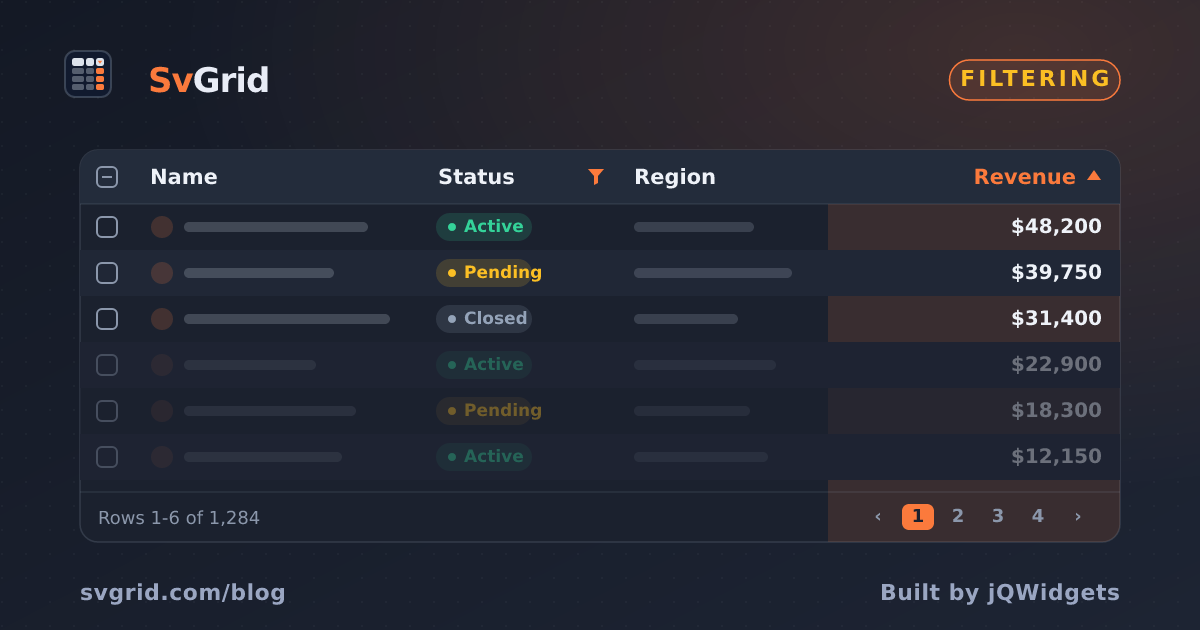
How We Built Excel-Style Filters
How SvGrid implements per-column filter menus, type-aware operators, and a shared filter model that works identically for in-memory and server-side data.
Most grid libraries treat filtering as an afterthought - a text box above the table that does a case-insensitive String.includes. Excel-style filtering is what users actually want: per-column menus, type-specific operators, the ability to stack multiple conditions, and results that feel instant. Building that well turned out to require more architectural discipline than the filtering logic itself.
 SvGrid's Excel-style column filter menu.
Filtering belongs in the row pipeline, not the renderer
The first decision was structural. Some grids bolt filtering onto rendering - they filter inside the loop that builds visible rows. That's the easy path and also the wrong one, because it makes every downstream feature (sorting, grouping, pagination, selection counts) work with stale totals.
We had already built the row model as an explicit pipeline:
data -> filter -> sort -> group -> paginate -> visible rows
Filtering as a discrete pipeline step means everything downstream sees only surviving rows. Pagination totals are correct. Group counts are correct. "Select all" selects what you see, not the full dataset. You don't get that for free if filtering is tangled with rendering.
The filter model is a map from column id to a condition object. When any entry changes, the pipeline re-derives filtered rows. Nothing else in the grid knows that filtering happened - it just sees a shorter list.
The type problem
Text and numbers look similar in a grid cell. They're completely different to filter. "Greater than 100" on a text column would sort "9" above "100" alphabetically. Dates stored as ISO strings need range handling, not substring matching.
The fix is to filter on typed values, not on display strings. Each column definition knows its value type - text, number, date, boolean - and the filter engine picks operators appropriate to that type and compares raw values:
// column definition
const columns: ColumnDef<typeof features, Product>[] = [
  {
    id: 'name',
    field: 'name',
    header: 'Product',
    width: 220,
    type: 'text',
    // text operators: contains, notContains, equals, startsWith, endsWith, blank
  },
  {
    id: 'price',
    field: 'price',
    header: 'Price',
    width: 120,
    type: 'number',
    // number operators: equals, notEquals, greaterThan, lessThan, between
  },
  {
    id: 'releaseDate',
    field: 'releaseDate',
    header: 'Released',
    width: 140,
    type: 'date',
    // date operators: equals, before, after, between, blank
  },
  {
    id: 'inStock',
    field: 'inStock',
    header: 'In Stock',
    width: 100,
    type: 'boolean',
    // boolean operators: true, false
  },
]
When the user picks "between 100 and 500" on a number column, the engine compares Number(row.price) against 100 and 500. The display string might be "$100.00" - the filter never touches it.
This also means you can apply formatting independently of filtering logic. Currency symbols, date locale strings, percentage signs - none of that leaks into filter comparisons.
Two UIs, one model
Different workflows want different filter UIs. An analyst building a report wants filters always visible. An end user browsing a product list wants them tucked away until needed. We support both modes, driven by the same underlying filter model.
showFilterRow adds an always-visible input row below the headers. filterable on a column (or the grid globally) adds a funnel icon to the header that opens a per-column filter menu. Both write to the same filter model. You can use one, the other, or both at once.
<script lang="ts">
  import SvGrid from '@svgrid/grid'
  import {
    tableFeatures,
    columnFilteringFeature,
    rowSortingFeature,
    rowPaginationFeature,
    type ColumnDef
  } from '@svgrid/grid'

  const features = tableFeatures({
    columnFilteringFeature,
    rowSortingFeature,
    rowPaginationFeature,
  })

  const columns: ColumnDef<typeof features, Product>[] = [
    { id: 'name', field: 'name', header: 'Product', width: 220, type: 'text' },
    { id: 'price', field: 'price', header: 'Price', width: 120, type: 'number' },
    { id: 'category', field: 'category', header: 'Category', width: 160 },
    { id: 'stock', field: 'stock', header: 'Stock', width: 100, type: 'number' },
  ]

  let data = $state(products)
</script>

<!-- Filter row: always visible inputs, good for power users -->
<SvGrid
  {data}
  {columns}
  {features}
  filterable
  showFilterRow={true}
  pageable
  rowHeight={36}
/>
The filter menu variant is the same grid, different props:
<!-- Menu mode: per-header dropdown, cleaner for end users -->
<SvGrid
  {data}
  {columns}
  {features}
  filterable
  showGlobalFilter={true}
  pageable
  rowHeight={36}
/>
Both modes support compound conditions - AND/OR within a column. The menu exposes this as two input rows with a connector selector. The filter row exposes it through the filter menu that appears when you click the active filter indicator.
Setting filters from code
The filter model is also fully addressable through the API. This matters for building filter presets, persisting filter state to a URL, or driving the grid from external controls like a sidebar filter panel.
let api: SvGridApi

// Set a single-condition filter
api.setFilter('price', {
  operator: 'between',
  value: '100',
  valueTo: '500',
})

// Set a compound condition
api.setFilter('category', {
  operator: 'equals',
  value: 'Electronics',
  logicalOperator: 'OR',
  valueTo: 'Accessories',
  operatorTo: 'equals',
})

// Clear one column
api.clearFilter('category')

// Clear everything
api.clearAllFilters()

// Read back the current model (e.g., serialize to URL)
const state = api.getState()
// state.columnFilters is the full filter map

// Restore from URL params on mount
api.setState({ columnFilters: parsedFilters })
The state round-trip is what makes filter persistence practical. Serialize api.getState() to localStorage or URL params, restore it on mount with api.setState(), and users get their filter context back across page loads.
Server-side filtering: same model, different destination
For datasets too large to load into the browser, the filter model travels to the server instead of running in-memory. The createServerDataSource adapter receives the current filter conditions alongside pagination and sort state in each fetch call.
import { createServerDataSource } from '@svgrid/grid'

const ds = createServerDataSource({
  fetch: async ({ page, pageSize, sort, filters }) => {
    const params = new URLSearchParams({
      page: String(page),
      size: String(pageSize),
    })

    // filters is the same filter model the in-memory engine uses
    if (filters.price) {
      params.set('priceMin', filters.price.value ?? '')
      params.set('priceMax', filters.price.valueTo ?? '')
    }
    if (filters.category?.value) {
      params.set('category', filters.category.value)
    }
    if (sort.length) {
      params.set('sortField', sort[0].id)
      params.set('sortDir', sort[0].desc ? 'desc' : 'asc')
    }

    const res = await fetch(`/api/products?${params}`)
    const json = await res.json()
    return { rows: json.data, total: json.total }
  },
})
From the grid's perspective, nothing changes. The same components, the same setFilter API calls, the same filter UI - it just calls your fetch function instead of filtering in-memory. Swapping between in-memory and server-side filtering requires changing one prop, not restructuring your component.
Performance in practice
In-memory filtering on a 50,000-row dataset completes in under 10ms on a mid-range laptop. The filter function runs once per model change and the result is stored as a derived value. Virtualization handles the render side - only the rows in the visible window are ever in the DOM, regardless of how many rows survive the filter.
The one real cost is initial data ingestion. Loading 50,000 rows into $state() takes measurable time if you do it synchronously. The answer there is server-side pagination from the start if your data is that large, or lazy-loading chunks. The filter engine itself is not the bottleneck.
What the pipeline architecture gave us was a feature that plugged in without touching sorting, grouping, or pagination code. The filter step is about 300 lines. The rest of the grid doesn't know it exists - it just sees however many rows made it through.