Drizzle schema
If you use Drizzle ORM, Studio can scaffold a screen
straight from your schema.ts - no live database connection needed at generation
time. Your schema file is the single source of truth.
Scaffold from a schema file
npx @svgrid/studio add customers --from src/lib/db/schema.ts
npm run dev            # open /customers
Given a Drizzle table:
// src/lib/db/schema.ts
import { pgTable, serial, text, integer, boolean, timestamp } from 'drizzle-orm/pg-core'

export const customers = pgTable('customers', {
  id: serial('id').primaryKey(),
  name: text('name').notNull(),
  email: text('email').notNull(),
  mrr: integer('mrr'),
  active: boolean('active').default(true),
  createdAt: timestamp('created_at').defaultNow(),
})
Studio reads the columns, primary key, and notNull constraints into an
EntitySchema and generates the three files:
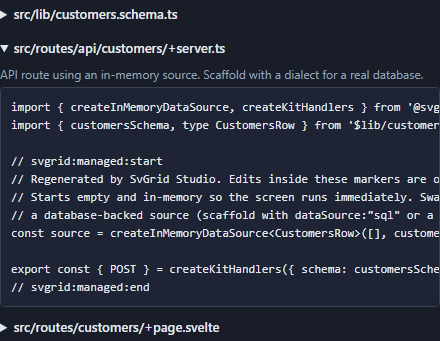
If your file defines several tables, pick one:
npx @svgrid/studio add orders --from src/lib/db/schema.ts --table orders
Scaffold the whole app
Pass --all to generate a screen for every table in the file, plus a nav
layout and a home page linking them:
npx @svgrid/studio add --all --from src/lib/db/schema.ts
npm run dev            # open / and browse every entity
Foreign keys are followed across the file. A .references() column becomes a
relation field - a searchable lookup that shows the related row's label -
and an enum column becomes a select:
export const users = pgTable('users', {
  id: serial('id').primaryKey(),
  name: text('name').notNull(),
})

export const roleEnum = pgEnum('role', ['admin', 'member'])

export const posts = pgTable('posts', {
  id: serial('id').primaryKey(),
  title: text('title').notNull(),
  role: roleEnum('role'),                                  // -> a select
  authorId: integer('author_id').references(() => users.id), // -> a lookup on users
})
Studio resolves each lookup's display field from the referenced table (a name
or title column, if present), so the generated screens are linked out of the box.
Connecting the data
By default the generated API route starts in-memory so the screen runs immediately. When you are ready to hit the database, regenerate with a driver:
# emit a route wired to your database driver + DATABASE_URL
npx @svgrid/studio add customers --from src/lib/db/schema.ts --db postgres
...or keep your Drizzle db instance and wire it by hand - the generated schema
- grid + form stay the same:
// src/routes/api/customers/+server.ts
import { sql } from 'drizzle-orm'
import { createKitHandlers, createSqlDataSource } from '@svgrid/enterprise'
import { db } from '$lib/server/db'
import { customersSchema, type CustomersRow } from '$lib/customers.schema'

const source = createSqlDataSource<CustomersRow>({
  schema: customersSchema,
  table: 'customers',
  dialect: { placeholders: '#39;, ilike: true },
  execute: async (text, params) => {
    const result = await db.execute(sql.raw(text, params))
    return (result.rows ?? result) as Record<string, unknown>[]
  },
})
export const { POST } = createKitHandlers({ schema: customersSchema, source })
Renamed columns
When a Drizzle column name differs from its property key -
createdAt: timestamp('created_at') - Studio records the real column as
dbColumn: 'created_at' on the field. The grid and form key on createdAt,
while createSqlDataSource reads / writes created_at and aliases it back, so a
renamed column works end to end with no manual mapping.
Notes
- The Drizzle reader is a best-effort parse of the schema source - review the
generated
EntitySchema(or open it in the visual designer) and adjust enums, relations, or types as needed. - A composite key (
primaryKey({ columns: [t.a, t.b] })in the table config) is read: the screen keys off the first member, so a join table scaffolds as a normal entity with a lookup for its other side. - Re-running
addafter a schema change regenerates only thesvgrid:managedregions; your edits are preserved.
See also
- Prisma schema - the same flow for a
schema.prisma - Databases - connect to a live database instead
- Data binding · In-memory