A Svelte Data Grid with GraphQL
Wire SvGrid to a GraphQL API with server-side sort, filter, and pagination - covering offset and cursor paging, variable translation, and the three callbacks that keep everything in sync.
GraphQL and data grids are an awkward pairing until you understand the translation layer. The grid emits sort descriptors, filter objects, and zero-based page indices. Your API speaks first/after cursors or page/pageSize integers with server-defined field names. Bridging those two dialects is not complicated, but there are enough small decisions - variable shape, page reset on filter change, 0-based vs 1-based indexing - that getting it wrong in production is common.
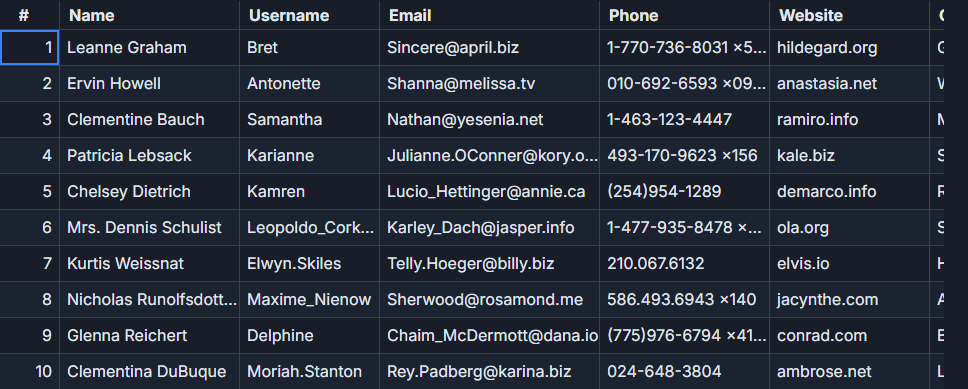
The scenario throughout this post is an orders collection with 2,500 rows on the server: orderId, company, product, sellDate, quantity, price, country. The grid needs to page, sort, and filter without pulling all 2,500 rows to the client.
Why server-side matters here
Client-side sorting and filtering work fine for a few hundred rows. At 2,500 rows you start noticing the initial load time. At 50,000 you have a problem. More importantly, if the data changes in real time, stale client-side copies are actively misleading. Server-side data means the grid always reflects what the database holds at the moment of the query.
SvGrid is designed for both modes. The difference is whether you pass data={localArray} or wire the sort/filter/pagination callbacks to a server fetch. This post covers the second approach with urql as the GraphQL client.
The GraphQL document
For offset pagination - which maps directly to SvGrid's built-in pager - the query looks like this:
query OrdersPage(
  $page: Int!
  $pageSize: Int!
  $sort: SortInput
  $filters: [FilterInput!]
) {
  orders(page: $page, pageSize: $pageSize, sort: $sort, filters: $filters) {
    total
    items {
      orderId
      company
      product
      sellDate
      quantity
      price
      country
    }
  }
}
total is the full count before pagination - you pass this to SvGrid's rowCount prop so the pager can calculate page count. Without it the pager assumes only one page exists.
Wiring the grid to urql
The core insight is that onSortingChange, onFilterChange, and onPaginationChange are the three seams where grid state becomes query variables. Everything else is plumbing.
<script lang="ts">
  import SvGrid from '@svgrid/grid'
  import {
    tableFeatures,
    rowSortingFeature,
    rowPaginationFeature,
    columnFilteringFeature,
    type ColumnDef,
    type SvGridApi,
  } from '@svgrid/grid'
  import { queryStore, getContextClient } from '@urql/svelte'

  type Order = {
    orderId: string
    company: string
    product: string
    sellDate: string
    quantity: number
    price: number
    country: string
  }

  type SortInput   = { field: string; dir: 'ASC' | 'DESC' } | undefined
  type FilterInput = { field: string; op: string; value: string }

  const features = tableFeatures({
    rowSortingFeature,
    rowPaginationFeature,
    columnFilteringFeature,
  })

  const columns: ColumnDef<typeof features, Order>[] = [
    { field: 'orderId',  header: 'Order',    width: 110 },
    { field: 'company',  header: 'Company',  width: 160 },
    { field: 'product',  header: 'Product',  width: 160 },
    { field: 'country',  header: 'Country',  width: 110 },
    { field: 'sellDate', header: 'Date',     width: 120 },
    { field: 'quantity', header: 'Qty',      width:  80, type: 'number' },
    {
      field: 'price',
      header: 'Price',
      width: 110,
      type: 'number',
      format: { type: 'currency', currency: 'USD', options: { maximumFractionDigits: 2 } },
    },
  ]

  // Query variables as reactive state
  let page     = $state(1)
  let pageSize = $state(50)
  let sort     = $state<SortInput>(undefined)
  let filters  = $state<FilterInput[]>([])

  const ORDERS_QUERY = `
    query OrdersPage($page: Int!, $pageSize: Int!, $sort: SortInput, $filters: [FilterInput!]) {
      orders(page: $page, pageSize: $pageSize, sort: $sort, filters: $filters) {
        total
        items { orderId company product sellDate quantity price country }
      }
    }
  `

  const client = getContextClient()

  // $derived re-runs whenever page/pageSize/sort/filters change
  const result = $derived(
    queryStore({
      client,
      query: ORDERS_QUERY,
      variables: { page, pageSize, sort, filters },
    })
  )

  const rows  = $derived($result.data?.orders.items ?? [])
  const total = $derived($result.data?.orders.total  ?? 0)

  let api = $state<SvGridApi<typeof features, Order> | null>(null)

  function onSortingChange(sorting: { id: string; desc: boolean }[]) {
    page = 1   // reset to first page on new sort
    sort = sorting.length
      ? { field: sorting[0].id, dir: sorting[0].desc ? 'DESC' : 'ASC' }
      : undefined
  }

  function onFilterChange(incoming: FilterInput[]) {
    page = 1   // filtered result sets are smaller; stay on page 1
    filters = incoming
  }

  function onPaginationChange(p: { pageIndex: number; pageSize: number }) {
    page     = p.pageIndex + 1   // SvGrid is 0-based; most APIs are 1-based
    pageSize = p.pageSize
  }
</script>

<SvGrid
  data={rows}
  {columns}
  {features}
  rowCount={total}
  pageable
  showFilterRow
  loading={$result.fetching}
  onApiReady={(g) => (api = g)}
  onSortingChange={onSortingChange}
  onFilterChange={onFilterChange}
  onPaginationChange={onPaginationChange}
/>
urql's queryStore re-executes automatically when its variables change. Because result is a $derived expression in Svelte 5, Svelte tracks the reactive reads of page, pageSize, sort, and filters and invalidates result whenever any of them update. No manual subscriptions, no $: {} blocks.
The loading prop overlays a spinner while $result.fetching is true - usually 100-300 ms depending on your backend latency. Pass loading={$result.fetching}, not loading={$result} (a common mistake: $result is always truthy and freezes the overlay permanently).
Cursor pagination for deep datasets
Offset pagination is the right default. Cursor pagination is worth the extra complexity when you have more than ~100,000 rows, because OFFSET 80000 LIMIT 50 on a database requires scanning all 80,000 preceding rows. Cursors are O(1) at any depth.
The variable shape changes to match the Relay connection pattern, and you maintain a cursor map in component state:
// Stored as component state alongside the grid
let currentPageIndex = $state(0)
const cursorMap = new Map<number, string | null>([[0, null]])

// Variables for the cursor-based query
let cursorVars = $state<{ first: number; after: string | null }>({
  first: 50,
  after: null,
})

function onPaginationChange(p: { pageIndex: number; pageSize: number }) {
  currentPageIndex = p.pageIndex
  const after = cursorMap.get(p.pageIndex) ?? null
  cursorVars = { first: p.pageSize, after }
}

// After each successful response, register the next page's cursor
$effect(() => {
  const data = $result.data?.orders
  if (!data?.pageInfo) return
  const { endCursor, hasNextPage } = data.pageInfo
  if (hasNextPage && endCursor) {
    cursorMap.set(currentPageIndex + 1, endCursor)
  }
})
The query document changes accordingly:
query OrdersCursor($first: Int!, $after: String) {
  orders(first: $first, after: $after) {
    totalCount
    pageInfo {
      hasNextPage
      endCursor
    }
    edges {
      node {
        orderId
        company
        product
        sellDate
        quantity
        price
        country
      }
    }
  }
}
One real limitation of cursor pagination: you cannot jump to an arbitrary page without having traversed the preceding pages first. If your UI exposes a page-number input or lets users jump to page 47 directly, offset pagination is the practical choice.
Three things that bite in production
rowCount from the wrong source. Passing rowCount={rows.length} gives you 50 (or whatever your page size is) instead of 2,500. The pager calculates page count from rowCount / pageSize, so with rowCount={50} and pageSize={50} it renders exactly one page and hides the navigation controls, making it look like pagination is broken.
Forgetting page = 1 on sort or filter changes. If you are on page 8 and apply a filter that reduces the result set to 30 rows, your next query requests page 8 of a 30-row result set. The server returns an empty array with no error. The grid shows nothing. Users assume the filter matched nothing. Add page = 1 at the start of both onSortingChange and onFilterChange - it is the two-line fix that prevents this.
Cache policies and stale row counts. If you use urql's cache-and-network request policy, $result.data may briefly hold the previous page's rows while total already reflects the new filter count. This causes the pager to flash incorrect numbers for a frame or two. For paginated queries where freshness matters, network-only is cleaner.
Using a different GraphQL client
The wiring pattern works with any GraphQL client. With Houdini, replace queryStore with Houdini's query store and call fetch({ variables: { page, pageSize, sort, filters } }) inside the three callbacks. With Apollo Client for Svelte, use watchQuery with reactive variables. The three callback functions - onSortingChange, onFilterChange, onPaginationChange - are the stable interface; the fetch mechanism behind them is interchangeable.
The closest runnable example is in the SvGrid demo app at /demos/72-graphql-adapter, which simulates a full GraphQL API with 2,500 orders and renders the generated query document live as you interact with the grid.
Related reading
- Live demo: GraphQL adapter
- Docs: Server-side data
- Using SvGrid with TanStack Query in Svelte
- A Svelte Data Grid with SvelteKit and Supabase
- A Svelte Data Grid with Drizzle ORM
- A Svelte Data Grid with Prisma
- A Svelte Data Grid with a Plain REST API
Tagged: Server-side data