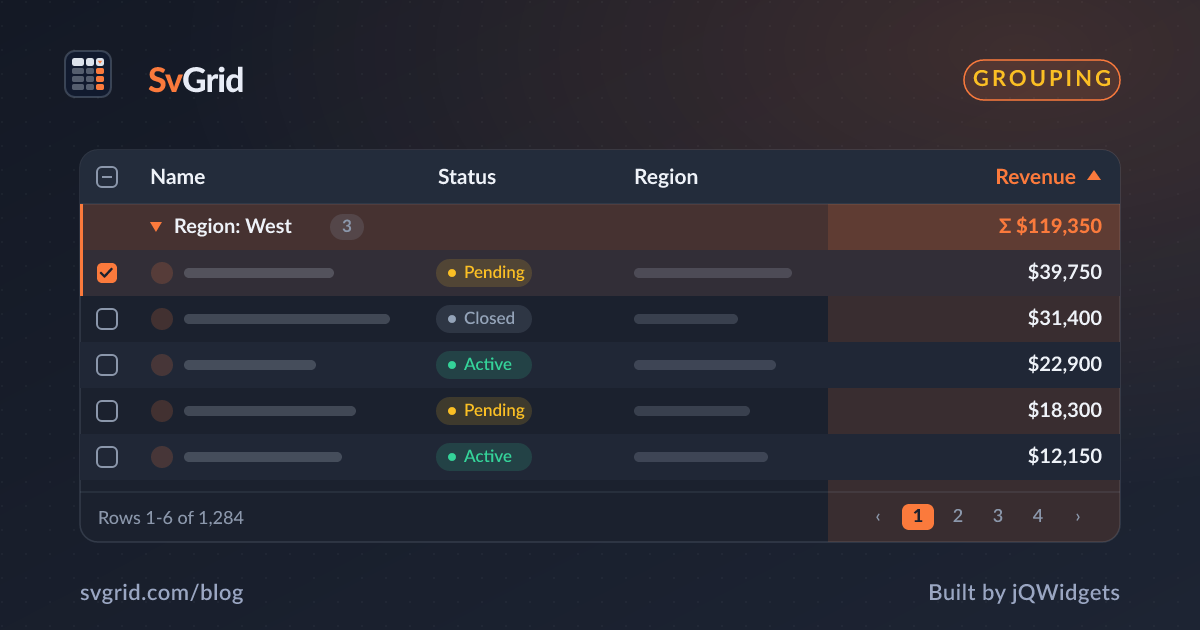
A Sticky Summary / Footer Row in SvGrid
Pin aggregate totals at the bottom of your grid so they stay visible while rows scroll - column footers that recalculate live when filters change.
The most common support question after someone adds filtering to a sales table is: "why do my totals not update when I filter?" Nine times out of ten, the footer is reading getRowModel() when it should be reading getFilteredRowModel(). That one method call is the difference between a footer that tracks the visible data and one that always shows the full dataset total regardless of what the user has filtered to.

This post covers the full footer setup in SvGrid: column-level footer definitions, how the pinned footer stripe works, and the specific places where the implementation tends to go wrong.
What the footer callback receives
Each column's footer property accepts either a static string or a callback. The callback receives a CellContext, and ctx.table on it is the headless grid instance - the same object createSvGrid returns. From there you can reach any row model in the pipeline.
For a client-side dataset with filtering enabled, the chain looks like this:
ctx.table.getRowModel()- all rows, no filtering appliedctx.table.getFilteredRowModel()- rows that survive the active filter stackctx.table.getSortedRowModel()- filtered rows in current sort orderctx.table.getGroupedRowModel()- ifcolumnGroupingFeatureis active
For footer aggregation, getFilteredRowModel() is almost always what you want. It returns exactly the rows the user can see, so totals stay in sync with the visible data.
The footer callbacks fire synchronously during render. When a filter changes, SvGrid invalidates the row model, re-renders the body, and each footer callback runs again with the updated CellContext. The filtered row model is already cached at that point - you are iterating an array, not re-running predicates. Summing a numeric field over 50,000 rows typically costs under 1 ms.
Column definitions for an orders table
Here is a realistic column setup for a sales orders table. The scenario: product name, unit count, unit price, and computed revenue. The footer shows a "Total" label in the first column, the sum of units, no value under unit price, and formatted total revenue.
// columns.ts
import type { ColumnDef } from '@svgrid/grid'

export type OrderRow = {
  id: number
  product: string
  units: number
  unitPrice: number
  revenue: number
}

function sumField(
  ctx: { table: { getFilteredRowModel: () => { rows: any[] } } },
  field: keyof OrderRow
): number {
  return ctx.table
    .getFilteredRowModel()
    .rows.reduce((acc: number, r: any) => acc + (r.getValue(field) as number), 0)
}

function fmtUsd(value: number): string {
  return new Intl.NumberFormat('en-US', {
    style: 'currency',
    currency: 'USD',
    maximumFractionDigits: 0,
  }).format(value)
}

export function makeOrderColumns<F>(): ColumnDef<F, OrderRow>[] {
  return [
    {
      id: 'product',
      field: 'product',
      header: 'Product',
      width: 200,
      footer: 'Total',
    },
    {
      id: 'units',
      field: 'units',
      header: 'Units',
      width: 100,
      type: 'number',
      footer: (ctx) => sumField(ctx, 'units').toLocaleString(),
    },
    {
      id: 'unitPrice',
      field: 'unitPrice',
      header: 'Unit Price',
      width: 120,
      type: 'number',
      format: { type: 'currency', currency: 'USD' },
      footer: '',
    },
    {
      id: 'revenue',
      field: 'revenue',
      header: 'Revenue',
      width: 140,
      type: 'number',
      format: { type: 'currency', currency: 'USD', options: { maximumFractionDigits: 0 } },
      footer: (ctx) => fmtUsd(sumField(ctx, 'revenue')),
    },
  ]
}
Returning '' for unitPrice is deliberate. An undefined footer is treated differently by the renderer - it may still allocate space or render a default. An explicit empty string is a clean "show nothing here" signal.
Wiring it into a component
<script lang="ts">
  import {
    SvGrid,
    tableFeatures,
    rowSortingFeature,
    columnFilteringFeature,
    type SvGridApi,
  } from '@svgrid/grid'
  import { makeOrderColumns, type OrderRow } from './columns'

  const features = tableFeatures({
    rowSortingFeature,
    columnFilteringFeature,
  })

  type Features = typeof features

  function makeRows(count: number): OrderRow[] {
    const products = ['Widget A', 'Widget B', 'Gadget X', 'Component Z']
    return Array.from({ length: count }, (_, i) => {
      const units = 1 + (i * 7 % 50)
      const unitPrice = 10 + (i * 13 % 490)
      return {
        id: i + 1,
        product: products[i % products.length],
        units,
        unitPrice,
        revenue: units * unitPrice,
      }
    })
  }

  const data = $state(makeRows(200))
  const columns = makeOrderColumns<Features>()

  let api = $state<SvGridApi<Features, OrderRow> | null>(null)

  function onApiReady(gridApi: SvGridApi<Features, OrderRow>) {
    api = gridApi
  }

  $derived.by(() => {
    if (api) {
      const rows = api.getDisplayedRows()
      console.log(`Footer covers ${rows.length} of ${data.length} rows`)
    }
  })
</script>

<SvGrid
  {features}
  {data}
  {columns}
  {onApiReady}
  filterable
  sortable
  showFilterRow={true}
  style="height: 540px;"
/>
The <SvGrid> component renders the footer as a sticky stripe pinned below the last data row. No wrapper div, no CSS position tricks needed - it is part of the same table layout as the column headers, which means it scrolls horizontally in lockstep with the body. If you pin a column left or right, its footer cell pins the same way.
When you are on server-side pagination
Client-side totals break down the moment you introduce server-side pagination. If you are showing 50 of 10,000 rows, getFilteredRowModel().rows gives you the page total, not the dataset total. The footer will silently show a wrong number.
The correct pattern is to have your API return aggregate values alongside the row data, then bind them to the footer as static strings:
<script lang="ts">
  import {
    SvGrid,
    tableFeatures,
    rowSortingFeature,
    columnFilteringFeature,
    createServerDataSource,
    type ColumnDef,
  } from '@svgrid/grid'

  type ServerRow = { id: number; product: string; units: number; revenue: number }

  const features = tableFeatures({ rowSortingFeature, columnFilteringFeature })

  // These come from the API response alongside the rows
  let totalUnits = $state<number | null>(null)
  let totalRevenue = $state<number | null>(null)

  const ds = createServerDataSource({
    fetch: async ({ page, pageSize, sort, filters }) => {
      const params = new URLSearchParams({
        page: String(page),
        size: String(pageSize),
        sort: JSON.stringify(sort),
        filters: JSON.stringify(filters),
      })
      const res = await fetch(`/api/orders?${params}`)
      const json = await res.json()

      // API returns totals across the full filtered dataset
      totalUnits = json.aggregates.totalUnits
      totalRevenue = json.aggregates.totalRevenue

      return { rows: json.data, total: json.total }
    },
  })

  function fmtUsd(value: number | null): string {
    if (value === null) return '...'
    return new Intl.NumberFormat('en-US', {
      style: 'currency',
      currency: 'USD',
      maximumFractionDigits: 0,
    }).format(value)
  }

  const columns: ColumnDef<typeof features, ServerRow>[] = [
    { id: 'product', field: 'product', header: 'Product', width: 200, footer: 'Total' },
    {
      id: 'units',
      field: 'units',
      header: 'Units',
      width: 100,
      type: 'number',
      // Static derived value from the API - not a callback into the row model
      get footer() { return totalUnits !== null ? totalUnits.toLocaleString() : '...' },
    },
    {
      id: 'revenue',
      field: 'revenue',
      header: 'Revenue',
      width: 140,
      type: 'number',
      get footer() { return fmtUsd(totalRevenue) },
    },
  ]
</script>

<SvGrid
  {features}
  data={ds}
  {columns}
  pageable
  sortable
  filterable
  showFilterRow={true}
  style="height: 540px;"
/>
The get footer() accessor runs on every render, so $state changes to totalUnits and totalRevenue flow through automatically. When the user changes a filter, the data source fetches fresh rows plus fresh aggregates, and the footer updates along with the body.
Two mistakes that cause wrong totals
The first is using getRowModel() instead of getFilteredRowModel() in client-side footers. The symptoms are totals that never change when the user filters. If you have the filter row visible and see the row count drop but the totals stay fixed, this is the cause.
The second is forgetting to include columnFilteringFeature in tableFeatures. Footer callbacks that call getFilteredRowModel() still run without the feature, but they return the same result as getRowModel() because no filtering pipeline is active. The fix is to add the feature - it costs nothing when no filters are applied.
A third, less obvious issue: if you return undefined from a footer callback (say, because data has not loaded yet), the cell may render differently than returning ''. Use '...' as a loading placeholder or an explicit empty string for cells that intentionally show nothing.
Dynamic counts and averages
The footer is not limited to sums. Any callback that reads from the filtered row model works:
// Count of visible rows
footer: (ctx) =>
  `${ctx.table.getFilteredRowModel().rows.length} orders`

// Average revenue per visible row
footer: (ctx) => {
  const rows = ctx.table.getFilteredRowModel().rows
  if (rows.length === 0) return '-'
  const avg = rows.reduce((acc, r) => acc + (r.getValue('revenue') as number), 0) / rows.length
  return fmtUsd(avg)
}
If columnGroupingFeature is active and you want a group-aware aggregate rather than a flat grand total, switch to ctx.table.getGroupedRowModel() and decide whether to walk leaf rows or group rows depending on what the number should represent.
The footer fits naturally with the selection-and-copy pattern too. If you also want an in-selection aggregate (e.g., "sum of selected rows"), api.getSelectedRows() gives you that subset, and you can display it in a status bar below the grid rather than overloading the footer with both totals.
Related reading
- Live demo: Pinned rows (top / bottom)
- Docs: Row pinning (top / bottom)
- Row Drag-and-Drop Reordering in a Svelte Data Grid
- A Density (Row-Height) Toggle for SvGrid
- Conditional Row Styling in SvGrid
- Status Badge Cells in SvGrid
- Stable Row Identity in SvGrid (and why it matters)
Tagged: Aggregation, Rows