Inside SvGrid: Server-Side Data and the Headless Core
How SvGrid separates UI state from row processing, and what that means for building grids driven entirely by a backend.
Most grids treat server-side mode as a configuration flag. You flip it on, implement a data callback, and hope the grid's internal machinery stays out of your way. The problem is that the machinery is still there - it just runs after your data arrives, applying a second round of filtering or sorting on top of what the server already did. You end up either fighting the grid or working around it.
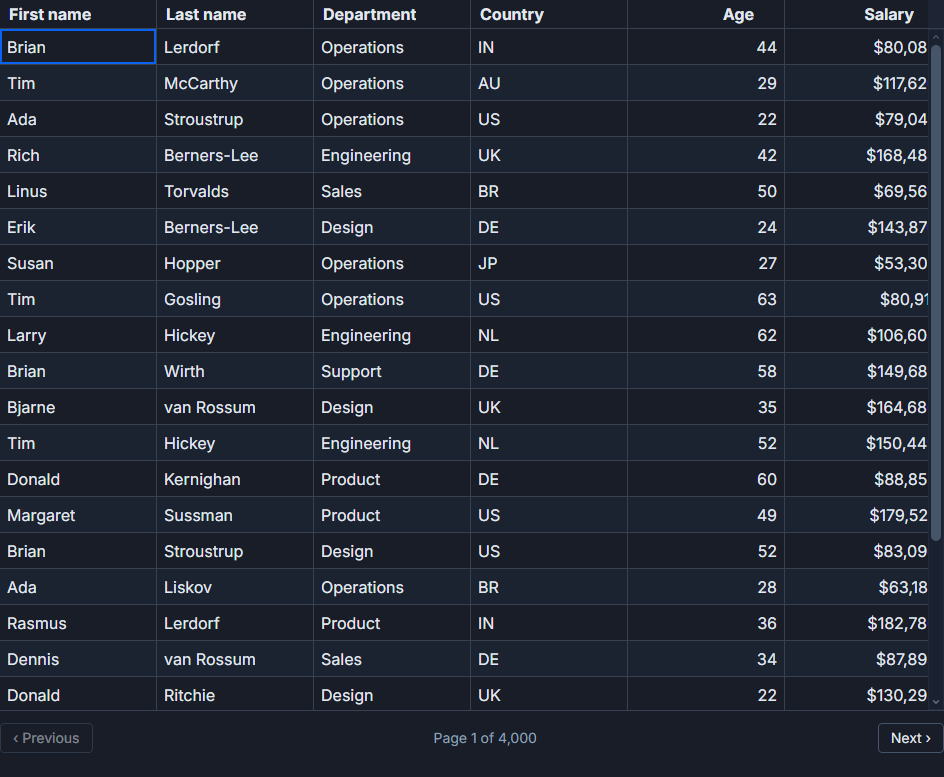
SvGrid takes a different approach. There is no flag to flip. The grid's job is to own UI state - what column is sorted, what the filter inputs contain, what page the user is on. Row transformation is a separate concern, and when you want a server to handle it, you just stop letting the grid do it. The headless core is what makes that split clean.
The contract between UI state and row data
When the grid renders, it needs two things: a list of rows for the current view, and enough metadata to drive the controls (total row count for the pager, active sort column for the header icon, active filter values for the filter popover). That is the entire interface.
In local mode the grid derives all of this from the full dataset you hand it. In server-side mode you supply the rows for the current page yourself, and you tell the grid what the total count is. The controls keep working because their state objects are the same either way - they are just no longer wired to a row pipeline.
The callback signatures that express this are intentionally small:
// What the grid sends you when state changes
type SortClause  = { id: string; desc: boolean }
type GridFilter  = { id: string; operator: string; value: string; selectedValues?: string[] }

// What you hand back
type ServerPage<T> = { rows: T[]; total: number }
That is the full contract. You receive SortClause[] and GridFilter[] from the grid's event callbacks, you send them to your backend, and you return rows plus total. Everything the user sees - sort arrows, filter chips, page numbers - updates from those same state objects automatically.
Wiring it up with createServerDataSource
The lowest-friction path is createServerDataSource. It wraps the fetch-on-change pattern into a single object you can pass directly as the data prop:
import { createServerDataSource } from '@svgrid/grid'

const ds = createServerDataSource({
  fetch: async ({ page, pageSize, sort, filters }) => {
    const params = new URLSearchParams({
      page:     String(page),
      pageSize: String(pageSize),
    })

    for (const s of sort) {
      params.append('sort', `${s.id}:${s.desc ? 'desc' : 'asc'}`)
    }

    for (const f of filters) {
      if (f.value) params.append(`filter_${f.id}`, f.value)
    }

    const res  = await fetch(`/api/employees?${params}`)
    const json = await res.json()
    return { rows: json.data, total: json.total }
  },
})
Then in the component:
<SvGrid
  data={ds}
  {columns}
  pageable
  filterable
  sortable
/>
The data source handles debouncing, request cancellation when a new query fires before the previous one resolves, and handing total to the pager. You own the HTTP layer; it owns the lifecycle.
When you need explicit control
createServerDataSource covers most cases, but sometimes you need to intercept state changes yourself - for optimistic updates, or because you have multiple grids coordinating over a shared request queue, or because you want to handle loading and error states in your own UI.
The manual wiring looks like this:
<script lang="ts">
  import {
    SvGrid,
    tableFeatures,
    rowSortingFeature,
    columnFilteringFeature,
    rowPaginationFeature,
    type ColumnDef,
    type SvGridApi,
  } from '@svgrid/grid'

  type Employee = {
    id:         number
    name:       string
    department: string
    country:    string
    salary:     number
  }

  type SortClause = { id: string; desc: boolean }
  type GridFilter = { id: string; operator: string; value: string; selectedValues?: string[] }

  const features = tableFeatures({
    rowSortingFeature,
    columnFilteringFeature,
    rowPaginationFeature,
  })

  const columns: ColumnDef<typeof features, Employee>[] = [
    { id: 'name',       field: 'name',       header: 'Name',       width: 200 },
    { id: 'department', field: 'department', header: 'Department', width: 140 },
    { id: 'country',    field: 'country',    header: 'Country',    width: 120 },
    {
      id:     'salary',
      field:  'salary',
      header: 'Salary',
      width:  120,
      type:   'number',
      format: { type: 'currency', currency: 'USD', options: { maximumFractionDigits: 0 } },
    },
  ]

  const PAGE_SIZE = 25

  let rows        = $state<Employee[]>([])
  let total       = $state(0)
  let loading     = $state(false)
  let error       = $state<string | null>(null)
  let sortState   = $state<SortClause[]>([])
  let filterState = $state<GridFilter[]>([])
  let pageIndex   = $state(0)
  let api         = $state<SvGridApi<typeof features, Employee> | null>(null)

  let debounceTimer: ReturnType<typeof setTimeout>

  async function load(patch: {
    sort?:    SortClause[]
    filters?: GridFilter[]
    page?:    number
    debounce?: boolean
  } = {}) {
    if (patch.sort    !== undefined) sortState   = patch.sort
    if (patch.filters !== undefined) filterState = patch.filters
    if (patch.page    !== undefined) pageIndex   = patch.page

    clearTimeout(debounceTimer)

    const run = async () => {
      loading = true
      error   = null
      try {
        const params = new URLSearchParams({
          page:     String(pageIndex),
          pageSize: String(PAGE_SIZE),
        })
        for (const s of sortState)   params.append('sort',              `${s.id}:${s.desc ? 'desc' : 'asc'}`)
        for (const f of filterState) if (f.value) params.append(`filter_${f.id}`, f.value)

        const res = await fetch(`/api/employees?${params}`)
        if (!res.ok) throw new Error(`HTTP ${res.status}`)
        const json = await res.json()
        rows  = json.data
        total = json.total
      } catch (e) {
        error = e instanceof Error ? e.message : 'Request failed'
      } finally {
        loading = false
      }
    }

    if (patch.debounce) {
      debounceTimer = setTimeout(run, 250)
    } else {
      await run()
    }
  }

  load()
</script>

{#if error}
  <p class="grid-error">{error}</p>
{/if}

<SvGrid
  data={rows}
  rowCount={total}
  {columns}
  {features}
  showPagination={true}
  onApiReady={(a)  => { api = a }}
  onSortingChange={(s)    => load({ sort: s, page: 0 })}
  onFiltersChange={(f)    => load({ filters: f.columns, page: 0, debounce: true })}
  onPaginationChange={(p) => load({ page: p.pageIndex })}
/>
A few decisions worth pointing out here.
First, rowCount is the server's total matching count - not rows.length. If you omit it or pass rows.length, the pager thinks the full dataset is 25 rows and shows only one page. rowCount is the only way the grid knows how many pages to render.
Second, filter changes get a debounce flag; sort and page changes do not. Sort and page are discrete user actions - a click. Filters fire on every keystroke from a text input, so debouncing prevents a round-trip per character.
Third, error handling lives in your load function, not in the grid. The grid does not know a request failed; it just keeps showing the last good rows. You decide whether to show a toast, an inline message, or revert the UI state.
What the headless core actually is
The grid's row pipeline is a chain of composable row models: createFilteredRowModel, createSortedRowModel, createPaginatedRowModel. In local mode each one runs in the browser. When you supply rowCount via a prop or use createServerDataSource, the grid detects that you are managing the pipeline and skips each internal row model stage - passing data straight to the virtualizer.
This is not a special mode. It is what happens when you respect the boundary between state and processing. The sort state object still exists, still drives the header icon, still gets serialized by api.getState(). It just does not trigger a browser-side sort pass. You are welcome to run your own sort on the data before handing it back if you want to augment server results with a local secondary sort - the grid will render whatever you give it.
createGrid and createSvGrid (the headless variants, no component) expose the same boundary. They are useful for building custom table shells, embedding the row logic in a SvelteKit action, or constructing a grid programmatically in a test without a DOM.
Two things that trip people up
Page reset on sort is the most common mistake. You sort a 50,000-row set and leave pageIndex at 12. The server returns page 12 of the new sort order, but the content on screen is not what the user expected as row 1 of the sorted view. Always reset page: 0 when sort or filters change.
The other is mixing server-side and local row models by accident. If you include columnFilteringFeature in tableFeatures and also connect onFiltersChange, the grid will apply both. Your server filters to 200 matching rows; the grid then re-filters those 200 client-side and returns fewer. Use one or the other. If you want the filter UI (the filter row, the filter popover) without the client-side filter logic, that is supported - the feature registration and the row model pipeline are separate.
Cursor pagination
Offset pagination (LIMIT 25 OFFSET 200) breaks on high-volume tables where the underlying dataset changes between pages, and it degrades in performance on some databases past a few thousand rows. Cursor-based pagination is often better for append-heavy data like logs, events, or time series.
createServerDataSource accepts nextCursor / prevCursor in the response alongside rows and total. The pager switches from page-number navigation to next/previous only when it detects cursors. The demo at /demos/113-cursor-pagination shows the full wiring with a simulated event stream.
Related reading
- Live demo: Headless server-side
- Docs: Server-side data (load on demand)
- How We Built Excel-Style Filters
- Going AI-Native: The SvGrid MCP Server
- Inside SvGrid: A Theming System on CSS Variables
- Inside SvGrid: The Row Model and Sorting
- Inside SvGrid: The Inline Editing Engine
Tagged: Server-side data, Headless core