Locale-Aware Number, Date, and Currency Formatting
How SvGrid keeps raw primitives in the row model while rendering locale-correct display strings - so sort and filter never silently break.
The most common formatting mistake in data grids is returning a pre-formatted string from an accessor. It looks correct on screen - "$1,200.00" instead of 1200 - but it corrupts sort order the moment lexicographic comparison kicks in. "$10,000" now sorts between "$1,000" and "$1,200" because "$1,0" < "$1,2" < "$10". Nobody notices until a user files a bug with a screenshot of the Total column sorted in baffling order.
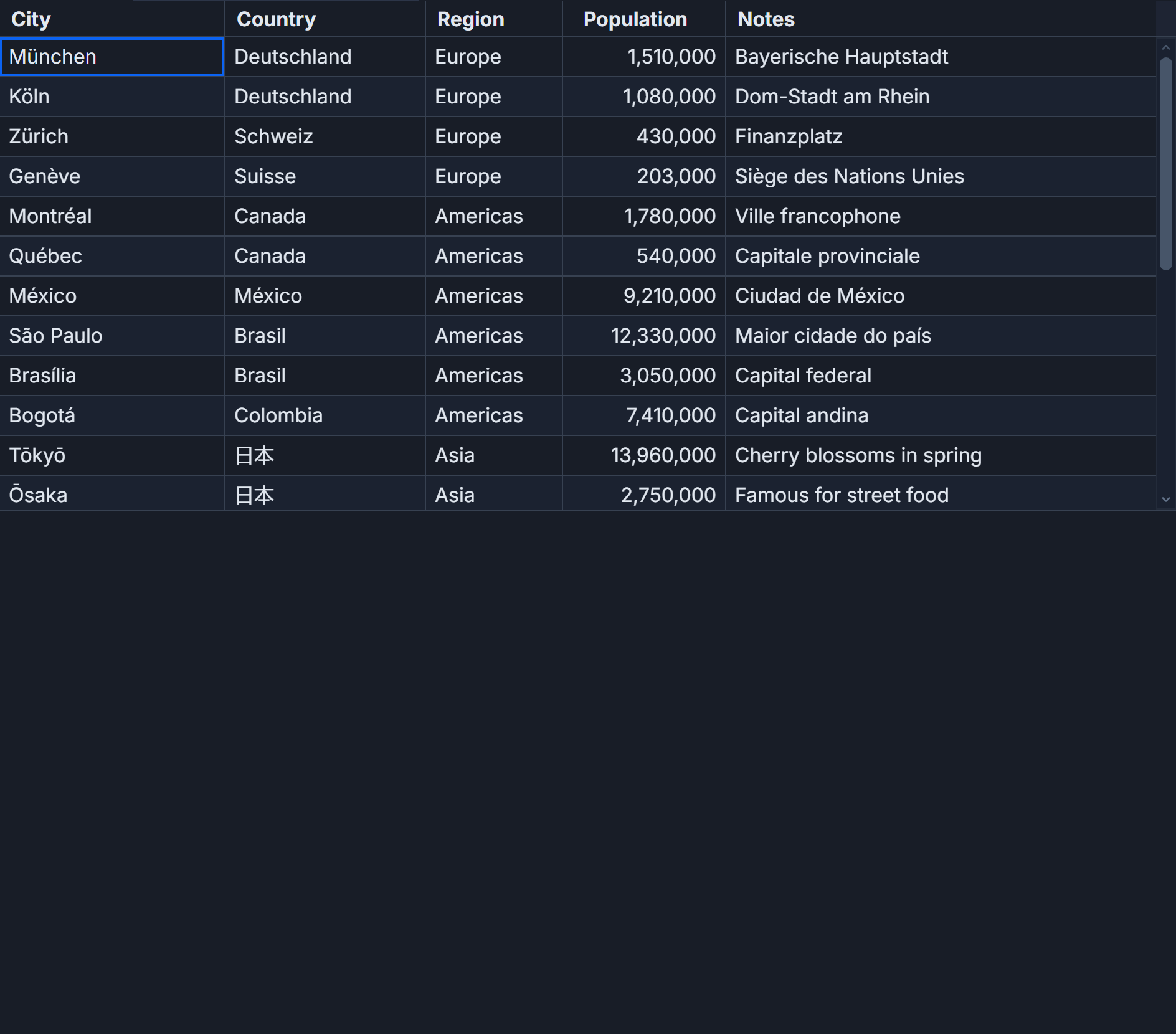
SvGrid's answer is to keep the raw primitive in the row model and apply all locale formatting at render time. The format property on a column definition is the declaration point; resolveCellFormat is the runtime function that converts a raw value to a display string right before the cell paints. Sort comparators and filter predicates never see the formatted string.
Why the format property belongs on the column, not the data
Imagine an orders table with totalUSD: number, margin: number (a ratio like 0.34), qty: number, and orderedAt: string (ISO-8601). You want German users to see 1.234,56 € for a total and Japanese users to see ¥1,235. The data does not change - only the presentation layer does.
If you move formatting into an fieldFn, you have to branch on locale inside the accessor, and you lose the ability to sort or filter numerically because the column type becomes string. You end up writing a custom sortFn and a custom filterFn for every currency column to un-parse the formatted value. That is a lot of work to undo a mistake.
The cleaner path: declare formatting intent on the column, let the grid own the rendering path.
// columns.ts
import type { ColumnDef } from '@svgrid/grid'

type Order = {
  id: string
  customer: string
  orderedAt: string  // ISO-8601, "2024-03-15"
  qty: number
  totalUSD: number
  margin: number     // 0..1 float, e.g. 0.34 = 34%
}

export function buildColumns(locale: string, currency: string): ColumnDef<Order>[] {
  return [
    { field: 'id',         header: 'Order #',   width: 110 },
    { field: 'customer',   header: 'Customer',  width: 180 },
    {
      field: 'orderedAt',
      header: 'Ordered on',
      width: 130,
      format: { type: 'date', pattern: 'y-m-d' },
    },
    {
      field: 'qty',
      header: 'Qty',
      width: 90,
      format: {
        type: 'number',
        locale,
        options: { maximumFractionDigits: 0 },
      },
    },
    {
      field: 'totalUSD',
      header: 'Total',
      width: 150,
      format: { type: 'currency', currency, locale },
    },
    {
      field: 'margin',
      header: 'Margin',
      width: 110,
      format: { type: 'percent', locale, options: { maximumFractionDigits: 1 } },
    },
  ]
}
locale and currency are runtime values - passed in from a user preference or detected from navigator.language. The column definitions are otherwise static. Rebuilding this array when locale changes is cheap; rebuilding it on every row data update is not, so keep those two concerns separate.
Wiring locale switching in Svelte 5
The idiomatic Svelte 5 pattern is $derived columns. When locale or currency changes, the grid receives new column definitions and re-renders display strings. The row data and the sort/filter state stay untouched.
<script lang="ts">
  import {
    SvGrid,
    tableFeatures,
    rowSortingFeature,
    columnFilteringFeature,
    resolveCellFormat,
    type ColumnDef,
    type SvGridApi,
  } from '@svgrid/grid'

  type Order = {
    id: string
    customer: string
    orderedAt: string
    qty: number
    totalUSD: number
    margin: number
  }

  type LocaleId = 'en-US' | 'en-GB' | 'de-DE' | 'fr-FR' | 'ja-JP' | 'zh-CN' | 'ar-EG'
  type CurrencyId = 'USD' | 'EUR' | 'GBP' | 'JPY'

  const LOCALES: { id: LocaleId; label: string }[] = [
    { id: 'en-US', label: 'English (US)' },
    { id: 'en-GB', label: 'English (UK)' },
    { id: 'de-DE', label: 'Deutsch' },
    { id: 'fr-FR', label: 'Francais' },
    { id: 'ja-JP', label: 'Japanese' },
    { id: 'zh-CN', label: 'Chinese (Simplified)' },
    { id: 'ar-EG', label: 'Arabic' },
  ]

  const CURRENCIES: CurrencyId[] = ['USD', 'EUR', 'GBP', 'JPY']

  let locale = $state<LocaleId>('en-US')
  let currency = $state<CurrencyId>('USD')

  const features = tableFeatures({ rowSortingFeature, columnFilteringFeature })

  // Seed 200 deterministic rows
  let seed = 0xCAFE1234
  function rand(): number {
    seed = (seed * 1664525 + 1013904223) >>> 0
    return seed / 0xFFFFFFFF
  }

  const CUSTOMERS = [
    'ACME Corp', 'Globex GmbH', 'Atlas Logistics',
    'Tokyo Robotics', 'Volta Energy', 'Aurora Optics',
    'Polar Imports', 'Quantum Foundry',
  ]

  const rows: Order[] = Array.from({ length: 200 }, (_, i) => ({
    id: `ORD-${String(i + 1).padStart(4, '0')}`,
    customer: CUSTOMERS[Math.floor(rand() * CUSTOMERS.length)]!,
    orderedAt: new Date(1_680_000_000_000 + Math.floor(rand() * 63_072_000_000))
      .toISOString()
      .slice(0, 10),
    qty: Math.floor(rand() * 500) + 1,
    totalUSD: parseFloat((rand() * 49_000 + 1_000).toFixed(2)),
    margin: parseFloat((rand() * 0.6 + 0.05).toFixed(4)),
  }))

  // Only recalculates when locale or currency changes - not on row data changes
  const columns = $derived<ColumnDef<Order>[]>([
    { field: 'id',       header: 'Order #',  width: 110 },
    { field: 'customer', header: 'Customer', width: 180 },
    {
      field: 'orderedAt',
      header: 'Ordered on',
      width: 130,
      format: { type: 'date', pattern: 'y-m-d' },
    },
    {
      field: 'qty',
      header: 'Qty',
      width: 90,
      format: { type: 'number', locale, options: { maximumFractionDigits: 0 } },
    },
    {
      field: 'totalUSD',
      header: 'Total',
      width: 150,
      format: { type: 'currency', currency, locale },
    },
    {
      field: 'margin',
      header: 'Margin',
      width: 110,
      format: { type: 'percent', locale, options: { maximumFractionDigits: 1 } },
    },
  ])

  let api = $state<SvGridApi | null>(null)
</script>

<div class="controls">
  <label>
    Locale
    <select bind:value={locale}>
      {#each LOCALES as l}
        <option value={l.id}>{l.label}</option>
      {/each}
    </select>
  </label>

  <label>
    Currency
    <select bind:value={currency}>
      {#each CURRENCIES as c}
        <option value={c}>{c}</option>
      {/each}
    </select>
  </label>
</div>

<SvGrid
  {features}
  {rows}
  {columns}
  sortable
  filterable
  onApiReady={(g) => (api = g)}
  style="height: 520px; width: 100%;"
/>

<style>
  .controls { display: flex; gap: 1rem; margin-bottom: 0.75rem; }
</style>
The proof that formatting is separated from sorting: apply a filter > 25000 on Total, then switch locale to de-DE. The filter keeps working because it matches on the raw totalUSD number, not on the string "25.000,00 €".
Using resolveCellFormat outside the grid
Sometimes you need the same formatted string somewhere other than a grid cell - a chart tooltip, an export header, a summary card. resolveCellFormat is exported as a standalone function for exactly this.
import { resolveCellFormat } from '@svgrid/grid'

// Same config shape as the column's format property
const eurConfig = {
  type: 'currency' as const,
  currency: 'EUR',
  locale: 'de-DE',
}

// Produces: "1.234,56 €"
const displayTotal = resolveCellFormat(1234.56, eurConfig)

const pctConfig = {
  type: 'percent' as const,
  locale: 'de-DE',
  options: { maximumFractionDigits: 1 },
}

// Produces: "34,0 %"
const displayMargin = resolveCellFormat(0.34, pctConfig)

// For dates - pass the ISO string
const dateConfig = {
  type: 'date' as const,
  pattern: 'y-m-d',
}

// Produces a locale-formatted date string
const displayDate = resolveCellFormat('2024-03-15', dateConfig)
resolveCellFormat is a pure function with no side effects and no dependency on the grid instance. It is safe in SSR contexts, in workers, and in utility code that never touches the DOM.
Three things that will trip you up
The percent type multiplies by 100. If your data stores 34 to mean "34%", putting type: 'percent' on that column renders 3400 %. The formatter follows ECMAScript convention and expects a 0..1 float. Fix it at ingestion: store 0.34, not 34. If you cannot change the data, use a formatter function instead:
{
  field: 'margin',
  header: 'Margin',
  width: 110,
  formatter: (value, _row) =>
    new Intl.NumberFormat(locale, {
      style: 'percent',
      maximumFractionDigits: 1,
    }).format(value / 100),
}
formatter takes precedence over format when both are present, and the underlying value stays numeric, so sort still works.
Date strings must be ISO-8601 or a millisecond timestamp. Passing "03/15/2024" to a date format column is ambiguous across runtimes and will produce Invalid Date in some environments. Parse and normalize at the data boundary, not in the column.
currency without locale uses the browser's default locale. In a headless CI environment that is often en-US regardless of your test expectations. Always pass locale explicitly in every currency column if you run tests in a headless environment. The mismatch is silent - you just get unexpected formatting strings and a confusing test failure.
Mixing currencies in the same column
The declarative format property is per-column and static, so it cannot render different currencies row by row. Use the formatter function property for that case:
{
  field: 'amount',
  header: 'Amount',
  width: 150,
  formatter: (value, row) =>
    resolveCellFormat(value, {
      type: 'currency',
      currency: row.currency,   // e.g. "EUR", "JPY", "GBP"
      locale,
    }),
}
The stored value is still the raw number. Sort and filter operate on that number. Only the display string varies per row.
What api.getCellValue returns
Worth being explicit: api.getCellValue(rowId, field) always returns the raw value from the row model - the number, date string, or boolean you put into rows. The formatted display string exists only in the DOM. If you are building a clipboard copy handler or a CSV exporter on top of the API, you decide whether to format at that point or hand off raw values. Most export pipelines want raw values with separate formatting applied per destination format.
The live demo for this feature is at /demos/15-localization - 7 locales, 4 currencies, all in one interactive grid. The column definitions there are exactly the pattern shown above.
Related reading
- Live demo: Localization
- Docs: Internationalisation & RTL
- Column Definitions in SvGrid - Fields, Accessors, and Formatting
- Using SvGrid with Cursor, Zed, and Windsurf
- SvGrid vs TanStack Table - A Deep Dive
- SvGrid vs svelte-headless-table
- Evaluating SVAR Svelte DataGrid? What Changes if You Pick SvGrid
Tagged: Formatting