TypeScript Patterns for Data-Heavy Front-End Apps
How ColumnDef generics, discriminated unions, and derived types from constants eliminate a whole class of runtime bugs in data-heavy Svelte apps.
A renamed field in your data model should surface as a build error, not a blank column that users report on Friday afternoon. That failure mode is entirely avoidable with the right TypeScript patterns, and it took me longer than I'd like to admit to stop writing column definitions as any[].
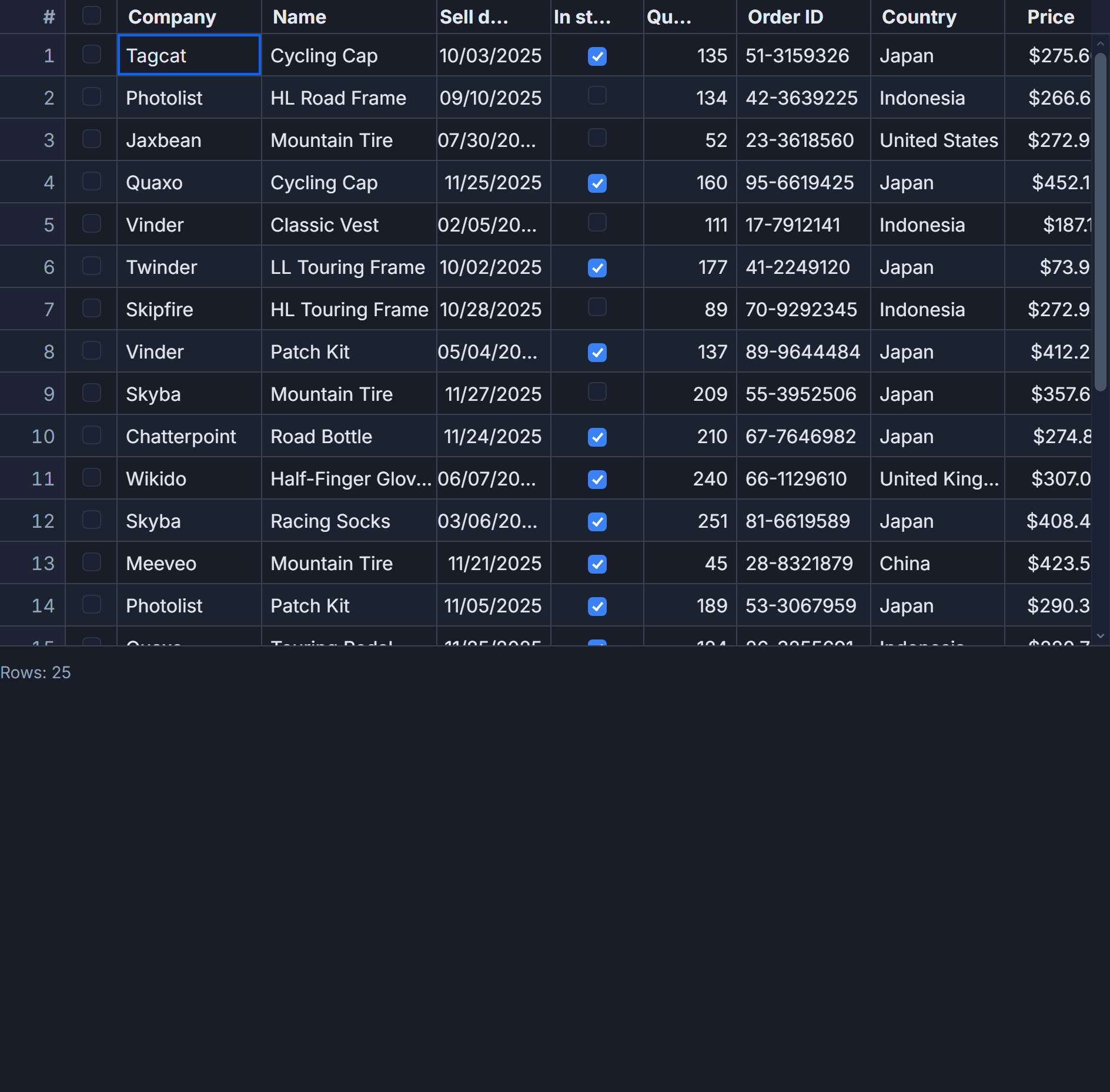
The patterns here come directly from building SvGrid with 50,000-row datasets in mind. They work in TypeScript 5 with Svelte 5, and they use real @svgrid/grid exports throughout.
Start with the row type, not the grid
The most important decision happens before you touch a single column definition. Your row shape needs to be the single source of truth for every string literal that appears in your UI - status values, priority levels, department names, all of it.
// src/types/project.ts
export const STATUS_VALUES    = ['New', 'In Review', 'In Progress', 'Blocked', 'Ready'] as const
export const PRIORITY_VALUES  = ['Urgent', 'High', 'Medium', 'Low'] as const
export const RISK_VALUES      = ['High', 'Medium', 'Low'] as const
export const DEPARTMENT_VALUES = [
  'Product', 'Engineering', 'Design',
  'Customer Success', 'Marketing', 'Data',
] as const

export type Status     = typeof STATUS_VALUES[number]
export type Priority   = typeof PRIORITY_VALUES[number]
export type Risk       = typeof RISK_VALUES[number]
export type Department = typeof DEPARTMENT_VALUES[number]

export type Project = {
  id:         string
  name:       string
  owner:      string
  status:     Status
  priority:   Priority
  risk:       Risk
  department: Department
  budget:     number
  spent:      number
  progress:   number   // 0..100
  due:        string   // ISO-8601 date
}
The as const arrays do two things at once: they give you a typed tuple for exhaustive checking, and they let you spread directly into editorOptions on the column without maintaining a separate list. Add 'Archived' to STATUS_VALUES and the type, the column editor options, and any switch statements that reference Status all update from a single change.
How ColumnDef generics actually work
ColumnDef<F, TRow> binds your column array to two type parameters. TRow is your row shape, so field resolves to keyof TRow & string - numeric index keys are excluded, which matters for tuple types. F is the features object returned by tableFeatures(...), and this is the part that surprises people.
Each feature you pass to tableFeatures contributes extra optional properties to the column definition: sort config, filter operators, grouping behavior. TypeScript merges them through the typeof features union. If you annotate the variable as object or Record<string, unknown> instead of using const and typeof, that entire features union collapses and autocomplete on column properties disappears. Always write:
const features = tableFeatures({
  rowSortingFeature,
  columnFilteringFeature,
  rowSelectionFeature,
  columnGroupingFeature,
})
// Then refer to it as typeof features everywhere, never annotate the variable directly.
The field vs fieldFn shape is a discriminated union in the type. You cannot provide both at once - the compiler rejects it. fieldFn columns are read-only by default: if you derive a value with fieldFn: (row) => row.budget - row.spent, the grid has no path to write a change back. Use field for editable columns.
Building the column array
With those foundations, the column array looks like this in practice:
<!-- src/components/ProjectGrid.svelte -->
<script lang="ts">
  import {
    SvGrid,
    tableFeatures,
    rowSortingFeature,
    columnFilteringFeature,
    rowSelectionFeature,
    columnGroupingFeature,
    type ColumnDef,
    type SvGridApi,
  } from '@svgrid/grid'

  import {
    Project,
    STATUS_VALUES,
    PRIORITY_VALUES,
    DEPARTMENT_VALUES,
  } from '../types/project'

  const features = tableFeatures({
    rowSortingFeature,
    columnFilteringFeature,
    rowSelectionFeature,
    columnGroupingFeature,
  })

  // Every `field` value is constrained to keyof Project at compile time.
  // Rename `budget` to `budgetUsd` and TypeScript flags this array immediately.
  const columns: ColumnDef<typeof features, Project>[] = [
    { field: 'id',         header: 'ID',       width: 90,  pinned: 'left' },
    { field: 'name',       header: 'Project',  width: 220, editorType: 'text' },
    { field: 'owner',      header: 'Owner',    width: 160, editorType: 'text' },
    {
      field: 'department',
      header: 'Dept',
      width: 140,
      editorType: 'select',
      editorOptions: [...DEPARTMENT_VALUES],
    },
    {
      field: 'status',
      header: 'Status',
      width: 130,
      editorType: 'select',
      editorOptions: [...STATUS_VALUES],
    },
    {
      field: 'priority',
      header: 'Priority',
      width: 110,
      editorType: 'select',
      editorOptions: [...PRIORITY_VALUES],
    },
    { field: 'risk',     header: 'Risk',     width: 100 },
    {
      field: 'budget',
      header: 'Budget',
      width: 130,
      editorType: 'number',
      format: { type: 'currency', currency: 'USD', options: { maximumFractionDigits: 0 } },
    },
    {
      field: 'spent',
      header: 'Spent',
      width: 130,
      editorType: 'number',
      format: { type: 'currency', currency: 'USD', options: { maximumFractionDigits: 0 } },
    },
    {
      field: 'progress',
      header: 'Progress',
      width: 110,
      format: { type: 'number', options: { style: 'percent', maximumFractionDigits: 0 } },
    },
    { field: 'due', header: 'Due', width: 120, format: { type: 'date' } },
  ]

  let api = $state<SvGridApi<typeof features, Project> | null>(null)

  function exportSelected() {
    if (!api) return
    const rows = api.getSelectedRows()
    console.info(`Exporting ${rows.length} rows`, rows)
  }
</script>

<button onclick={exportSelected}>Export selected</button>

<SvGrid
  {features}
  {columns}
  data={rows}
  height={640}
  rowSelection="multiple"
  onApiReady={(a) => { api = a }}
/>
The format property routes through resolveCellFormat internally, which delegates to Intl.NumberFormat and Intl.DateTimeFormat. For the common 90% of number and date display needs, no custom cell renderer is required. Where Intl falls short - color-coded progress bars, sparklines, clickable badges - you reach for snippets.
Conditional formatting without a renderer function
For status badges and risk flags, conditional formatting keeps the column definition declarative without a full custom cell:
import { resolveCellFormat } from '@svgrid/grid'

// Add to the `status` column definition:
const statusColumn: ColumnDef<typeof features, Project> = {
  field: 'status',
  header: 'Status',
  width: 130,
  conditionalFormat: [
    {
      condition: ({ value }) => value === 'Blocked',
      style: { color: '#b91c1c', fontWeight: 'bold' },
    },
    {
      condition: ({ value }) => value === 'Ready',
      style: { color: '#15803d' },
    },
    {
      condition: ({ value }) => value === 'In Progress',
      style: { color: '#1d4ed8' },
    },
  ],
}
The condition callbacks are typed: value is inferred as the type of Project['status'], which is Status. If you misspell 'Blockd', TypeScript does not catch it because condition accepts a predicate returning boolean - it does not constrain the compared value. This is one place where a runtime assertion in development pays off.
The api reference timing problem
SvGridApi<F, TRow> is the type for the imperative handle. It is not available until the grid mounts and calls onApiReady. Accessing it in a $effect that runs on the first tick will throw if the grid is still initializing. The safe pattern is:
let api = $state<SvGridApi<typeof features, Project> | null>(null)

// Safe: guard every call site
function handleSort() {
  if (!api) return
  api.setSort('due', 'asc')
  api.setFilter('status', { operator: 'equals', value: 'Blocked' })
}

// Safe: gate effects on api being ready
$effect(() => {
  if (!api) return
  // api is non-null here, TypeScript narrows it correctly
  const info = api.getPageInfo()
  console.log(`Page ${info.pageIndex + 1} of ${info.pageCount}`)
})
TypeScript narrows api from SvGridApi | null to SvGridApi after the guard, so you get full autocomplete inside the block. The if (!api) return pattern is both the runtime guard and the type narrowing trigger.
Sharing columns across multiple grids
A common question when you have three grids over related row types is whether you can share part of a column array. Directly, you cannot - ColumnDef<F, Project> and ColumnDef<F, Employee> are different types. The practical approach is a generic factory:
type BaseRow = { id: string; name: string }

function makeSharedColumns<TRow extends BaseRow>(
  features: ReturnType<typeof tableFeatures>,
  extra: ColumnDef<typeof features, TRow>[]
): ColumnDef<typeof features, TRow>[] {
  const shared: ColumnDef<typeof features, TRow>[] = [
    { field: 'id',   header: 'ID',   width: 90,  pinned: 'left' },
    { field: 'name', header: 'Name', width: 220, editorType: 'text' },
  ]
  return [...shared, ...extra]
}
The shared columns are validated against BaseRow. The per-grid extras are validated against the full row type. Add a field to BaseRow and every shared column set updates in one place.
What the type system does not check
Two things fall through the cracks that are worth knowing. First, format.type is not cross-checked against the field's TypeScript type. A string field with format: { type: 'number' } compiles fine but displays NaN at runtime. Add a code review note or a lint rule if multiple people edit column definitions.
Second, editorOptions accepts string[], not Array<keyof TRow[field]>. The spread [...STATUS_VALUES] prevents typos in your own code, but a colleague editing the column definition directly can introduce a casing mismatch without a compile error. The only defense is the shared constants pattern above - if the options come from the same as const array that defines the type, they cannot diverge.
The payoff for getting these patterns right is real. A 50,000-row grid with 12 typed columns and exhaustive feature types adds roughly 80-120ms to a full tsc --noEmit run. At runtime the overhead is zero - TypeScript generics are erased entirely. The virtualization means only the 20-40 visible rows exist in the DOM regardless of dataset size. The type checking is the only cost, and it is one you pay at build time rather than in a midnight incident.