$effect Pitfalls in Svelte 5 (and How to Avoid Them)
Deriving state in effects, infinite loops, missing cleanup, and stale async reads - the patterns that actually cause problems and how to fix them.
$effect is the rune you reach for when you need something to happen as a reaction to state change. That sounds general, and that generality is the trap. Effects are for side effects: writing to the DOM, starting a timer, opening a WebSocket. They are not a general-purpose change listener, and using them that way produces bugs that are hard to reproduce and nearly impossible to trace.
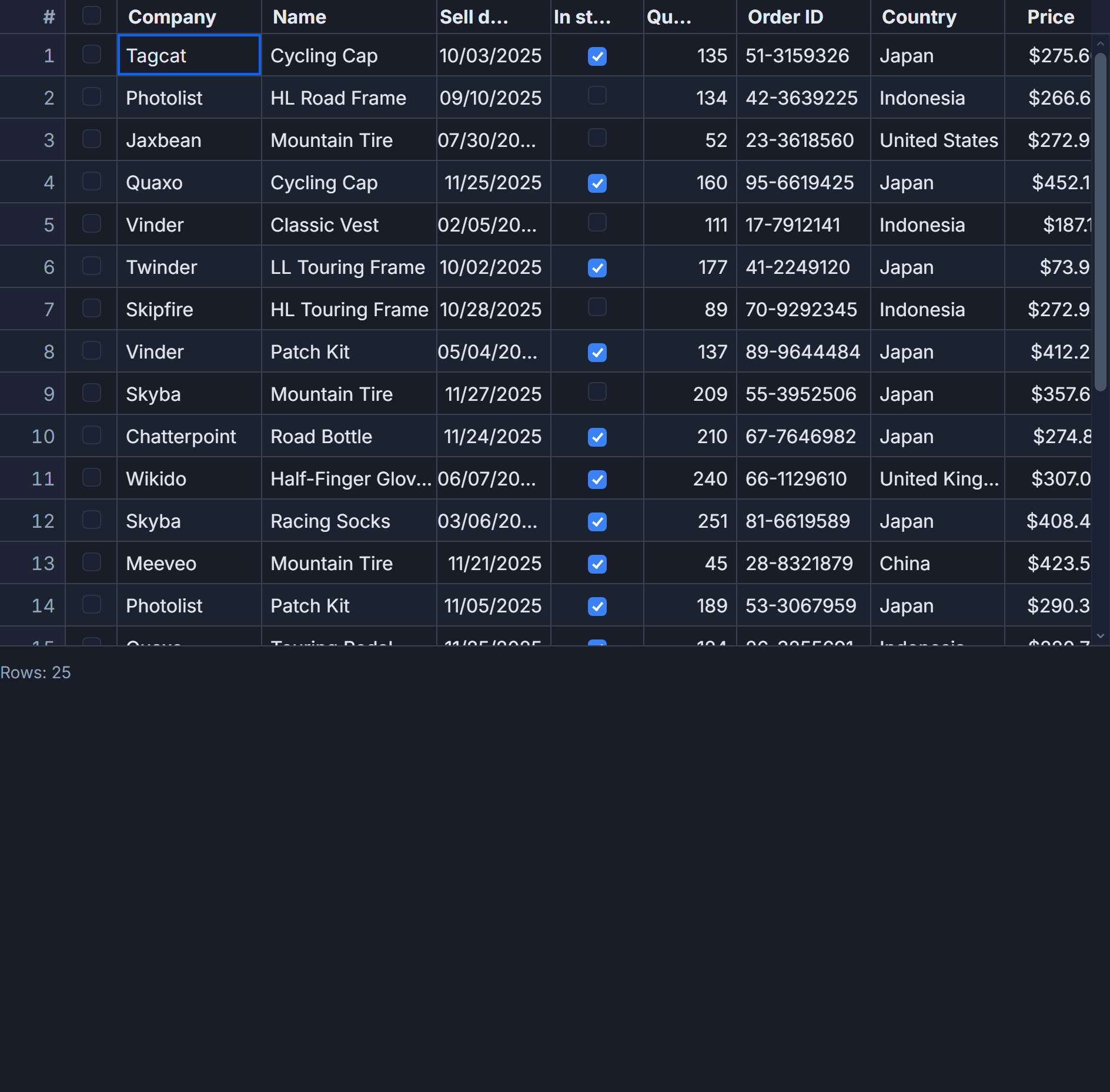
The mistakes fall into a small number of patterns. Here are the ones that come up repeatedly when building reactive grids.
Deriving a value inside an effect
This is the most common mistake, and it feels completely natural until you see what the scheduler actually does.
<script lang="ts">
  import SvGrid, {
    tableFeatures,
    rowSortingFeature,
    columnFilteringFeature,
    type ColumnDef,
  } from '@svgrid/grid'

  type Order = {
    id: string; customer: string; amount: number; status: string
  }

  const features = tableFeatures({ rowSortingFeature, columnFilteringFeature })
  let rows = $state<Order[]>([])

  // WRONG: this triggers a second render on every rows change
  let totalRevenue = $state(0)
  $effect(() => {
    totalRevenue = rows.reduce((s, r) => s + r.amount, 0)
  })

  // CORRECT: $derived settles in the same render cycle, no double render
  let totalRevenue2 = $derived(rows.reduce((s, r) => s + r.amount, 0))

  const columns: ColumnDef<typeof features, Order>[] = [
    { id: 'id',       field: 'id',       header: 'Order ID', width: 120 },
    { id: 'customer', field: 'customer', header: 'Customer', width: 150 },
    { id: 'amount',   field: 'amount',   header: 'Amount',   width: 110, type: 'number' },
    { id: 'status',   field: 'status',   header: 'Status',   width: 110 },
  ]
</script>

<p>Total: ${totalRevenue2.toLocaleString()}</p>
<SvGrid {features} {columns} data={rows} style="height: 360px" />
When you write to $state inside a $effect, Svelte schedules two updates: the effect re-runs (consuming the rows change), then the write to totalRevenue schedules another pass for anything that reads totalRevenue. With $derived, both computations collapse into a single render. For a grid with 1000 rows refreshing on a WebSocket feed, the difference is measurable.
Reading and writing the same signal
If an effect reads a signal and also writes it, you have a cycle. Svelte 5 has a loop guard that fires after roughly 100 iterations (effect_update_depth_exceeded), so you will see the warning in dev mode. In production, you see a frozen tab.
// WRONG - will spin until Svelte's loop guard fires
$effect(() => {
  flashes = { ...flashes, count: (flashes.count ?? 0) + 1 }
})
The fix depends on intent. If you are counting renders for debugging, use a plain variable outside reactive state. If you genuinely need to mutate flashes in response to an external event, isolate the write inside untrack for the reads you do not want to create as dependencies, or restructure so the effect writes a different signal than it reads.
Timer effects without cleanup
A grid that polls for updates needs a timer. The cleanup return is not optional.
<script lang="ts">
  import { untrack } from 'svelte'
  import SvGrid, {
    tableFeatures,
    rowSortingFeature,
    type ColumnDef,
    type SvGridApi,
  } from '@svgrid/grid'

  type Status = 'placed' | 'paid' | 'picking' | 'shipped' | 'delivered'
  type Order = {
    id: string; customer: string; sku: string
    qty: number; amount: number; status: Status
    region: 'NA' | 'EU' | 'APAC'; placedAt: string
  }

  const features = tableFeatures({ rowSortingFeature })
  let rows = $state<Order[]>(seedOrders(30))
  let api = $state<SvGridApi<typeof features, Order> | null>(null)
  let flashes = $state<Record<string, number>>({})

  const columns: ColumnDef<typeof features, Order>[] = [
    { id: 'id',       field: 'id',       header: 'Order ID',  width: 110 },
    { id: 'customer', field: 'customer', header: 'Customer',  width: 140 },
    { id: 'sku',      field: 'sku',      header: 'SKU',       width: 150 },
    { id: 'qty',      field: 'qty',      header: 'Qty',       width: 70,  type: 'number' },
    { id: 'amount',   field: 'amount',   header: 'Amount',    width: 110, type: 'number' },
    { id: 'status',   field: 'status',   header: 'Status',    width: 110 },
    { id: 'region',   field: 'region',   header: 'Region',    width: 90  },
    { id: 'placedAt', field: 'placedAt', header: 'Placed at', width: 160 },
  ]

  $effect(() => {
    const intervalId = setInterval(() => {
      const idx = Math.floor(Math.random() * rows.length)
      const target = rows[idx]
      if (!target) return

      rows[idx] = { ...target, status: nextStatus(target.status) }
      flashes = { ...flashes, [target.id]: (flashes[target.id] ?? 0) + 1 }

      // api is read but we don't want it as a dependency - if api changes
      // (e.g. onApiReady fires late) we do NOT want to restart the interval
      untrack(() => api?.scrollToRow(idx))
    }, 1_500)

    return () => clearInterval(intervalId)
  })

  function nextStatus(s: Status): Status {
    const chain: Status[] = ['placed', 'paid', 'picking', 'shipped', 'delivered']
    const i = chain.indexOf(s)
    return i >= 0 && i < chain.length - 1 ? chain[i + 1]! : s
  }

  function seedOrders(n: number): Order[] {
    const customers = ['Ava T.', 'Liam P.', 'Noah S.', 'Emma G.', 'Olivia C.']
    const skus = ['MUG-NAVY-12', 'TOTE-RED-L', 'BOTTLE-32-OZ', 'NB-A5-HARD']
    const statuses: Status[] = ['placed', 'paid', 'picking', 'shipped', 'delivered']
    const regions: Order['region'][] = ['NA', 'EU', 'APAC']
    let counter = 10_001
    return Array.from({ length: n }, () => {
      counter++
      return {
        id: `ORD-${counter}`,
        customer: customers[counter % customers.length]!,
        sku: skus[counter % skus.length]!,
        qty: (counter % 8) + 1,
        amount: ((counter % 8) + 1) * ((counter % 52) + 8),
        status: statuses[counter % statuses.length]!,
        region: regions[counter % regions.length]!,
        placedAt: new Date(Date.now() - counter * 60_000)
          .toISOString().slice(0, 19).replace('T', ' '),
      }
    })
  }
</script>

<SvGrid
  {features}
  {columns}
  data={rows}
  onApiReady={(a) => (api = a)}
  style="height: 460px"
/>
Without return () => clearInterval(intervalId), navigating away from the component leaves the interval running. Each navigation creates another one. After a few page transitions you have 10 intervals competing to mutate the same state object, and the grid update rate climbs until the tab becomes unresponsive.
untrack here is deliberate. We read api to call scrollToRow, but api is set once when onApiReady fires. If we let it be a dependency, the effect would tear down and restart the interval every time api is assigned - discarding the timer ID and losing the cleanup reference. untrack reads the current value without recording it as a dependency.
Async effects and stale reads
Svelte 5's dependency tracking is synchronous. Any reactive value you read after the first await in an effect body is not tracked. This is not a bug - it is inherent to how the runtime collects dependencies - but it bites often in data-fetching effects.
$effect(() => {
  // Read reactive values BEFORE any await - these are tracked
  const query = searchQuery
  const page = currentPage
  const pageSize = rowsPerPage

  let cancelled = false
  const controller = new AbortController()

  fetch(`/api/orders?q=${encodeURIComponent(query)}&page=${page}&size=${pageSize}`, {
    signal: controller.signal,
  })
    .then(r => r.json())
    .then(data => {
      if (!cancelled) {
        rows = data.rows
        totalCount = data.total
      }
    })
    .catch(err => {
      if (err.name !== 'AbortError') console.error(err)
    })

  return () => {
    cancelled = true
    controller.abort()
  }
})
Two things matter here: reading searchQuery, currentPage, and rowsPerPage before the await (in this case before any .then chain) so they are registered as dependencies, and returning a cleanup that aborts the in-flight request. If the user types quickly and triggers three fetches, only the last one should write to rows. The AbortController cancels the stale ones at the network level; cancelled guards against races where the network call completes before the abort propagates.
When $effect is the right tool
The patterns above are all cases where $effect is either misused or needs careful handling. To be clear about when it is correct:
- Setting up and tearing down a WebSocket connection
- Starting and clearing timers (
setInterval,setTimeout) - Subscribing to a store or an EventEmitter and unsubscribing on cleanup
- Imperatively calling a library API that has no reactive binding - like
api.scrollToRow()orapi.setFilter()in response to external state changes - Measuring DOM layout after a render (
$effectruns post-DOM update;$effect.preruns before)
Everything that is "give me a value derived from other values" belongs in $derived. Everything that is "watch state X and when it changes, update state Y" probably belongs in an event handler or a reactive callback, not an effect.
The mental model that keeps effects clean: an effect should interact with the world outside the reactive graph (network, timers, DOM, third-party libraries). If both the input and the output of what you are writing live in $state, you almost certainly want $derived or a refactor of where the mutation happens.
Diagnosing loops in the browser
When you hit effect_update_depth_exceeded in dev mode, the stack trace in the browser console usually points directly at the assignment that is cycling. Look for a $effect body that both reads and writes the same signal, or two effects where A writes a value B reads and B writes a value A reads.
A quick check: add console.count('effect-name') at the top of the suspected effect. If the count climbs past 5-10 in less than a second with no user interaction, you have the culprit.
For the subscription pattern used with SvGrid's onApiReady, the safer structure is often to store the API reference in $state and then call methods on it from event handlers rather than from effects. Effects that call api.setFilter() in response to a filter state change work fine, but keep those reads explicit and test with console.count to confirm they are not firing more often than expected.
Related reading
- $state Deep Dive for Data-Heavy Svelte Apps
- $derived vs $derived.by in Svelte 5
- Reactivity with Large Arrays and Objects in Svelte 5
- Snippets vs Slots in Svelte 5
- Runes vs Stores in Svelte 5 - When to Use Which
Tagged: Svelte 5, Reactivity