Paste from Excel into a Svelte Data Grid
How to wire up clipboard paste so users can drop a copied Excel or Google Sheets block directly into SvGrid - TSV parsing, type coercion, validation, and row growth all covered.
Excel users have muscle memory: copy a block, tab to the grid, Ctrl+V. If that doesn't work, your grid is a viewer, not an editor. Getting paste right is what turns SvGrid into a legitimate data-entry surface.
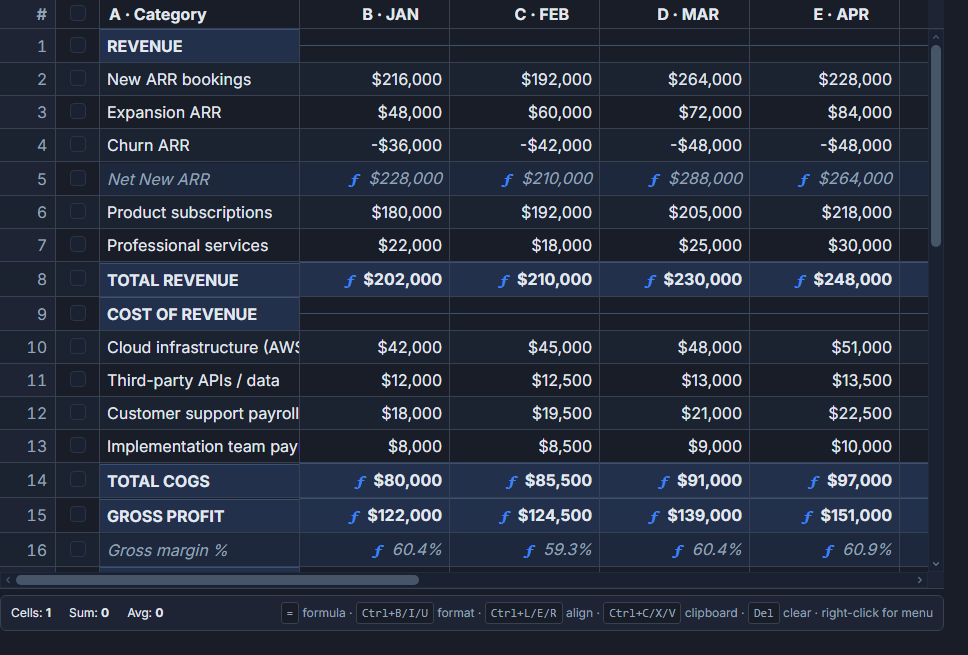 A spreadsheet-style SvGrid accepting pasted tabular data.
What the clipboard actually contains
When someone copies a block from Excel or Google Sheets and your page receives a paste event, the text/plain MIME type carries a TSV (tab-separated values) string. Rows are separated by \r\n or \n, cells by tabs. That's all there is to it - no exotic format, no API key, no browser extension.
// paste-utils.ts
export function parseClipboard(text: string): string[][] {
  return text
    .replace(/\r\n/g, '\n')
    .replace(/\r/g, '\n')
    .split('\n')
    .filter(Boolean)
    .map((line) => line.split('\t'))
}

// Type-coerce a raw pasted string to match a column's data type.
// Without this, pasted "42" stays a string and numeric sorts break.
export function coercePastedValue(
  raw: string,
  type: 'number' | 'date' | 'boolean' | 'string' = 'string'
): unknown {
  if (type === 'number') {
    const n = Number(raw.replace(/,/g, ''))
    return isNaN(n) ? raw : n
  }
  if (type === 'date') {
    const d = new Date(raw)
    return isNaN(d.getTime()) ? raw : d.toISOString()
  }
  if (type === 'boolean') return raw === 'TRUE' || raw === '1' || raw === 'true'
  return raw
}
The comma-stripping in the number branch handles localized Excel exports where 1,234 means one thousand two hundred thirty-four, not a string with a comma in it.
Wiring the paste handler into SvGrid
The cleanest approach is to listen for paste on the grid container and use the SvGrid API to read the active cell position and commit changes as a transaction. That way undo/redo works out of the box.
<script lang="ts">
  import SvGrid from '@svgrid/grid'
  import type { SvGridApi, ColumnDef } from '@svgrid/grid'
  import { parseClipboard, coercePastedValue } from './paste-utils'

  type Row = { id: number; name: string; qty: number; price: number; shipped: string }

  let api: SvGridApi | undefined = $state()

  const columns: ColumnDef<any, Row>[] = [
    { id: 'id',      field: 'id',      header: 'ID',       width: 60,  type: 'number' },
    { id: 'name',    field: 'name',    header: 'Product',  width: 200 },
    { id: 'qty',     field: 'qty',     header: 'Qty',      width: 80,  type: 'number', editable: true },
    { id: 'price',   field: 'price',   header: 'Price',    width: 100, type: 'number', editable: true },
    { id: 'shipped', field: 'shipped', header: 'Shipped',  width: 120, type: 'date',   editable: true },
  ]

  // columns in display order, matching what the user sees left-to-right
  const editableFields: { field: keyof Row; type: string }[] = [
    { field: 'qty',     type: 'number' },
    { field: 'price',   type: 'number' },
    { field: 'shipped', type: 'date'   },
  ]

  let rows: Row[] = $state([
    { id: 1, name: 'Widget A', qty: 10, price: 4.99,  shipped: '2026-01-10' },
    { id: 2, name: 'Widget B', qty: 25, price: 12.50, shipped: '2026-01-15' },
    { id: 3, name: 'Widget C', qty: 5,  price: 8.00,  shipped: '2026-01-20' },
  ])

  function handlePaste(e: ClipboardEvent) {
    if (!api) return
    const raw = e.clipboardData?.getData('text/plain') ?? ''
    if (!raw) return
    e.preventDefault()

    const matrix = parseClipboard(raw)
    // Active cell tells us where to start writing
    const activeCell = (api as any).getActiveCell?.()
    const startRow = activeCell?.rowIndex ?? 0
    // Only allow pasting into editable columns (qty, price, shipped here)
    const startColIndex = 0

    const updates: Row[] = []
    const invalid: { row: number; col: string; value: string }[] = []

    matrix.forEach((line, r) => {
      const rowIndex = startRow + r
      const existing = rows[rowIndex]
      if (!existing) return // clip to existing rows (see note below)

      const next = { ...existing }
      line.forEach((val, c) => {
        const colDef = editableFields[startColIndex + c]
        if (!colDef) return
        const coerced = coercePastedValue(val, colDef.type as any)
        // Simple guard: reject blanks for number columns
        if (colDef.type === 'number' && typeof coerced === 'string') {
          invalid.push({ row: rowIndex, col: colDef.field, value: val })
          return
        }
        ;(next as any)[colDef.field] = coerced
      })
      updates.push(next)
    })

    if (invalid.length) {
      console.warn(`Paste: ${invalid.length} cell(s) had invalid values and were skipped`, invalid)
    }

    api.applyTransaction({ update: updates })
  }
</script>

<div onpaste={handlePaste} role="grid" tabindex="-1">
  <SvGrid
    data={rows}
    {columns}
    editable
    enableCellSelection={true}
    onApiReady={(a) => { api = a }}
  />
</div>
The outer div captures paste before it reaches any focused input, so the handler fires whether the user is focused on a cell or just on the grid container. The role="grid" and tabindex keep keyboard focus sensible.
Growing the grid when the paste block overflows
Clipping silently at the last row frustrates users who are pasting into a blank region. A better policy is to append new rows for any overflow. The shape of the new rows needs sensible defaults - for our example, an auto-incremented ID and empty strings elsewhere.
function applyPasteWithGrowth(
  rows: Row[],
  matrix: string[][],
  startRow: number,
  editableFields: { field: keyof Row; type: string }[]
): { updated: Row[]; appended: Row[] } {
  const updated: Row[] = []
  const appended: Row[] = []
  const maxId = Math.max(...rows.map((r) => r.id), 0)

  matrix.forEach((line, r) => {
    const rowIndex = startRow + r
    const isNew = rowIndex >= rows.length
    const base: Row = isNew
      ? { id: maxId + appended.length + 1, name: '', qty: 0, price: 0, shipped: '' }
      : { ...rows[rowIndex] }

    line.forEach((val, c) => {
      const colDef = editableFields[c]
      if (!colDef) return
      ;(base as any)[colDef.field] = coercePastedValue(val, colDef.type as any)
    })

    if (isNew) appended.push(base)
    else updated.push(base)
  })

  return { updated, appended }
}

// Then in the paste handler:
// const { updated, appended } = applyPasteWithGrowth(rows, matrix, startRow, editableFields)
// api.applyTransaction({ update: updated, add: appended })
Whether you clip or grow depends on your use case. A product catalog where rows have meaning (fixed set of SKUs) should clip. A data-import flow where users are filling an empty table should grow.
Validation that surfaces errors without blocking work
Silently skipping bad cells is annoying. Blocking the entire paste because one cell has a bad value is worse. The right middle ground: apply everything that's valid, collect the invalid cells, and surface a non-modal summary.
The invalid array from the handler above is the hook for this. Feed it into a Svelte snippet that renders a dismissible banner above the grid:
{#if pasteErrors.length}
  <div class="paste-errors" role="alert">
    {pasteErrors.length} cell{pasteErrors.length === 1 ? '' : 's'} skipped:
    {pasteErrors.map((e) => `${e.col} row ${e.row + 1} ("${e.value}")`).join(', ')}
    <button onclick={() => (pasteErrors = [])}>Dismiss</button>
  </div>
{/if}
Keep pasteErrors as a $state([]) variable, set it after every paste, and clear it on dismiss or on the next paste. Users can see what was skipped, fix the source data in Excel, and repaste just the bad rows.
A note on column ordering
The handler above assumes you know which columns are editable and in what order the user sees them. That assumption breaks when column reordering is enabled. In that case, get the visible column order from the API before mapping:
// inside handlePaste, after api is confirmed not-undefined
const visibleCols = api.getState().columnOrder ?? columns.map((c) => c.id)
// then map matrix columns against visibleCols starting at the active column
If you pin non-editable columns on the left (ID, name) and all editable columns in the middle, users can copy a block from Excel that matches exactly what they see - which is the most intuitive paste target anyway.
Pasting from Excel is a small feature with outsized impact on power users. Once it works, you'll hear about it every time someone evaluates your app.
Related reading
- A Fill Handle (Drag to Fill) in SvGrid
- An Editable Select / Dropdown Cell in SvGrid
- A Date-Picker Cell Editor in SvGrid
- An Autocomplete Cell Editor in SvGrid
- Copy a Cell Range to the Clipboard in SvGrid
Tagged: Clipboard and copy-paste, Inline editing