Open-Source vs Commercial Svelte Data Grids
A practical breakdown of licensing trade-offs for Svelte data grids - what open-source actually costs you, what commercial actually buys you, and how to think about total cost of ownership before you commit.
Most teams pick a grid based on a GitHub star count or a quick feature table, then spend the next six months fighting the decision. The licensing model matters less than people think at first, and more than they realize once they're shipping.
Here's the honest version.
What "free" actually costs in practice
MIT-licensed means no license fee. It does not mean no cost.
The typical open-source Svelte grid in 2025-2026 gives you rendering, sorting, and basic filtering. Beyond that, you're on your own. Virtualization that handles 100k rows? Maybe. Cell editing with undo/redo? Probably not. Server-side data with pagination, filtering, and sorting wired together? Build it yourself.
A mid-complexity data grid feature - say, server-side sorting plus a custom filter row plus sticky headers - takes one to three days to build and wire correctly. Do that four times across a project and you've spent two weeks on grid plumbing that a paid library would have solved on day one. At $150/hr, that's $12,000 before you've shipped anything.
Open-source is cheapest when the feature set fits your need exactly. It stops being cheap the moment you start building on top of it.
What you're actually buying with commercial licensing
A commercial grid is not a pile of features. It's risk transfer.
When something breaks in production on a Friday and you have a $1M demo on Monday, you want a support ticket going to a team who maintains that codebase for a living. You want a fix or a workaround, not a GitHub issue that might get picked up in two weeks.
You're also buying roadmap continuity. An open-source grid maintained by one person is one job change away from becoming unmaintained. Commercial grids have business incentives to stay maintained. That's not a guarantee, but it's a meaningful signal.
The real risk with commercial, beyond price, is lock-in. When the license restricts deployment environments, or seats are counted per-developer, or you need a new contract for each client project, the overhead becomes its own cost.
The feature gap in Svelte specifically
Svelte's ecosystem is younger than React's. The result is that even decent Svelte grids tend to be missing things you'd take for granted in an ag-Grid or TanStack Table setup.
Things that look standard but frequently aren't in free Svelte grids:
- Row virtualization that handles pinned columns correctly
- Column grouping with nested headers
- Cell-level selection (not just row selection)
- Editable cells with type-aware inputs
- Export to Excel with formatting
- Pivot tables
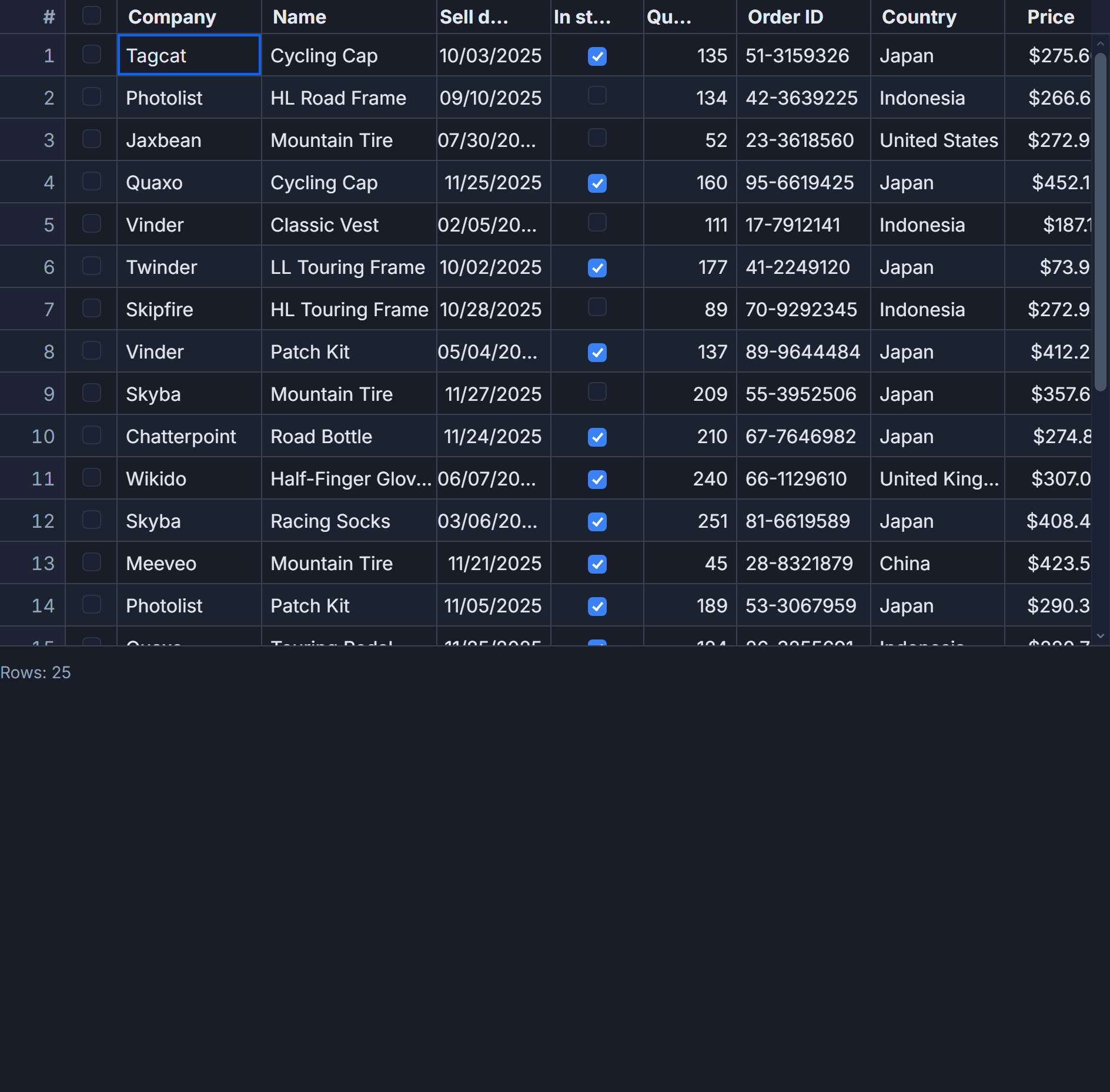
Here's what a typical server-side + virtualized setup looks like in SvGrid's free tier, which covers most of these:
<script lang="ts">
  import SvGrid from '@svgrid/grid'
  import { createServerDataSource, type ColumnDef } from '@svgrid/grid'

  const ds = createServerDataSource({
    fetch: async ({ page, pageSize, sort, filters }) => {
      const params = new URLSearchParams({
        page: String(page),
        size: String(pageSize),
        sort: JSON.stringify(sort),
        filters: JSON.stringify(filters),
      })
      const res = await fetch(`/api/inventory?${params}`)
      const json = await res.json()
      return { rows: json.data, total: json.total }
    }
  })

  const columns: ColumnDef[] = [
    { id: 'sku',      field: 'sku',      header: 'SKU',      width: 120, pinned: 'left' },
    { id: 'product',  field: 'product',  header: 'Product',  width: 240 },
    { id: 'stock',    field: 'stock',    header: 'Stock',    width: 100, type: 'number' },
    { id: 'price',    field: 'price',    header: 'Price',    width: 100, type: 'number', editable: true },
    { id: 'category', field: 'category', header: 'Category', width: 160 },
  ]
</script>

<SvGrid
  data={ds}
  {columns}
  sortable
  filterable
  pageable
  virtualization={true}
  showFilterRow={true}
  enableCellSelection={true}
/>
That runs entirely on the free @svgrid/grid package. The server handles sorting and filtering; the grid handles pagination, virtual scrolling, and the filter row UI.
Where the paid tier changes the picture
The enterprise package (@svgrid/enterprise) adds the things you'd otherwise build yourself: pivot tables, Excel export with multi-sheet support, import, AI assistant, and priority support.
Pivot is the clearest example of why commercial tiers exist. Building a pivot engine from scratch is weeks of work. Getting it right under virtualization, with nested row groups and column totals, is a distinct and hard problem. Paying for it is almost always cheaper than building it.
<script lang="ts">
  import SvGrid from '@svgrid/grid'
  import { createPivotModel } from '@svgrid/enterprise'
  import { type ColumnDef } from '@svgrid/grid'

  // Raw sales data - pivot handles aggregation
  const data = $state(salesRows)

  const pivot = createPivotModel({
    rows: ['region', 'salesRep'],
    columns: ['quarter'],
    values: [
      { field: 'revenue', aggFunc: 'sum', header: 'Revenue' },
      { field: 'units',   aggFunc: 'sum', header: 'Units' },
    ],
  })

  const columns: ColumnDef[] = [
    { id: 'region',   field: 'region',   header: 'Region' },
    { id: 'salesRep', field: 'salesRep', header: 'Rep' },
  ]

  let api: any
</script>

<SvGrid
  {data}
  {columns}
  pivotModel={pivot}
  groupable
  onApiReady={(a) => { api = a }}
/>
That code would be a multi-week project to replicate from scratch. The license cost is a rounding error by comparison.
The open-core middle ground
The cleanest answer to "open-source or commercial" is often neither, in the pure form.
Open-core grids ship a real, capable free tier under a permissive license and charge for the tier above it. You evaluate and prototype for free. You pay only when you need the advanced features. You don't pay per developer for the core package.
SvGrid is built this way. @svgrid/grid is MIT-licensed and covers a wide range of production use cases - row and column virtualization, grouping, server-side data, editing, undo/redo, named views, conditional formatting, cell selection, and more. Enterprise adds the commercial-grade extras.
Here's a realistic view of how the imperative API works for managing grid state across both tiers:
import SvGrid from '@svgrid/grid'
import { createNamedViews, localStorageViews } from '@svgrid/grid'

// Named views: save/restore column layout, filters, sort state
const views = createNamedViews(localStorageViews('my-grid'))

// After onApiReady:
function saveCurrentView(name: string) {
  const state = api.getState()
  views.save(name, state)
}

function restoreView(name: string) {
  const state = views.load(name)
  if (state) api.setState(state)
}

// Programmatic column management
api.setColumnVisible('internalId', false)
api.setColumnPinning({ left: ['name', 'sku'], right: ['actions'] })
api.autosizeAllColumns()

// Grouping and pagination together
api.setGroupBy(['category', 'region'])
api.setPageSize(50)
api.setPage(0)

// Selection
api.selectAllRows()
const selected = api.getSelectedRows()

// Edit flow
api.startEditing(rowIndex, 'price')
// ... user edits ...
api.stopEditing()
api.undo() // revert if needed
All of that is free, MIT-licensed, ships in production today.
How to make the call
Three questions that cut through the noise:
What features do you actually need at launch? List them. Match them against the free tier. If virtualization, sorting, filtering, editing, and flat server-side data are enough, the free tier is the right call. If you need pivot, Excel export, or grouping, tree, pivot and transactions on the server, price in the commercial tier from the start.
How expensive is your time relative to license cost? A per-developer annual license for an enterprise grid is typically $300-700/year. If your hourly rate is $100+, one day of building a feature that the grid already has breaks even on a full year of license cost. Do the math honestly.
What's the abandonment risk? An MIT grid with one maintainer and 200 stars carries real risk. A commercial grid with paying customers has financial incentive to keep the lights on. For a grid you'll depend on for three or more years, that durability matters.
For most Svelte teams building internal apps or B2B products: start with a capable open-core free tier, evaluate whether you hit the ceiling, and upgrade if you do. Don't pay for features you won't use. Do pay for features that would cost more to build than to license.