Inside SvGrid: The Row Model and Sorting
How sorting shaped SvGrid's row-model pipeline - the decisions made early that every later feature inherited.
Sorting was the first real feature we built on top of the headless core, and the decisions we made to get it right rippled into every feature that came after. This is the story of why the row model is shaped the way it is.
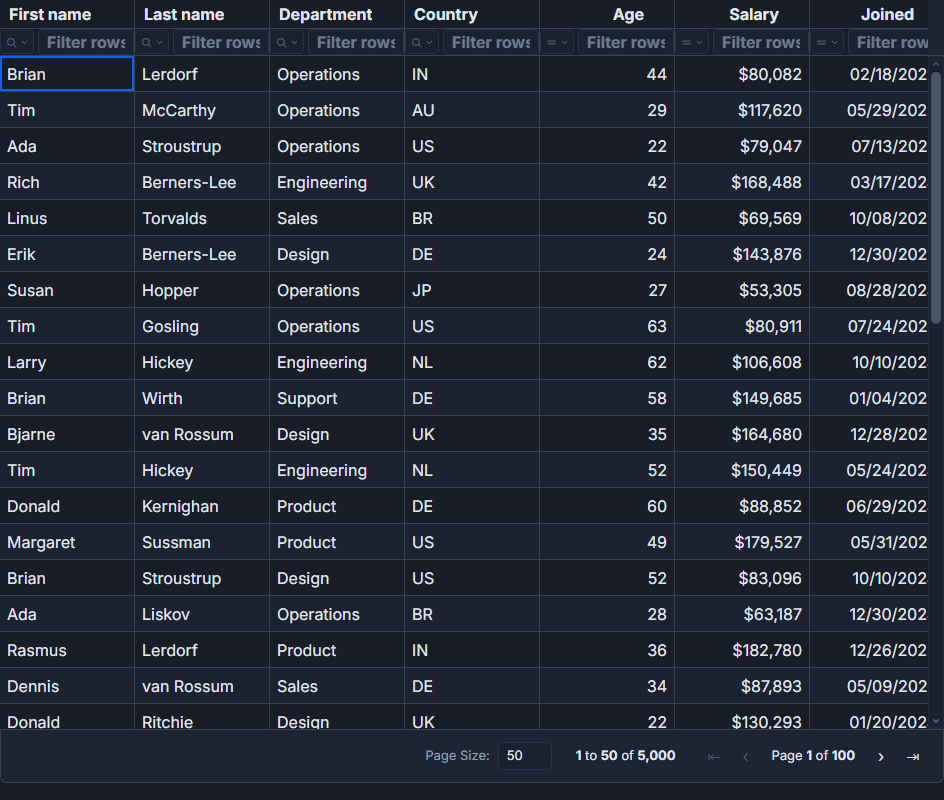 Sorting in a SvGrid data grid.
The pipeline between your data and the screen
You pass an array to the grid. What renders is almost never that array directly. It is the result of filtering, sorting, grouping, and paginating your data, applied in a fixed sequence. We call that the row model.
The simplest correct description of the pipeline is:
raw data
  -> filter (narrow the set)
  -> sort (order it)
  -> group (restructure it)
  -> paginate (slice it)
  -> rendered rows
Each step is a pure function of its input plus some state object. They compose because each produces the same shape it consumes: an ordered list of rows. That purity is not an accident - it is what lets you test each step in isolation, reason about them without a DOM, and swap one out without touching the others.
Sorting as a forcing function
We picked sorting first because it forced answers to questions that every other feature would inherit.
Who owns the state? Sorting needs somewhere to store which columns are sorted and in what direction. We decided early that state always lives outside the engine, in Svelte 5 runes, and the engine reads it. That made the grid reactive for free and kept the core framework-agnostic at the boundary where it matters.
How does user interaction map to state changes? A header click should change state in a way the engine can read on the next pass. With $state and $derived, this is almost trivial - but the design of the state shape still matters for multi-column sort and persistence.
What does the engine actually sort on? Not the displayed value. This one caused the most early discussion.
Sorting on the raw value, always
The classic bug in grid implementations: sort a price column formatted as "$84,000" and it sorts alphabetically. "$9,000" ends up after "$84,000" because "9" > "8" as strings. The fix is obvious in hindsight, but it has to be a rule enforced at the architecture level or it leaks everywhere.
We made the rule explicit: formatting is a display concern that lives on the column definition. The pipeline sorts on the accessor value, before formatting is applied. If you define a column with a format function, that function never runs inside the sort comparator.
import { tableFeatures, rowSortingFeature } from '@svgrid/grid'

const features = tableFeatures({ rowSortingFeature })

const columns: ColumnDef<typeof features, Row>[] = [
  {
    id: 'revenue',
    field: 'revenue',
    header: 'Revenue',
    type: 'number',
    // format affects display only - sort runs on the raw number
    format: (value) => `${value.toLocaleString()}`,
    width: 140,
  },
  {
    id: 'hired',
    field: 'hiredAt',
    header: 'Hire Date',
    type: 'date',
    // dates sort chronologically on the underlying value
    format: (value) => new Date(value).toLocaleDateString(),
    width: 120,
  },
]
That rule paid back immediately on date columns, where the alternative - sorting ISO strings - happens to work until someone uses a locale-formatted date as the stored value. Sorting the underlying value means numeric columns sort numerically, date columns sort chronologically, and you never have to think about it again.
Multi-column sort: position as priority
Single-column sort is easy. The interesting case is tie-breaking: sort by region, then by revenue within each region. Some grids bolt this on as a secondary field selector. We represented sort state as an ordered array from the start.
import { createGrid, createGridState, tableFeatures, rowSortingFeature } from '@svgrid/grid'

const features = tableFeatures({ rowSortingFeature })

// Sort state is an ordered array - position = priority
const sortState = $state<Array<{ id: string; desc: boolean }>>([
  { id: 'region', desc: false },
  { id: 'revenue', desc: true },
])

const grid = createGrid({
  data: $state(rows),
  columns,
  features,
  options: {
    sorting: {
      state: sortState,
    },
  },
})
The engine iterates the array in order. First sort wins; later sorts break ties from the previous. Shift-clicking a second header in the UI just appends to the array. The data structure and the user mental model are the same thing, which makes the interaction easy to reason about and the state easy to serialize for persistence.
Wiring it into the component
On the component side, the sort state flows through in the same way it flows through the headless core: you own the state, the grid reads it reactively.
<script lang="ts">
  import SvGrid from '@svgrid/grid'
  import { type SvGridApi } from '@svgrid/grid'

  let api: SvGridApi | undefined = $state()

  const data = $state([
    { id: 1, name: 'Acme Corp', region: 'North', revenue: 84000 },
    { id: 2, name: 'Globex', region: 'South', revenue: 120000 },
    { id: 3, name: 'Initech', region: 'North', revenue: 67000 },
    { id: 4, name: 'Umbrella', region: 'South', revenue: 95000 },
  ])

  const columns = [
    { id: 'name', field: 'name', header: 'Name', width: 180 },
    { id: 'region', field: 'region', header: 'Region', width: 120 },
    { id: 'revenue', field: 'revenue', header: 'Revenue', type: 'number', width: 140 },
  ]

  function sortByRegionThenRevenue() {
    api?.setSort([
      { id: 'region', desc: false },
      { id: 'revenue', desc: true },
    ])
  }
</script>

<button onclick={sortByRegionThenRevenue}>Sort: Region > Revenue</button>

<SvGrid
  {data}
  {columns}
  sortable
  onApiReady={(a) => { api = a }}
/>
setSort replaces the entire sort array, so the order you pass is the priority order. You can also call api.setSort('revenue', 'desc') with a single field ID and direction if you only need one sort column. Both forms update the same underlying state.
What the pipeline made possible
The row model did not stop at sorting. Filtering, grouping, and pagination are each additional steps in the same chain, each owning their own state slice, each composing cleanly because they consume and produce the same shape.
Getting the sort step right - specifically, the decision to separate raw value from display value, and to represent priority as array position rather than a special secondary field - meant those later steps could be built without revisiting the architecture. When we added grouping, there was no conflict between the group key extractor and the column format function, because format had never been allowed into the sort comparator in the first place.
The practical sorting API, including multi-column interactions and persistence, is covered in detail in Multi-Column Sorting in a Svelte Data Grid. The filter step that sits just before sort in the pipeline is covered in how we built Excel-style filters.