# Enterprise evaluation
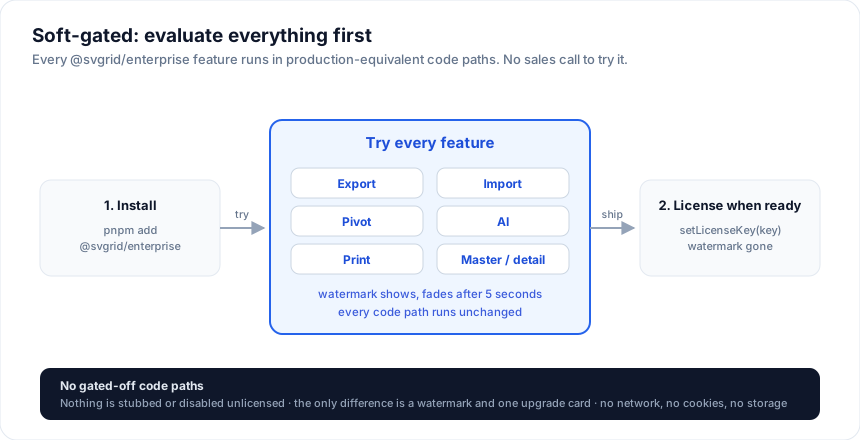
You can try every `@svgrid/enterprise` feature without a key. Install it
and use it. Nothing is locked; the page shows a small watermark and logs
a console message, and that is the only difference.
## 1. Install
```bash
npm install @svgrid/grid @svgrid/enterprise
npm install jszip pdfmake # only needed for Excel and PDF export
```
## 2. Add Enterprise to a grid
```svelte
(api = installEnterprise(next))} />
```
The `` component itself stays the same. `installEnterprise()` adds
the Enterprise methods to the grid API: `exportData`, `importData`,
`print`, pivot and AI.
For a complete page with themes, PDF, CSV and print, see
[Enterprise getting started](https://svgrid.com/docs/enterprise/getting-started/).
## 3. Try the features
The [demo gallery](https://svgrid.com/demos/) has a working demo for every
Enterprise feature, with the source next to it. These pages cover each
one in detail:
- [Export](https://svgrid.com/docs/help/export/) - Excel, PDF, CSV
- [Import](https://svgrid.com/docs/help/import/) - column mapping and per-row validation
## Without a key
You can skip `setLicenseKey()` entirely. Everything still runs, and you
see:
- a small "www.svgrid.com" watermark on each grid, which fades after 5
seconds
- one console message per page load
- a one-time upgrade card the first time you call an Enterprise feature
None of these make network calls or write cookies or storage (see
[security](https://svgrid.com/docs/help/security/)).
This works the same on localhost, staging, or a demo deployment. You don't
need to ask anyone for a trial key. When you buy a license, call
`setLicenseKey()` with your key and the watermark goes away.
## Buying
- **Indie Developer License**, $299 per developer: the enterprise grid for
freelancers and companies under $1M revenue, without support.
- **Grid Developer License**, $599 per developer: the enterprise grid.
- **Suite Developer License**, $999 per developer: adds the spreadsheet
(``) and Studio.
All three cover unlimited apps and are perpetual, with a year of updates
(and support, except Indie). For 5+ developers, a PO, or redistribution as an SDK, contact
sales. Details on the [pricing page](https://svgrid.com/pricing/).
## See also
- [Enterprise getting started](https://svgrid.com/docs/enterprise/getting-started/) - a complete working page
- [Enterprise licensing](https://svgrid.com/docs/enterprise/licensing/) - key formats, seats, renewals
- [Migration guides](https://svgrid.com/docs/help/migrating-from-ag-grid/) - moving from another grid
---
SvGrid is the Svelte 5 data grid (`npm install @svgrid/grid`, MIT). This page: https://svgrid.com/docs/enterprise/evaluation/ . All docs: https://svgrid.com/llms.txt