Theming SvGrid with Tailwind CSS v4
Wire SvGrid's --sg-* tokens to your Tailwind v4 theme so the grid inherits your brand colors, spacing, and dark mode automatically.
SvGrid is themed entirely with --sg-* CSS custom properties, and Tailwind v4 is configured with CSS variables via @theme. That means you can point the grid at your Tailwind tokens and it inherits your design system - including dark mode - for free. Here is how.
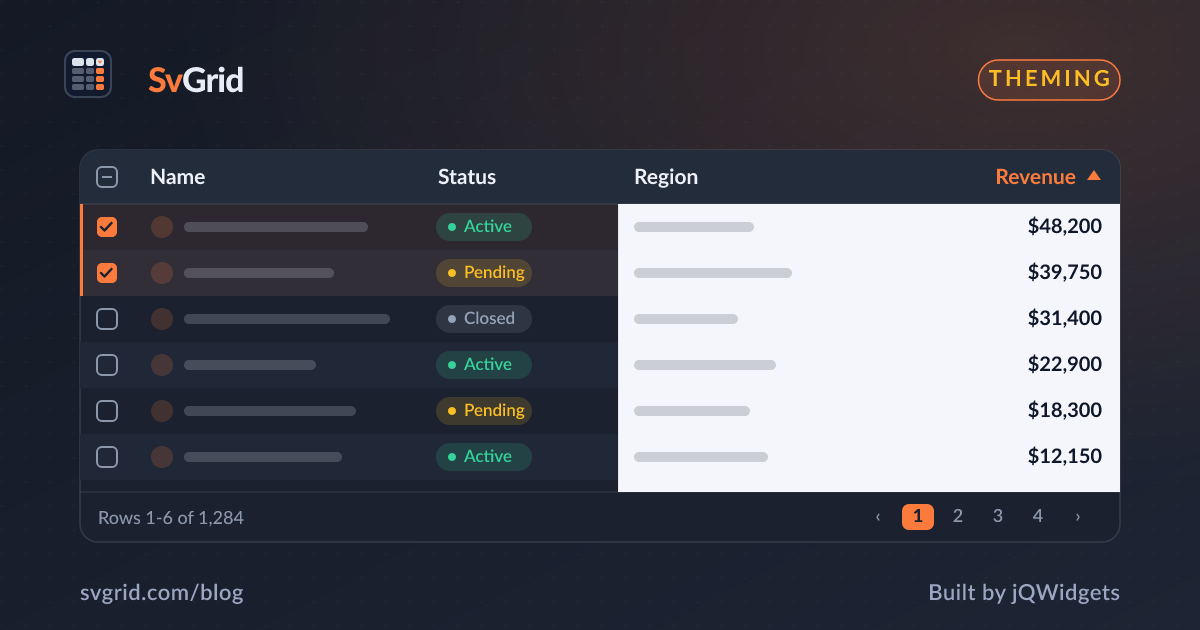
 SvGrid themed via --sg- tokens to match a design system.*
Map grid tokens to Tailwind tokens
In Tailwind v4 your theme lives in CSS. Define your palette with @theme, then bind SvGrid's tokens to it:
@import 'tailwindcss';

@theme {
  --color-brand-500: #ea580c;
  --color-gray-200: #e5e7eb;
}

/* SvGrid inherits the Tailwind palette */
.app-grid {
  --sg-accent: var(--color-brand-500);
  --sg-border: var(--color-gray-200);
  --sg-header-bg: var(--color-gray-50);
  --sg-row-alt-bg: var(--color-gray-50);
}
Wrap the grid in .app-grid and it uses your brand color and neutrals. A rebrand updates the grid automatically.
Dark mode
Tailwind v4's dark variant pairs with SvGrid's token approach. Define both token sets and toggle a class or data-theme:
:root { --sg-bg: #fff; --sg-fg: #111; }
.dark { --sg-bg: #181d27; --sg-fg: #e2e8f0; }
The grid follows instantly because every color is a variable - see theming and dark mode.
Styling around the grid
Use Tailwind utilities for the layout around the grid (toolbars, the flex container that gives the grid its height), and --sg-* variables for the grid's internals. Keep the grid in a flex parent with min-height: 0 so virtualization works:
<div class="flex h-screen flex-col">
  <header class="p-4">Toolbar</header>
  <div class="app-grid min-h-0 flex-1"><SvGrid data={rows} columns={columns} /></div>
</div>
Why not Tailwind classes inside cells?
You can use Tailwind utilities in custom cell snippets, and that is fine. But the grid's structural styling (borders, header, zebra, selection) is faster and more consistent through --sg-* tokens than through utility overrides.
Frequently asked questions
How do I make SvGrid match my Tailwind theme?
Point SvGrid's --sg-* CSS variables at your Tailwind v4 @theme tokens (for example --sg-accent: var(--color-brand-500)). The grid then inherits your palette, and a theme change updates the grid automatically.
Does dark mode work with Tailwind and SvGrid?
Yes. Define light and dark --sg-* token sets keyed off your dark selector (a .dark class or data-theme), and the grid switches instantly because all its colors are CSS variables.