Using SvGrid with TanStack Query in Svelte
Wire TanStack Query's caching and background refetch into SvGrid for a server-driven grid that pages instantly and never shows a blank screen.
The biggest pain point in server-driven grids is not the initial fetch - it is everything after. Page back to page 1 and you are staring at a spinner again. Sort by a different column and the current rows vanish for 300ms. Filter changes blow away your cursor position. None of this is hard to fix individually, but doing it well in vanilla Svelte requires more boilerplate than most teams want to write.
TanStack Query solves this at the network layer. It caches each page by query key, dedupes in-flight requests, and can keep showing old data while new data loads. SvGrid handles the rendering. Connecting the two takes about 30 lines of code and you get a grid that pages instantly on repeat visits and never flickers on sort or filter changes.
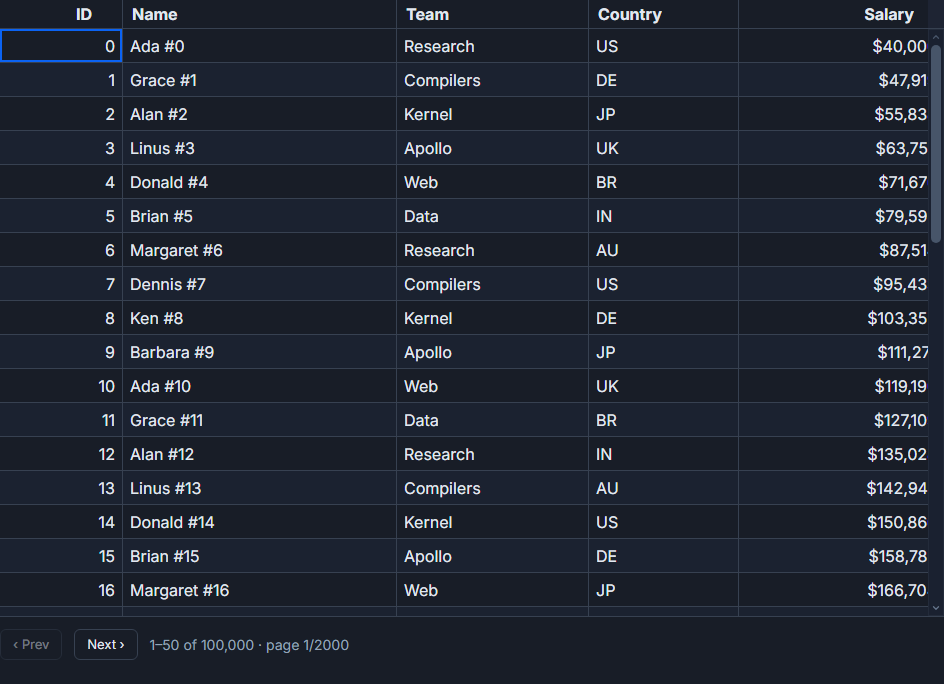 Each page is cached by key - navigating back is instant.
The key insight: grid state is your cache key
TanStack Query's caching is entirely key-driven. The query key you pass in determines what gets cached and when it is stale. For a server-driven grid, the effective cache key is the combination of page index, page size, sort column, sort direction, and any active filters. When that state changes, you want a new fetch (or a cache hit if the user already visited that exact view).
The cleanest way to handle this is a single reactive object for all grid state. Every grid callback writes to that object; the query key reads from it.
<script lang="ts">
  import SvGrid from '@svgrid/grid'
  import { tableFeatures, rowSortingFeature, rowPaginationFeature, columnFilteringFeature } from '@svgrid/grid'
  import { createQuery } from '@tanstack/svelte-query'
  import type { ColumnDef, TableFeatures } from '@svgrid/grid'

  type Row = { id: number; name: string; department: string; salary: number }

  const features = tableFeatures({
    rowSortingFeature,
    rowPaginationFeature,
    columnFilteringFeature,
  })

  const columns: ColumnDef<typeof features, Row>[] = [
    { id: 'name',       field: 'name',       header: 'Name',       width: 200 },
    { id: 'department', field: 'department', header: 'Department', width: 160 },
    { id: 'salary',     field: 'salary',     header: 'Salary',     width: 120, type: 'number' },
  ]

  // All grid state in one reactive object - this becomes the query key
  let gridState = $state({
    page:    0,
    size:    50,
    sortId:  'name',
    desc:    false,
    filters: {} as Record<string, string>,
  })

  const query = createQuery(() => ({
    queryKey:        ['employees', gridState],
    queryFn:         () => fetchEmployees(gridState),
    placeholderData: (prev) => prev,   // keep current rows while next page loads
    staleTime:       30_000,           // treat cache as fresh for 30 seconds
  }))

  async function fetchEmployees(state: typeof gridState) {
    const params = new URLSearchParams({
      page:   String(state.page),
      size:   String(state.size),
      sort:   state.sortId,
      desc:   String(state.desc),
      ...state.filters,
    })
    const res = await fetch(`/api/employees?${params}`)
    if (!res.ok) throw new Error(`API error ${res.status}`)
    return res.json() as Promise<{ rows: Row[]; total: number }>
  }
</script>

<SvGrid
  data={$query.data?.rows ?? []}
  {columns}
  {features}
  pageable
  sortable
  filterable
  pageSize={gridState.size}
  rowCount={$query.data?.total ?? 0}
  onSortingChange={(sorts) => {
    gridState = { ...gridState, sortId: sorts[0]?.id ?? 'name', desc: !!sorts[0]?.desc, page: 0 }
  }}
  onPaginationChange={(p) => {
    gridState = { ...gridState, page: p.pageIndex }
  }}
  onFilteringChange={(f) => {
    const filters = Object.fromEntries(f.map(({ id, value }) => [id, String(value)]))
    gridState = { ...gridState, filters, page: 0 }
  }}
/>
A few things worth calling out. Resetting page to 0 on sort and filter changes is easy to forget and causes subtle bugs - page 3 of a filtered result set often does not exist. The placeholderData option is what prevents the blank-screen flicker; without it TanStack Query returns undefined during a fetch and your grid goes empty.
Showing fetch status without blocking the grid
$query.isFetching is true whenever a background request is in flight, even when cached data is showing. This is a better signal for a subtle loading indicator than $query.isLoading (which is only true when there is no data at all).
<div class="grid-wrapper">
  {#if $query.isFetching}
    <div class="loading-bar" aria-label="Loading"></div>
  {/if}

  {#if $query.isError}
    <div class="error-banner">
      Failed to load data.
      <button onclick={() => $query.refetch()}>Try again</button>
    </div>
  {/if}

  <SvGrid
    data={$query.data?.rows ?? []}
    {columns}
    {features}
    pageable
    sortable
    filterable
    pageSize={gridState.size}
    rowCount={$query.data?.total ?? 0}
    onSortingChange={(sorts) => {
      gridState = { ...gridState, sortId: sorts[0]?.id ?? 'name', desc: !!sorts[0]?.desc, page: 0 }
    }}
    onPaginationChange={(p) => {
      gridState = { ...gridState, page: p.pageIndex }
    }}
  />
</div>

<style>
  .grid-wrapper { position: relative; }
  .loading-bar {
    position: absolute;
    top: 0; left: 0; right: 0;
    height: 2px;
    background: var(--sg-accent);
    z-index: 10;
    animation: pulse 1s ease-in-out infinite;
  }
  .error-banner {
    padding: 0.5rem 1rem;
    background: #fff3f3;
    border-bottom: 1px solid #f5c6cb;
    display: flex;
    align-items: center;
    gap: 1rem;
  }
  @keyframes pulse { 0%, 100% { opacity: 1 } 50% { opacity: 0.4 } }
</style>
The grid renders regardless of fetch status. Users can still interact with already-loaded data while the next page comes in.
Prefetching the next page
One more trick that makes the grid feel snappy: prefetch the next page as soon as the current one loads. The user clicks "next" and data is already in cache.
<script lang="ts">
  import { useQueryClient } from '@tanstack/svelte-query'

  const queryClient = useQueryClient()

  // After the current page loads, prefetch the next one
  $effect(() => {
    if ($query.data && gridState.page * gridState.size < $query.data.total) {
      const nextState = { ...gridState, page: gridState.page + 1 }
      queryClient.prefetchQuery({
        queryKey:  ['employees', nextState],
        queryFn:   () => fetchEmployees(nextState),
        staleTime: 30_000,
      })
    }
  })
</script>
This runs as a reactive effect, so every time the grid navigates to a new page it automatically queues the next one. The network cost is one extra request per page view; the UX gain is that every forward navigation is instant.
Where this fits vs. SvGrid's built-in server mode
SvGrid ships a createServerDataSource that handles the fetch-on-demand contract internally. That approach is simpler to set up and is the right choice when you do not need fine-grained caching control. TanStack Query is the better choice when:
- You have complex cache invalidation needs (e.g., a mutation that should invalidate all pages for a given filter set)
- You want stale-while-revalidate semantics with configurable freshness windows
- The same data feeds multiple components and you want automatic deduplication
- You already have TanStack Query in the project and want consistent server-state handling
For a basic grid with server pagination and no other state requirements, createServerDataSource is less code. For anything more sophisticated, the TanStack Query integration pays for itself quickly.
Mutation and invalidation
When a user edits a row and you POST the change to the API, you want the grid to reflect the new state without a full reload. The right move is targeted invalidation rather than nuking the whole cache.
import { useQueryClient } from '@tanstack/svelte-query'

const queryClient = useQueryClient()

async function saveEdit(row: Row) {
  await fetch(`/api/employees/${row.id}`, {
    method:  'PUT',
    headers: { 'Content-Type': 'application/json' },
    body:    JSON.stringify(row),
  })

  // Invalidate only the current page - the rest of the cache stays warm
  queryClient.invalidateQueries({ queryKey: ['employees', gridState] })
}
If the edit could affect sort order or filter results on other pages, invalidate the whole employees key instead: queryClient.invalidateQueries({ queryKey: ['employees'] }). TanStack Query will refetch active queries immediately and mark inactive ones as stale so they refetch on next access.
The pairing works because TanStack Query and SvGrid divide responsibilities cleanly. The query layer owns when data arrives and how long it stays cached. The grid layer owns how data renders and what user interactions look like. Neither needs to know how the other works internally, which makes both easier to test and replace independently.