A Svelte Data Grid with SvelteKit and Supabase
Wire SvGrid to a Supabase Postgres backend with server-side pagination, sorting, and filtering - keeping credentials on the server and queries fast with proper indexing.
The fastest data grid is one that never loads data it does not need. If your table has 50,000 rows, there is no reason for the browser to hold more than one page. Supabase makes this genuinely easy: .range() gives you LIMIT/OFFSET, count: 'exact' gives the pager its total, and SvelteKit's server routes keep your Supabase service key off the client. Wire those three together with createServerDataSource and you have a production-grade backend for SvGrid in about 80 lines.
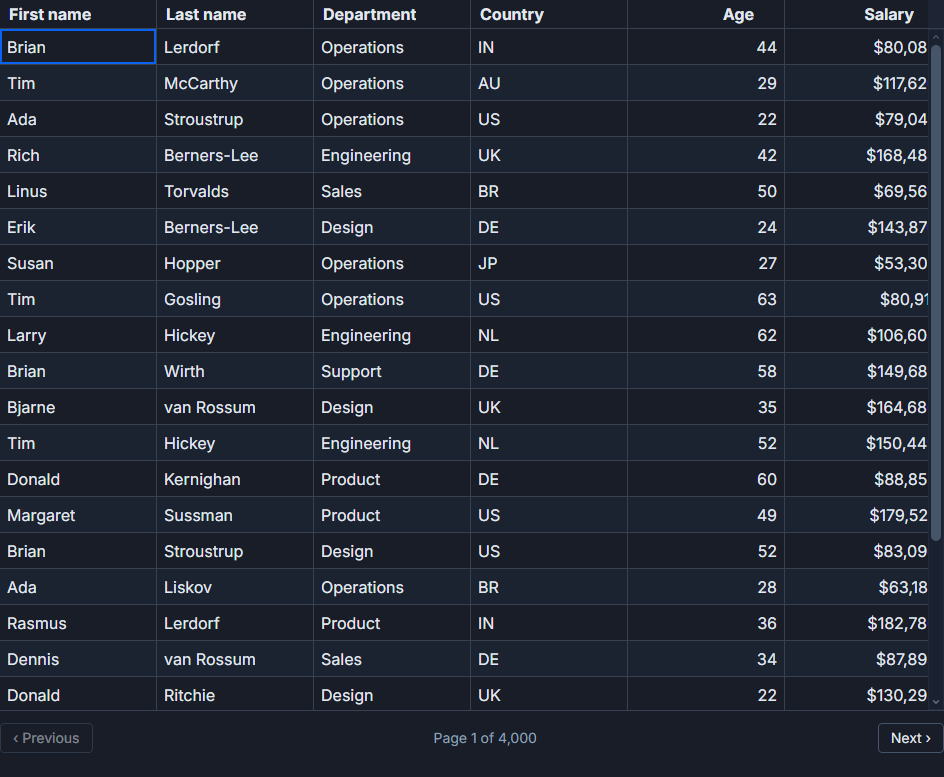 Server-side sorting, filtering, and paging backed by Supabase.
Why a server route instead of the browser client
You could call Supabase directly from the browser using the anon key and Row Level Security. For many projects that is fine. But a SvelteKit API route gives you a cleaner boundary: the service role key (which bypasses RLS) never ships to the client, you can add rate limiting or caching at the route level, and you can do additional validation before the query runs. It also makes it easy to swap the backing store later without touching the grid component at all.
The server endpoint
Start with a SvelteKit GET handler that translates URL parameters into a Supabase query:
// src/routes/api/people/+server.ts
import { json } from '@sveltejs/kit'
import { createClient } from '@supabase/supabase-js'
import { SUPABASE_URL, SUPABASE_SERVICE_KEY } from '$env/static/private'

const supabase = createClient(SUPABASE_URL, SUPABASE_SERVICE_KEY)

export async function GET({ url }) {
  const page     = Number(url.searchParams.get('page') ?? 0)
  const pageSize = Number(url.searchParams.get('pageSize') ?? 50)
  const sortId   = url.searchParams.get('sortId') ?? 'created_at'
  const sortDesc = url.searchParams.get('sortDesc') === 'true'

  // Filters come in as JSON: [{ id: 'name', operator: 'contains', value: 'alice' }]
  const rawFilters = url.searchParams.get('filters')
  const filters: Array<{ id: string; operator: string; value: string }> =
    rawFilters ? JSON.parse(rawFilters) : []

  let query = supabase
    .from('people')
    .select('id, name, email, department, salary, hired_at', { count: 'exact' })
    .order(sortId, { ascending: !sortDesc })
    .range(page * pageSize, page * pageSize + pageSize - 1)

  for (const f of filters) {
    if (f.operator === 'contains')      query = query.ilike(f.id, `%${f.value}%`)
    if (f.operator === 'equals')        query = query.eq(f.id, f.value)
    if (f.operator === 'greaterThan')   query = query.gt(f.id, f.value)
    if (f.operator === 'lessThan')      query = query.lt(f.id, f.value)
  }

  const { data, count, error } = await query
  if (error) return json({ error: error.message }, { status: 500 })
  return json({ rows: data ?? [], total: count ?? 0 })
}
A few things worth calling out here. The service key is pulled from $env/static/private, which SvelteKit refuses to import in browser code - if you accidentally try, the build fails. The filter loop is simple but covers the operators SvGrid's filter row produces. And count: 'exact' is not free on large tables without the right indexes, so come back to that before you go to production.
Wiring SvGrid to the endpoint
createServerDataSource is the right abstraction for this. It handles the fetch lifecycle, passes the current sort/filter/page state to your function, and updates the grid when the response arrives. You do not manage rows and total as separate state variables.
<script lang="ts">
  import SvGrid from '@svgrid/grid'
  import {
    tableFeatures, rowSortingFeature, columnFilteringFeature,
    rowPaginationFeature, createServerDataSource,
    type ColumnDef, type SvGridApi, type TableFeatures,
  } from '@svgrid/grid'

  type Row = {
    id: number
    name: string
    email: string
    department: string
    salary: number
    hired_at: string
  }

  const features = tableFeatures({
    rowSortingFeature,
    columnFilteringFeature,
    rowPaginationFeature,
  })

  const columns: ColumnDef<typeof features, Row>[] = [
    { id: 'name',       field: 'name',       header: 'Name',       width: 200 },
    { id: 'email',      field: 'email',      header: 'Email',      width: 240 },
    { id: 'department', field: 'department', header: 'Department', width: 160 },
    {
      id: 'salary',
      field: 'salary',
      header: 'Salary',
      width: 120,
      type: 'number',
      format: { style: 'currency', currency: 'USD' },
    },
    { id: 'hired_at', field: 'hired_at', header: 'Hired', width: 140, type: 'date' },
  ]

  const ds = createServerDataSource<Row>({
    fetch: async ({ page, pageSize, sort, filters }) => {
      const params = new URLSearchParams({
        page:     String(page),
        pageSize: String(pageSize),
        sortId:   sort[0]?.id ?? 'created_at',
        sortDesc: sort[0]?.desc ? 'true' : 'false',
        filters:  JSON.stringify(
          filters.map((f) => ({ id: f.id, operator: f.operator, value: String(f.value) }))
        ),
      })
      const res  = await fetch(`/api/people?${params}`)
      const json = await res.json()
      if (!res.ok) throw new Error(json.error ?? 'fetch failed')
      return { rows: json.rows, total: json.total }
    },
  })

  let api: SvGridApi<typeof features, Row> | undefined

  function exportVisible() {
    if (!api) return
    const rows = api.getDisplayedRows()
    console.log('current page rows:', rows)
    // hand off to your CSV or XLSX exporter
  }
</script>

<button onclick={exportVisible}>Export page</button>

<SvGrid
  data={ds}
  {columns}
  {features}
  sortable
  filterable
  showFilterRow={true}
  pageable
  pageSize={50}
  virtualization={true}
  onApiReady={(a) => { api = a }}
/>
createServerDataSource re-fetches whenever sort, filter, or page state changes. You do not write a $effect or debounce the fetch yourself - that is already handled. The api reference is useful if you need to react to changes outside the grid (exporting the current page, resetting filters programmatically, and so on).
Indexes matter more than you think
Server-side paging only feels instant if the database can answer quickly. On a table with 100,000 rows, a count: 'exact' query with an ilike on an unindexed column will scan the whole table. Create a GIN trigram index for text search columns and standard B-tree indexes on the columns you sort and filter by:
-- In your Supabase SQL editor or a migration file

-- Trigram index for ILIKE on name and email
create extension if not exists pg_trgm;
create index people_name_trgm  on people using gin (name  gin_trgm_ops);
create index people_email_trgm on people using gin (email gin_trgm_ops);

-- B-tree for sort/filter on numeric and date columns
create index people_salary    on people (salary);
create index people_hired_at  on people (hired_at);
create index people_dept_name on people (department, name);
The compound index on (department, name) helps if users tend to filter by department first and then sort by name. Use explain analyze in Supabase's SQL editor to verify the planner is actually using your indexes.
Keeping credentials safe with Row Level Security
If you are using the anon key (for example, calling Supabase directly from a SvelteKit load function rather than an API route), enable RLS on the table and write policies:
-- Only authenticated users can read people rows
alter table people enable row level security;

create policy "Authenticated users can read people"
  on people for select
  to authenticated
  using (true);

-- If you need per-tenant isolation, scope to org_id:
-- using (org_id = (select org_id from user_profiles where id = auth.uid()))
With the API route approach above, the service key already bypasses RLS - but you should still validate the session server-side if you want access control. Check event.locals.session (populated by your Supabase auth helper) before running the query and return a 401 if the session is missing.
What to watch
A few edge cases that come up in real deployments:
Stale responses: if the user clicks through pages fast, an earlier slow response can overwrite a newer one. createServerDataSource handles request sequencing internally, but if you write a custom fetch loop yourself, you need an AbortController and a generation counter.
Empty filter values: the filter row fires a filter event with an empty string when the user clears a field. Make sure your server-side logic skips filters with no value rather than passing ilike '%' to Postgres (which matches everything but still costs a scan).
Sorting on joined columns: if you need to sort on a column from a joined table, the .order() call needs the full dot-notation reference and the select must include the joined table. Supabase's PostgREST syntax for this is order('related_table(column)', { ascending: true }).
The full integration - server route, createServerDataSource, indexes, and RLS - takes maybe an afternoon to set up correctly. Once it is in place, the grid handles tables of any size without you doing any manual state management.