Migrating from TanStack Table (Svelte) to SvGrid
A practical migration guide from TanStack Table's headless Svelte adapter to SvGrid - covering column definitions, flexRender replacement, row model mapping, and runes-native state.
TanStack Table is a principled headless engine. It gives you zero UI and total control - which is exactly what you want until the day you realise you've spent three sprints hand-writing sort headers, filter rows, and a virtual scroll layer that's mostly borrowed from Stack Overflow.
That's the migration trigger for most people coming to SvGrid: not dislike of TanStack Table, but exhaustion from maintaining the UI shell around it. SvGrid ships that shell ready-made. It also has a headless path (createGrid) that maps closely to TanStack's model if you want to stay low-level.
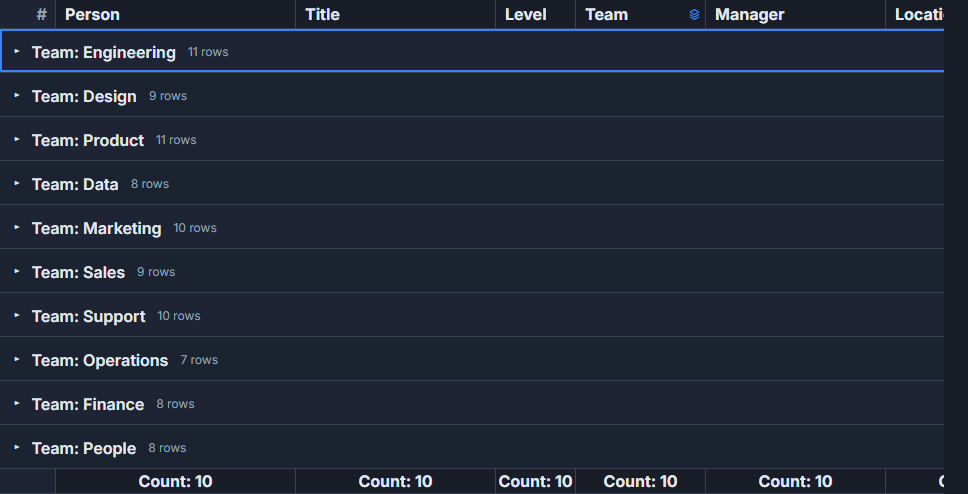 An HR team directory built with SvGrid.
The honest comparison
Before mapping APIs, here's where each library actually wins:
| Dimension | TanStack Table | SvGrid |
|---|---|---|
| Framework support | React, Vue, Solid, Angular, Svelte | Svelte only |
| UI ownership | You build everything | Ships a render component; headless opt-in |
| Svelte 5 runes | Store-bridged adapter | Native $state throughout |
| Virtualization | Bring your own | Built in |
| Excel-style filters | Bring your own | Built in |
| Column grouping headers | Manual render | columnGroupingFeature |
| Cell editing | Not included | Included |
| Bundle surface | Tiny (headless only) | Larger; tree-shakeable features |
If you need React+Vue+Svelte from one codebase, stay on TanStack. If you're building a Svelte-only app and want a production grid in days rather than weeks, SvGrid is the faster path.
Column definitions
TanStack uses a column helper factory; SvGrid uses plain objects. The mapping is one-to-one:
import type { ColumnDef } from '@svgrid/grid'
import { tableFeatures, rowSortingFeature, columnFilteringFeature } from '@svgrid/grid'

// TanStack (Svelte adapter)
// const columnHelper = createColumnHelper<Row>()
// const columns = [
//   columnHelper.accessor('firstName', { header: 'First Name', size: 180 }),
//   columnHelper.accessor(r => `${r.firstName} ${r.lastName}`, {
//     id: 'fullName',
//     header: 'Full Name',
//   }),
//   columnHelper.display({ id: 'actions', header: '', size: 80 }),
// ]

const features = tableFeatures({ rowSortingFeature, columnFilteringFeature })

// SvGrid equivalent
const columns: ColumnDef<typeof features, Row>[] = [
  { id: 'firstName', field: 'firstName', header: 'First Name', width: 180 },
  {
    id: 'fullName',
    header: 'Full Name',
    fieldFn: (r) => `${r.firstName} ${r.lastName}`,
  },
  { id: 'actions', header: '', width: 80, cell: actionsSnippet },
]
The main differences: size becomes width, accessor string becomes field, and derived columns use fieldFn instead of a function passed to accessor(). Display columns that render arbitrary content use a Svelte snippet in cell.
Replacing flexRender with snippets
TanStack's flexRender exists because React (and the adapter pattern generally) needs a way to render either a component or a function at runtime. In Svelte 5, you have snippets - which are a direct replacement.
<script lang="ts">
  import SvGrid from '@svgrid/grid'
  import { renderSnippet, tableFeatures, rowSortingFeature } from '@svgrid/grid'
  import type { ColumnDef } from '@svgrid/grid'

  type Row = { id: number; name: string; status: 'active' | 'inactive'; score: number }

  const features = tableFeatures({ rowSortingFeature })

  const columns: ColumnDef<typeof features, Row>[] = [
    { id: 'name', field: 'name', header: 'Name', width: 200 },
    { id: 'status', field: 'status', header: 'Status', width: 120, cell: statusCell },
    { id: 'score', field: 'score', header: 'Score', width: 100, type: 'number' },
  ]

  let data = $state<Row[]>([
    { id: 1, name: 'Alice', status: 'active', score: 92 },
    { id: 2, name: 'Bob', status: 'inactive', score: 41 },
  ])
</script>

{#snippet statusCell({ value }: { value: string })}
  <span
    style="padding: 2px 8px; border-radius: 4px;
           background: {value === 'active' ? '#d1fae5' : '#fee2e2'};
           color: {value === 'active' ? '#065f46' : '#991b1b'};"
  >
    {value}
  </span>
{/snippet}

<SvGrid {data} {columns} {features} sortable />
If you were using a Svelte component (not a snippet) inside flexRender, use renderComponent instead of renderSnippet in the column def:
import { renderComponent } from '@svgrid/grid'
import StatusBadge from './StatusBadge.svelte'

{ id: 'status', field: 'status', header: 'Status', cell: renderComponent(StatusBadge) }
Row models: the feature registry
TanStack wires row models explicitly in createSvelteTable:
// TanStack
const table = createSvelteTable({
  getCoreRowModel: getCoreRowModel(),
  getSortedRowModel: getSortedRowModel(),
  getFilteredRowModel: getFilteredRowModel(),
  getPaginationRowModel: getPaginationRowModel(),
})
SvGrid uses a feature registry pattern instead. You declare which features you want at init time, and only those are included:
import {
  createGrid, tableFeatures,
  rowSortingFeature,
  columnFilteringFeature,
  rowPaginationFeature,
  rowSelectionFeature,
  rowExpandingFeature,
} from '@svgrid/grid'
import type { ColumnDef } from '@svgrid/grid'

type Row = { id: number; name: string; dept: string; salary: number }

const features = tableFeatures({
  rowSortingFeature,
  columnFilteringFeature,
  rowPaginationFeature,
  rowSelectionFeature,
})

const columns: ColumnDef<typeof features, Row>[] = [
  { id: 'name', field: 'name', header: 'Name', width: 180 },
  { id: 'dept', field: 'dept', header: 'Department', width: 150 },
  { id: 'salary', field: 'salary', header: 'Salary', width: 120, type: 'number' },
]

// Headless usage - you control the render
const grid = createGrid({
  data: $state<Row[]>([]),
  columns,
  features,
  options: {
    sorting: { state: $state([]) },
    pagination: { state: $state({ pageIndex: 0, pageSize: 20 }) },
    rowSelection: { state: $state({}) },
  },
})
If you don't need headless control, drop createGrid entirely and use <SvGrid {data} {columns} {features} sortable filterable pageable /> - it wires the same features automatically.
State: from stores to runes
The Svelte adapter for TanStack bridges its internal state through Svelte stores, which creates some friction in Svelte 5 where runes are the idiomatic primitive. You end up with $derived, $effect, and .subscribe calls that fight each other.
SvGrid state is plain $state. Sorting state is a rune; filter state is a rune. There's no adapter layer:
<script lang="ts">
  import SvGrid from '@svgrid/grid'
  import { tableFeatures, rowSortingFeature, columnFilteringFeature } from '@svgrid/grid'
  import type { SvGridApi } from '@svgrid/grid'

  const features = tableFeatures({ rowSortingFeature, columnFilteringFeature })

  let api = $state<SvGridApi<typeof features> | null>(null)
  let data = $state(initialRows)

  // Imperative access when you need it
  function resetFilters() {
    api?.clearAllFilters()
  }
</script>

<button onclick={resetFilters}>Reset</button>
<SvGrid
  {data}
  {columns}
  {features}
  sortable
  filterable
  showFilterRow={true}
  onApiReady={(a) => (api = a)}
/>
The onApiReady callback gives you an imperative handle - api.setSort(), api.setFilter(), api.getSelectedRows() - for cases where reactive props aren't enough. That covers most of what you'd have done by manipulating table state directly in TanStack.
What you lose and what you gain
Things TanStack Table does that SvGrid doesn't match one-for-one:
- Fuzzy row filtering: TanStack ships
filterFns.fuzzyout of the box. SvGrid filters are structured (equals, contains, between, startsWith). If your UI depends on client-side fuzzy search, you'll need to filter the data array before passing it in. - Full DOM ownership: TanStack renders nothing; every
<tr>and<td>is yours. SvGrid's render component produces its own DOM. The headlesscreateGridpath gives you the row/cell data structures, but not a blank-slate render surface. - Column sizing via CSS variables: TanStack's column sizing model writes directly to CSS variables. SvGrid manages column widths through its own layout pass.
What you gain that TanStack doesn't include by default: virtual scrolling for large datasets, filter row UI with operator dropdowns, Excel-style multi-value filters, cell editing with undo/redo, named view save/restore, and row drag-and-drop - all without additional packages.
For most applications coming from TanStack Table, the migration reduces total lines of code. The headless layer was never the problem; it was everything built around it.