Keyboard Navigation and Accessibility in SvGrid
SvGrid ships WAI-ARIA roles and full keyboard control by default. Learn the keyboard map and how to keep custom cells accessible.
Accessibility is not a feature you bolt on - it is the default a grid should ship with. SvGrid renders a semantic table with WAI-ARIA roles and full keyboard navigation out of the box, so your grid is usable by keyboard and screen-reader users from the first line.
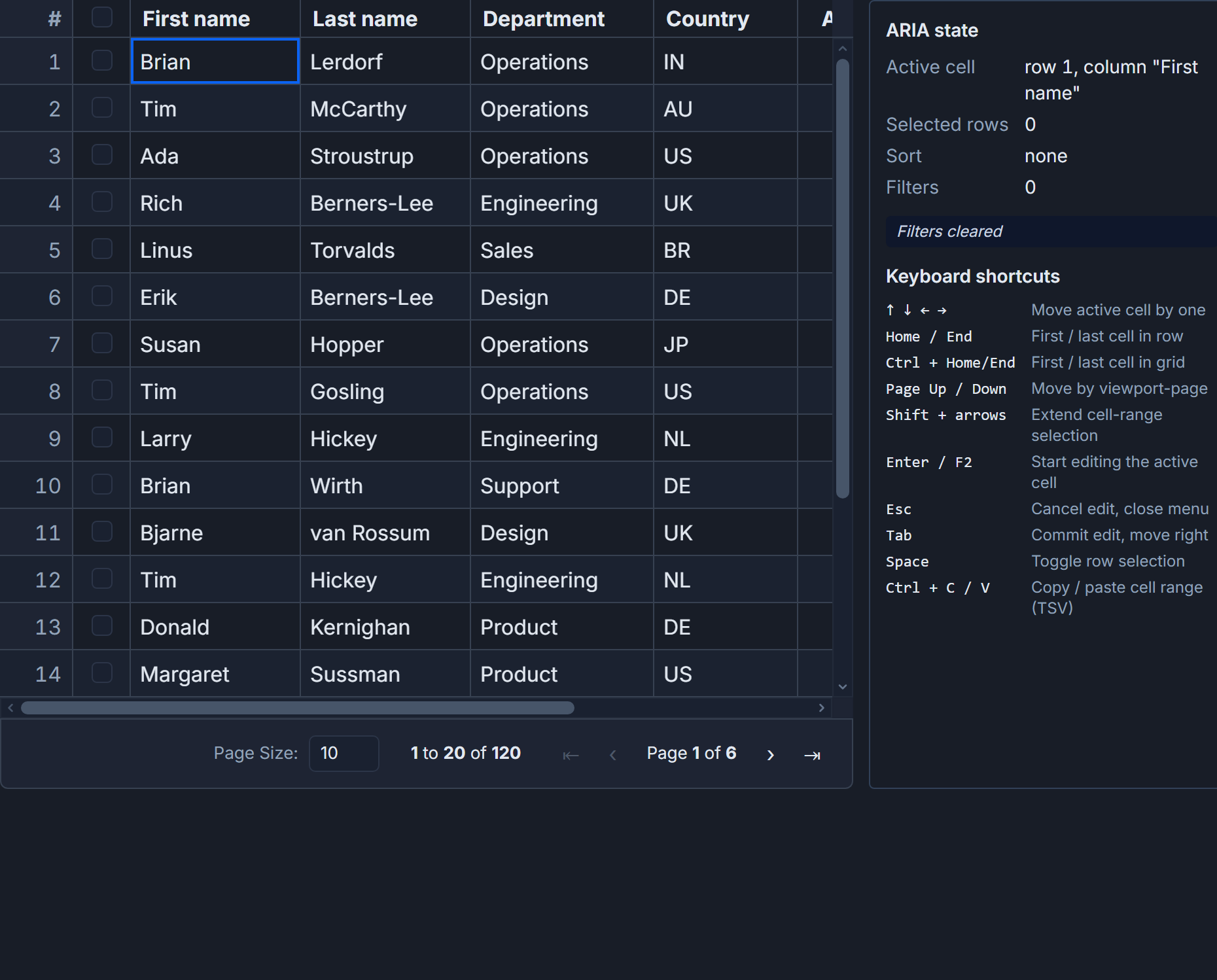 SvGrid is keyboard-navigable and screen-reader friendly by default.
What you get for free
Every grid SvGrid renders includes:
role="grid",role="row",role="columnheader", androle="gridcell"on the right nodes.- A roving focus model: one cell is the active tab stop, and arrow keys move focus.
- A visible focus ring so sighted keyboard users always know where they are.
You do not configure any of this. It is simply how the grid is built.
The keyboard map
| Action | Keys |
|---|---|
| Move active cell | Arrow keys |
| First / last in row | Home / End |
| First / last in grid | Ctrl + Home / Ctrl + End |
| Page up / down | Page Up / Page Down |
| Edit the active cell | F2 or Enter |
| Commit / cancel edit | Enter / Escape |
This matches what users already know from spreadsheets, so there is nothing new to learn.
Keep custom cells accessible
When you render a custom cell with a snippet, keep it keyboard-friendly:
- Use real
<button>and<a>elements for actions, not clickable<div>s. - Provide an
aria-labelon icon-only buttons so screen readers announce them. - Do not trap focus inside a cell; let arrow keys continue to move through the grid.
A badge or progress bar needs no extra work; an interactive control does, and the standard HTML elements give you accessibility for free.
Test it
The fastest accessibility test costs nothing: unplug your mouse. Tab into the grid, move with the arrow keys, edit a cell, and trigger a row action - all without touching the pointer. If that flow works, most keyboard users are covered. Follow up with a screen reader to confirm cells and headers are announced.
Frequently asked questions
Is SvGrid accessible by default?
Yes. It renders WAI-ARIA grid roles and supports full keyboard navigation - arrow keys, Home/End, Ctrl+Home/End, and F2 to edit - without any configuration.
How do I keep custom cells accessible?
Use native <button> and <a> elements for interactive content, add aria-label to icon-only controls, and avoid trapping focus so arrow-key navigation keeps working.