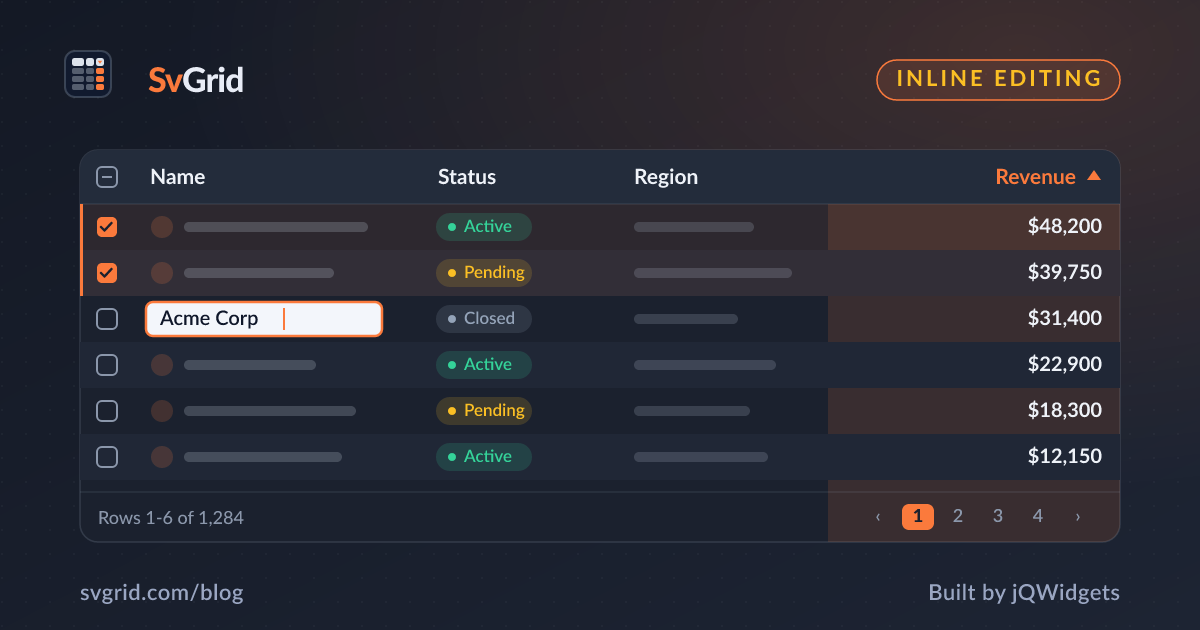
Inline Editing with Validation in SvGrid
Make cells editable in your Svelte data grid, choose the right editor type, validate input, and save changes safely.
A read-only grid shows data; an editable grid lets users change it. SvGrid turns any column into an editable cell with the right editor - text, number, checkbox, or date - and hands you a clean event when a value is committed.
Make a column editable
Add editorType to the columns you want editable, then turn on editing at the grid level:
<script lang="ts">
  import { SvGrid, type ColumnDef } from 'sv-grid-community'

  const columns: ColumnDef<{}, Person>[] = [
    { field: 'firstName', header: 'Name',   editorType: 'text' },
    { field: 'age',       header: 'Age',    editorType: 'number' },
    { field: 'active',    header: 'Active', editorType: 'checkbox' },
  ]
</script>

<SvGrid
  data={rows}
  columns={columns}
  enableInlineEditing={true}
  onCellValueChange={(e) => save(e)}
/>
Users press F2 or double-click to edit, type, and press Enter to commit or Escape to cancel - all keyboard-accessible.
The change event
When an edit commits, SvGrid emits onCellValueChange with everything you need:
function save(e) {
  // e: { rowIndex, columnId, oldValue, newValue, row }
  if (e.columnId === 'age' && e.newValue < 0) {
    return // reject - keep the old value
  }
  rows[e.rowIndex] = { ...e.row, [e.columnId]: e.newValue }
}
SvGrid does not mutate your data for you. You decide whether to mutate in place, copy, or send a PATCH to the server. That keeps the grid predictable in a Svelte 5 $state world.
Validation patterns
- Synchronous checks - reject invalid values in
onCellValueChangebefore you write them back. - Visual feedback - flag the row in your own state and render an error style with a custom cell.
- Async validation - write the value optimistically, then revert if the server rejects it.
Save to a server
The common shape is optimistic: update local state immediately so the UI feels instant, fire the request, and roll back on failure.
async function save(e) {
  rows[e.rowIndex] = { ...e.row, [e.columnId]: e.newValue }
  try {
    await api.patch(e.row.id, { [e.columnId]: e.newValue })
  } catch {
    rows[e.rowIndex] = { ...e.row, [e.columnId]: e.oldValue }
  }
}
Choosing the right editor type
Match the editor to the data, and you get correct input handling and alignment for free:
| Data | editorType |
Notes |
|---|---|---|
| Short text | text |
The default for string fields. |
| Quantities, prices | number |
Right-aligned, numeric keypad on mobile. |
| Flags | checkbox |
Renders an inline checkbox, toggles on space. |
| Calendar dates | date |
Native date picker. |
| Timestamps | datetime |
Date plus time. |
Using a typed editor matters beyond looks: a number editor commits a number, not the string "42", so the column keeps sorting and filtering numerically.
The editing keyboard flow
Good inline editing is keyboard-first, and SvGrid wires the conventions users already know:
- F2 or double-click enters edit mode on the active cell.
- Enter commits and moves down; Tab commits and moves right.
- Escape cancels and restores the original value.
Because the active cell is part of the grid's roving focus model, a user can navigate with the arrow keys, hit F2, type, press Enter, and keep going - no mouse required. That flow is what makes bulk data entry bearable.
Three layers of validation
Validation is not one thing; it is a sequence of increasingly expensive checks:
- Type-level - the editor already restricts input shape; a
numbereditor will not yield a non-numeric value. - Synchronous rules - in
onCellValueChange, reject values that violate business rules (a negative age, an end date before a start date) before you write them back. - Asynchronous validation - when the rule lives on the server (is this SKU unique?), apply the value optimistically, then revert and flag it if the server says no.
function onCellValueChange(e) {
  // 2. synchronous rule
  if (e.columnId === 'discount' && (e.newValue < 0 || e.newValue > 100)) {
    flash(e.rowIndex, 'Discount must be between 0 and 100')
    return // keep the old value
  }
  rows[e.rowIndex] = { ...e.row, [e.columnId]: e.newValue }
}
Showing errors without losing the edit
The worst validation UX silently discards a user's input. Instead, keep the entered value visible and mark it as invalid - a red border, an inline message - so the user can correct it rather than retype it. Track a per-cell error in your own state and render it with a custom cell or a wrapper style. Because SvGrid hands you the change event rather than mutating your data, you decide exactly when a value is "good enough" to persist.
Editable and read-only in the same grid
Not every column should be editable. Leave editorType off the columns that are display-only - computed totals, ids, timestamps - and they stay read-only while the rest accept input. This is the common shape for an editable grid: a few key fields editable, the context columns locked.
Frequently asked questions
How do I make grid cells editable in Svelte?
Set editorType on the editable columns and pass enableInlineEditing={true}. Handle commits with onCellValueChange.
Does SvGrid mutate my data when I edit a cell?
No. It emits onCellValueChange with the old and new values; you choose how to persist the change. This keeps edits explicit and server-syncing predictable.