Client-Side vs Server-Side Data for Tables
The architectural fork that determines your grid's performance ceiling - how to pick the right data mode and wire it correctly in SvGrid.
Most grid performance problems are not really grid problems. They are data-loading decisions made early in the project that nobody revisited. Whether your rows live entirely in the browser or arrive one page at a time from the server shapes latency, memory, security posture, and how complex your data pipeline becomes.
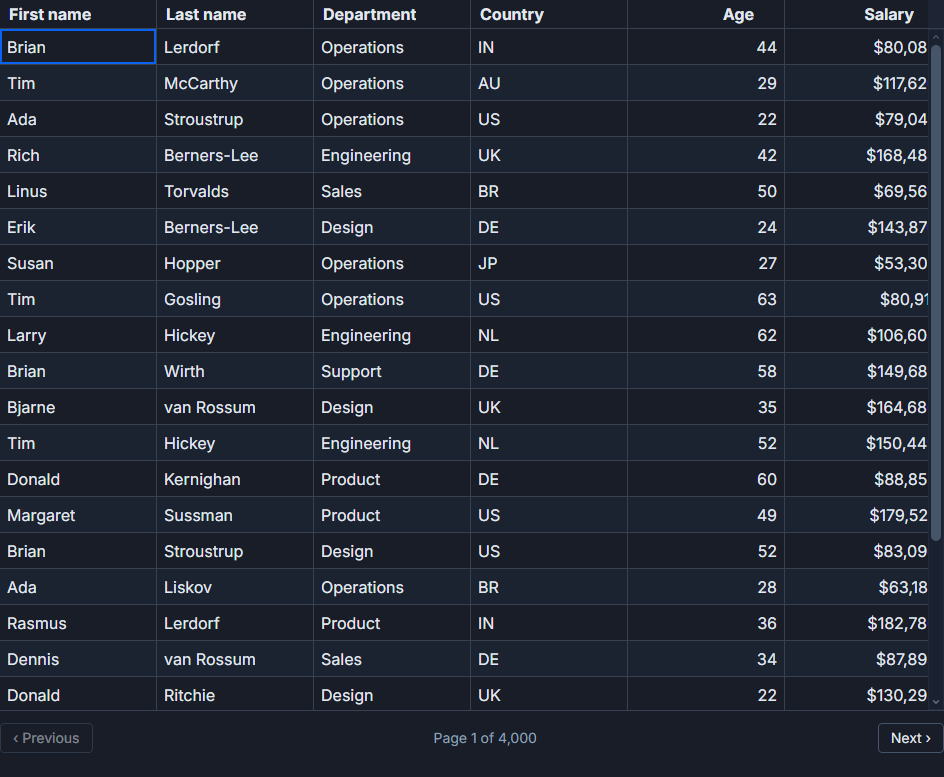 Server-side data in SvGrid.
The choice has a surprisingly clean decision boundary. Understanding it once saves you from debugging symptoms that are actually architectural mismatches.
When all rows belong in the browser
Client-side means you fetch the full dataset once - on component mount or via a store - and hand the array directly to the grid. SvGrid's internal pipeline handles sorting, filtering, and pagination entirely in memory.
<script lang="ts">
  import SvGrid from '@svgrid/grid'
  import {
    tableFeatures,
    rowSortingFeature,
    columnFilteringFeature,
    rowPaginationFeature,
  } from '@svgrid/grid'
  import type { ColumnDef } from '@svgrid/grid'

  const features = tableFeatures({
    rowSortingFeature,
    columnFilteringFeature,
    rowPaginationFeature,
  })

  let rows = $state<Product[]>([])

  $effect(() => {
    fetch('/api/products').then(r => r.json()).then(d => { rows = d })
  })

  const columns: ColumnDef<typeof features, Product>[] = [
    { id: 'name',     field: 'name',     header: 'Name',     width: 220 },
    { id: 'category', field: 'category', header: 'Category', width: 140 },
    { id: 'price',    field: 'price',    header: 'Price',    width: 100, type: 'number' },
    { id: 'stock',    field: 'stock',    header: 'Stock',    width: 90,  type: 'number' },
  ]
</script>

<SvGrid
  data={rows}
  {columns}
  {features}
  sortable
  filterable
  pageable
  showFilterRow={true}
  rowHeight={34}
  virtualization={true}
/>
This mode works well up to tens of thousands of rows. With virtualization enabled, SvGrid only renders the visible viewport regardless of how many rows are in memory - so 50,000 rows will scroll just as smoothly as 500. The filter and sort interactions are instant because there is no network round trip; the grid recomputes the visible slice on every keypress.
The obvious trade-off: the full dataset lands in the browser. This means slower initial load for large tables, higher memory usage, and - critically - all the data is visible in the network tab. If rows contain personal data or pricing your competitors should not see, client-side is the wrong choice regardless of row count.
When the server must stay in control
Server-side mode inverts the architecture. The grid tells your backend what the user wants - which page, which sort order, which active filters - and the backend returns only the matching rows plus a total count. The grid never sees rows it is not displaying.
SvGrid provides createServerDataSource to wire this up without managing the callback plumbing yourself:
import { createServerDataSource } from '@svgrid/grid'

const ds = createServerDataSource({
  fetch: async ({ page, pageSize, sort, filters }) => {
    const params = new URLSearchParams({
      page:     String(page),
      pageSize: String(pageSize),
    })

    for (const s of sort) {
      params.append('sort', `${s.id}:${s.desc ? 'desc' : 'asc'}`)
    }

    for (const [col, f] of Object.entries(filters)) {
      params.append('filter', `${col}:${f.operator}:${f.value}`)
      if (f.valueTo) params.append('filter', `${col}:to:${f.valueTo}`)
    }

    const res  = await fetch(`/api/products?${params}`)
    const json = await res.json()

    return { rows: json.data, total: json.total }
  },
})
Then pass the data source exactly the same way you would pass an array:
<SvGrid
  data={ds}
  {columns}
  {features}
  sortable
  filterable
  pageable
  showFilterRow={true}
  rowHeight={34}
/>
The grid UI is identical - same filter row, same column headers, same pager. Only the data source changes. SvGrid automatically debounces filter input and cancels in-flight requests when newer ones supersede them.
This mode is appropriate when:
- The total row count is in the hundreds of thousands or more - you cannot transfer that at startup.
- Rows contain sensitive fields that must not leave the backend without authorization checks applied per-request.
- The data changes so frequently that a full client copy would be stale within seconds (financial ticks, live inventory, ops dashboards).
The cost is real: every sort column added, every filter typed, every page turn triggers a network request. You need your API to support pagination and filtering parameters, and you need the backend to return an accurate total so the pager knows how many pages exist. On slow or unreliable connections this creates visible loading states between interactions.
The numbers that shift the decision
There is no universal row count where you must switch modes, but some practical brackets hold across most projects:
| Row count | Recommendation |
|---|---|
| Under 5,000 | Client-side, do not overthink it |
| 5,000 - 50,000 | Client-side with virtualization, monitor initial load time |
| 50,000 - 200,000 | Client-side is often still fine if data is not sensitive; benchmark |
| Over 200,000 | Server-side, the transfer alone exceeds what most users will tolerate |
Sensitivity overrides count. A table of 2,000 customer records with PII should probably be server-side from day one even though 2,000 rows is trivially small for client-side.
Mixing modes: server paging with client-side operations
There is a middle ground worth knowing: fetch pages from the server but keep the current page in memory for faster secondary interactions. This is implicit in how createServerDataSource works - within a loaded page, SvGrid applies client-side sorting if you add secondary sort columns, and client-side row selection works without re-fetching.
You can also load a capped dataset up-front and treat it as client-side. If your API supports a "fetch first N rows" endpoint, pulling 10,000 rows at startup and going fully client-side from there is sometimes the right call. You get fast interactions after the initial load and avoid building a filter/sort API on the backend.
The practical answer
Start with client-side. It is less code, less API surface to build, and instant interactions reward users immediately. Reach for server-side when one of these becomes true:
- Transfer time for the full dataset exceeds one or two seconds on a reasonable connection.
- The data contains fields that should not be visible in the network tab.
- Row counts push past the 50,000-100,000 range and initial load is measurably slow.
Switching from client-side to server-side later is straightforward in SvGrid - you replace the array prop with a createServerDataSource result and add the filter/sort API to your backend. The component template does not change. That migration path means you are not locked into an early decision; you can ship client-side and move when the data demands it.