Build vs Buy - Should You Build Your Own Svelte Data Table?
A working engineer's breakdown of when a hand-rolled Svelte table is the right call, when it will cost you three sprints, and what the headless middle path actually looks like in code.
A {#each} over a <table> in Svelte is maybe eight lines. That is both the appeal and the trap. The first version is always cheap. The sixth feature is where teams quietly rewrite their weekend.
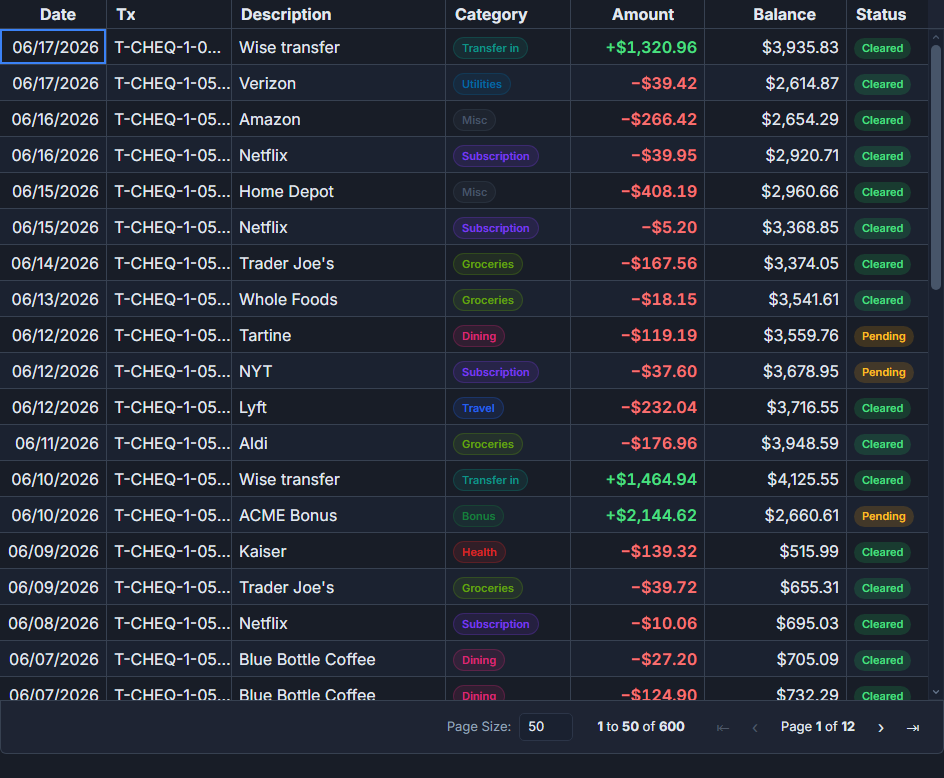 A finance grid built with SvGrid.
The case that actually makes sense for building
There are scenarios where you should absolutely build your own table and feel good about it. Small, static data is the obvious one - a settings page with twelve rows, a comparison panel with four columns. You do not need a dependency for that. A $derived sorted array and a {#each} gets you there in fifteen minutes.
<script lang="ts">
  import { type Snippet } from 'svelte'

  type Row = { name: string; role: string; joined: string }

  let { rows }: { rows: Row[] } = $props()

  let sortKey = $state<keyof Row>('name')
  let sortDir = $state<'asc' | 'desc'>('asc')

  let sorted = $derived(
    [...rows].sort((a, b) => {
      const cmp = a[sortKey] < b[sortKey] ? -1 : a[sortKey] > b[sortKey] ? 1 : 0
      return sortDir === 'asc' ? cmp : -cmp
    })
  )

  function toggleSort(key: keyof Row) {
    if (sortKey === key) sortDir = sortDir === 'asc' ? 'desc' : 'asc'
    else { sortKey = key; sortDir = 'asc' }
  }
</script>

<table>
  <thead>
    <tr>
      {#each (['name', 'role', 'joined'] as const) as col}
        <th onclick={() => toggleSort(col)} style="cursor:pointer">
          {col} {sortKey === col ? (sortDir === 'asc' ? '▲' : '▼') : ''}
        </th>
      {/each}
    </tr>
  </thead>
  <tbody>
    {#each sorted as row}
      <tr>
        <td>{row.name}</td>
        <td>{row.role}</td>
        <td>{row.joined}</td>
      </tr>
    {/each}
  </tbody>
</table>
That is real, useful code. If the requirement genuinely stops there, ship it. The mistake is assuming it will stop there.
Where hand-rolled tables quietly accumulate debt
Most tables start simple and then get requests. Inline editing. A filter row. Export to CSV. Column resizing. Keyboard navigation that actually works. Pinned columns. Pagination or infinite scroll.
Each of those individually is a weekend project. Together they become a product, and that product is now yours to maintain. Here is what "virtualization for 50,000 rows" actually involves when you build it yourself: row height measurement and caching, overscan logic to avoid flicker during fast scroll, focus management that survives DOM node recycling, scroll synchronization between header and body, and a correction pass when the estimate is wrong. Every data grid library has scars from that specific problem. Your first version usually does not.
Accessibility is the one that teams most consistently underestimate. A <table> element gives you some WAI-ARIA semantics for free, but keyboard navigation between cells, screen reader announcements for sort state, focus trapping during inline edit, and aria-rowcount for virtualized rows are all things you write from scratch. Retrofitting them after the fact is not cheaper than building them in - it is usually more expensive, because the assumptions baked into early code fight you.
The crossover point
The math that actually matters is not "how hard is the first version" but "how many iterations will this table go through in the next year." A static list that will never change is a fine candidate for a hand-rolled solution. Any table living in a real product, with a product manager, will change. Features will be added. Performance will become a concern when the dataset grows. Accessibility will become a requirement.
A rough heuristic that has held up: if you need more than two of virtualization, server-side data, inline editing, column grouping, or export - reach for a library. Each of those represents weeks of correct implementation, and they interact with each other in ways that compound the work.
What the headless path actually looks like
The reason most "build vs buy" framing is incomplete is that it treats the options as binary: hand-rolled markup or a black-box component. Headless is the third option, and it removes the main objection to buying.
With SvGrid's headless core, you get the data pipeline - sort state, filter model, grouping, pagination, virtualization - and you own every DOM node. The grid does not decide what your <td> looks like. You write a Svelte snippet and hand it to the column definition.
<script lang="ts">
  import {
    createSvGrid,
    tableFeatures,
    rowSortingFeature,
    columnFilteringFeature,
    rowSelectionFeature,
    rowPaginationFeature,
    type ColumnDef,
  } from '@svgrid/grid'

  type Product = { id: number; name: string; price: number; stock: number; status: string }

  const features = tableFeatures({
    rowSortingFeature,
    columnFilteringFeature,
    rowSelectionFeature,
    rowPaginationFeature,
  })

  const columns: ColumnDef<typeof features, Product>[] = [
    { id: 'name', field: 'name', header: 'Product', width: 220 },
    { id: 'price', field: 'price', header: 'Price', width: 100, type: 'number' },
    { id: 'stock', field: 'stock', header: 'In Stock', width: 100, type: 'number' },
    { id: 'status', field: 'status', header: 'Status', width: 120, cell: statusCell },
  ]

  let data = $state<Product[]>([])

  const grid = createSvGrid({
    data,
    columns,
    features,
    options: {
      sorting: { state: $state([{ id: 'price', desc: false }]) },
      rowSelection: { state: $state({}) },
      pagination: { state: $state({ pageIndex: 0, pageSize: 25 }) },
    },
  })
</script>

{#snippet statusCell({ value }: { value: string })}
  <span class="badge" class:active={value === 'active'} class:low={value === 'low-stock'}>
    {value}
  </span>
{/snippet}

<!-- Your markup, your CSS, grid logic underneath -->
<div class="table-wrap">
  {#each grid.getRows() as row}
    <div class="row" class:selected={row.getIsSelected()}>
      {#each grid.getVisibleLeafColumns() as col}
        <div class="cell" style="width:{col.getSize()}px">
          {row.getValue(col.id)}
        </div>
      {/each}
    </div>
  {/each}
</div>
The status column renders whatever HTML you want. The grid owns none of it. If you have a design system with its own badge component, you pass that instead. Sort state, filter state, selection state - all reactive Svelte 5 $state, not a separate event system you wire up manually.
When the render component is the faster path
Headless is the right choice when your design system is opinionated and you cannot have a grid imposing its own component structure. But if you need something working in an afternoon with full features - virtualization, filtering, inline editing, grouping, export - the <SvGrid> component gets you there directly.
<script lang="ts">
  import SvGrid from '@svgrid/grid'
  import { createServerDataSource, type ColumnDef, type SvGridApi } from '@svgrid/grid'

  type Order = { id: string; customer: string; total: number; status: string; date: string }

  let api: SvGridApi | undefined

  const ds = createServerDataSource({
    fetch: async ({ page, pageSize, sort, filters }) => {
      const params = new URLSearchParams({
        page: String(page),
        size: String(pageSize),
        sort: sort.map(s => `${s.id}:${s.desc ? 'desc' : 'asc'}`).join(','),
      })
      const res = await fetch(`/api/orders?${params}`)
      const json = await res.json()
      return { rows: json.data, total: json.total }
    },
  })

  const columns: ColumnDef<any, Order>[] = [
    { id: 'id', field: 'id', header: 'Order', width: 120, pinned: 'left' },
    { id: 'customer', field: 'customer', header: 'Customer', width: 200 },
    { id: 'total', field: 'total', header: 'Total', width: 110, type: 'number' },
    { id: 'status', field: 'status', header: 'Status', width: 130 },
    { id: 'date', field: 'date', header: 'Date', width: 140 },
  ]
</script>

<SvGrid
  data={ds}
  {columns}
  sortable
  filterable
  pageable
  showFilterRow={true}
  virtualization={true}
  rowHeight={36}
  onApiReady={(a) => { api = a }}
/>
Server-side data, filter row, virtualization, pinned column - about thirty lines. That is not possible with a hand-rolled table without writing the server-side filter protocol yourself.
The honest decision tree
Build your own table when: the dataset is small and bounded, the feature set is stable and minimal, or you have a layout so custom that a grid's row/column model would actively fight you.
Reach for a grid when: you need virtualization, server-side data, proper keyboard nav and accessibility, or any combination of filtering, grouping, editing, and export. The upfront cost of integrating a library is real. The cost of rebuilding the fourth or fifth feature yourself is larger, less visible, and tends to arrive at the worst time.
The headless option is worth knowing about because it dissolves the usual tension. You are not choosing between "control over markup" and "not writing your own sort engine." You can have both. The question then shifts from build vs buy to: which layer of the grid do I need the library to own?